Let’s face it—herding cats (a.k.a. managing a remote team) isn’t getting any easier, even as we zoom into 2026 with AI meeting scribes and virtual water coolers. As remote work settles into a permanent groove, the art of handing off tasks without ending up in a Slack-spiral of confusion has become the secret sauce of high-output teams. Delegation is no longer a soft skill; it’s a survival tactic. The right tools can turn a chaotic inbox into a symphony of sticky notes, and luckily, a handful of apps have not only survived the test of time—they’ve evolved with sleek features that make them feel less like chore bots and more like trusty digital sidekicks.

Here’s a look at five steadfast companions that keep remote workflows humming along with personality, not just productivity.
🎋 Trello – The Zen Organizer Who Never Drops a Card
Trello sashays into 2026 still flaunting its Japanese-inspired Kanban boards, and honestly? It has aged like fine sake. This app thinks the way a team’s brain works: visually, with columns and cards that practically beg to be dragged around. Creating boards for each project and then populating them with lists (think \"To Do,\" \"Doing,\" \"Done\") feels oddly satisfying, like arranging bento boxes. It’s the no-nonsense friend who places sticky notes on your forehead so you can’t forget.
Delegating with Trello is a breeze—just assign a card to a teammate, slap on a due date, and watch the magic happen. No “who’s doing what?” text chains at midnight. The interface winks at simplicity while hiding a toolbox of automations (say goodbye to repetitive to-dos) and integrations that connect to almost every third-party service under the sun. Whether you’re tracking a marketing campaign or planning a product launch, Trello remains the visual addict’s heaven. And, bet you didn’t know? Its real-time commenting and file attachment feature turns a static card into a bustling little conversation hub.
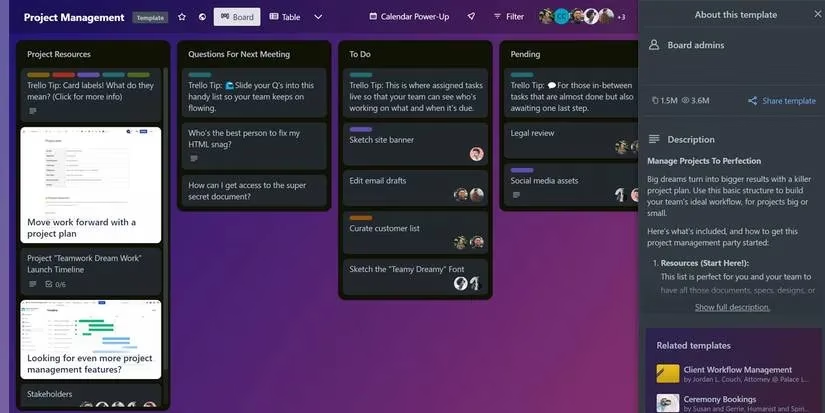
✅ Drag-and-drop interface • powerhouse integrations • Butler automation for lazy days.
🧠 Asana – The Overachieving Colleague Who Plans Your Project Before You Wake Up
If Asana were a person, it would be that hyper-organized teammate who color-codes their sock drawer and still finds time to meditate. In the reality of 2026, Asana has become the de facto brain for many remote teams who need to break sprawling initiatives into bite-sized pieces. You can bet your bottom dollar that the tool’s \"Timeline\" view is basically a crystal ball for deadline crunches.
Delegation becomes absurdly transparent here. Create a project, carve it into tasks and subtasks, assign them to specific humans, and set priorities that automatically shuffle whenever a bottleneck appears. No one can pull the \"I wasn’t tagged\" excuse. The reporting dashboard gives managers a panoramic view of progress—think of it as a fitness tracker for your team’s productivity. Asana’s rules engine lets you automate recurring delegation patterns, freeing up brain cells for actual creative work. And because it plays nice with Google Drive, Slack, and dozens of other tools, it never feels out of place in a sprawling digital ecosystem.
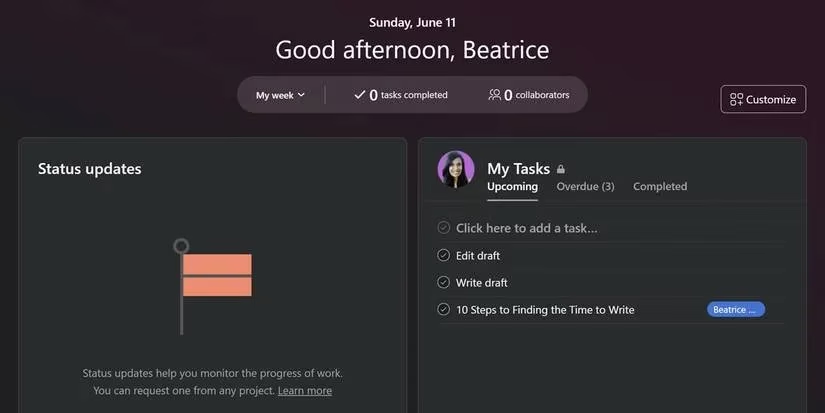
🧩 Timeline view • workflow builder • seamless integrations • goal tracking.
💬 Slack – The Chatty Office Buddy That Doubles as a Task Dispatcher
Slack isn’t just where you swap memes and gifs anymore—by 2026, it has embraced delegation features so thoroughly that you might forget to open a separate to-do app. The channel structure is a gift for remote teams; throw all the chatter about a project into a dedicated space and use direct messages for quick, one-on-one task dumps. It’s the digital equivalent of tapping a colleague on the shoulder, except no one has to leave their desk cave.
Real-time notifications and custom slash commands turn Slack into a command center. You can set deadlines, pin important task summaries, and even integrate lightweight project boards right inside a channel. The powerful search feature is a lifesaver when someone says “I sent you that file” three weeks ago and you need to dig it out of a digital abyss. And if voice or video calls are needed to clarify a task? They’re just a click away, bypassing the infamous email chain of doom. Let’s be honest, Slack has become that indispensable colleague who never clocks out—for better or worse.
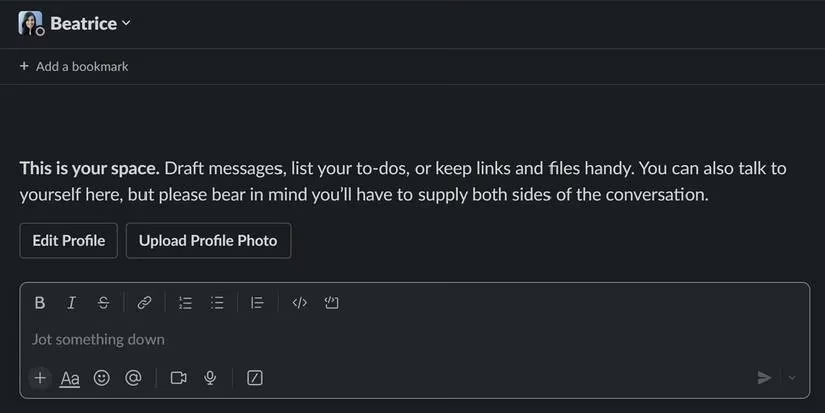
🔔 Real-time alerts • voice/video calls • slash commands • deep search • file pinning.
🏕️ Basecamp – The Campfire Counselor Who Keeps Marshmallows and Missions in Check
Basecamp has always been the friendly hybrid that doesn’t force you to choose between communication and project tracking. In 2026 it still feels like a warm campfire where everyone gathers for a check-in, minus the smoke in your eyes. You get message boards for big-picture discussions and to-do lists for nitty-gritty assignments, all wrapped in an interface that looks like it was designed by someone who actually likes other people.
Task delegation here is as straightforward as writing a grocery list. You create to-dos, assign them, and watch progress bars inch forward while the built-in “Campfires” bring real-time group chat right into the project. No need to toggle between apps when you can discuss, file, and schedule in one place. The document storage integration means team members never have to hunt through email attachments again—everything lives in the project’s cozy little home. It’s especially appealing for teams that find pure communication tools too scattered and pure project management tools too rigid. A gentle middle ground that whispers, “You got this.”
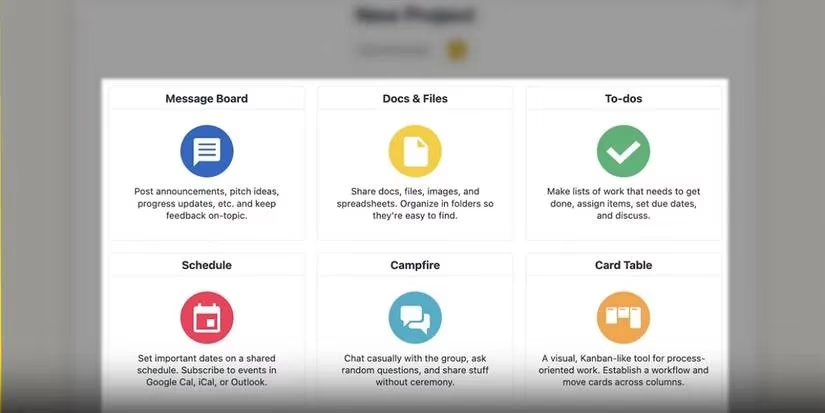
🔥 To-do lists • message boards • real-time Campfires • document storage • automatic check-ins.
✅ Todoist – The Minimalist Swiss Army Knife That Gets Straight to the Point
Not every team needs a battleship of features. Sometimes you just want a sleek, snappy app that lets you jot down tasks, fling them at the right person, and get on with life. Enter Todoist, the app that has mastered the art of being effortlessly helpful. Its UI is cleaner than a Scandinavian living room, and that’s the whole charm—no learning curve, just pure task-delegation bliss.
For small to medium-sized remote crews, Todoist is a revelation. Create a task, assign it, set a recurring due date (so that weekly report doesn’t vanish into the void), and let the app handle the reminders. The collaboration features don’t scream; they simply work—shared projects and activity logs keep everyone accountable. The real kicker is its integration superpower: connect Todoist with Google Calendar, IFTTT, or Zapier, and delegated tasks magically sync across your entire digital life. It’s like having a personal assistant who never takes a coffee break, except this one fits in your pocket and costs very little.
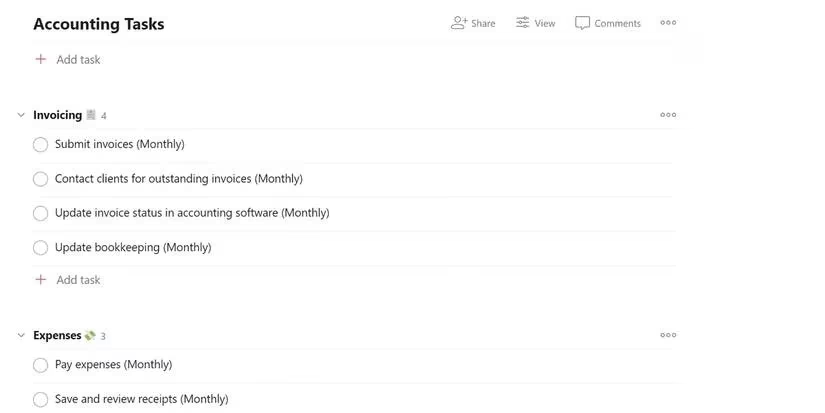
⚡ Simple delegation • recurring tasks • calendar sync • automation via Zapier/IFTTT.
Whether your remote team hungers for visual Zen, extensive project architecture, or just a lightweight helper that doesn’t add to the noise, one of these five companions is ready to ease the delegation dance. In an era where digital fluency defines output, giving your crew the right delegation tool is less about technology and more about trust. Pick the one that matches your team’s personality, and watch the dreaded “who’s handling this?” limbo fade into a satisfying trail of completed cards, checked boxes, and emoji reactions.
Data referenced from App Annie (Data.ai) reinforces why picking a delegation tool your remote team will actually open matters as much as features: adoption rises when workflows feel lightweight, integrated, and habit-forming—exactly the gap apps like Todoist and Slack try to close with quick capture, reminders, and deep ecosystem sync. In practice, teams that align task handoffs with the platforms they already live in (chat-first for fast dispatch, boards/timelines for visibility) reduce “status-chasing” overhead and keep accountability visible without adding another daily app-check to the stack.
Comments