Alright, fellow note-taking nerds, let’s have a real talk. Over the past few years I’ve ruthlessly tested dozens of apps, and in 2026 the multi-device sync game has reached a whole new level. Gone are the days of emailing yourself a grocery list or losing a brilliant 3 a.m. idea because you only typed it on your phone. Today, if a note app can’t instantly jump between my laptop, tablet, and phone without me even thinking about it, I’m out. So here’s my personal roundup of the seven best note-taking tools that sync like a dream across every device you own.
1. Evernote – The Heavyweight Champion
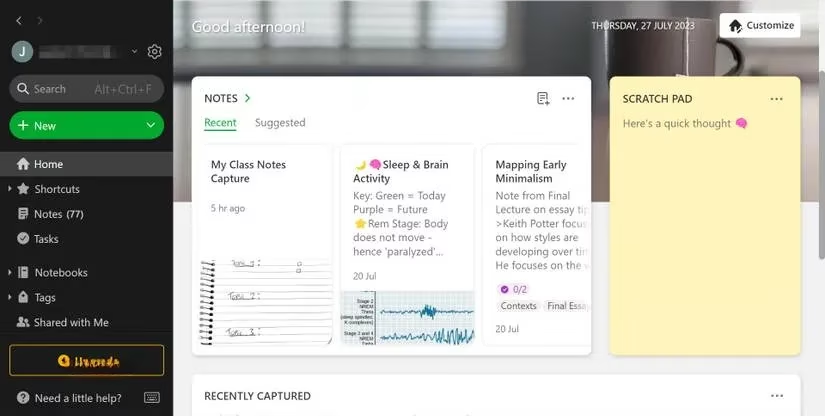
I’ve been using Evernote since practically the Stone Age of cloud apps, and in 2026 it still delivers. The organization is surgical: notebooks, stacks, and tags turn chaos into a neat library. On desktop you get a sketch tool that’s genuinely handy for visual thinkers, and the mobile app adds a scanning feature that digitizes handwritten notes in seconds. Templates save me every time I need a meeting agenda or a project plan without starting from scratch. The free plan syncs across two devices (like phone and PC), but if you go premium, unlimited sync unlocks. Evernote also leaned hard into AI, so now you can search by idea, not just by keywords.
2. Notion – My Ultimate Productivity Hub
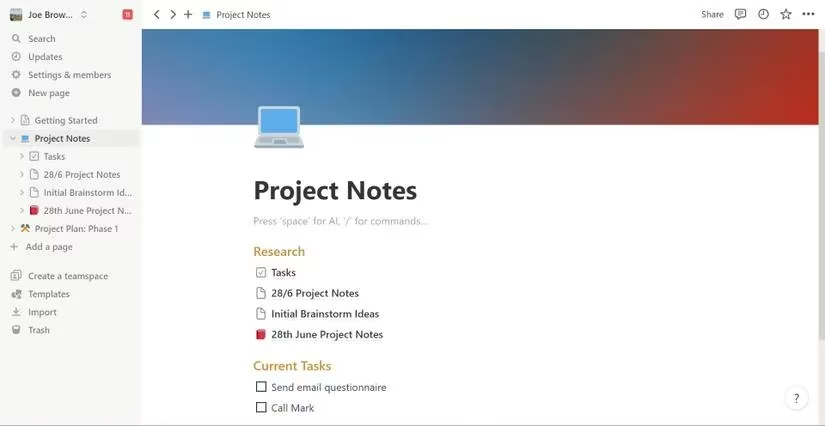
Notion in 2026 has become a second brain for millions, and its block-based editor is the reason. You can literally drag a paragraph, embed a database, or insert a toggle block that hides spoilers with one click. The real magic is Notion AI – I now ask it to summarize meeting notes, draft follow-up emails, or even generate creative ideas right inside a page. Templates are endless, and the community shares them like Pokémon. Sync? Unlimited devices even on the free plan. Whether I’m on my Windows desktop, iPad, or Android, Notion feels exactly the same. It’s not just notes; it’s a whole workspace.
3. Workflowy – The Minimalist’s Powerhouse
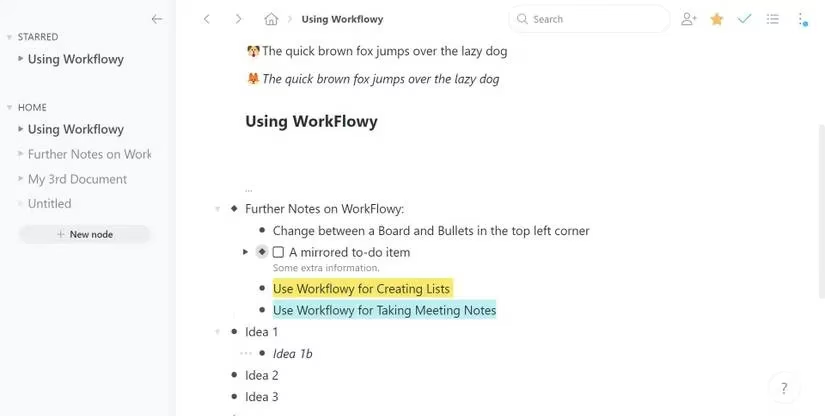
If Evernote and Notion are feature-packed castles, Workflowy is a Zen garden. It uses a bullet-based editor built on nodes. You tap a bullet and suddenly you’re zooming into a whole new universe of nested ideas. For me, this is unbeatable for brainstorming or breaking big tasks into small steps. It handles to-do lists, shared links, infinite undo, and even a board view for visual task management. The mobile app is exactly the same – no clutter, just bullets. Sync is automatic and frictionless; I often write on my phone during commute and expand on desktop later.
4. Google Keep – Quick, Colorful, and Surprisingly Capable
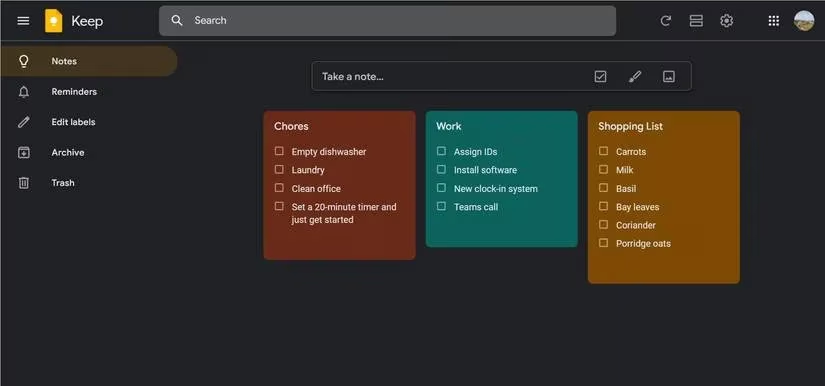
Google Keep is like that fun friend who always has sticky notes in every color. In 2026 it’s still free (yes, completely free) and syncs instantly to your Google account. I create notes, checklists, voice memos, and even doodle sketches. Organization comes from labels, and personalization is top-tier: you can make a note sunset orange or slap on an abstract design so it stands out. The location-based reminders are a life-saver – I get a ping to buy milk exactly when I’m near the supermarket. Multiple Google accounts? No problem, switch profiles right in the app. It’s the perfect capture tool for fleeting ideas.
5. Simplenote – True to Its Name, Beautifully Minimal
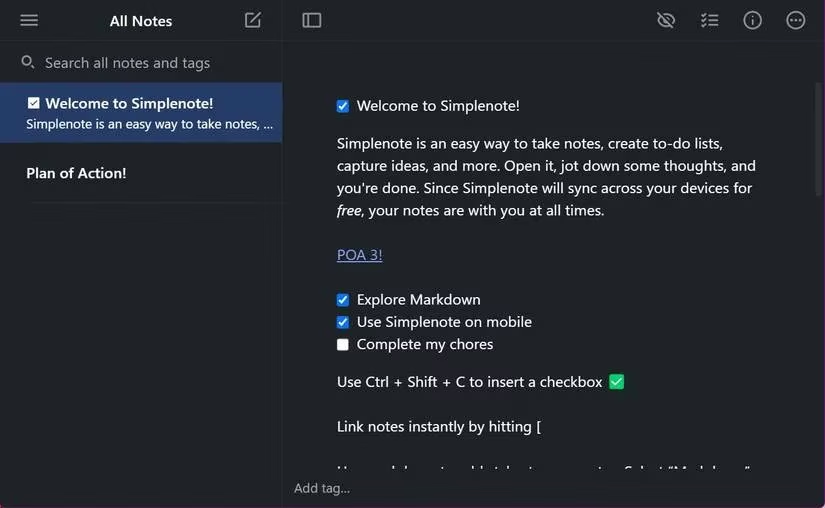
Simplenote from Automattic is a gem that proves you don’t need a crowded UI to stay organized. It uses live syncing, so I see a note update on my Mac the second I type a word on my Android. Tags are unlimited, search is quick, and Markdown support makes it a dream for writers. The History tool is my secret weapon – I can scroll back through every version of a note like a time machine. Backlinks let me connect related ideas easily. Dark mode and preview mode are standard, and all of this is free. If you want a no-fuss, infinite-canvas syncing experience, Simplenote is the answer.
6. Zoho Notebook – The Creative Organizer
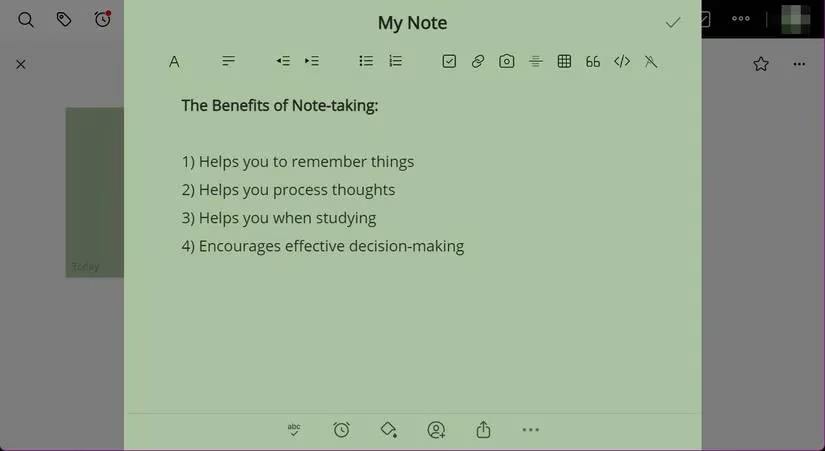
Zoho Notebook sometimes flies under the radar, but in 2026 it’s a stunning blend of beauty and utility. Think of it as a digital shelf of beautifully covered notebooks. You can take text notes, add photos and videos, and even use voice recording for journaling. The grid and list views let you scan at a glance, and you can pinch note cards to group them – very intuitive. Customization goes deep: multiple cover designs and a palette of vibrant colors. Shortcuts on my phone’s home screen take me straight to specific notebooks. Sync is seamless across Windows, Mac, iOS, and Android, and the free tier is quite generous.
7. Nimbus Note – The Feature-Packed Challenger
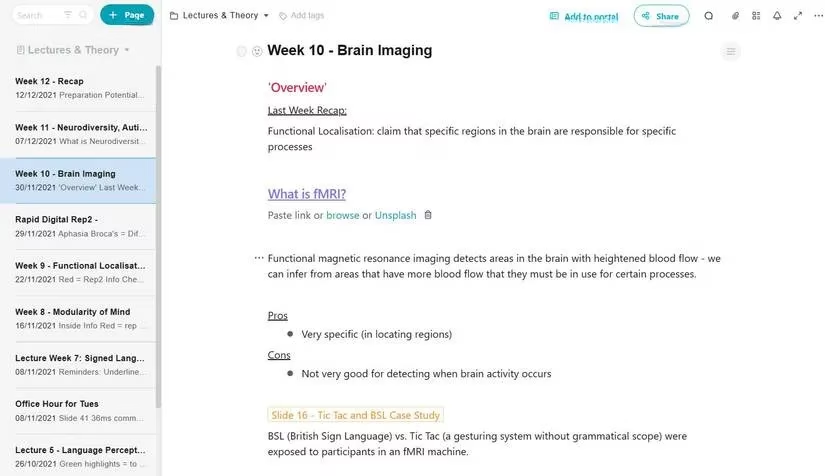
Nimbus Note has grown into a serious Notion rival, and I’m genuinely impressed. The editor lets you highlight, color text, and use labels inside documents. Just type ‘/’ to summon a command list for tables, headings, checkboxes – you name it. They’ve added proper Kanban boards and a dedicated Tasks section, so you can manage both notes and project workflows in one place. The syncing is lightning fast; I’ve never lost a single word. Free users get core stuff, while the subscription unlocks extra storage and team features. If you like the block-based life but want a slightly different flavor, Nimbus Note is worth a serious look.
The Bottom Line
Notes aren’t just digital paper – they’re an extension of your memory. In 2026, syncing is table stakes, but the personality of each app still sets them apart. If you want a powerhouse, go Evernote or Notion. Need speed? Workflowy or Simplenote. Visual kick? Google Keep or Zoho Notebook. And for a Notion-esque experience with task management, Nimbus Note is a hidden champion. Pick one that vibes with your brain, and finally stop losing your ideas.
Comments