As I stand at the precipice of a new project in 2026, the digital expanse of my Airtable base unfolds before me, a blank slate pregnant with potential. It is more than a tool; it is a collaborator, a dynamic canvas where the rigid logic of a database dances with the fluid intuition of a spreadsheet. This unique alchemy has drawn me in, promising to be the central nervous system for my creative and professional endeavors. To truly harness its power, I must first understand its fundamental pigments and brushes—the fields. They are the very atoms of data management, the structured vessels that will hold my information, my formulas, and my intentions, painting a coherent picture from a thousand disparate strokes.
The Heartbeat: The Primary Field
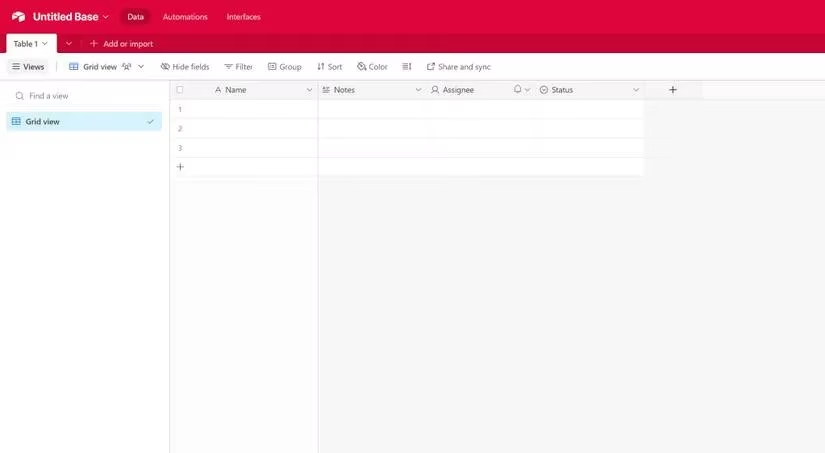
Every symphony needs a theme, and in my base, that leitmotif is the Primary Field. It sits proudly, anchored to the left, a beacon of identity for each record. It is the name whispered across views—the title on a Kanban card, the reference in a linked tapestry of data. By default, it is a simple line of text, but its soul is mutable. I can reshape it, morphing it into other forms if my narrative demands it. This field is not just a label; it is the unique signature of every entity in my digital realm.
Weaving the Fabric: Adding New Fields
To expand my canvas, I must add new fields, and Airtable offers two poetic paths:
-
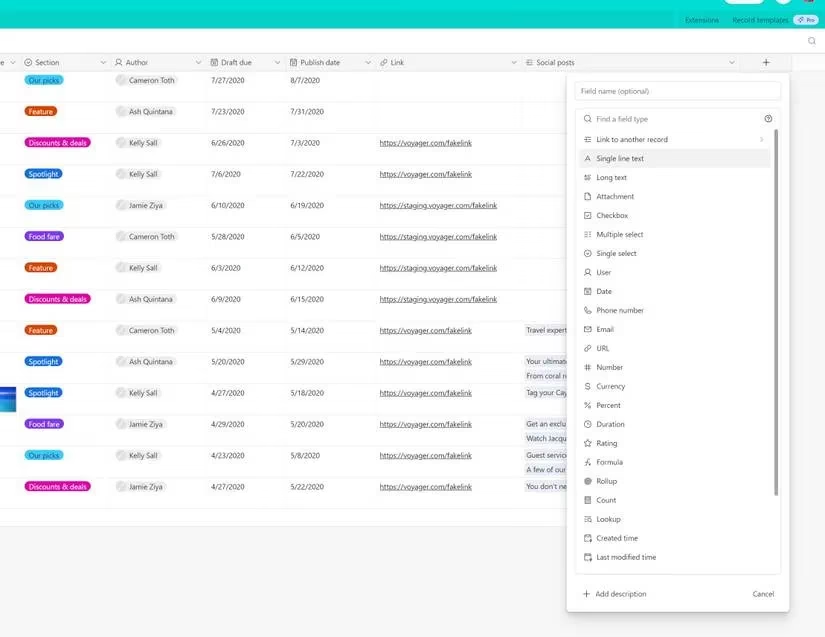
The Grand View: From the Grid view's horizon, I click the
+sign beside the existing column headers. A menu blossoms, revealing the entire palette of field types. A selection, a few configuration strokes, and a new column is born, stretching across all records like a new rule in my universe. -
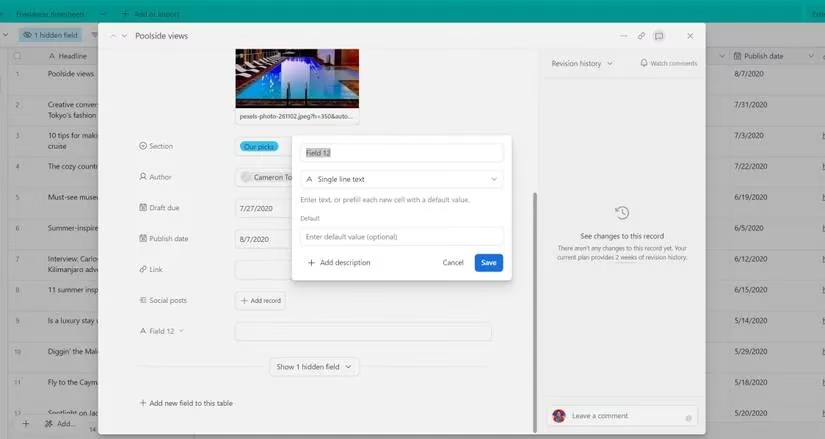
The Intimate Touch: Within the sanctum of a single record, at the bottom, lies the option to
Add new field to this table. A pop-up window appears, a quiet invitation to introduce a new element. I name it, perhaps change its type from the default, and save. This act, though performed in a microcosm, echoes through the entire table, adding a new dimension to every existing story.
A Palette of Possibilities: Core Field Types
My artistic arsenal is diverse, each field type a different brush for a different texture.
📜 The Scribes (Text & Numbers):
-
Single-line text: For crisp, concise descriptors—a name, a keyword.
-
Long text: For prose, notes, and rich narratives, accepting up to 100,000 characters with formatting.
-
Number, Currency, Percent: For the mathematics of my world, each formatting data with precision. The Percent field, for instance, elegantly displays my progress.
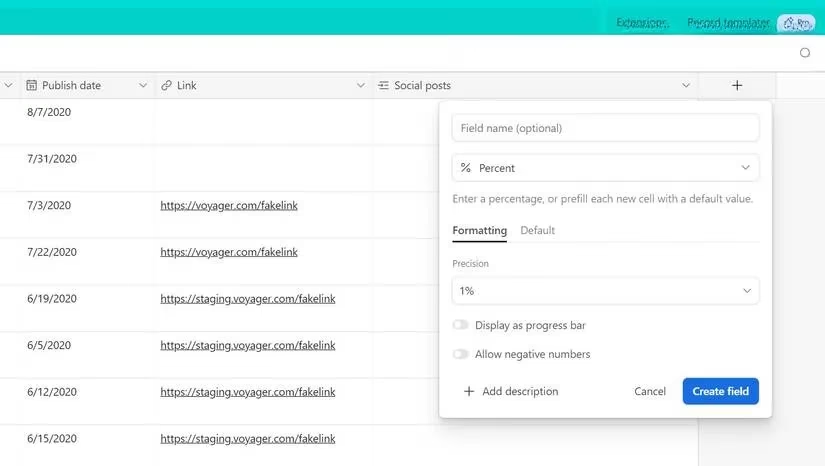
- Date, Email, URL, Phone: Specialized vessels for the specific chronologies and coordinates of modern life.
🎯 The Catalysts (Selection & Tracking):
-
Checkbox: A simple, satisfying click to mark completion. ✅
-
Rating: A visual constellation of stars (1-10) to assign value or priority. ⭐⭐⭐⭐⭐
-
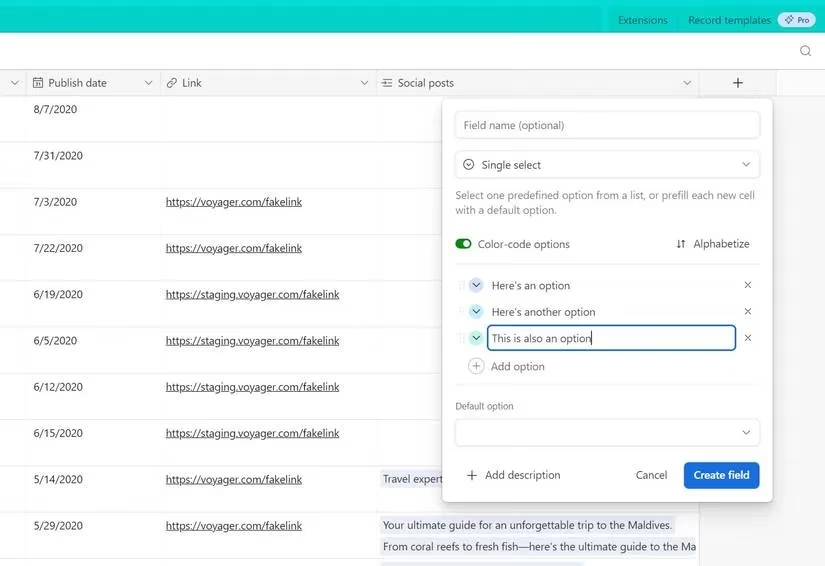
Single & Multiple Select: Dropdown menus for categorization—
Single Selectfor a definitive tag,Multiple Selectfor a bouquet of attributes on a single record.
The Magic of Connection: Relational Fields
Here lies Airtable's true sorcery—the power to weave separate tables into a living, breathing network.
-
Link to another record: This is the thread that binds. It connects records across tables, building relationships and context.
-
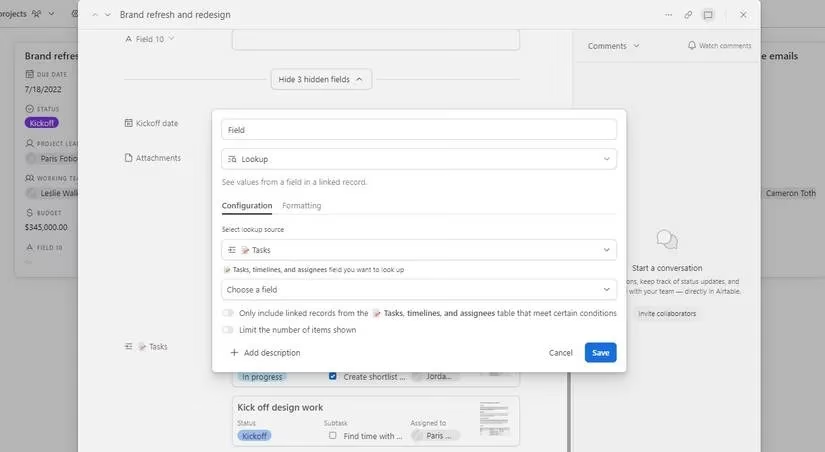
Lookup & Rollup: Building on links, these fields summon data. Lookup retrieves a specific piece of information from a linked record. Rollup performs calculations (like SUM, AVERAGE) on data from a set of linked records, creating powerful summaries.
- Count: A simple yet powerful field that tallies the number of records connected via a "Link to another record" field.
The Silent Witnesses: Metadata Fields
For my ever-evolving datasets, these fields are the impartial historians, tracking the story behind the data.
- Created time / Last modified time: The immutable timestamp of birth and the moment of last change.
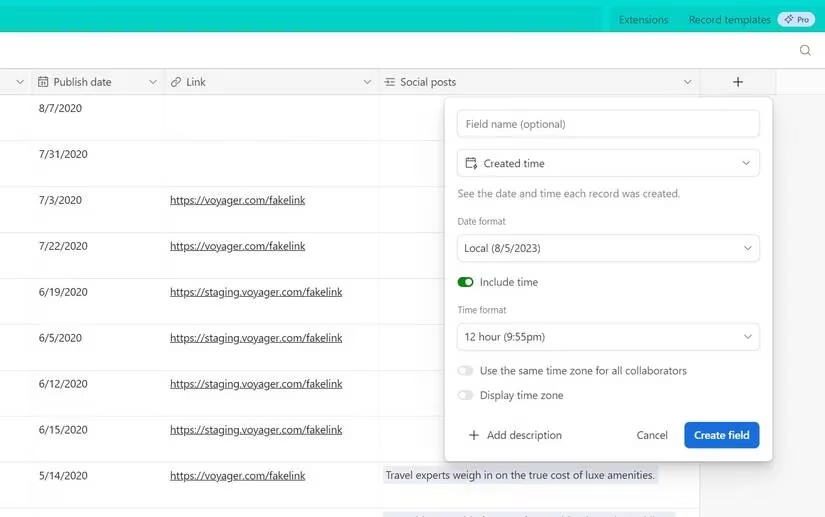
- Created by / Last modified by: Attributing authorship and edits to the collaborators in my base.
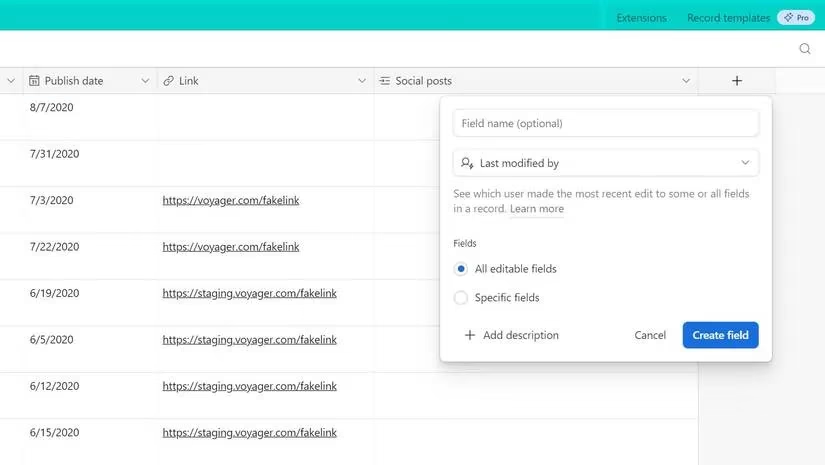
- Autonumber: Assigns a sequential, unchanging ID to each record, perfect for inventory or ticket tracking, independent of the view's visible count.
The Architects: Advanced & Unique Fields
These are the fields that let me build logic, invite collaboration, and interact with the physical world.
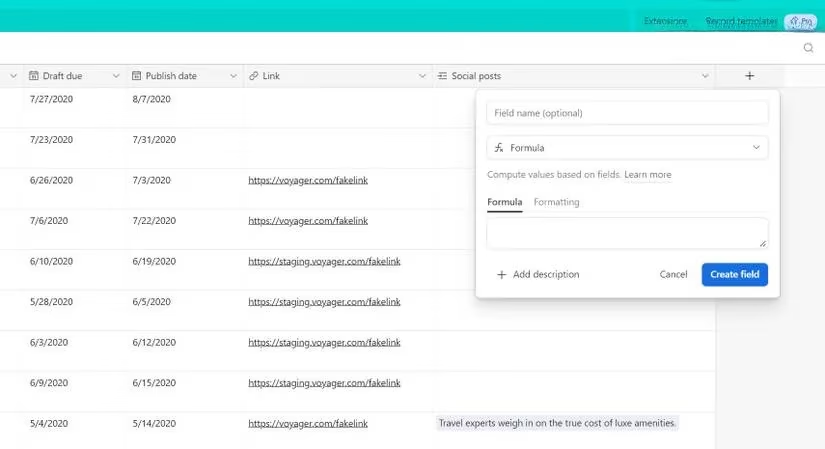
- Formula: The brain of the operation. Here, I write expressions to calculate values, concatenate text, or create conditional logic, bringing spreadsheet-like intelligence deep into my database. ✨
-
User: A field to assign records to my teammates, selecting from a list or inviting them via email, weaving collaboration directly into the data's fabric.
-
Barcode: Bridges the digital and physical, storing scannable barcodes and QR codes via Airtable's mobile apps.
-
Button: An interactive element I can add to records. A single click can preview a webpage, run a script, or trigger a custom extension—a gateway to automated action.
My Ongoing Ode to Organization
This exploration is not merely technical; it is a lyrical process of giving shape to chaos. Each field I choose and configure is a deliberate act of creation. They are the gateway to unlocking Airtable's profound potential—for storing knowledge, gleaning insights, and crafting workflows that feel less like work and more like a thoughtful, flowing process. If I encounter a field type yet untried, I shall not hesitate to experiment. For in this canvas of data, every new field is a chance to elevate my narrative, to work not just harder, but with greater wisdom and artistry. The base is my poem, and the fields are its verses.
Comments