When your to-do list is overflowing, managing your daily schedule can feel like a nightmare. Breaking down your day removes the stress from scheduling and lets you manage one aspect at a time. These apps focus on dividing your day into chunks, so you can stay motivated throughout the whole day. Whenever you’re faced with challenging tasks, breaking them down is a key ingredient to ensuring success. Here are the best productivity apps to help you break down your day. And yes, as of 2026, these tools remain some of the most reliable companions for anyone trying to tame a chaotic calendar.
Blocos: The 10-Minute Block Master
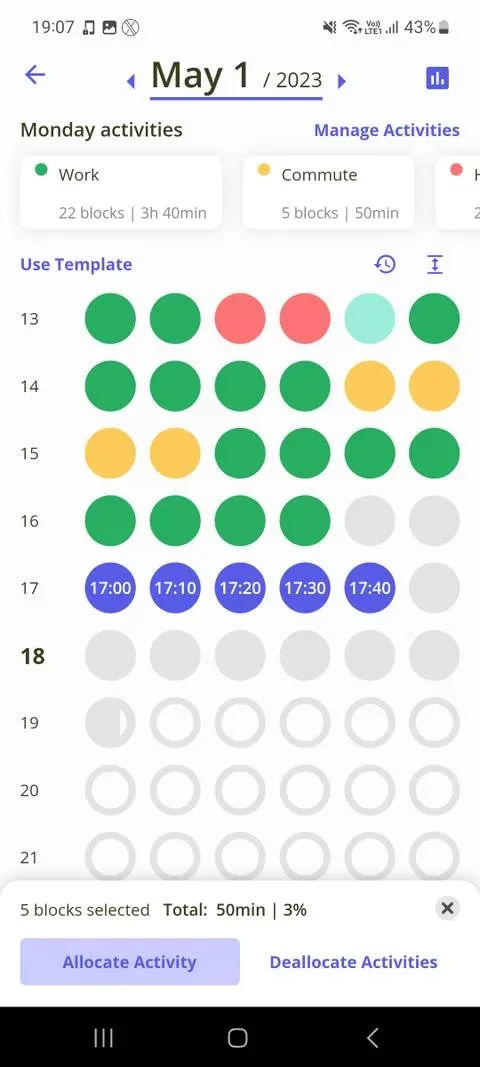
Blocos is a time management app that breaks down your day into 10-minute blocks. There are six blocks on every row of the calendar, each making up one hour of the day. The Plan Your Day view offers unique time management insights to help you view your tasks from a larger perspective. Adding tasks is simple—just tap on the number of 10-minute blocks you’d like to spend working on a task, then hit Allocate Activity. When doing this, you’ll see a percentage displaying how much of the day the task consumes. You can choose a color for every new activity you create and preview a list of suggestions. Blocos saves all created activities into a list, so you don’t have to start from scratch every time. The 10-minute blocks are ideal for scheduling short tasks that you don’t want to waste too much time on. You can also use them to set aside time to work on a side hustle. It’s like having a personal time chef who chops your day into bite-sized pieces. Let’s be honest—sometimes we need that kind of granular control.
TimeTune: The Time-Blocking Architect
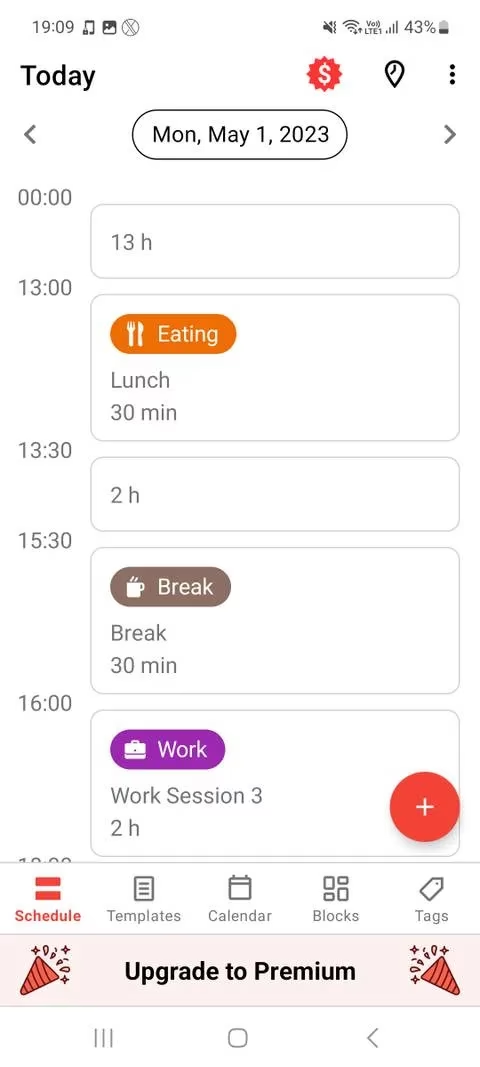
TimeTune is a time management tool to help break up your daily schedule using time blocks. Time-blocking is an effective time management tool that relies on scheduling all of your daily activities (including breaks). Using this approach in TimeTune will ensure you get all of your tasks done. This is far more effective than using a to-do list and letting your priorities shift to tomorrow and beyond. The Schedule tab lets you add new blocks and also access templates. Templates are handy if you have a consistent schedule—they can be found in the Templates tab and can be applied to multiple days in your working week. You can make your schedule easy to view by assigning color-coded tags to blocks. This can help you identify types of tasks more easily and help you be more organized. TimeTune acts like a wise architect, building a sturdy framework for your day. You know the feeling when everything just clicks into place? That’s what TimeTune aims for.
Microsoft To Do: The Gentle Organizer
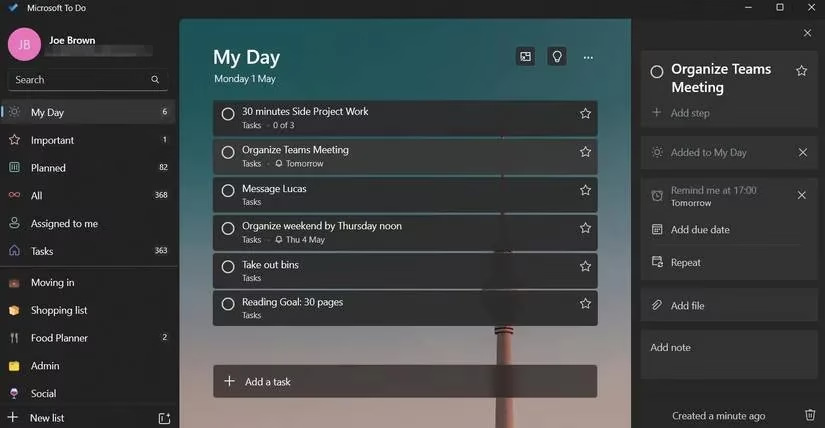
If you find it difficult to manage your time consistently, Microsoft To Do is definitely an app to consider. Microsoft To Do helps you stay on top of your day by offering several organizational methods. The My Day tool is one of its key standouts, allowing you to organize your day in the most efficient way possible. There are two approaches to adding tasks to My Day. You can either create new tasks or add tasks from other lists in the app. Every task comes with an option to set a due date, and there’s a Remind Me feature to help out if your day is looking irregular. Sub-tasks are another notable feature that can help make more demanding daily tasks seem less effort. Microsoft To Do is like a gentle friend who nudges you without being pushy. Honestly, it’s a lifesaver for those who need a little extra structure.
Todoist: The Priority Powerhouse
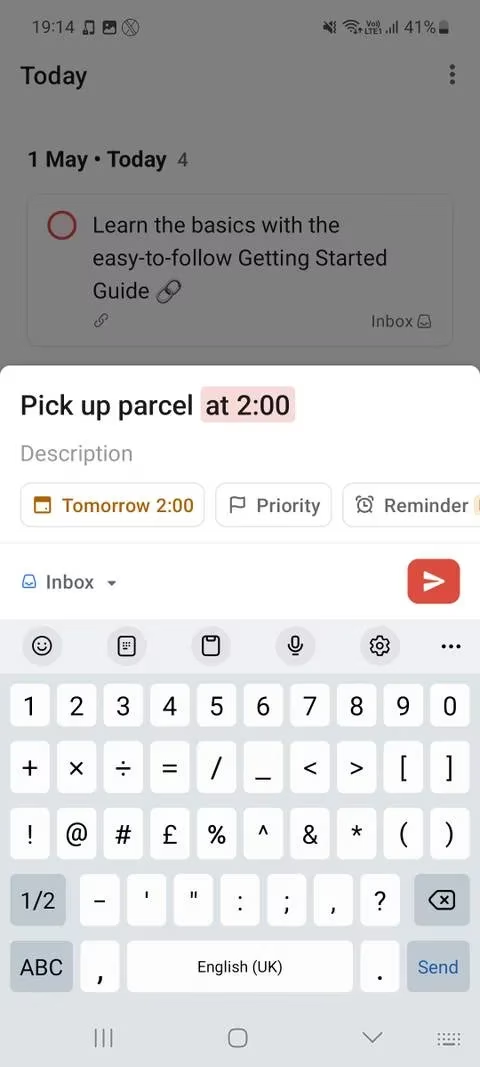
Todoist is an advanced to-do list app to help you get more done in less time. You can prioritize tasks into four categories, which will help you gather what needs doing today and what can be left until later. The Today tab previews all of your tasks ordered by priority. You can also change the layout to a list or board depending on your viewing preferences. Subtasks are also included in the app, with the ability to set reminders for each task. Projects are a high-level storage method for organizing tasks. Projects (of up to five in the free version) are split into Sections. By using sections to categorize tasks, you can help break up the necessary steps required for more challenging projects. Todoist is a brilliant tool to organize your tasks in great detail. With your tasks set up and prepared, daily scheduling is a breeze in Todoist. It’s like having a super-efficient assistant who never forgets a thing.
Fabulous: The Habit Builder
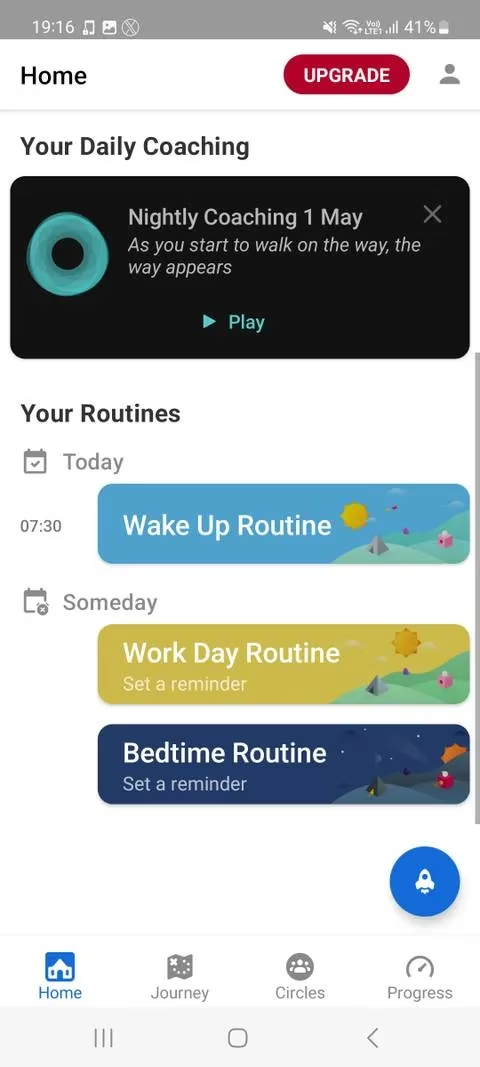
If you want to create daily routines that you can stay committed to, Fabulous is a great choice for you. The app centers around personal growth by forming new routines, so you can schedule effectively while building your best self. Following the Wake Up Routine is the first step you’ll take on your journey in Fabulous. This helps you create a successful morning routine by setting micro-goals for habits you’d like to accomplish every day. The app relies on checking boxes every time you complete a habit which can help you stay motivated on a personal growth journey. The app also gives you rewards every time you complete a goal. Whatever part of your day you’re willing to work on, Fabulous will help you achieve your goals. The Journeys tab offers multiple courses that are weeks long and focus on one aspect of your daily routine. Fabulous works on building yourself bit by bit to establish an effective daily schedule. It’s like a motivational coach in your pocket, cheering you on with every checked box.
TickTick: The Chaos Tamer
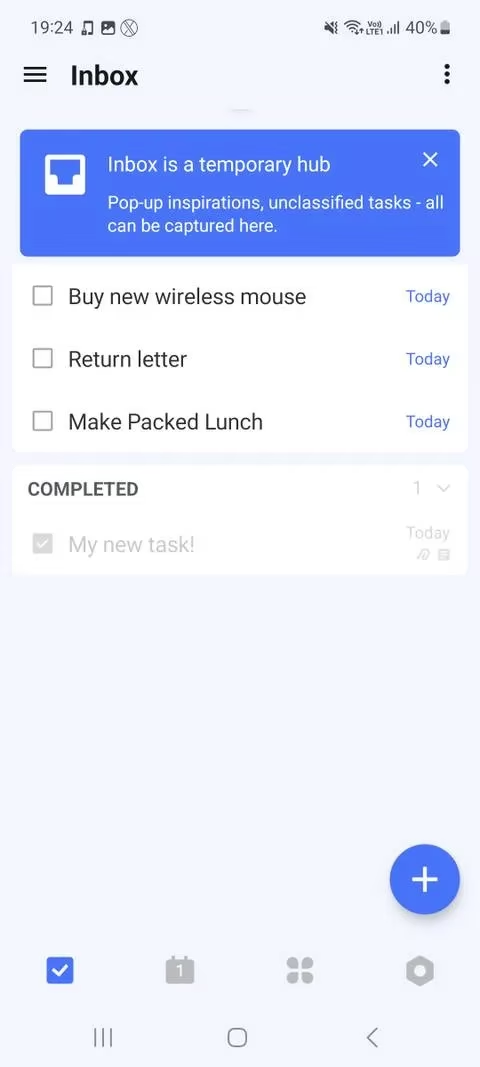
If you have a messy schedule, TickTick will help you add order to the chaos of your unorganized tasks list. You can add tasks to an adaptive calendar display and also sync accounts from Google Calendar and other major calendar apps. The Inbox tab is a temporary place for adding new tasks before assigning them dates. This is an effective tool to brainstorm at the start of your day to tune in with what needs completing today. If you come across important items, you can pin tasks and set their priority as low, medium, or high. Another effective way to break down your tasks is using the Eisenhower Matrix tool. This productivity system involves putting items on a scale of importance and urgency to organize your tasks. With an effective prioritization system in place, you’ll be able to plan your day in no time. TickTick is like a master chaos tamer, turning your jumbled list into a clear roadmap.
Final Thoughts
These apps will help you break down your day and create an effective, realistic daily schedule. Once you have your priorities set, you’ll grasp what’s best to work on today to achieve your long-term goals. Don’t let an overflowing to-do list affect your productivity—use these apps to put your priorities in order and create a manageable schedule. In 2026, the battle for focus is fiercer than ever, but with the right digital ally, you can win the day. So pick one that resonates with you, and watch how a little structure goes a long way. Trust me, your future self will thank you.
Comments