The shift to remote work has transformed how people approach their professional lives, but it also brings a unique set of challenges. Without the structured environment of a corporate office, distractions from household chaos, family members, or simply a cluttered desk can derail productivity. A clean, well-organized workstation is no longer a luxury—it’s a necessity for mental clarity and efficient work. What does it take to craft such a space in 2026? The following accessories, ranging from budget-friendly to premium investments, offer a roadmap to a minimalist and focused setup.

The Foundation: Desk Pad and Cable Management
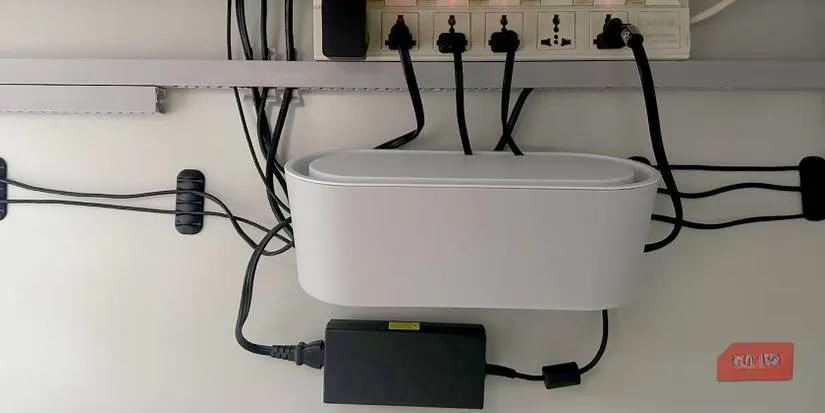
Every pristine desk starts with a simple yet transformative item: the desk pad. More than a giant mouse pad, it defines the active work zone, visually separating the workspace from the rest of the desk. This psychological boundary helps maintain focus, while the soft leather or fabric surface adds comfort for wrists and arms. At under $10, it’s the cheapest way to instantly elevate a workstation’s aesthetic. But what about the mess lurking beneath the desk? Unruly cables create visual noise and safety hazards. A cable management solution—whether a box, tray, or clever routing—is essential. By taming power cords and peripheral wires, the entire area feels lighter and more intentional.
Cutting the Cord: Wireless Peripherals and Charging
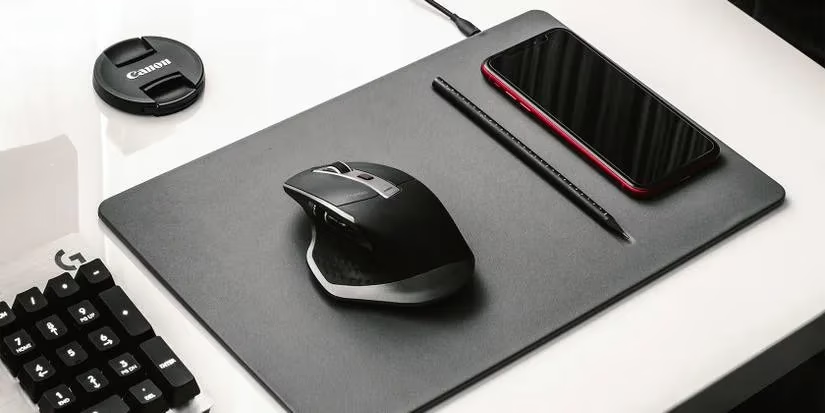
Wires are the arch-nemesis of a clean desk. Why let USB cables snake across the surface when wireless technology is more reliable than ever? A wireless keyboard and mouse combo eliminates constant tangling, and many modern brands offer unified receivers that connect multiple devices through a single dongle, saving precious USB ports. Battery life has improved dramatically, with some keyboards lasting months on a single charge. Alongside this, a wireless charger keeps a smartphone topped up without adding a dangling cable. The best Qi-certified chargers in 2026 are slim and often invisible, embedded under the desk pad itself. Is there anything more satisfying than placing a phone on a pad and watching it charge silently? This setup keeps the workspace clear and the devices ready for movement at a moment’s notice.
Elevating the View: Laptop and Monitor Arms
When desk space is limited, vertical real estate becomes the secret weapon. A laptop stand or arm lifts the computer off the desk, freeing up the area underneath for notebooks, a docking station, or simply empty space that enhances the clean look. More importantly, it promotes ergonomic health by raising the screen to eye level, reducing neck strain during long hours. For those who use an external monitor, a VESA mount arm offers even greater flexibility. It allows height, tilt, and rotation adjustments that built-in monitor stands cannot match. Dual or triple monitor arms keep multiple displays aligned symmetrically, which not only improves multitasking but also adds a futuristic, architectural feel to the workstation. However, not all arms are created equal—weight capacity and clamp compatibility must be checked before purchase.

Light and Sound: The Atmospheric Layers
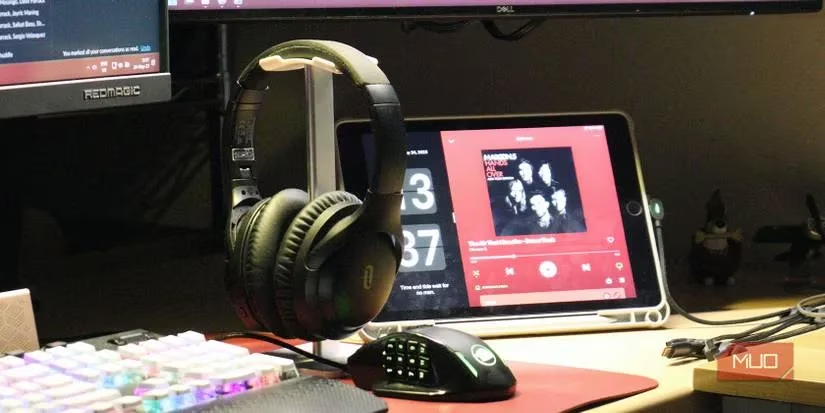
Fluorescent room lights often create glare and eye fatigue, yet a traditional desk lamp consumes too much space. The monitor light bar solves this dilemma elegantly. Mounted directly on top of the monitor, it casts a focused beam onto the keyboard and the immediate desk area without spilling light onto the screen. The throw is wide enough to illuminate surrounding notes, and the minimalist design hides seamlessly. On the auditory side, noise-canceling headphones are ubiquitous, but where do they go when not in use? A headphone stand or under-desk clip keeps them within reach yet out of sight. It prevents clutter and protects the headband from deformation, all for less than the cost of a lunch.
The Power of One Cable: Docking and Connectivity
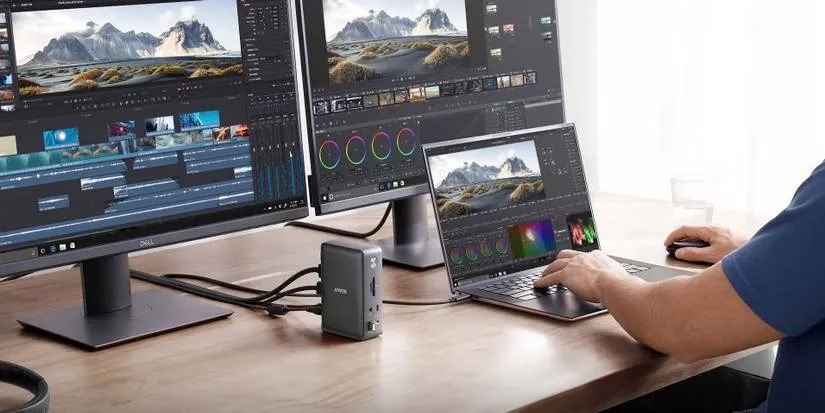
Modern ultraportable laptops boast thin profiles but often sacrifice ports. A docking station solves this by consolidating all peripheral connections into a single unit. With one plug, the laptop connects to external monitors, a mechanical keyboard, a mouse, SD cards, and even wired internet. Some docks also house an M.2 SSD, expanding storage for devices that cannot be upgraded internally. To push the clean aesthetic further, the dream is a single-cable connection between the laptop and monitor, using DisplayPort over USB-C. This one wire handles video output, data transfer, and up to 100W of power delivery. When combined with under-desk cable routing, the entire workstation appears to operate on magic—no visible wires, just a clean canvas ready for work.
Building a clean workstation is a journey, not an impulsive shopping spree. Starting with the cheapest items—like a desk pad—and gradually adding monitor arms or docking stations aligns with both budget and habit formation. Each upgrade removes a friction point, letting the mind focus solely on the tasks that matter. In 2026, with remote work firmly entrenched, the investment in such a space pays daily dividends in concentration, health, and even a little bit of joy.
Comments