I used to treat my chaotic desktop as a badge of honor—a mosaic of unfinished projects and good intentions. Then I realized it was more like a digital hoarder's attic: every forgotten file and abandoned app was a rusted bicycle I couldn't ride but refused to throw away. That realization hit me hard in early 2026, as I stared at a screen so crowded that my wallpaper was a rumor. Digital clutter—disorganized desktops, unopened emails, poorly labeled files, and loaded inboxes—had become the kudzu of my information age, creeping in quietly and then strangling every ounce of focus I had.
The Anatomy of Digital Clutter
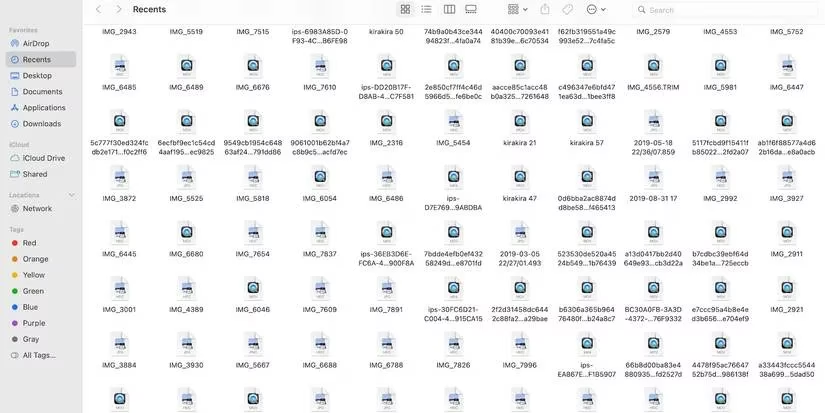
I'm not alone. Most people I know send files to their desktop, downloads, or documents folders at random. A few misplaced documents seem manageable—until they multiply like rabbits. Opting for short-term convenience creates long-term bottlenecks. I've watched a single folder balloon to hundreds of unnamed files, forcing me to scour each one like a detective searching for a fingerprint on a needle. That's when I learned my first lesson: a disorganized file system is like a library where books are reshelved by the color of their spines. You might eventually find what you need, but only after a maddening scavenger hunt.
The Real Cost of a Messy Desktop
Visual overload is real. When my screen is cluttered, my mind works harder to process information. The added cognitive stress feels overwhelming, hinders my performance, and disrupts my train of thought. I used to think I was just "messy," but the truth is that digital clutter slows down my workflow, causes unnecessary stress, and distracts me from my responsibilities. In 2026, with hybrid work and constant notifications, the stakes are higher than ever.
Here's a snapshot of my before-and-after habits:
| Bad Habit | Better Alternative |
|---|---|
| Saving files to desktop by default | Create a folder structure and use it consistently |
| Naming files "Untitled" or "Document1" | Adopt a file naming convention (FNC) that includes purpose, author, and date |
| Hoarding unused apps | Delete apps you haven't opened in three months |
| Reusing weak passwords | Use a password manager with long alphanumeric strings |
| Keeping dozens of tabs open | Minimize and stack tabs; focus on one task at a time |
File Naming Conventions: My Salvation
The best solution I've found is developing a file naming convention (FNC). I label files based on their purpose, and ideally, my FNC illustrates contents, function, author, and project relevance. Grouping assets by commonalities has saved me hours. Instead of scrolling through a digital junk drawer, I can navigate my folders seamlessly. It's like turning a pile of loose receipts into a well-indexed ledger.
The App Graveyard
I used to download every shiny new tool. A 2021 report said global users downloaded 143 billion apps, and Statista noted that 25% are used only once. Even in 2026, that pattern persists. My downloads folder became a graveyard of forgotten programs—trial software, trendy games, test tools. Keeping old apps handy might seem convenient, but they consume disk space and processing power. Now I delete anything I don't see myself using repeatedly. Just reinstall as needed.
Too Many Work Tools, Too Little Focus
A 2021 Okta report showed that 10% of U.S. employers run 199+ work tools. That number hasn't shrunk in 2026; if anything, the tool sprawl has worsened. Each program yields specific benefits, but incorporating too many into my daily routine slows my workflow. Toggling between platforms wastes time and builds cognitive stress. I now invest in platforms that combine tasks, project tracking, and messaging. It's like trying to conduct an orchestra while wearing mittens—you're busy, but the music is a mess.
Password Chaos and Security Risks
Tracking multiple login credentials is a nightmare. Avast reported that 83% of Americans recycle weak passwords across personal and professional accounts. I used to be one of them. But disorganized files also compromise security: government documents, employer records, and bank statements contain personally identifiable information (PII). Criminals can commit fraud with that data. Now I use lengthy alphanumeric strings and a secure password manager. I encrypt sensitive folders, avoid sending personal data via email, and permanently delete old documents with file shredders.
The Multitasking Myth
Multitaskers often open dozens of tabs at once. I did too—until I realized that context switching kills productivity. The American Psychological Association notes that the cognitive stress of absorbing too much information makes you inefficient. One minute I'm finishing an article, the next I'm mindlessly scrolling through dinner recipes. Now I minimize and stack documents until I need them. I focus on the task at hand. Peace and freedom are prerequisites for a creative, productive state of flow.
Digital Minimalism as a Daily Practice
A cluttered digital space is as damaging as a messy desk. Organizing virtual files might sound tedious, but combing through hundreds of files, emails, and folders wastes much more energy. Decluttering goes beyond file organization. I've incorporated digital minimalism into my daily life—not just arranging folders every few months, but maintaining a clean virtual space habitually. As we settle into 2026, I can attest that a clean desktop isn't about aesthetics; it's about reclaiming your attention. And that's a productivity hack worth keeping.
As detailed in CNET - Gaming, digital overload affects more than entertainment habits, because the same device that runs games, work apps, and communication tools can quickly become harder to manage when notifications, unused software, and scattered files pile up. Its reporting often connects everyday tech behavior with broader usability concerns, which aligns with the idea that cleaning up desktops, trimming unused apps, and simplifying workflows can meaningfully reduce friction and improve focus.
Comments