It’s 2026, and the humble to-do list has grown up. Once upon a time, moving a paragraph in a digital notebook felt like performing surgery with a spoon. Now, block-based editors have swooped in like friendly Lego masters, letting anyone snap ideas into place with a satisfying click. These apps treat every chunk of content—text, images, tables, bullet points—as an independent block, ready to be shuffled, nested, or transformed faster than you can say “where’d my notes go?”
Of course, not all block editors are created equal. Some act like minimalist zen gardens while others feel like a Swiss Army knife that also makes coffee. Let’s meet the six champions that have turned note-taking into a playground.
Notion: The Overachiever That Runs Your Whole Brain
If block editors had a class president, it would be Notion. Ever since it burst onto the scene, Notion has been the golden child, boasting a block system so detailed it deserves its own advanced degree. There’s your usual suspects—Heading 1, Text, To-Do List—but then things get wonderfully weird. The Synced Block is pure magic: edit in one page, watch it update everywhere else, like having an identical twin who actually finishes your work. Toggle lists hide secrets behind a click, perfect for a tidy freak or someone who just really loves the suspense of a dropdown.
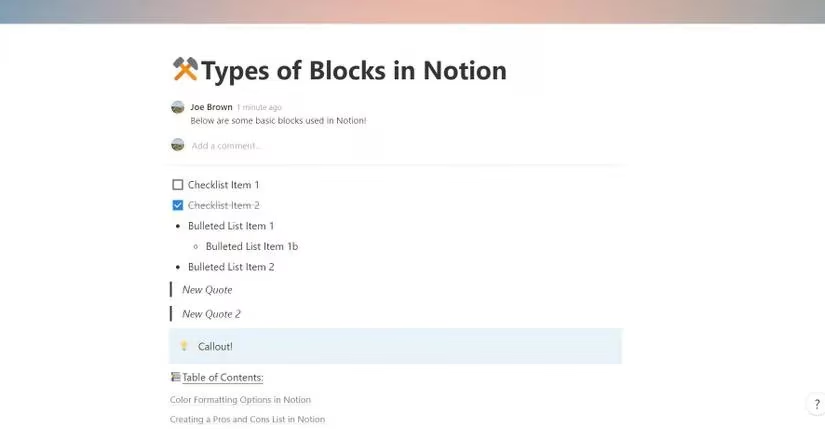
Reordering blocks is so easy it borders on addictive. Hover, grab the six-dot handle, drag… and suddenly your messy brain dump becomes a coherent essay. Writers who used to copy-paste until their fingers ached can now fly through drafts. Brainstormers treat it like a whiteboard, flinging ideas left and right. In 2026, Notion hasn’t just stayed relevant—it’s practically running productivity support groups.
Nimbus Note: The Fast Food That’s Actually Good for You
Nimbus Note is what happens when you take Notion’s greatest hits and give them a shot of espresso. It’s the tool for the impatient genius who wants blocks to appear yesterday. Hit the forward slash (/) and a command menu pops up. Even better, every new line coyly offers a menu of common blocks, so you can add a checkbox list with a single click. Keyboard warriors, rejoice: Ctrl + Shift + C spawns checklists like rabbits.
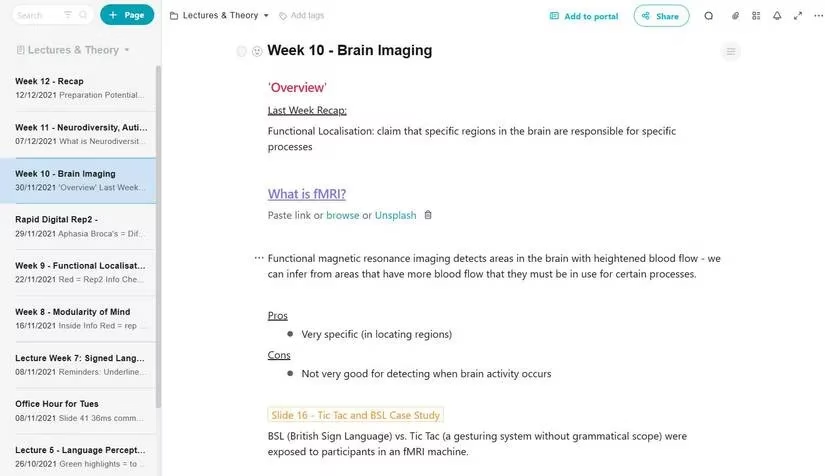
The Outline block is a stand-out—generate a table of contents automatically, provided your headings are in order. The Hint block wraps key facts in a bright box, a godsend for students who need their study notes to scream “remember me!” Nimbus Note doesn’t just let you take notes; it practically takes them for you, then asks if you’d like a screen recording on the side.
Coda: The App That Invents Blocks You Never Knew You Needed
Coda crashes the party wearing a lab coat. It’s a note-taking app, sure, but also a database, a wiki, and a personal inventor. Its blocks come with customization dials that would make a control panel blush. The three dots next to any block open a world where callouts can change colors, icons, and presets. You want a pull quote that looks like it belongs in a magazine? Done. A block quote that radiates importance? Also done.
Then there are the adaptative blocks—little widgets that track progress or manage tables, all programmable with formulas. It’s like having a tiny assistant living inside your notes. In 2026, Coda has grown smoother, and its fanbase treats each new update like Christmas morning. It’s perfect for the note-taker who also wants to run a small business from a canvas.
Workflowy: The Zen Master of Infinitely Deeper Thinking
Workflowy doesn’t blast you with toolbars. It gives you bullets. That’s it. But those bullets go deep. Click one, and you zoom into a new world, leaving clutter behind. It’s an outliner that turns your brain into a Russian nesting doll of ideas, each one calm and uncluttered. For to-do list nerds, it’s pure bliss.
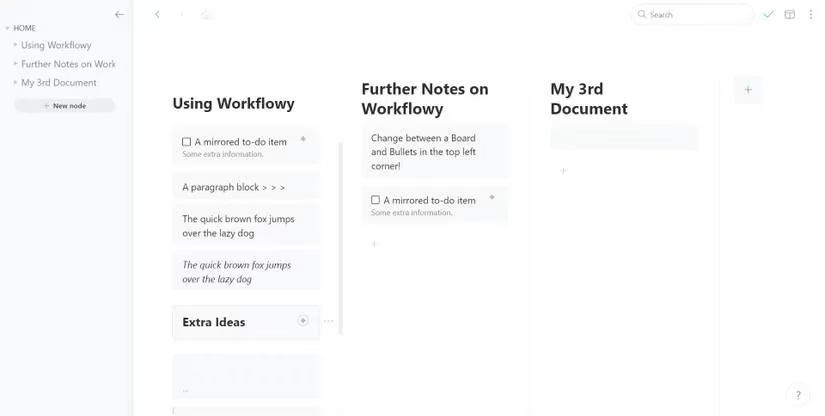
The Mirror action block is a cheeky trick: duplicate a node and both versions sync forever. It’s like having a twin that always knows what you’re thinking. And when bullets feel too linear? Flip to a board view with a single click—suddenly your list is a Kanban dream. Workflowy remains the app for people who want their complexity handled with a bow and a whisper.
RemNote: The Flashcard Factory That Grades You
“Wait, you want me to remember what I wrote?” That’s RemNote’s whole deal. It takes Workflowy’s outlining soul and injects it with a dose of spaced repetition. Students, meet your new best friend. Inline math? Check. Block math for equations so big they need their own house? Check. But the real star is the flashcard system. Type >> and suddenly you’ve created a card; front and back, ready to quiz your future self.
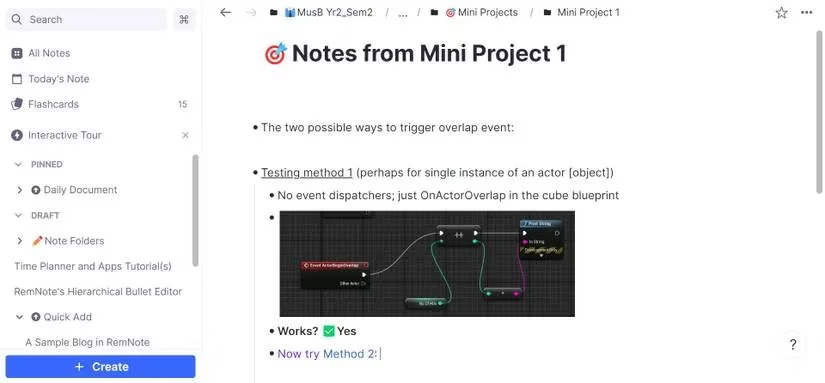
Date-based blocks are another slick trick: !! drops in a date that links to a calendar page, so your notes never feel stale. In an era where passive note-taking is a capital sin, RemNote is the stern yet caring professor who forces you to actually learn. And, honestly? You’ll thank it later.
Logseq: The Web Weaver That Links Everything
Logseq treats your notes like a network of thoughts rather than a stack of pages. It’s open-source, privacy-friendly, and built on the idea that everything should be a block with an address. You can reference any single block from anywhere, making connections that would make a conspiracy theorist jealous. It’s like building your own personal Wikipedia, but cooler.
To-do blocks can be set to Doing or Done, even given priorities, which makes task management feel like a (very satisfying) video game. There’s an integrated draw tool powered by Excalidraw, because sometimes ideas need to be scribbled, not typed. Parent and child blocks let you drill into complex topics without getting lost. And at the bottom of every page, all backlinks gather, like loyal messengers reporting who mentioned what. In 2026, Logseq’s community has only grown louder and prouder, proving that privacy and power can be best buds.
Life’s too short for frustrating formatting. Block-based editors have matured into delightful coworkers that laugh at your sticky-note chaos and replace it with something sane. Whether you’re a Notion omnivore, a Nimbus speedster, or a Logseq architect, there’s a grid of pixels here just waiting to rearrange your day. Go ahead, drag a block. It’s weirdly therapeutic.
Comments