AI has quietly moved from a futuristic buzzword to a daily work companion. In 2026, these tools aren't just impressive—they're expected. For anyone living inside Google Workspace, the real magic happens when AI slides right into the apps you already use, no extra tabs required. The following five add-ons still stand out as genuine time-savers, each one acting like a clever coworker that never takes a coffee break.
GPT for Sheets and Docs
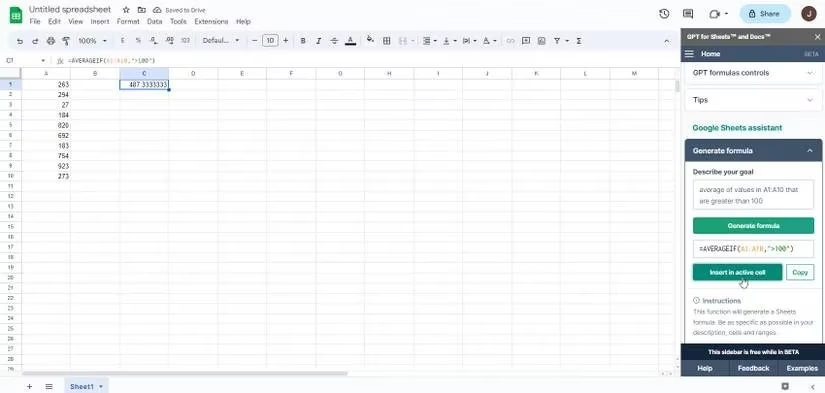
This add-on feels like having a chatty data analyst living inside your browser. It brings the full weight of ChatGPT straight into Google Sheets and Google Docs. Setup involves installing the add-on and connecting an OpenAI API key—yes, that still sounds technical, but guides have made it a walk in the park. Once connected, the add-on can generate tables, extract data, format cells, summarize notes, and even build spreadsheet formulas on the fly. Need an average formula? Just ask. Want a document outline? Done. The best part is that you're not limited to a few preset commands, because ChatGPT can whip up almost anything you can describe. Talk about a helpful desk neighbor.
SlidesAI.io
Now, for anyone who has ever stared at a blank slide deck and felt their soul leave their body, SlidesAI.io is a small miracle. This Google Slides add-on takes plain text and molds it into a clean, readable presentation without breaking a sweat. You paste in a chunk of text, pick a presentation type, choose how many slides you want, and let the AI handle the rest. It simplifies long-winded sentences into tidy bullet points and keeps everything visually consistent. If the default look doesn't match your style, there are themes, colors, and font options to tweak. It's like having a design intern who actually listens. Take a moment to imagine the hours that saves every single week.
Picsart
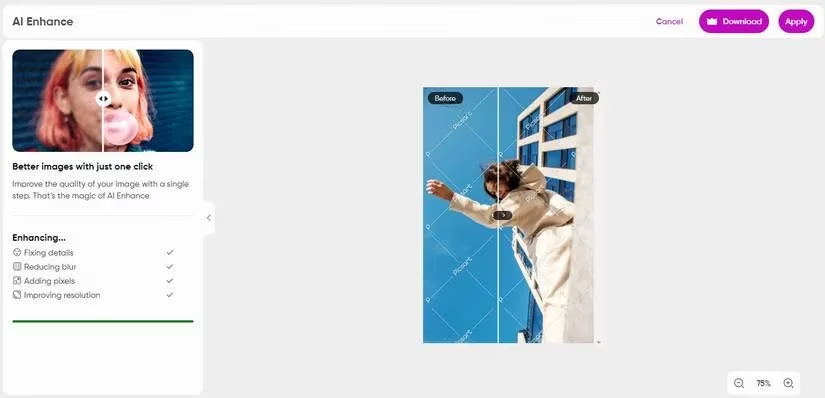
Picsart is the creative multitool of the bunch. At heart, it's a full-blown photo editor that plugs into Google Drive, so any image can be opened and adjusted without leaving your workspace. But where it truly flexes its AI muscles is in the image generation and enhancement tools. You can type a text description and watch an original image appear—no camera needed. Then, use its editing suite to fix any quirks the AI introduces. There's also an AI enhancer that sharpens blurry details automatically, plus background removers, filters, collage makers, and sticker tools. For marketing folks or anyone who needs quick visuals, this add-on quietly removes the need to juggle separate design software.
AI Email Writer
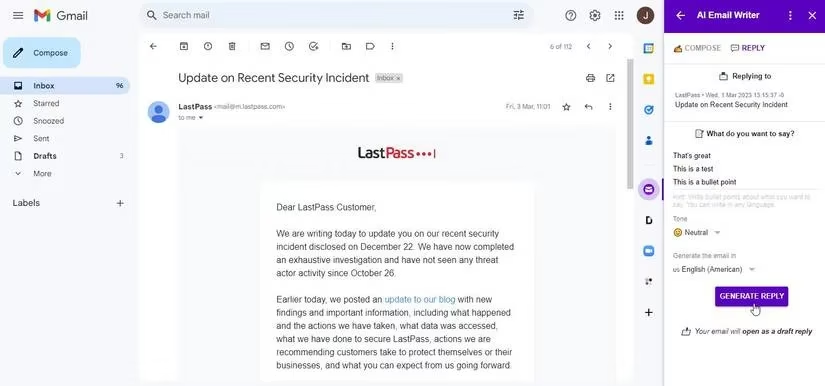
No more staring at a blank compose window for ten minutes. AI Email Writer lives inside Gmail and turns rough ideas into polished messages in seconds. You jot down a few topics or bullet points, and the add-on drafts a full email for you. What makes it feel less robotic is the tone control—you can nudge it toward formal, friendly, or somewhere in between. The output lands as a draft, not a sent message, so you get the final say. That's a huge relief. Yep, you read that right—your inbox just got a whole lot easier to handle.
Reclaim.ai
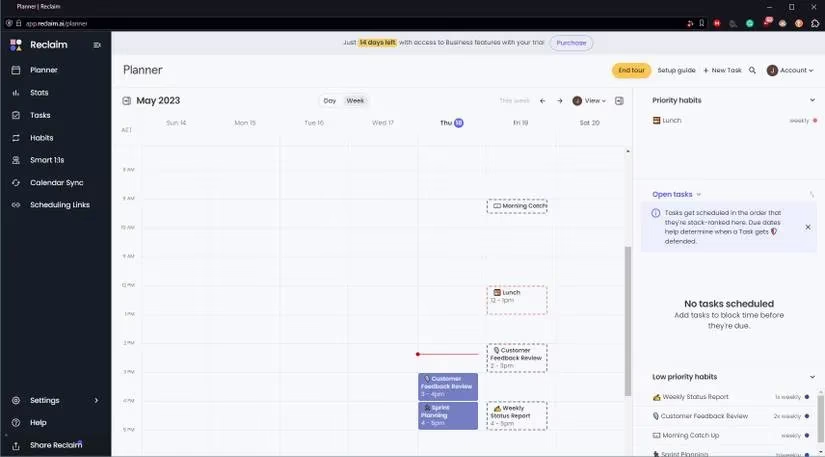
Reclaim.ai works behind the scenes like a tireless scheduling fairy. It integrates with Google Calendar and uses AI to build a week that actually fits your life. You tell it your tasks, habits, breaks, meetings, and priorities—then it weaves them into a schedule without making you feel overbooked. The real trick is its ability to adapt. When a new meeting pops up or something shifts, Reclaim.ai reshuffles the week on the fly, protecting the things that matter. It also offers productivity stats and buffer time for travel or decompression. It's the kind of tool that makes you wonder how you ever survived without it.
These five add-ons aren't just clever demos—they've become everyday workhorses by 2026. Whether you're wrestling with formulas, building slides, editing images, clearing email, or defending your calendar, AI is no longer a nice-to-have. It's the quiet engine that keeps you ahead. Take a beat to let that sink in. The only mistake is ignoring tools like these while the rest of your team sails past.
Comments