Staying at the top of the esports scene in 2026 isn’t just about raw talent—it’s about showing up every single day with the same discipline. I learned that the hard way after losing a major tournament because I couldn’t stick to a morning warm‑up. That’s when I started treating my gaming career like an RPG, and these task management apps became my power‑ups.
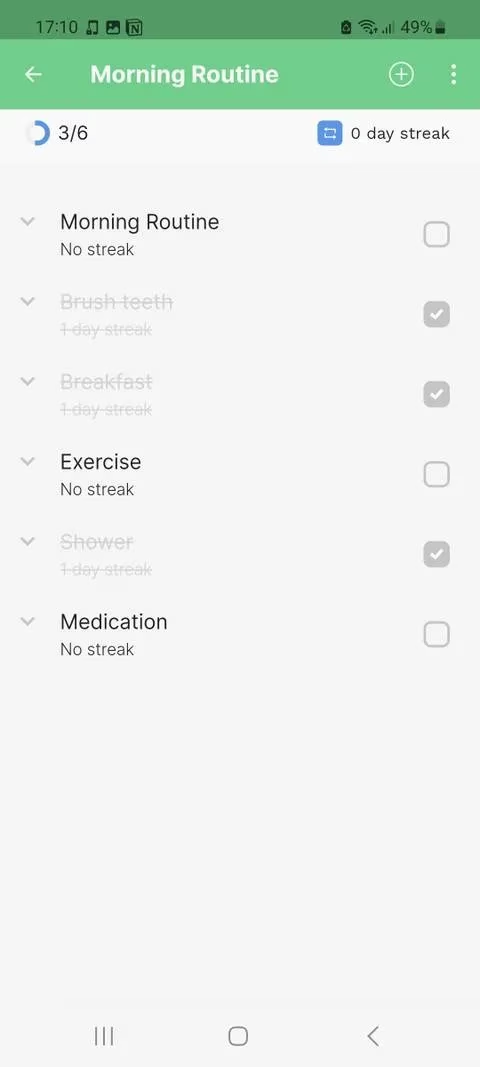
Routinero: Structured Habits with a Resetting Daily Grind
Routinero completely changed how I approach repetitive tasks. Instead of a messy to‑do list, I now build entire routines that reset every day. I’ve set up a “Pre‑Scrim Prep” routine with subtasks like 15‑minute aim training, reviewing yesterday’s match footage, and stretching. Each morning I check off those steps, and the daily streak keeps my competitive nature hooked. Setting the repeat schedule is absurdly simple—just hit the “Schedule” dropdown and choose a start time. For truly stubborn habits, you can even customize repeat patterns (I skip Sundays to avoid burnout).
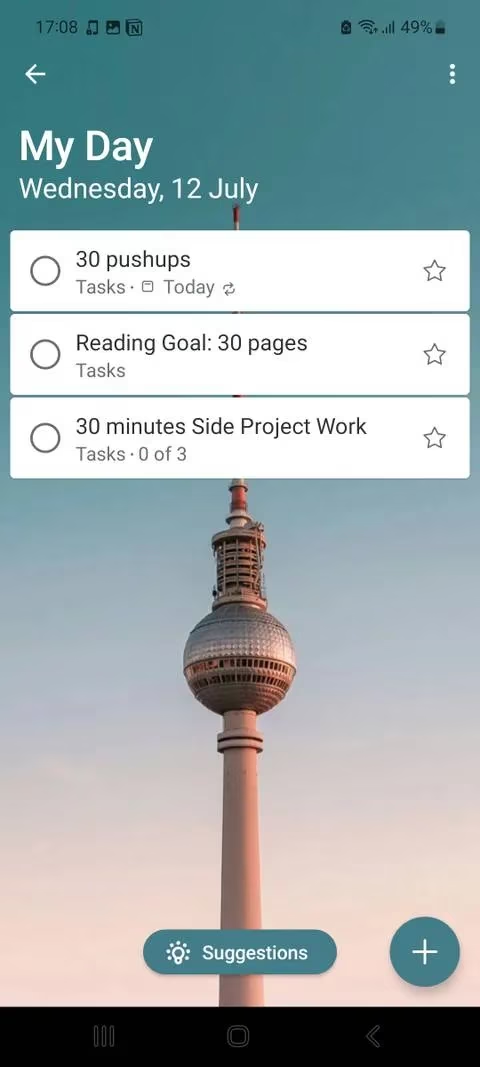
Microsoft To Do: The Smart Suggestion Engine
As someone who lives inside the Microsoft ecosystem, I rely on Microsoft To Do for its seamless sync across my PC, tablet, and phone. The “My Day” feature is a game‑changer—every morning I tap the plus button, add tasks like “Analyze patch notes” or “Hydrate,” and set them to repeat daily. The smart suggestions save me a ton of time; the app remembers my most frequent entries and pops them up automatically. I’ve also customized a weekday‑only repeat for my streaming setup checklist, because even a pro gamer needs weekends off. It’s like having a coach who never forgets my routine.
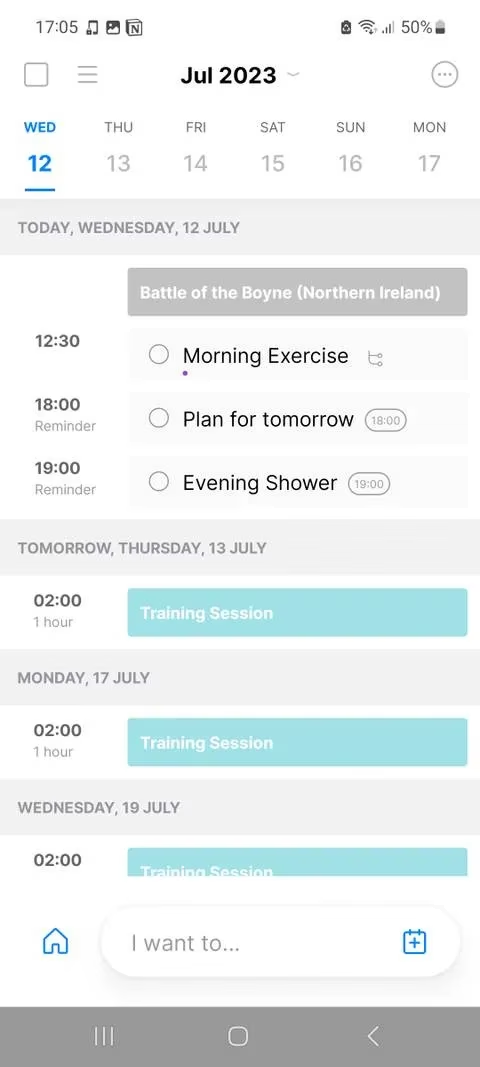
Any.do: Weaving My Schedule and Tasks Together
Any.do’s My Day view lets me combine task management with my actual calendar. At 9 AM I glance at the app, fill in “Morning Scrim Review,” and set a custom reminder so I’m never late for team practice. What won me over is the shared work boards: my coach and I both see the same daily goals, from map‑drills to VOD reviews. The calendar import is brilliant—I overlay my tournament schedule on top of my routine, so I can see exactly when a 2‑hour esports event might push my evening workout later. It turns chaotic days into a balanced game plan.
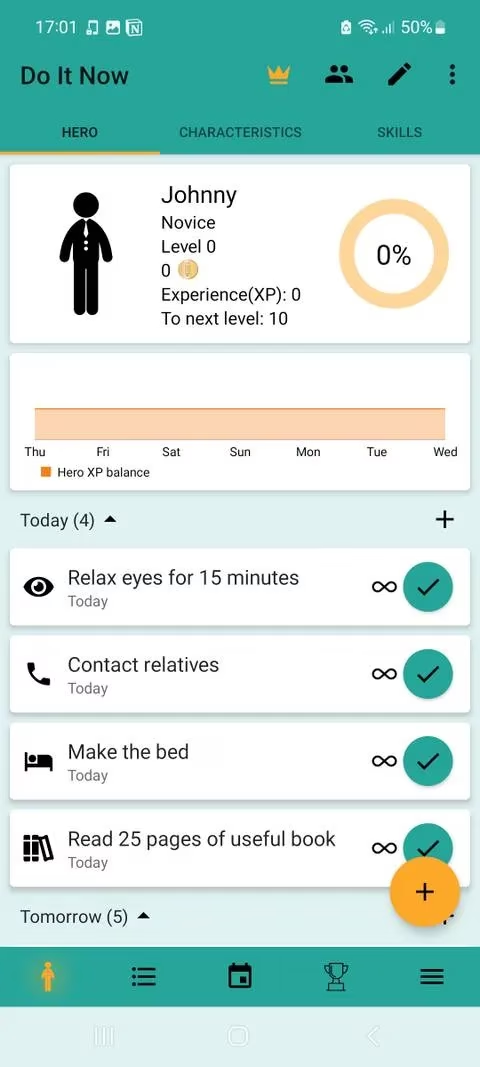
Do It Now & Habitica: Leveling Up Through Gamification
Nothing speaks to a gamer’s soul like earning XP for real‑life tasks. I use Do It Now on my Android phone (and Habitica on my iPad) to turn my daily routine into an RPG quest. Every “Make the Bed” or “Read Strategy E‑book” action grants coins based on difficulty, and completing them levels up skills like discipline and communication. My character starts as a newbie support player and evolves into a legend—all because I didn’t skip my post‑lunch language lesson. The circular‑arrow repeat option makes habit formation feel like a daily objective I can’t fail. It’s the most fun I’ve ever had being productive.
Habitify: Metaculous Tracking with a Mood Twist
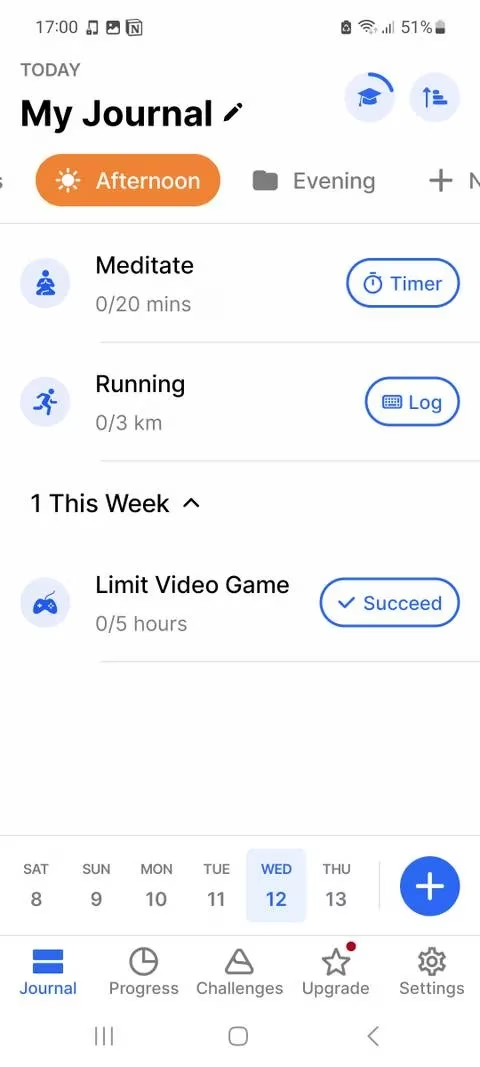
I’m a stats nerd, so Habitify’s detailed approach is a dream. I log each habit with timers or simple “Succeed” taps, and the mood tracker helps me connect how a good morning routine affects my performance later. The “Areas” feature splits my day into Morning, Afternoon, and Evening folders—for example, my Morning area holds “10‑minute meditation” and “reaction‑time drills.” Watching those progress bars fill up gives me the same satisfaction as seeing my K/D ratio climb. Breaking bad habits is equally easy; I’ve flagged late‑night snacking and the app gently nudges me to replace it with tea.
TimeTune: Blocks, Templates, and Future‑Proof Flexibility
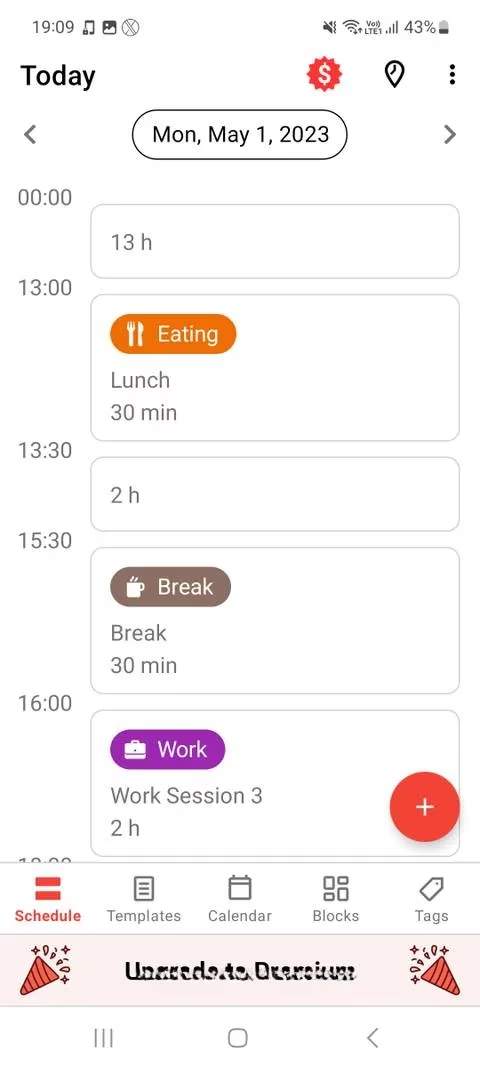
TimeTune approaches my daily schedule like a strategy game. I create “Blocks” for activities—scrims from 14:00 to 17:00, gym from 18:00 to 19:00—and assign tags like “Competitive” or “Health.” Once I’ve fine‑tuned a perfect day, I save it as a template and paste it onto any future date. The real magic is drag‑and‑drop rescheduling. If a tournament runs late, I simply shift my dinner block and everything adjusts. The Statistics section reveals exactly how many hours I’m grinding vs. resting, and that visual feedback has been crucial for avoiding burnout and regaining lost productive habits.
Brite: Customizable Routines for the Perfectionist
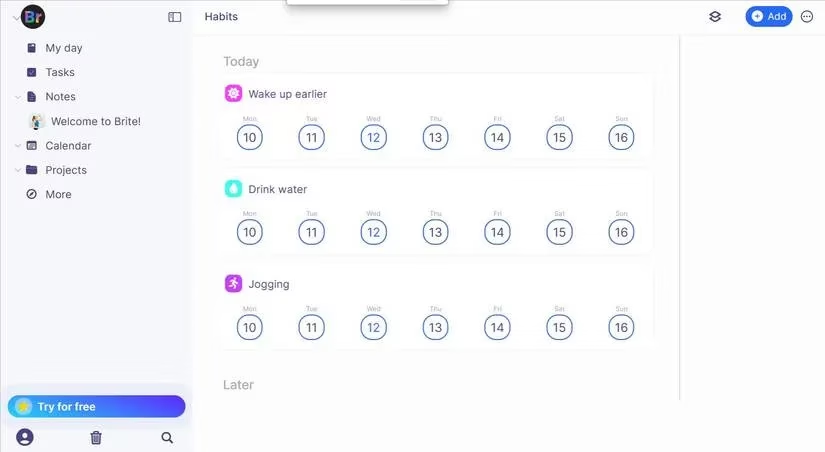
Brite ties everything together with an almost infinite level of customization. Every repeated task gets its own color, priority, and recurrence pattern—I’ve colored my practice sessions red, my relaxation time green. The habit‑building suggestions (jogging, meditation, reading) gave me fresh ideas when my routine felt stale. Because I travel for events, the monthly repeat view is a lifesaver; I can pause a habit during a bootcamp week and resume it instantly. The statistics section for each habit shows me my consistency at a glance, and that visibility keeps me accountable. Brite truly makes living a productive lifestyle feel like second nature.
No matter if you’re grinding ranked ladder or just trying to get out of bed on time, consistency is the hidden boss you must defeat. Each of these apps became a piece of my strategy—Routinero for structured resets, Microsoft To Do for smart suggestions, Any.do for calendar harmony, Do It Now for the XP grind, Habitify for stat‑tracking, TimeTune for flexible blueprints, and Brite for total control. I now treat my daily routine with the same seriousness I give to a championship match. Find the app that resonates with your playstyle, and you’ll be one daily streak closer to your own grand finals.
Comments