I’ll admit it: for years, my to-do list controlled me instead of the other way around. I would start my morning answering emails, rearranging sticky notes, and feeling productive—only to realize at 5 p.m. that the report due tomorrow hadn’t been touched. Sound familiar? That cycle finally broke when I started using the Eisenhower Matrix. Named after former president Dwight D. Eisenhower, it’s a simple two-by-two grid that sorts tasks by importance and urgency. In 2026, I still reach for it whenever my day feels chaotic. It doesn’t magically create more hours, but it shows me where my hours should actually go.

How the Matrix Sorts My Brain
The Eisenhower Matrix works because it forces me to stop treating every task like an emergency. Every item gets measured against two questions: Is it important? Is it urgent? Based on my answers, it falls into one of four boxes.
| Quadrant | What goes there | My action |
|---|---|---|
| Do First | Important and urgent, like a deadline due tomorrow | Do it immediately |
| Schedule | Important but not urgent, like exercise, personal development, and networking | Put it on the calendar |
| Delegate or Reduce | Urgent but not important, like certain emails or interruptions | Pass it off or batch it |
| Eliminate | Not urgent and not important, like doomscrolling or busywork | Drop it |
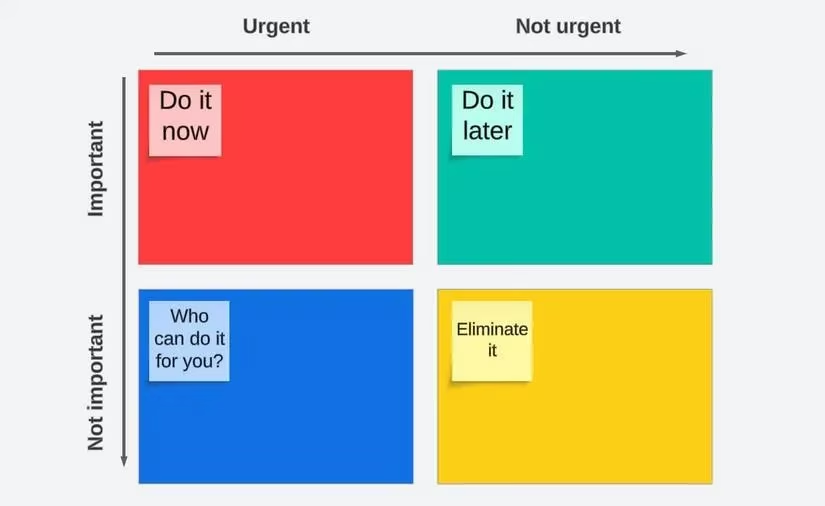
The power isn’t really the grid itself. It’s the moment of honesty. When I force myself to label a task as urgent but not important, I realize I’m spending energy on somebody else’s emergency. And when I notice how little attention I give to important but not urgent tasks, I understand why I always feel stuck.
My Favorite Eisenhower Matrix Apps in 2026
Over the years I’ve tried plenty of apps that use this method. Some are quick personal tools. Others are better for teams. Honestly, the best one depends on how you like to work—but a few stand out.
Dwight – ToDo Priority Matrix
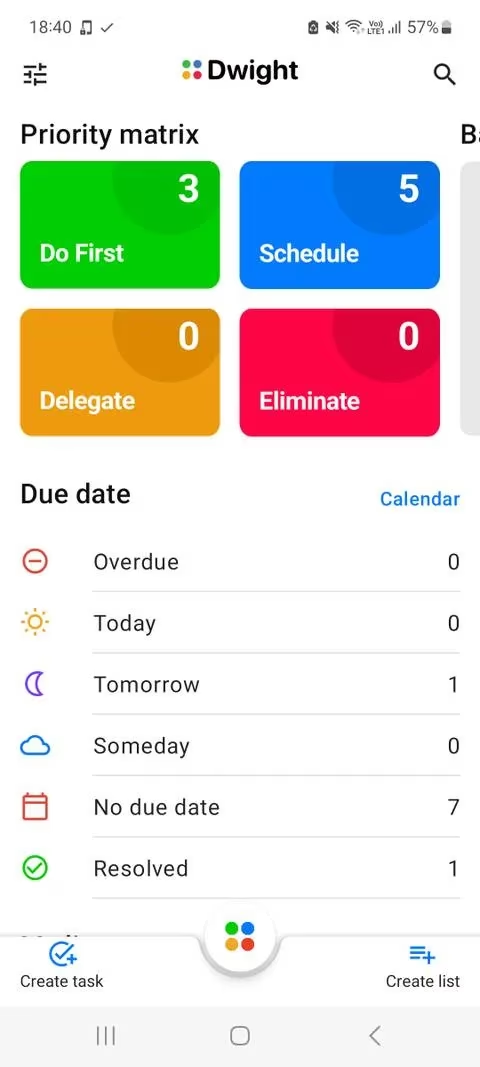
If you want the pure Eisenhower experience, this is the app I recommend. When I create a task, it lands in a Backlog first, which is perfect for capturing a quick idea before deciding where it belongs. Each quadrant has its own page, so I can focus on Do First without seeing every other category. If I add a due date, the app automatically moves the task into Today, Tomorrow, or Someday. I also like that it can sync Outlook emails and turn them into tasks.
Priority Matrix
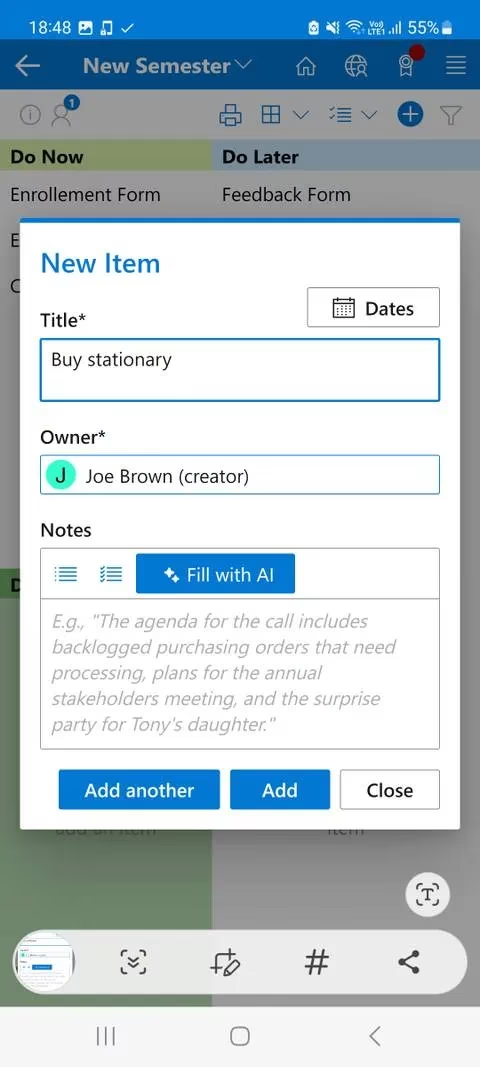
Priority Matrix is better when teamwork enters the picture. I can add notes, files, and resources to any task, and the Alerts tab tells me when someone mentions me in a shared item. The app calls matrices Projects, and if one quadrant gets too crowded, I can resize the grid with the central arrow button. The advanced filtering is a lifesaver—I can sort by due date or tag, and even save custom filters for later.
Notion
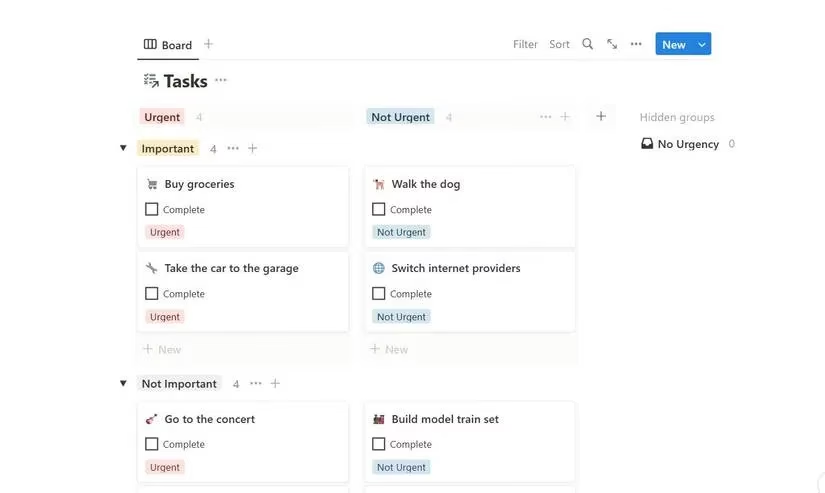
Notion is already a workspace for many people, so building an Eisenhower Matrix there feels natural. I downloaded the free template from Notion’s gallery and got both a Table view and a Board view. In the Table view, I rate every task by Importance and Urgency, then sort so the important-and-urgent work sits at the top. If I miss the visual grid, the Board view brings back that classic look.
Improve My Life
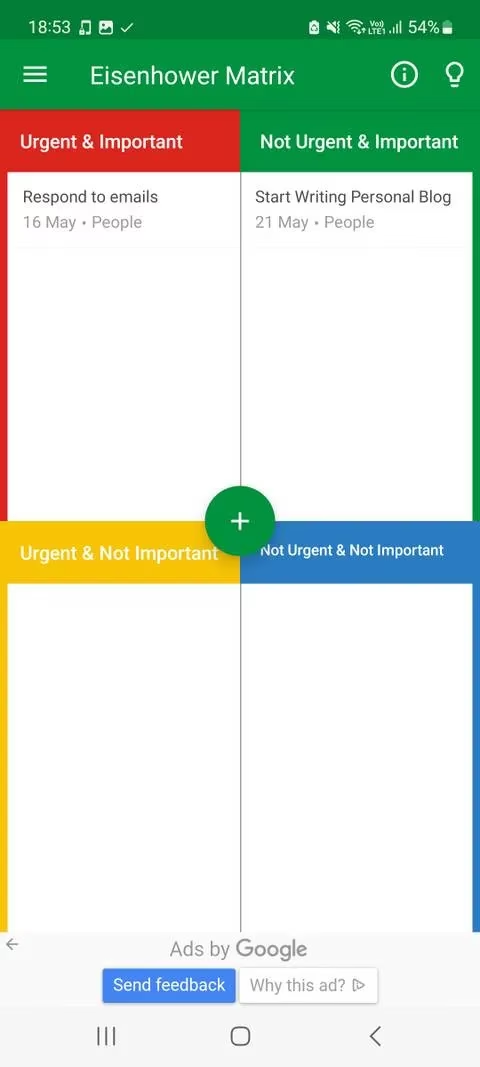
If I had to suggest one starter app, it would be Improve My Life. It splits your life into eight categories—health, self-improvement, people, and more—so every new task is tied to a bigger personal plan. I choose the category and mark importance and urgency, and the matrix lives in the sidebar. The assistant gives me little insights about how I’m spending my time, which is helpful when I’m too close to my own habits to see the pattern.
Miro
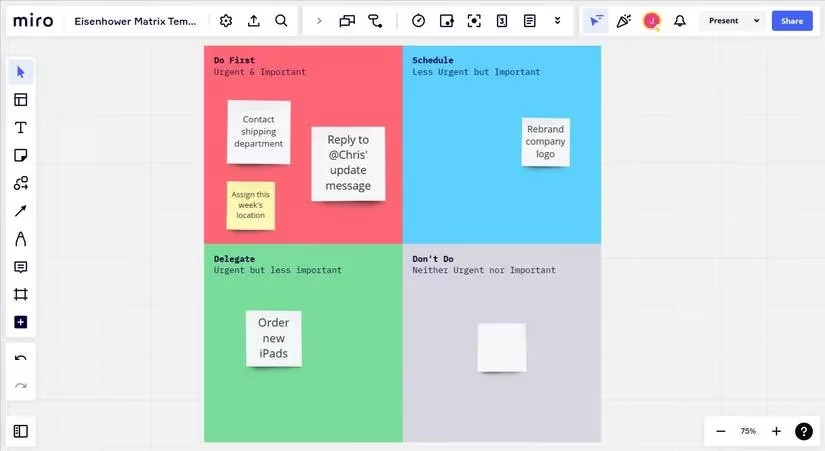
Miro is not a traditional to-do app, but I love it for brainstorming. On an infinite canvas, I type T for text or tap N for sticky notes, then arrange them into a giant matrix. It’s great for team conversations because of the Chat feature and tags. If my matrix needs more breathing room, I just zoom out and make it bigger.
TickTick
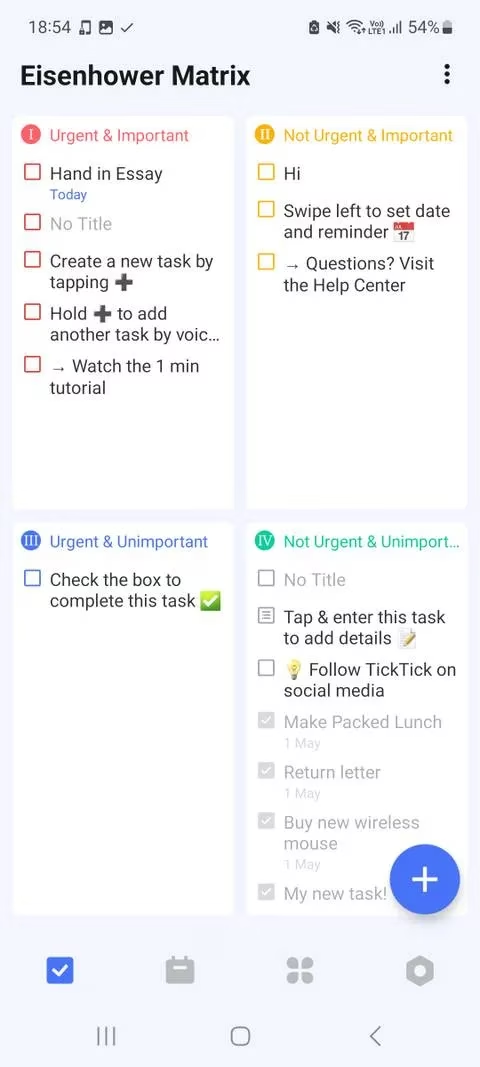
TickTick is probably the most balanced option because it packs a Pomodoro timer, habit tracker, and an Eisenhower Matrix into one place. I head to Settings, open the Tab Bar, and enable the matrix. Once it’s in my navigation, I can see every quadrant and create tasks directly. The app also uses priority labels to pull tasks into the matrix, and I can move quadrants around with the three-dot menu.
The Short Version
If you’re comparing quickly, here’s how I think about them:
-
Dwight – Best for a pure, focused Eisenhower Matrix.
-
Priority Matrix – Best for team collaboration and detailed sorting.
-
Notion – Best if you already live inside Notion.
-
Improve My Life – Best for linking tasks to personal development.
-
Miro – Best for visual brainstorming and team conversations.
-
TickTick – Best all-in-one productivity toolkit.
The Eisenhower Matrix works in almost any scenario—planning a trip, starting a new job, or wading through classwork. For me, the biggest shift wasn’t having a prettier list. It was learning to ask: Is this important? Is this urgent? Those two questions keep me from spending six hours on tiny tasks while the big ones panic. If you feel overwhelmed, pick one app from this list and try it for a week. You might be surprised how much calmer your to-do list becomes.
Comments