I still remember the first time I tried to organize a Rust project. It felt like herding cats that had all been given tiny espresso shots. But after years of building everything from CLI tools to web servers, I've learned that Rust's project structure isn't just about keeping things tidy—it's about unlocking the language's superpowers. In 2026, with Rust's ecosystem more vibrant than ever, getting this right is the difference between a codebase that scales and one that collapses under its own weight. Let me walk you through how I do it.
Cargo: Your Sous-Chef, Not Just a Fetch Boy 🦀
If you've installed Rust, you already have Cargo. It's the built-in package manager and build system—think npm for Node.js or pip for Python, but with a jetpack. Cargo manages dependencies, compiles code, generates docs, and generally makes you feel like a wizard. First, verify it's there:
cargo --version
That prints the installed version. Then, to create a new project, I run:
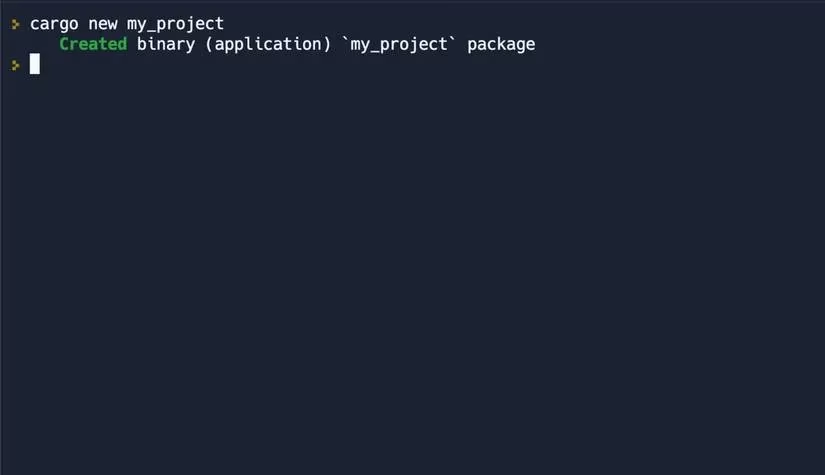
cargo new my_project
This spins up a directory with a Cargo.toml file (for dependencies and metadata) and a src folder. It's like a pre-built IKEA kit where every screw is already sorted. Here's what the output looks like:
Packages, Crates, and the Art of Naming
In Rust, a crate is a library or binary that you compile. A package is a collection of crates—usually one library crate (reusable code) and one binary crate (a CLI for that library). Every package has a Cargo.toml with metadata: name, version, dependencies, build scripts. Here's a quick table to keep them straight:
| Term | What it is | Example |
|---|---|---|
| Crate | A compilation unit (lib or bin) | rand library |
| Package | A bundle of crates + Cargo.toml |
hyper-server |
Naming conventions matter: package names must be globally unique, lowercase, and use only letters, digits, and hyphens. Multi-word names get hyphens, like hyper-server. To use code from another package, you bring it into scope with use:
use rand::Rng;
This is like opening a specific drawer in a giant toolbox—you don't dump the whole thing out.
Modules: The Rooms of Your Code House 🏠
Modules let you control scope and privacy. They're like rooms in a house: you can keep your messy socks in the bedroom, but if you want guests to see your art collection, you put it in the living room with a pub sign. Declare a module with mod:
mod my_module {

    fn add_numbers(a: i32, b: i32) -> i32 {

        a + b

    }

}
By default, everything inside is private. To share it, slap pub on the function or module:
mod my_module {

    pub fn add_numbers(a: i32, b: i32) -> i32 {

        a + b

    }

}
Now other parts of your program can call my_module::add_numbers. You can also make the whole module public with pub mod my_module. And if you want something accessible only within the same crate, use pub(crate):
mod my_module {

    pub struct MyStruct {

        pub(crate) some_field: u32,

    }

}
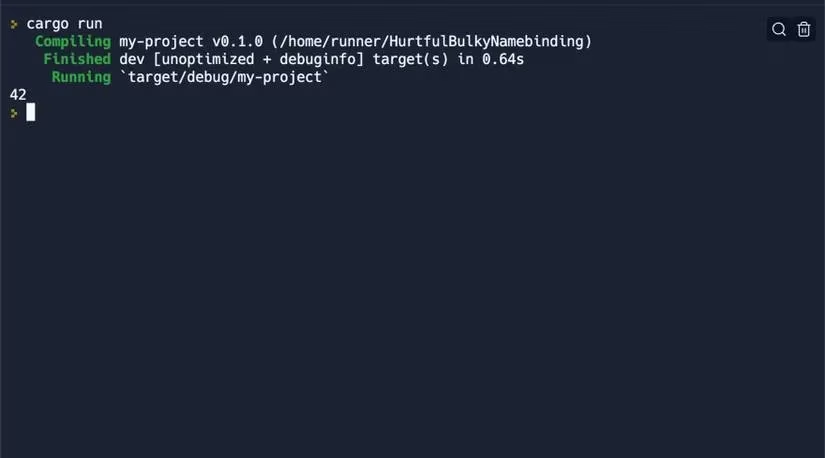
Then in main, you can access it:
fn main() {

    let my_struct = my_module::MyStruct { some_field: 42 };

    println!("{}", my_struct.some_field);

}
Here's the result:
Namespaces work with folders: a new folder creates a new namespace, and you access items with :: (path separator). For example, if folder1 has a public folder() function, another module can do use folder1::folder; and call it.
Organizing Rust code is like arranging a coral reef—each piece has its place, and if you get it right, the whole ecosystem thrives. Modules prevent naming conflicts and make your intent clear. Plus, Rust's ownership model (one unique owner per value) ensures memory safety and prevents data races. It's like having a bouncer at every memory location who checks IDs—no unauthorized access, no crashes.
So there you have it: Cargo as your sous-chef, packages as your ingredient bundles, and modules as your kitchen stations. In 2026, these fundamentals remain the bedrock of every reliable Rust app. Master them, and you'll spend less time debugging and more time shipping. 🚀
Comments