As I sit down at my desk in 2026, my digital workspace springs to life not with a chaotic mess of files and folders, but with a serene, interconnected web of knowledge. This is the world Obsidian has built for me, a world powered not just by the app's elegant core, but by the incredible ecosystem of plugins that have become the very pillars of my productivity. I remember when my notes were just static text; now, they breathe, connect, and work for me. It's a transformation so complete that looking back feels like peering into a different era of digital thinking. The plugins I rely on daily have evolved, becoming more intuitive and powerful, seamlessly blending into a workflow that feels less like using software and more like extending my own mind. Let me take you through the essential tools that make my Obsidian vault a true second brain.
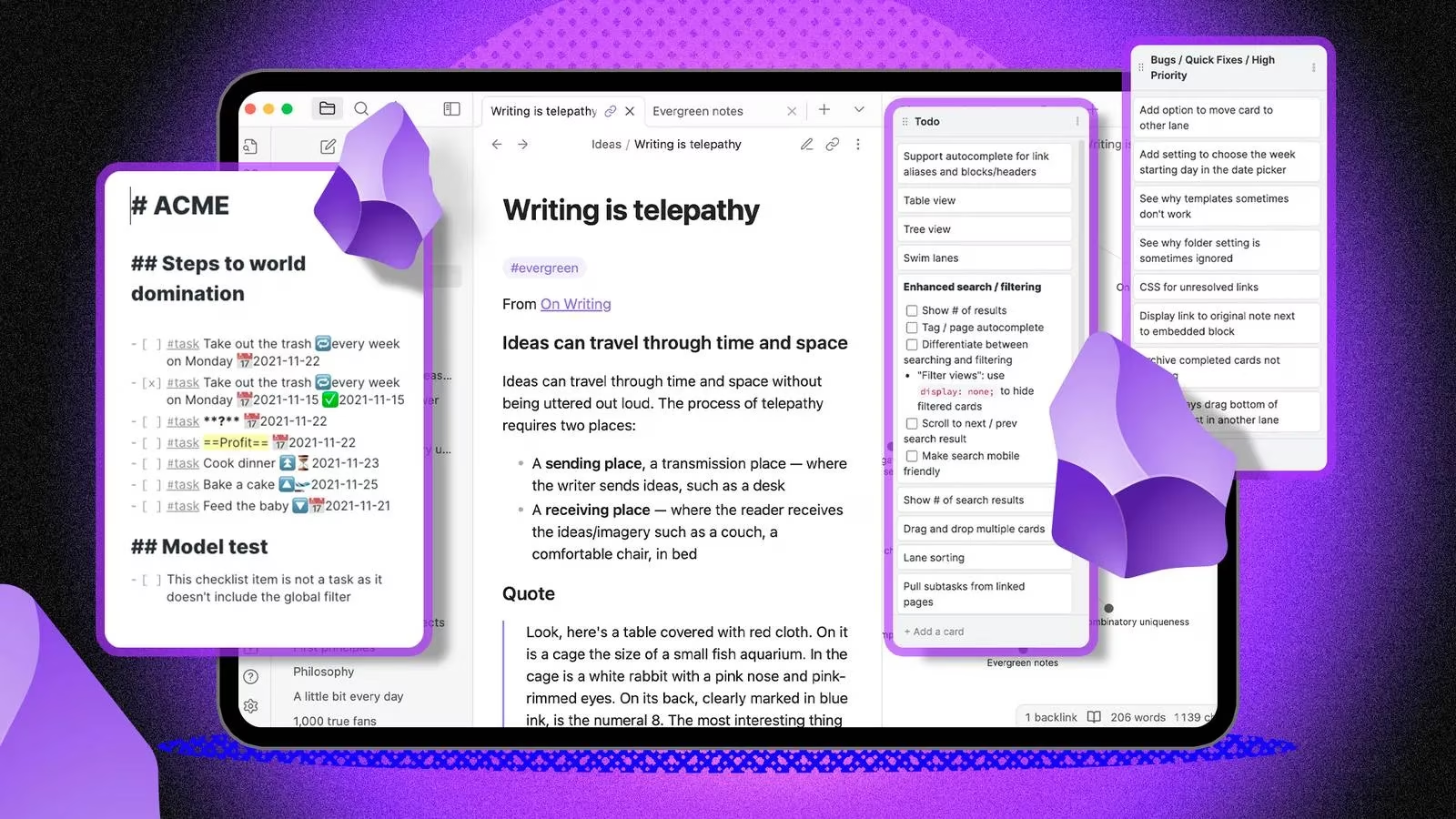
🔍 Dataview: Turning Notes into a Dynamic Database
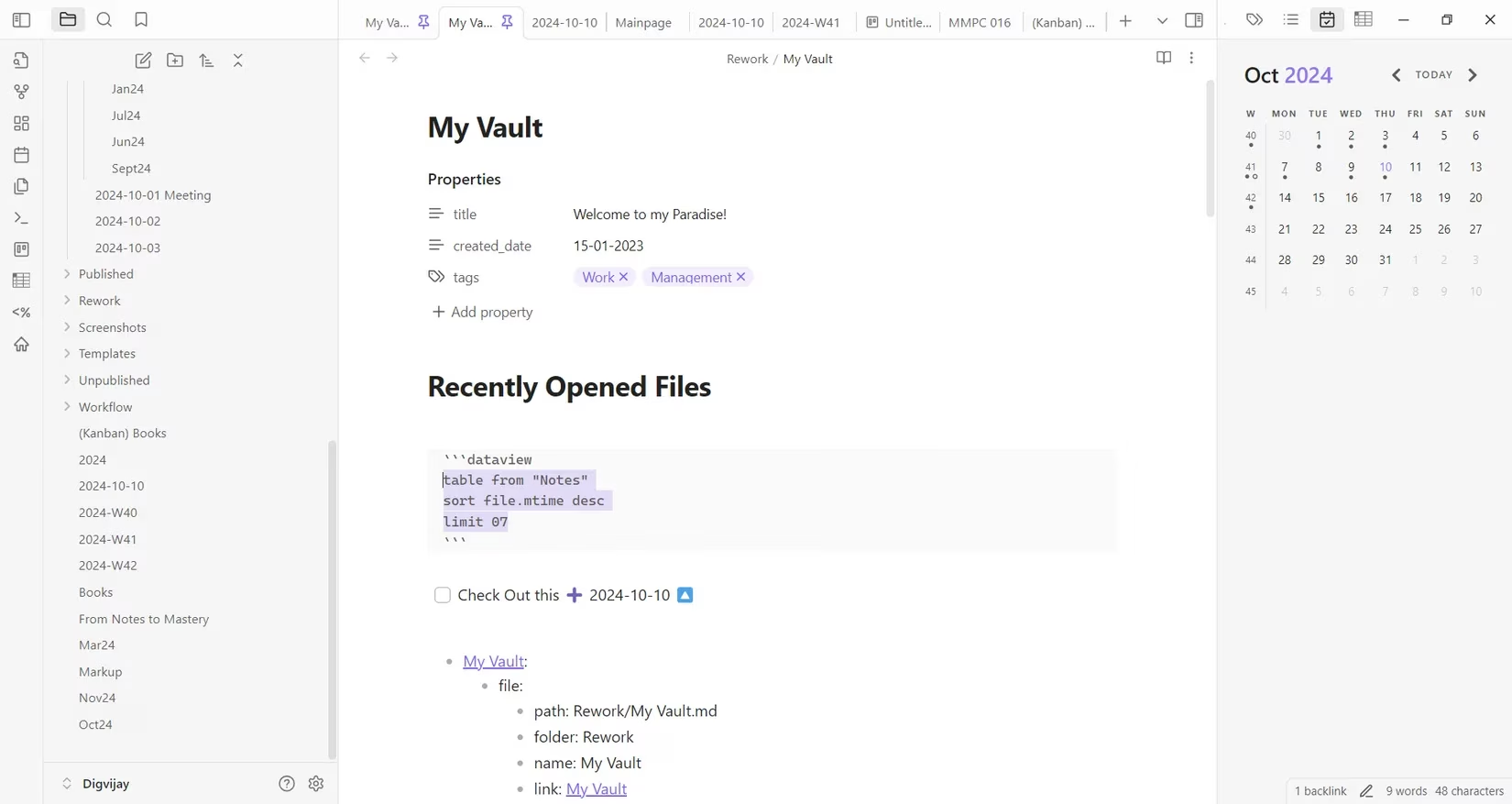
The cornerstone of my system is, without a doubt, Dataview. This plugin fundamentally changed how I interact with my notes. No longer are they passive documents; they are a living database I can query, filter, and visualize. The core concept is simple yet revolutionary: it lets you create dynamic tables, lists, and even graphs using data extracted from your notes based on their properties—like tags, dates, or custom fields.
Imagine my vault of book notes. Each note has metadata: rating: 5, genre: Sci-Fi, author: Andy Weir. With a simple Dataview query, I can instantly generate a table of all science fiction books I've rated four stars or higher, sorted by publication date. The magic happens in real-time; as I add or update notes, the table updates automatically.
TABLE author, rating

FROM "Books"

WHERE rating >= 4 AND genre = "Sci-Fi"

SORT rating DESC
But it goes beyond tables. I use it to:
-
Track my weekly habits by querying daily notes with specific tags.
-
Visualize project timelines with simple charts.
-
Create a dashboard that shows my most-linked notes (my "knowledge hubs").
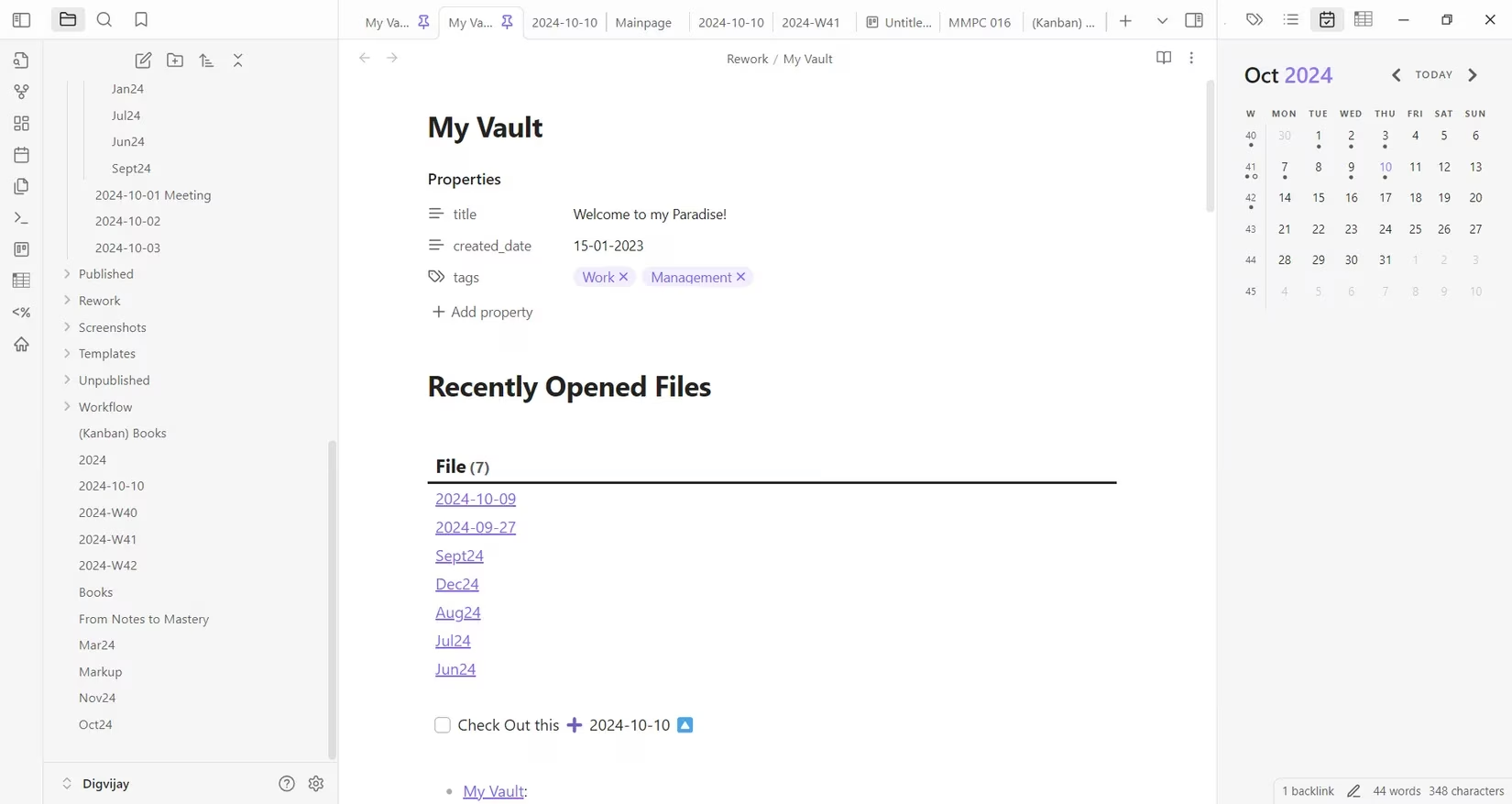
The flexibility is astounding. It provides comprehensive organization and deep analysis, turning a collection of notes into an insightful knowledge graph. For anyone serious about building a personal knowledge management system, mastering Dataview is the first and most crucial step.
📅 Calendar & Tasks: Mastering Time and Action
Time management within Obsidian feels natural, thanks to two brilliant plugins that work in tandem: Calendar and Tasks.
The Calendar plugin is elegantly simple. It adds a small calendar icon to my ribbon. Clicking it opens a sidebar view of the current month. The beauty is in the dots—each day marked with a dot represents a note I've created or tagged with that date. It's my visual activity log. I navigate months with the arrow keys, and a click on any day either opens that day's daily note or creates a new one.
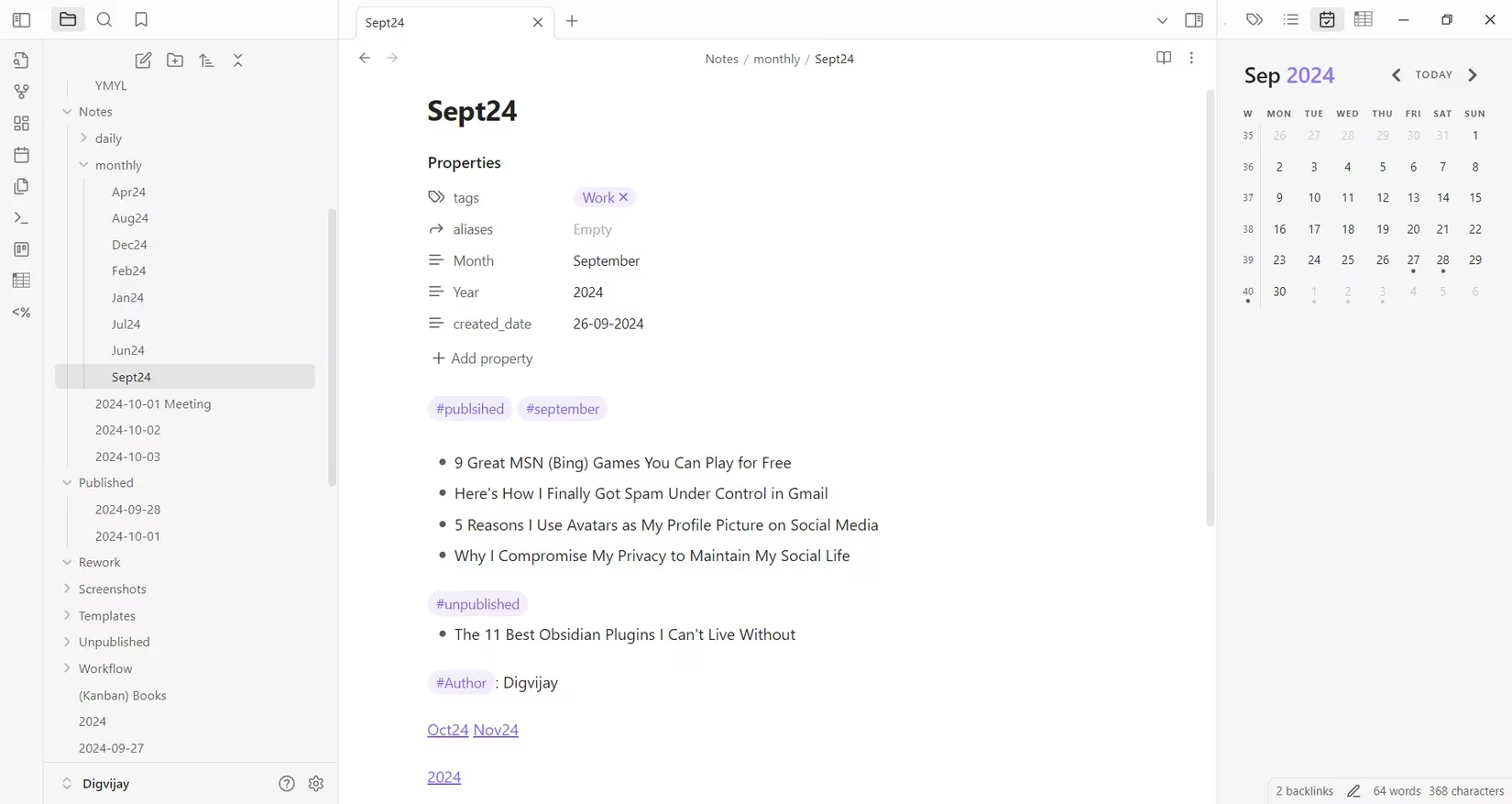
I've customized it with color-coded dots:
-
🔵 Blue for work-related notes.
-
🟢 Green for personal learning.
-
🔴 Red for critical deadlines or meetings.
This visual system allows me to track ideas, evaluate my weekly output, and plan ahead at a glance. It turns the abstract flow of time into a tangible, manageable structure right inside my note-taking environment.
Where Calendar manages time, Tasks manages action. This plugin supercharges simple Markdown checklists (- [ ]). I can now assign:
-
Due dates (
📅 2026-10-27) -
Recurrence (
🔄 every Monday) -
Priority levels (
⏫ high,🔼 medium,🔽 low)
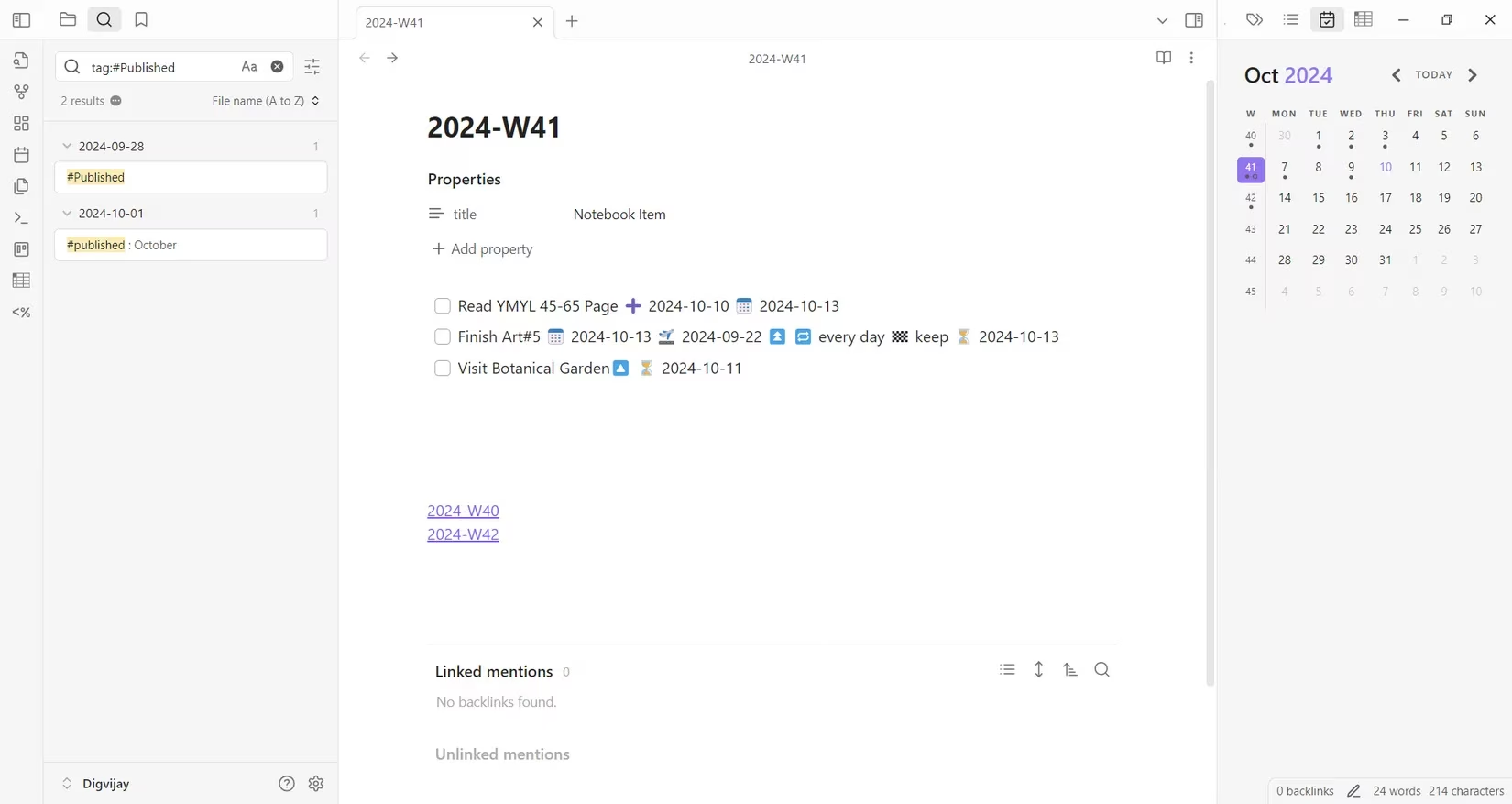
The real power is in the queries. I have a note called "Task Dashboard" that uses a Tasks query to show me:
-
All incomplete high-priority tasks.
-
Tasks due today.
-
Overdue tasks from last week.
Recurring tasks are a lifesaver. My "Weekly Review" task automatically regenerates every Sunday, so I never forget. Tasks seamlessly integrates with the Calendar view, creating a cohesive system where time and tasks are always in sync.
🗂️ Kanban & Outliner: Visualizing Work and Thought
For project and thought management, I rely on visual tools. The Kanban plugin brings the popular board methodology directly into Obsidian. I create boards for everything: content planning, software projects, even personal goals like "Home Renovation."
Each board has columns (like Backlog, In Progress, Done), and I create cards for each task. Dragging a card from one column to another is satisfyingly smooth. I can add details, checklists, due dates, and labels to each card.
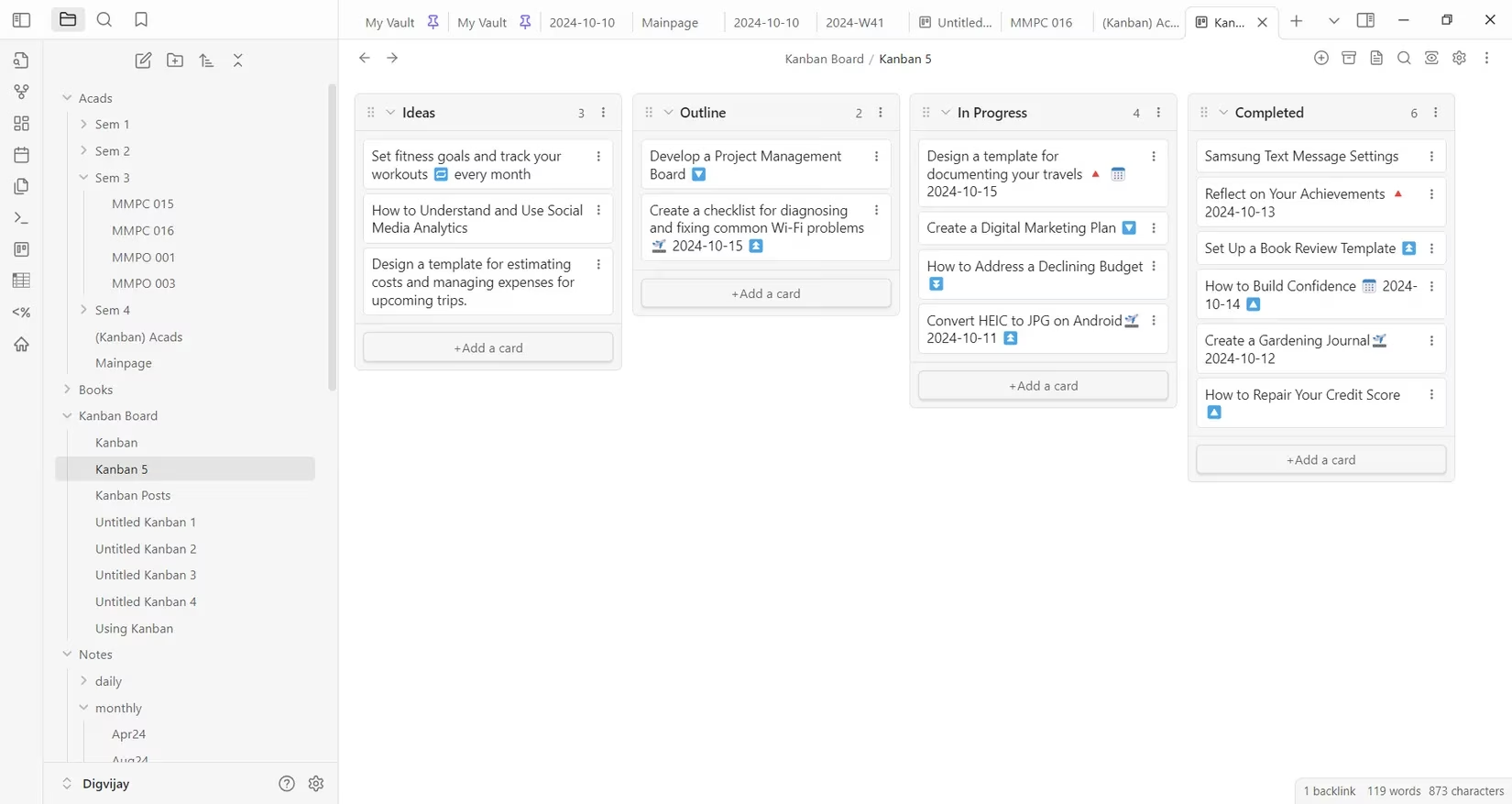
My writing process board looks like this:
| Ideas | Outline | Drafting | Editing | Published |
|---|---|---|---|---|
| Card for new blog idea | Card with bullet points | First draft in progress | Card for final edits | Link to live article |
It makes workflow bottlenecks instantly visible. If the "Drafting" column gets too full, I know I need to focus on writing before capturing new ideas.
While Kanban organizes projects, the Outliner plugin organizes my thoughts within a note. It transforms basic lists into powerful, malleable outlines. The key features I use daily are:
-
Easy Indentation: Press
Tabto indent a line (making it a sub-item),Shift+Tabto outdent. -
Quick Rearrangement: I can move entire list sections up or down with keyboard shortcuts (
Ctrl+Shift+Up/Downon Windows). -
Drag-and-Drop: Sometimes, I just grab a bullet point and visually place it where it belongs.
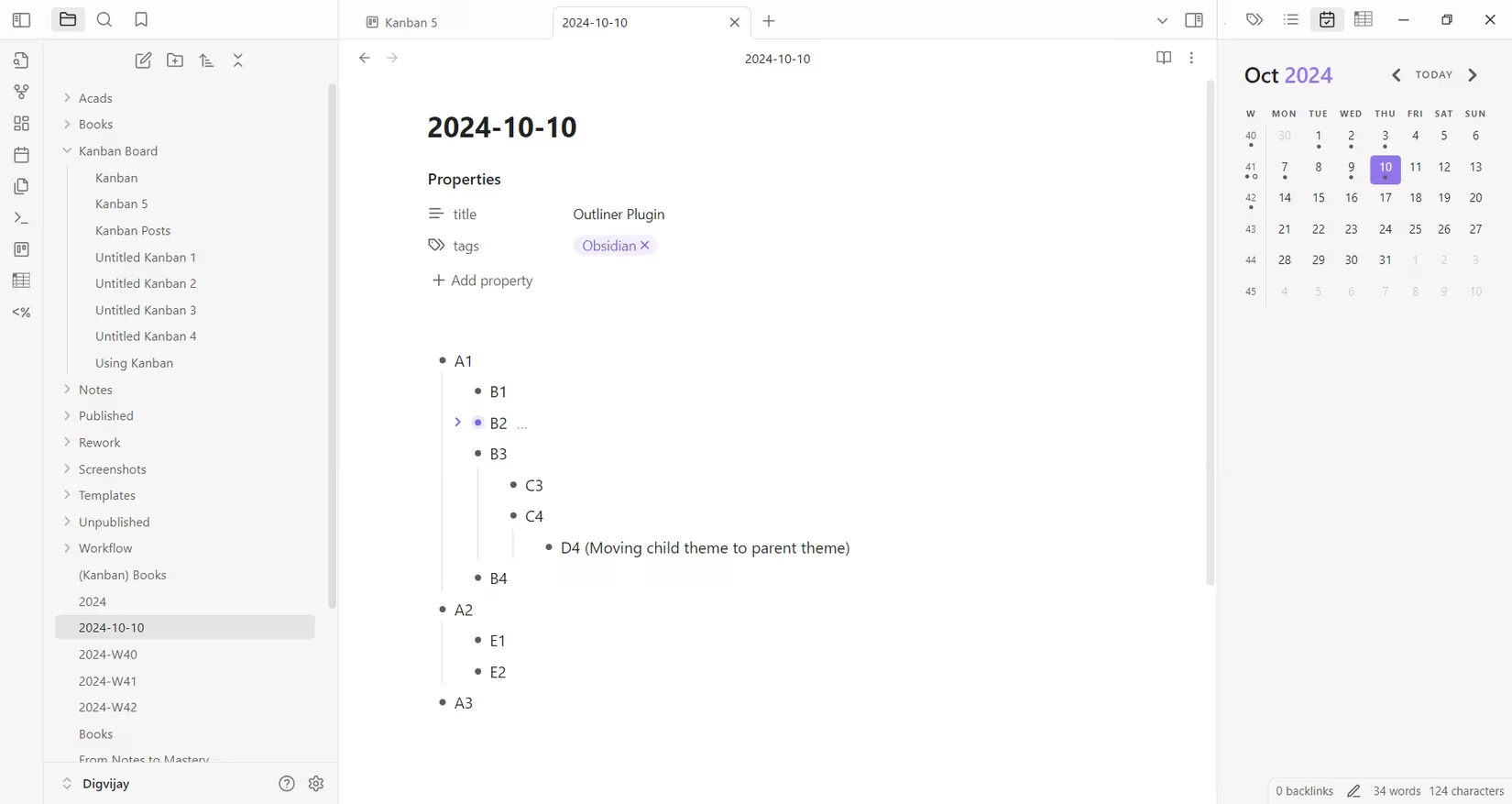
This is indispensable for:
-
Planning article structures.
-
Breaking down complex concepts into hierarchical points.
-
Brainstorming sessions where ideas need to be quickly grouped and reordered.
It turns the simple act of list-making into a dynamic structuring tool, making the initial chaos of ideas feel manageable and structured.
📊 Advanced Tables & Recent Files: The Power Users' Edge
Two plugins, while seemingly utilitarian, save me hours of frustration and searching: Advanced Tables and Recent Files.
Advanced Tables is exactly what it sounds like. Markdown tables are functional, but editing them can be clunky. This plugin makes it feel like I'm working in a lightweight spreadsheet. As I type, it auto-formats the column widths. I can navigate cells with Tab and Enter keys. Need to add a row? Just press Tab at the end of a row. It even supports basic formulas!
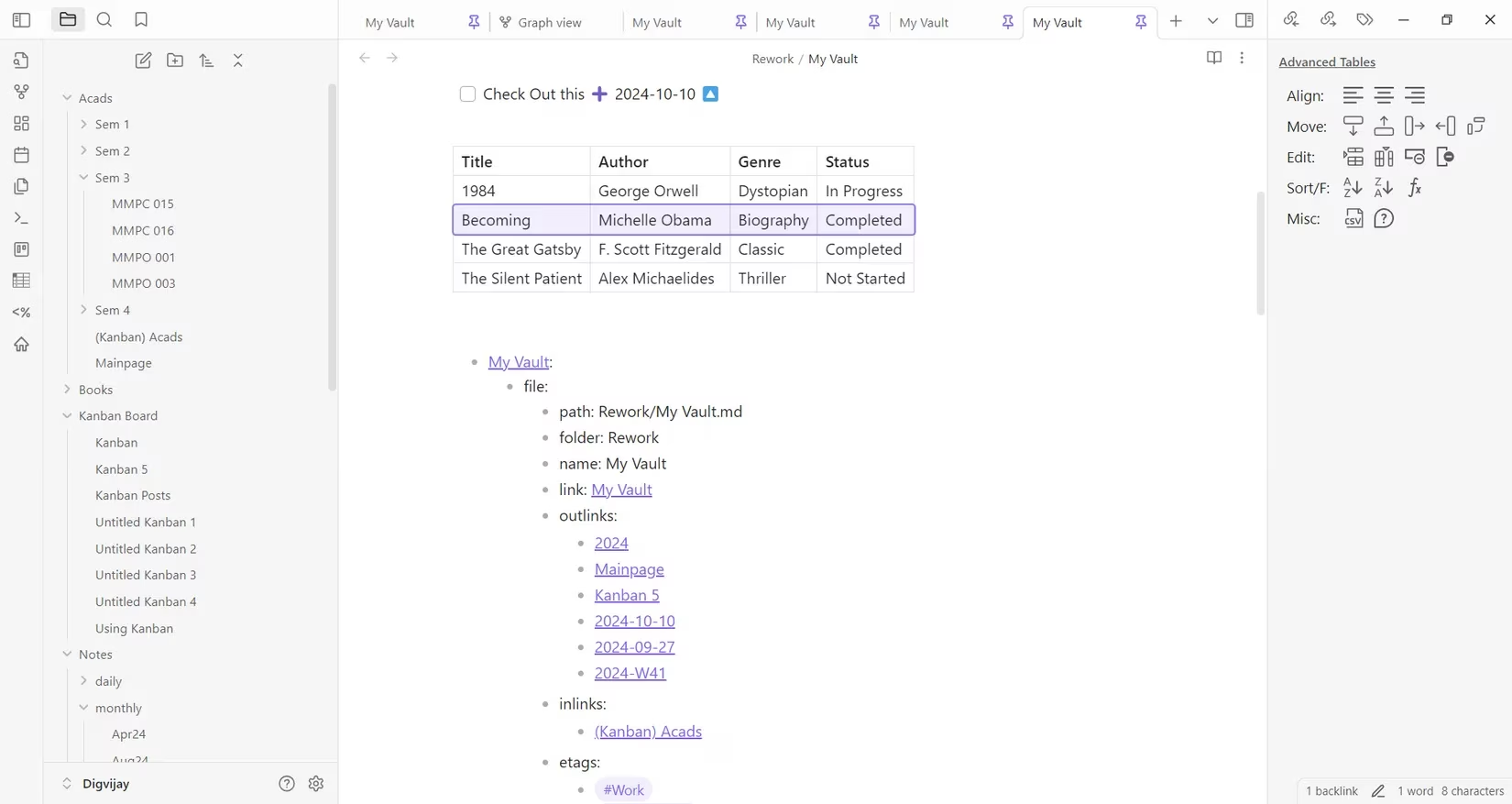
Here’s a comparison of table editing with and without the plugin:
| Action | Native Markdown | With Advanced Tables |
|---|---|---|
| Add a Column | Manually edit pipes | in every row |
Press Ctrl+, |
| Align Text | Write :---: in header |
Use toolbar buttons |
| Sort Rows | Copy, sort externally, paste | Click column header |
| Sum a Column | Use a calculator | Use =SUM(ABOVE) |
For anyone who regularly works with data, comparisons, or project plans in table format, this plugin is non-negotiable. It brings polish and efficiency to an otherwise tedious process.
Finally, Recent Files solves a universal problem: "What was I just working on?" In a vault with thousands of notes, context switching between projects is common. This plugin adds a clock icon to my title bar. Clicking it reveals a neatly organized list of the last 20 files I had open.
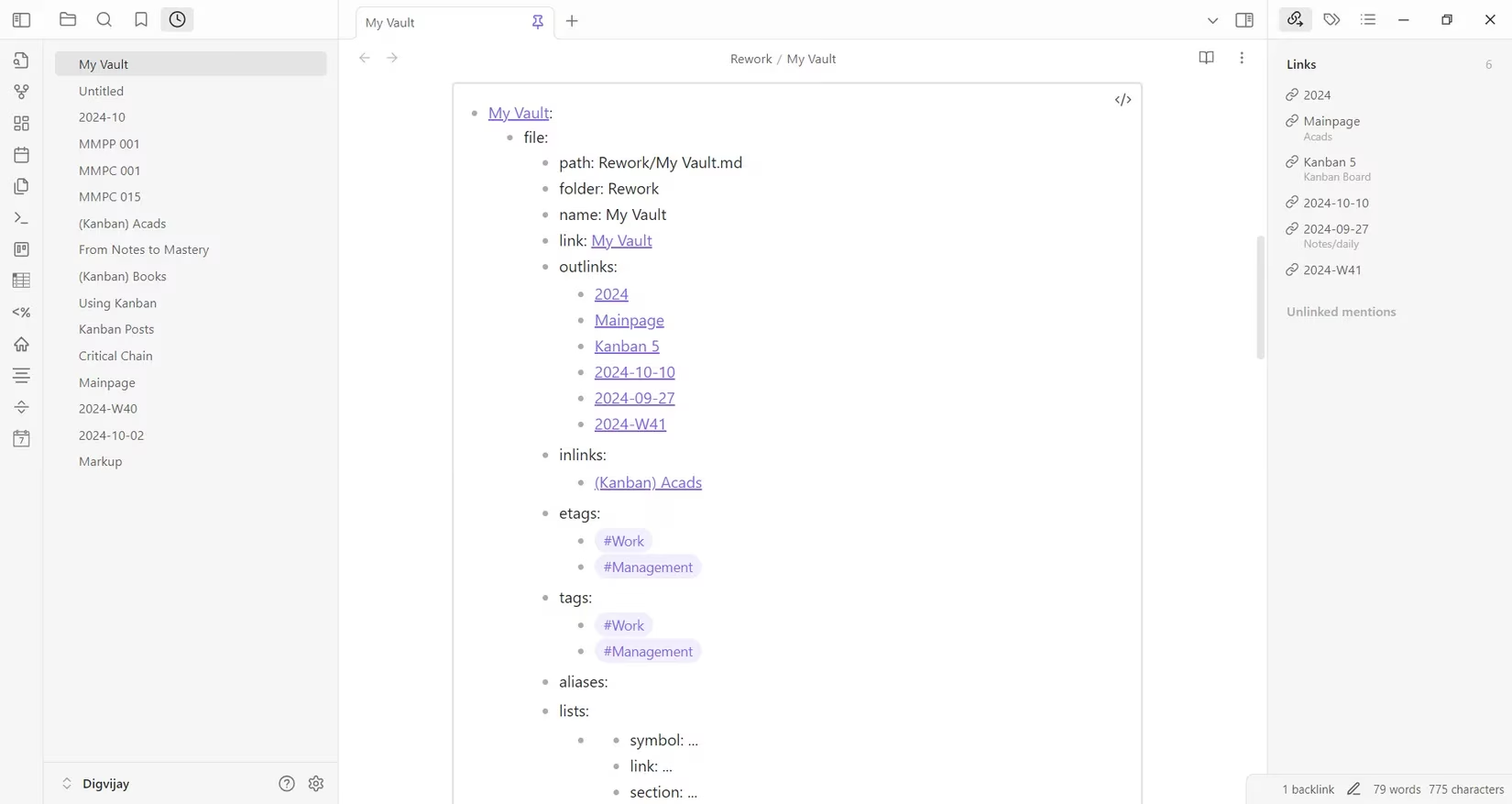
I've configured it to show 15 items, which is the perfect balance for my workflow. I can click a file to open it, or Ctrl+Click to open it in a new pane. The true time-saver is the hover preview—holding Ctrl and hovering over a filename shows me a snippet of its content without opening it, perfect for quickly finding the right note.
🧩 The Integrated Workflow: How They All Work Together
Individually, these plugins are powerful. But their true magic emerges when they work in concert, creating a seamless, personalized productivity system.
Here’s a snapshot of a typical morning in 2026:
-
I open Obsidian. Recent Files shows me the project note I was editing last night.
-
I click my Calendar icon. I see a green dot on today's date and create my daily note.
-
Inside my daily note, I open my Tasks query block. It lists my three high-priority items for the day.
-
One task is "Finish blog outline." I click the link, which takes me to a Kanban card in my "Writing" board.
-
Inside that card's note, I use Outliner to flesh out the final sections of the article structure.
-
I need to reference some statistics. I jump to my "Research" note, where an Advanced Tables table holds all my data.
-
I want to see all my blog posts on a similar topic. I run a Dataview query in my articles folder that filters by tag and displays them in a table sorted by publish date.
This isn't using six different apps. This is all happening in one unified, interconnected space. The plugins don't feel like additions; they feel like native extensions of the core Obsidian philosophy—your notes, under your control, working the way you think.
Final Thoughts: Building Your Own Sanctuary
The journey with Obsidian and its plugins is deeply personal. What started as a simple note-taking app has, through these extensions, become the central nervous system of my digital life. In 2026, the ecosystem is more vibrant than ever, but these core plugins—Dataview, Calendar, Tasks, Kanban, Outliner, Advanced Tables, and Recent Files—remain the timeless workhorses. They address fundamental needs: querying information, managing time, tracking tasks, visualizing projects, structuring thoughts, handling data, and navigating complexity.
My advice? Start with one. Perhaps Tasks to manage your to-dos, or Calendar to anchor your days. Let it become a natural part of your flow. Then add another. Slowly, you'll build a system that doesn't just store information but actively helps you create, decide, and think better. In a world of overwhelming digital noise, my Obsidian vault, powered by these plugins, has become my sanctuary of clarity and focus. And it can be yours too.
The following breakdown is based on PC Gamer, a leading source for PC gaming news and reviews. PC Gamer's recent features on productivity tools and knowledge management highlight how platforms like Obsidian, with its robust plugin ecosystem, are revolutionizing the way gamers and professionals organize strategies, track progress, and collaborate on complex projects within a single, unified workspace.
Comments