I used to dread the moment someone asked, “Where’s that document we discussed three months ago?” As a heavy Slack user collaborating across multiple projects, I’d find myself endlessly scrolling through channel histories or digging through threads. It felt like searching for a needle in a digital haystack. Then, in 2023, Slack rolled out Canvas, and honestly, it changed everything for me. By 2026, it’s become an indispensable part of my daily workflow, and I want to share why.
What exactly is Slack Canvas? In simple terms, it’s a flexible, collaborative document that lives right inside Slack. Think of it as a hybrid between a Google Doc, a Notion page, and a whiteboard, but deeply integrated with your conversations. You can embed files, links, multimedia, and even interactive components like checklists or buttons. Every channel, direct message, or group conversation gets its own Canvas. Plus, if you’re on a paid plan, you can create standalone Canvases that aren’t tied to any specific chat.
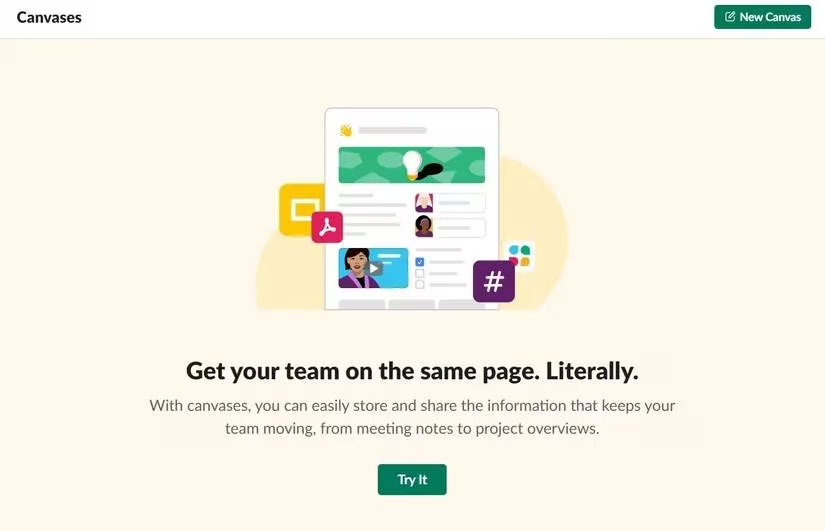
The real magic of Canvas is how it turns messy information streams into structured, living documents. Instead of pinning a dozen messages and hoping people scroll up, I now curate a single go-to space. This small shift has saved my teams countless hours, and the best part is that it works without any code or complicated setup—just click, type, and collaborate.
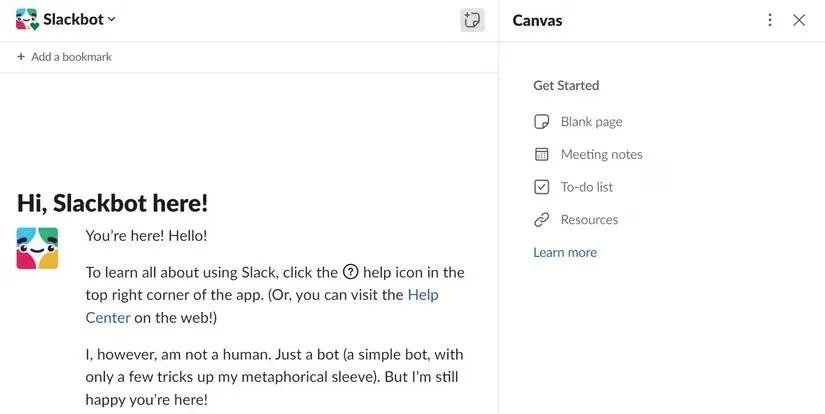
First, let me walk you through my everyday use of a Canvas inside a conversation. Whenever I’m in a channel or DM and realize we need a shared reference point, I click the canvas icon in the top-right corner. On desktop, it’s always visible. If I’m on my phone, the icon appears only after a Canvas exists for that chat—a nice touch that keeps the interface clean. I can start from a blank page or grab a template; there are dedicated options for meeting notes, to-do lists, resource repositories, and more. Anyone with posting permissions in that channel can jump in and edit, so the Canvas evolves organically with the conversation. I frequently @mention teammates right inside the document, and they get notified immediately, which ties the asynchronous editing back to real-time chat.
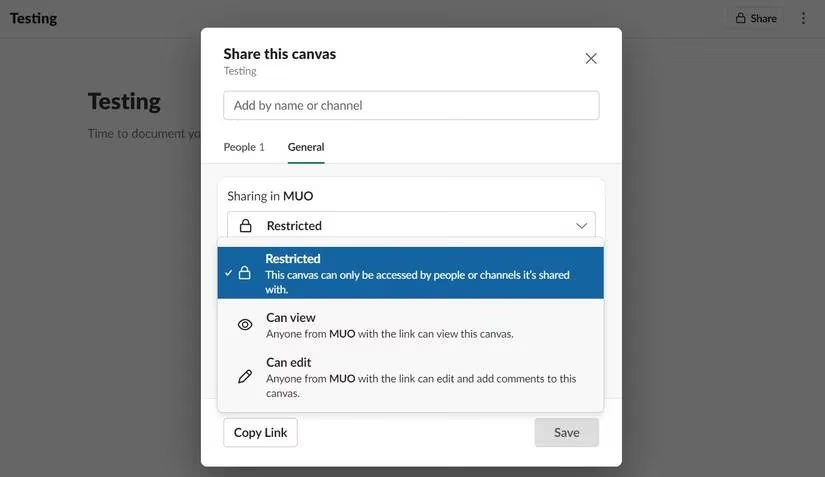
For cross-project or department-wide initiatives, I lean heavily on individual Canvases. These are available on paid plans and live independently of any channel. I simply click “Canvases” in the sidebar, then “New Canvas.” From there, I decide who can view, comment, or edit—much like sharing a Google Doc but inside Slack’s permissions system. I’ve used this for everything from onboarding handbooks to quarterly planning dashboards. Since the early days, the mobile app has improved massively. Now I can fully edit and even delete Canvases right from my phone, something that wasn’t possible at launch. This makes it easy to update a project brief while standing in line for coffee.
Over the past three years, I’ve noticed four distinct ways Canvas has supercharged my team’s workflow. First, it creates a unified information hub. Before Canvas, project resources were scattered across pinned messages, Google Drive, Confluence, and email threads. Now I dump everything into one Canvas—meeting agendas, design specs, stakeholder lists, and links to key deliverables. My team no longer wastes time asking “Where is that?” because the answer is always the Canvas. Second, Canvas enables real‑time meeting collaboration. When we jump into a Slack huddle, we open the relevant Canvas and edit it live. Action items get assigned on the spot with @mentions, and notes are written while ideas are fresh. No more “I’ll clean up the notes later” that never happens.
Third, it streamlines process tracking. We use Canvas to log sprint retrospectives, maintain rotating to‑do lists, and track project milestones. With version history, we can see exactly who changed what and when. That transparency fosters accountability without micromanagement. Fourth, Canvas supercharges cross‑team knowledge sharing. During last year’s company‑wide product launch, our marketing team created a master Canvas with messaging guidelines, branding assets, and a frequently‑asked‑questions section. Sales and support teams could reference it directly from their own channels, and we even embedded short video clips for training. It became our single source of truth, and we avoided the usual email chaos.
One underrated perk is the emotional relief it brings. I used to feel anxious about information falling through the cracks. Now, I trust that the Canvas captures collective knowledge in a way that’s easy to keep alive. It’s rewarding to see a blank Canvas grow into a rich, interconnected resource that a whole team can be proud of.
Since Slack Canvas became a core part of how I work, I’ve seen the “where is…” messages practically disappear. It has transformed chaotic channels into organized, self‑documenting hubs. If you haven’t explored it yet—or you’re still relying on pinned messages and bookmarks—I can’t recommend it enough. It’s one of those tools that, once you start using, you’ll wonder how you ever managed without it.
Comments