
In 2026, the line between professional project management and personal organization has not just blurred—it has vanished entirely. ClickUp, once pigeonholed as a workplace powerhouse, now stands as the digital exoskeleton for millions of individuals trying to tame the beautifully messy sprawl of daily life. Far from being an intimidating labyrinth of features, the platform has evolved into an intuitive command center where weekend meal prep shares digital real estate with home renovation timelines and hobby tracking. Its brilliance lies not in offering a rigid system, but in presenting a malleable ecosystem, much like a coral reef that grows precisely the structures its inhabitants need rather than imposing a single architecture on everyone.
The secret to ClickUp’s stickiness for personal use is how it mirrors the fractal nature of our own thinking. A massive goal like “redesign the backyard” can seem like an unscalable mountain, but within ClickUp, it fractures into manageable foothills: a Space for landscaping, a List for the patio, a task for sourcing reclaimed bricks. This decomposition is so natural that planning feels less like administrative duty and more like sketching a mind map. Even better, the setup is genuinely click-and-go—developers have sculpted the onboarding so that in under ten minutes, you can build a skeleton that actually fits your life rather than forcing you into a pre-molded straitjacket of productivity dogma.
The Architecture of Your Second Brain
Understanding ClickUp’s hierarchy is like peeling an onion where every layer reveals a smarter tool. The outermost shell is your Workspace—a sovereign territory for all personal endeavors. Within it, Spaces act as broad domains (Home, Health, Creative Projects, Finances). These are not mere folders; they are contextual containers that can each carry their own visual identity and custom workflows. The middle layer consists of Lists, which are the tendons connecting your larger goals to actual action. For instance, a “New Puppy” Space might house Lists for Veterinary Schedule, Training Milestones, and Supply Inventory.
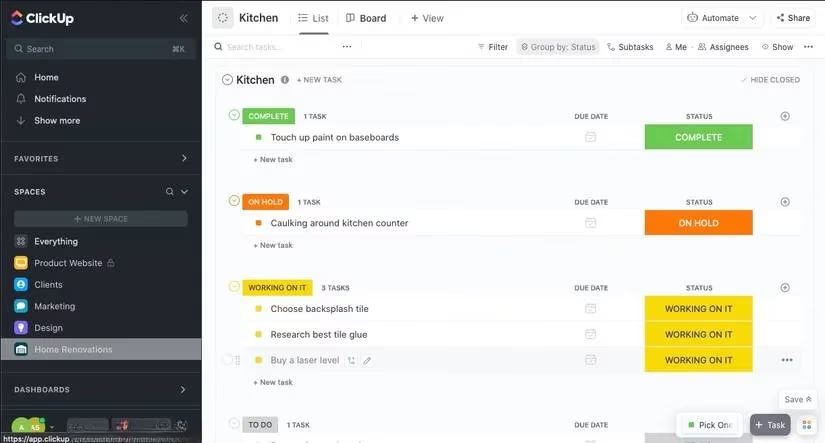
At the atomic level sit tasks and subtasks. Every task in your Workspace is a living document—clicking it opens a side panel where you can nest comments, attach PDFs of warranty documents, drop in images of inspiration, or even record a voice note for your future self. In 2026, ClickUp’s AI companions have also matured. They now suggest relevant subtasks based on your habits, auto-tag urgency levels, and can rewrite your grocery list into a pre-ordered checklist with a single prompt. The software has become less a blank canvas and more a proactive copilot.
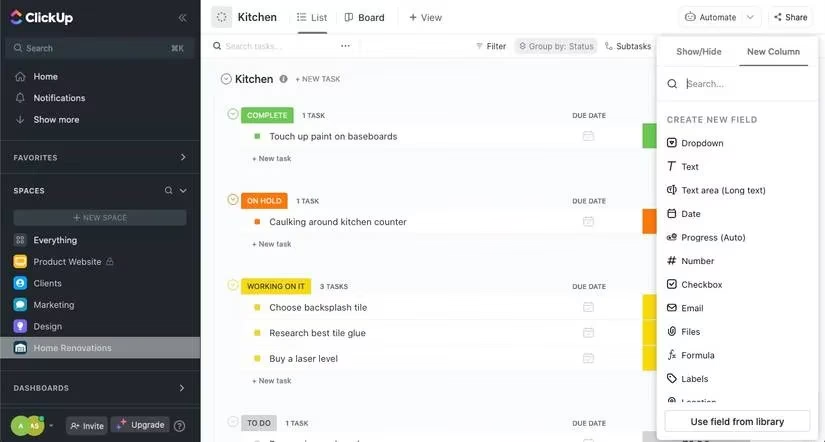
Columns are the bloodstream of any List, pumping consistent, glanceable data directly to your eyes. You might use a dropdown column for status (To Buy, In Cart, Purchased), a date column for deadlines, and a text column for store locations. Yet there is danger here: overzealous column addition can turn a clean List into a cluttered spreadsheet wasteland. ClickUp arms you with surgical tools—hide any column with one click, drag seldom-used ones to the periphery, or remove them entirely. The mantra is radical minimalism: if a column doesn’t serve you every time you scan the List, it becomes visual noise.
The Chameleon Principle: Views That Adapt to You
One of ClickUp’s most underrated superpowers is its ability to shapeshift between views without altering the underlying data. This is not just a cosmetic trick; it is a cognitive accelerator. When you need to see your weekly schedule, the Calendar view lays out tasks like stones across a stream, revealing gaps and collisions instantly. For those who think in spatial card clusters, the Board view transforms your List into a Kanban board where you can drag tasks between columns with the satisfaction of sorting physical sticky notes. The Table view strips away ornamentation, presenting data in a compact matrix that is ideal for budgets or comparison shopping. And for the visually inclined, the Mind Map* view (introduced quietly last year) lets you see the entire tree of your life branching outward, a literal map of your intentions.
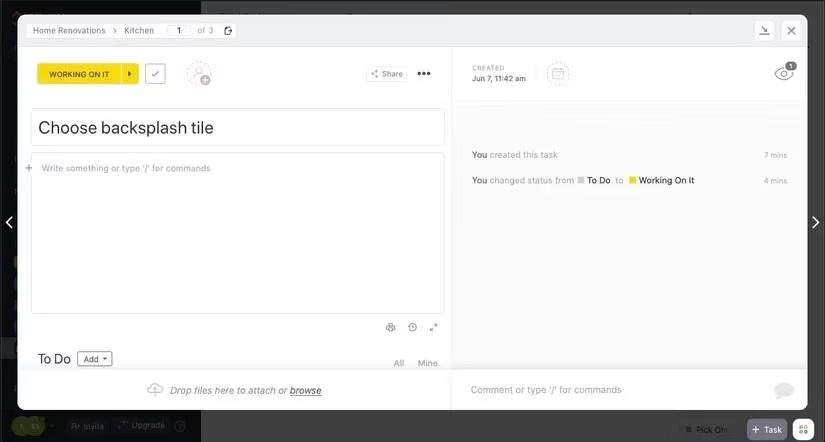
Finding your ideal view is like trying on different lenses; one may bring the foreground into sharp relief while another reveals the horizon. You can save multiple views per List, pin your favorite as the default, and delete those that didn’t work—no commitment required. In 2026, the platform even introduced dynamic view switching based on device context, so your phone defaults to a simplified checklist while your desktop opens into the full Gantt timeline.
The Beauty of Bare-Bones Simplicity
For every power user who delights in automations and dashboards, there is someone who just wants a digital piece of paper. ClickUp’s elegance is that it doesn’t punish simplicity. Creating a minimal to-do list requires only a Checkbox column and the courage to hide everything else. You can boil an entire List down to a single column of tasks and a satisfying click-to-complete checkmark. The Home tab then aggregates all your due items across every Space, offering a panoramic snapshot of your day: Today, Overdue, and the soft nudge of Upcoming. Setting a reminder from here is as straightforward as whispering a note to yourself, with options to attach files, delegate to a family member, or set custom notification timings.
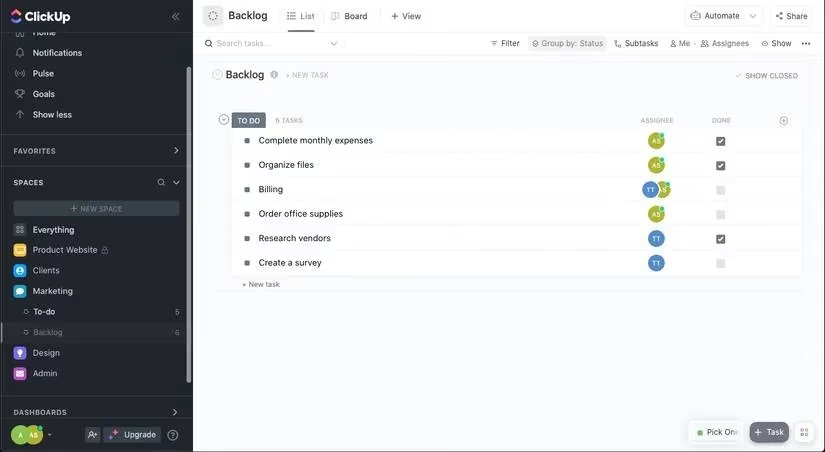
Date columns deserve a special mention. When you assign due dates, ClickUp silently constructs a temporal framework around your life. Tasks automatically surface in the “My Work” section, ordered by urgency, like a queue of patient messengers delivering each commitment at the right moment. This is where the platform transforms from a passive repository into an active guardian of your time.
Free, Fluid, and Everywhere in 2026
It remains remarkable that the free tier of ClickUp still delivers everything a personal user genuinely needs. The browser version, desktop app, and mobile client sync with near-telepathic speed, meaning you can add a task while standing in the grocery aisle and later review it on a tablet during your commute. The platform’s offline mode has also matured, letting you edit tasks mid-flight and merge changes once you reconnect—a small miracle for anyone who has lost a brilliant idea to a subway tunnel.
Ultimately, ClickUp’s triumph in the personal productivity arena is not about feature count but about emotional posture. It treats your home to-do list with the same respect as a corporate product launch, yet never makes you feel like you need a project management certification to manage your life. In a world that increasingly demands we track more and enjoy less, it offers a quiet rebellion: a system that serves you, rather than the other way around.
* The Mind Map view is a hypothetical 2026 feature mentioned to reflect the timeline.
Comments