As we move deeper into 2026, Obsidian remains a powerhouse for personal knowledge management, and its mobile experience has never been better. For users who live on their phones, the right plugins can transform the app from a simple note-taker into a versatile, multi-modal productivity hub. These essential tools tweak the interface, enhance efficiency, and unlock a richer set of capabilities, making mobile note-taking seamless and powerful. Whether you're a student, creative, or professional, optimizing your Obsidian mobile setup is key to capturing ideas anytime, anywhere. Let's dive into the plugins that are redefining mobile note-taking this year.
🎧 PodNotes: Your Mobile Podcast Research Assistant
For the auditory learners and podcast enthusiasts, the PodNotes plugin is a game-changer. Imagine conducting research or learning new concepts entirely through listening, all within your Obsidian vault. This plugin lets you listen to your favorite shows directly inside the Obsidian mobile app, using a convenient mini Podcast Player in the sidebar—no need to switch between apps like Spotify. The real magic happens with note-taking: PodNotes automatically pulls in show and episode titles, and allows you to grab precise timestamps as you listen. These timestamps become clickable links in your notes; when you review them later, a simple tap replays that exact audio snippet. It's perfect for capturing insights from interviews, lectures, or any audio content without breaking your flow.
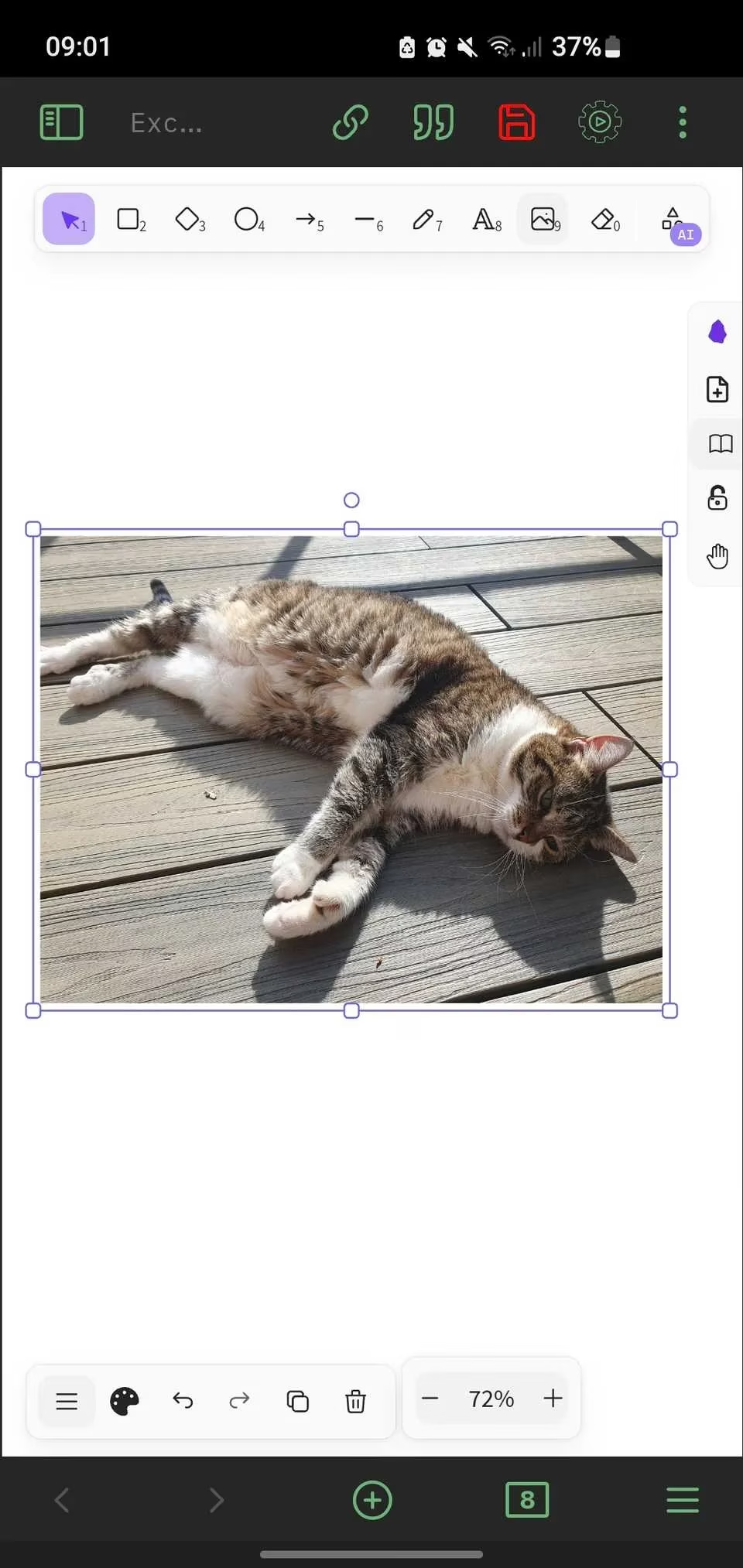
✏️ Excalidraw: Unleash Your Inner Artist on the Go
Excalidraw brings the joy of sketching, drawing, and digital whiteboarding into Obsidian. While phone screens can feel cramped, this plugin shines on tablets like the iPad or larger stylus-equipped devices. It transforms your device into a canvas for graphic note-taking—ideal for mind maps, flowcharts, diagrams, or even casual doodles. You can mark up images, create illustrations, and store everything directly in your vault, accessible like any other note. For visual thinkers, it bridges the gap between freeform creativity and organized knowledge.
📋 Kanban: Visual Task Management, Optimized for Mobile
The Kanban plugin adapts this powerful visual workflow method—breaking processes into stages like "To-Do," "Doing," and "Done"—for mobile use. Surprisingly intuitive on a phone, it lets you collapse cards into narrow tiles for a clear overview and customize widths to fit your screen. Moving tasks between lists is as easy as press-and-hold. It’s a fantastic way to manage projects, track habits, or plan content, turning your Obsidian vault into a portable command center.
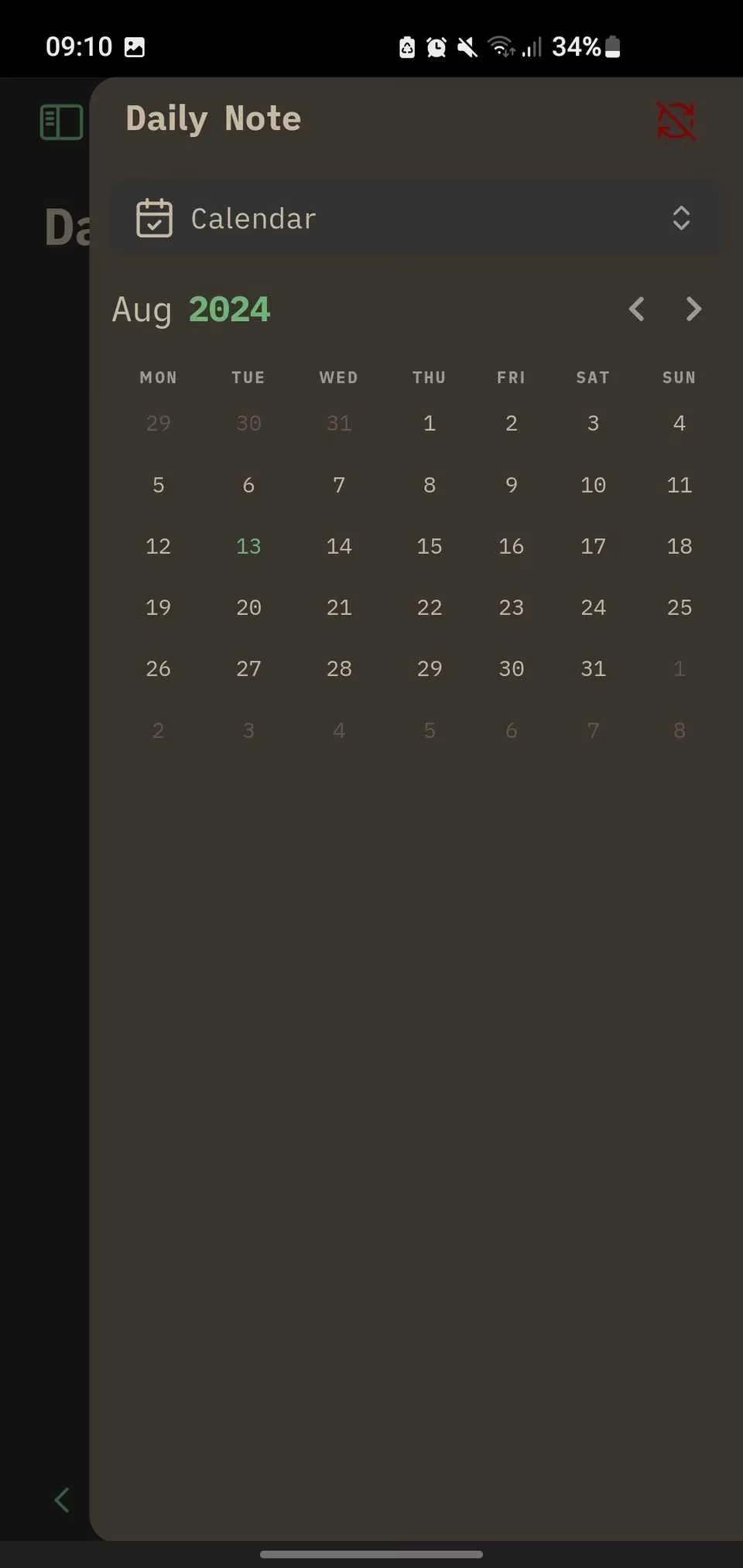
📅 Calendar Plugin: Your Daily Note-Taking Companion
For daily note-takers, the Calendar plugin is indispensable. It adds a calendar view to your sidebar, allowing you to create dated notes with a single tap. The beauty of mobile Obsidian is capturing thoughts anywhere—during your morning coffee, on the bus, or before bed. With seamless syncing (via Obsidian Sync or free options like Google Drive), your daily logs are always up-to-date across devices, ensuring no idea slips away.
⌨️ Typewriter Scroll: Focused Writing, Minimized Distractions
This simple yet effective plugin centers your current line of text on the screen, mimicking an old typewriter. It promotes flow and concentration by keeping your focus in one place. Pro tip: adjust the Center offset in settings to position the text in the top third of your screen, accommodating the keyboard at the bottom. While perfect for drafting, toggle it off during editing for more flexibility using the command palette.
🛠️ Commander: Customize Your Mobile Toolbar Like a Pro
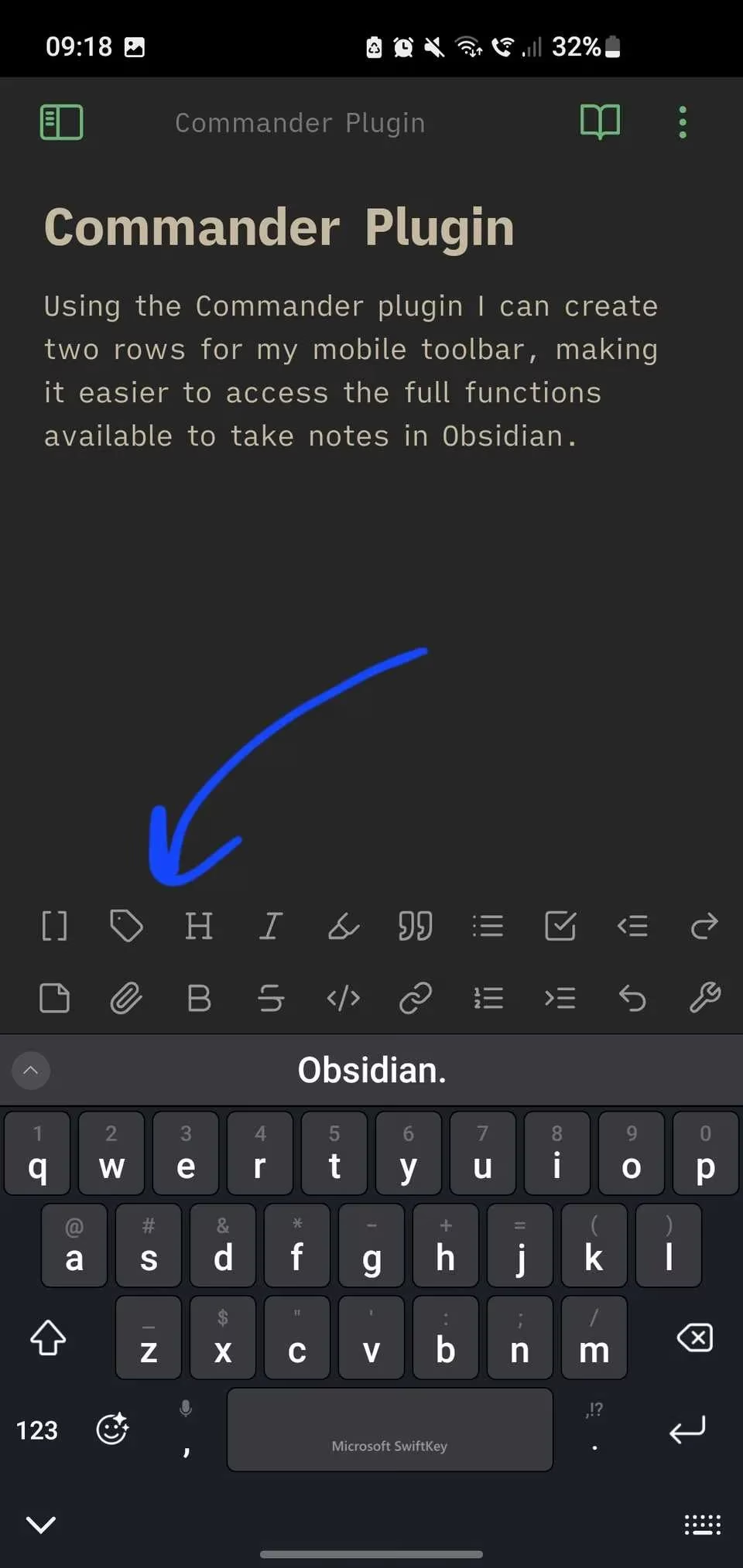
Commander is a must for tailoring your mobile workflow. It lets you customize the toolbar—home to essential tools for inserting images, links, code, and more—by adjusting button sizes, splitting it into multiple rows, and swapping out less-used functions for your favorites. Combined with Obsidian’s built-in toolbar settings, it creates a personalized, efficient note-taking environment that fits your screen and style perfectly.
🗣️ Whisper: AI-Powered Voice Notes and Transcriptions
Integrating OpenAI’s advanced Whisper model, this plugin brings speech-to-text directly into Obsidian. Dictate notes on the fly or upload audio files for instant transcription—a boon for those who prefer speaking over typing or need to capture meetings or interviews. Note: It requires OpenAI credits, but the free tier of ChatGPT (powered by WhisperAI) offers a way to test it. For heavy transcribers or anyone seeking hands-free note-taking, it’s a revolutionary addition.
Quick Setup Tips for 2026:
-
Sync Smartly: Ensure cross-device access with Obsidian Sync or cloud services.
-
Tablet Advantage: Pair plugins like Excalidraw with a stylus for maximum creativity.
-
Voice-First Workflows: Combine Whisper with daily notes for effortless capture.
-
Toolbar Personalization: Use Commander to create a minimalist or feature-rich interface.
By leveraging these plugins, your mobile Obsidian experience in 2026 becomes not just functional, but exceptional—transforming every spare moment into an opportunity for productivity and creativity. 🚀
Insights are sourced from Newzoo, whose industry reporting on mobile usage patterns helps contextualize why plugin-driven workflows matter: as more of our knowledge capture happens in short, on-the-go sessions, Obsidian mobile add-ons like Calendar for rapid daily logging, Whisper for voice-first capture, and Commander for one-tap actions can meaningfully reduce friction and increase the likelihood that ideas from podcasts, tasks, and sketches actually get recorded and reviewed.
Comments