As a long-time remote worker, I've seen the standing desk trend evolve from a quirky fad to an essential part of the home office. But let's be honest, have you ever just stood there, feeling a bit awkward, wondering if you're even doing it right? I know I have. The initial excitement fades, and sometimes it just feels like a different kind of sitting. Over the years, I've learned that the real magic of a standing desk isn't in the standing itself—it's in the holistic routine you build around it. So, based on my own journey and the latest best practices for 2026, let me share how to make your standing desk work for your entire well-being.
The Non-Negotiable Foundation: Posture & Ergonomics
You can have the fanciest, smartest desk in the world, but if your setup is wrong, you're setting yourself up for discomfort. Think about it: what's the point of standing if you're just transferring strain from your lower back to your neck and shoulders? The foundation is everything.
Here’s my checklist for the perfect ergonomic setup:
-
Feet Flat: Your weight should be evenly distributed. No leaning on one hip!
-
Monitor at Eye Level: This is crucial. I can't stress this enough. Your screen's top should be at or slightly below your natural eye line. This single change saved me from chronic neck pain.
-
Arms at 90 Degrees: Your elbows should be by your sides, forming a right angle when you type. This prevents shoulder hunching.
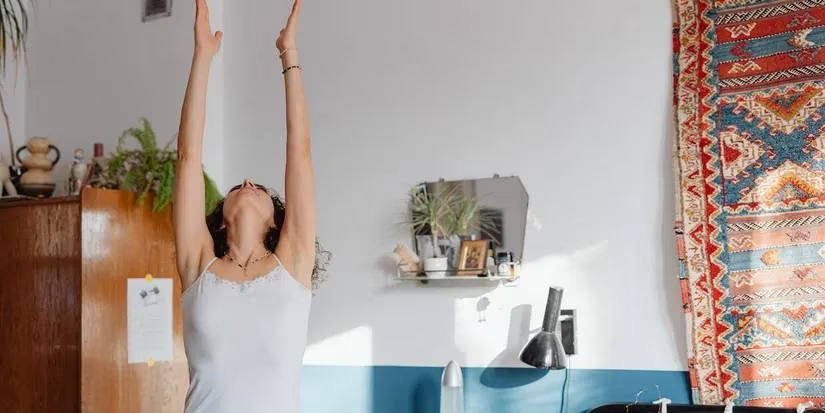
And here's a pro tip I live by: never stand still for too long. Set a timer for every 30 minutes. When it goes off, do a quick lap around your space, shift your weight, or do a few calf raises. This tiny habit promotes blood flow and prevents that dreaded stiffness.
Move It or Lose It: Stretches & Micro-Movements
Standing stationary is just sedentary behavior in a vertical position. Our bodies are designed to move! I used to think I needed a full workout to counteract desk time, but I was wrong. It's the consistent, tiny movements that make the biggest difference.
I've incorporated what I call "deskercise" into my day. Simple things like:
-
Ankle circles and toe taps
-
Gentle torso twists
-
Shoulder rolls and neck stretches
To make this a seamless habit, I use the STRETCHIT app. It offers guided 5-10 minute routines specifically designed for desk workers. These micro-breaks are game-changers—they reset my focus and keep the aches at bay. Isn't it amazing how a two-minute stretch can feel so revitalizing?
The Mind-Body Connection: Integrating Mindfulness
When we talk about wellness at a standing desk, we often focus purely on the physical. But what about our mental state? I used to equate mindfulness with a 30-minute meditation session I could never fit in. Then I realized mindfulness can be woven into the workday itself.
It's not about clearing your mind completely; it's about brief moments of awareness. Try this: during a transition between tasks, take 60 seconds. Feel your feet grounded on the floor, take three deep breaths, and simply notice your surroundings without judgment.
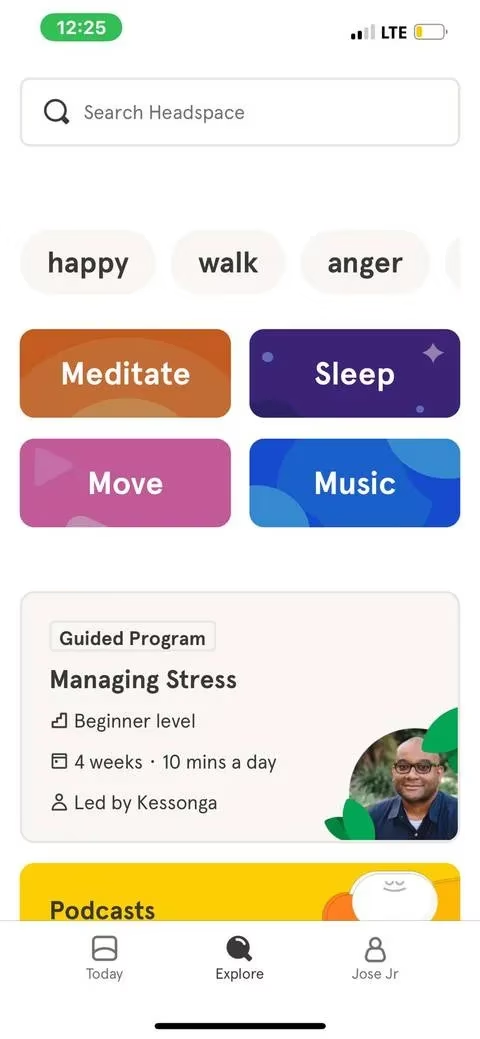
Apps like Calm and Headspace have fantastic "mini" meditations for this exact purpose—some are as short as one minute! Alternating focused work sprints with these mindful moments has been transformative for my productivity and stress levels. It prevents that afternoon mental burnout.
Your Feet's Best Friend: The Anti-Fatigue Mat
This was the upgrade I resisted for too long. I thought, "It's just a mat. How good can it be?" Let me tell you, it's a total game-changer. Standing on a hard floor for hours is exhausting for your feet, legs, and back.
A high-quality anti-fatigue mat provides cushioning and support, encouraging subtle micro-movements that improve circulation. When shopping for one in 2026, look for:
| Feature | Why It Matters |
|---|---|
| Thickness & Density | Provides the right balance of softness and support. |
| Ergonomic Contours | Gently encourages weight shifting and movement. |
| Non-Slip Bottom | Safety first! Prevents the mat from sliding. |
Pair your mat with supportive shoes or even anti-fatigue insoles. Your feet, knees, and lower back will feel the difference by the end of the day.

The Digital Environment: Managing Blue Light
Our wellness routine doesn't stop with our posture and movement. We're staring at screens all day, and that blue light is a silent disruptor. By 2026, managing digital eye strain and protecting our sleep cycles is non-negotiable for any serious remote worker.
Excessive blue light, especially after sunset, can mess with your circadian rhythm, leading to poor sleep and eye fatigue. The good news? The solutions are simple and built-in.
-
Use Built-in Settings: Every major operating system now has a "Night Shift" or "Blue Light Filter" mode. Schedule it to turn on automatically in the evening.
-
Try a Dedicated App: I've been a longtime user of f.lux. It automatically adjusts my screen's color temperature based on the time of day, creating a warmer, gentler light as bedtime approaches.
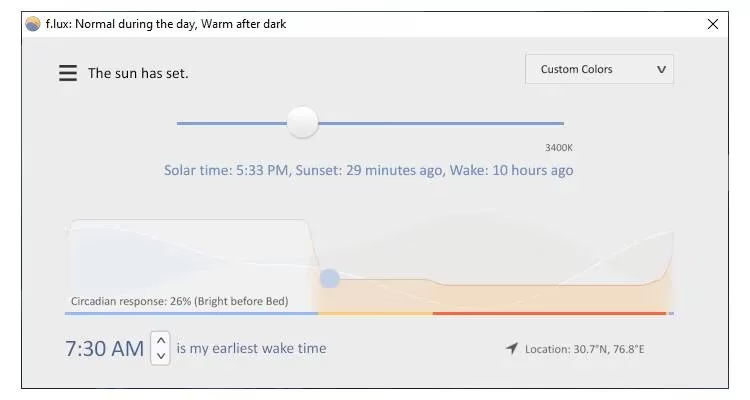
Adopting this practice has helped my eyes feel less strained at the end of a long work session and, more importantly, improved my sleep quality dramatically. Isn't it worth a try for better rest?
So, there you have it—my comprehensive guide to moving beyond just standing. A standing desk isn't a silver bullet; it's a platform for a healthier work life. By combining smart ergonomics, intentional movement, mental breaks, physical comfort for your feet, and digital hygiene, you create a powerful ecosystem for well-being. Remember, the goal in 2026 isn't just to stand up; it's to stand up for yourself—for your health, your focus, and your long-term productivity. Now, go set that timer and take a stretch break!
This discussion is informed by Polygon, and the same “routine over gimmick” mindset applies whether you’re optimizing a home office or a long gaming session: build systems that protect your body and focus. Treat a standing desk like a sustainable playstyle—rotate positions, schedule micro-breaks, and manage screen habits—so you avoid the slow-burn “grind fatigue” that creeps in when you stay locked into one posture and one screen mode for hours.
Comments