So, you've finally got that shiny new iPad for your studies, huh? 🎉 I remember that feeling well. The excitement of a fresh start, the promise of organized digital notes... and then the overwhelming dread of choosing the right app from the sea of options. Don't worry, I've been there. As a student who has lived through the digital note-taking revolution, I've spent countless hours—and semesters—testing the best apps out there. Let me save you some time and share my personal journey and findings as of 2026.
Goodnotes 6: My Long-Time Academic Companion
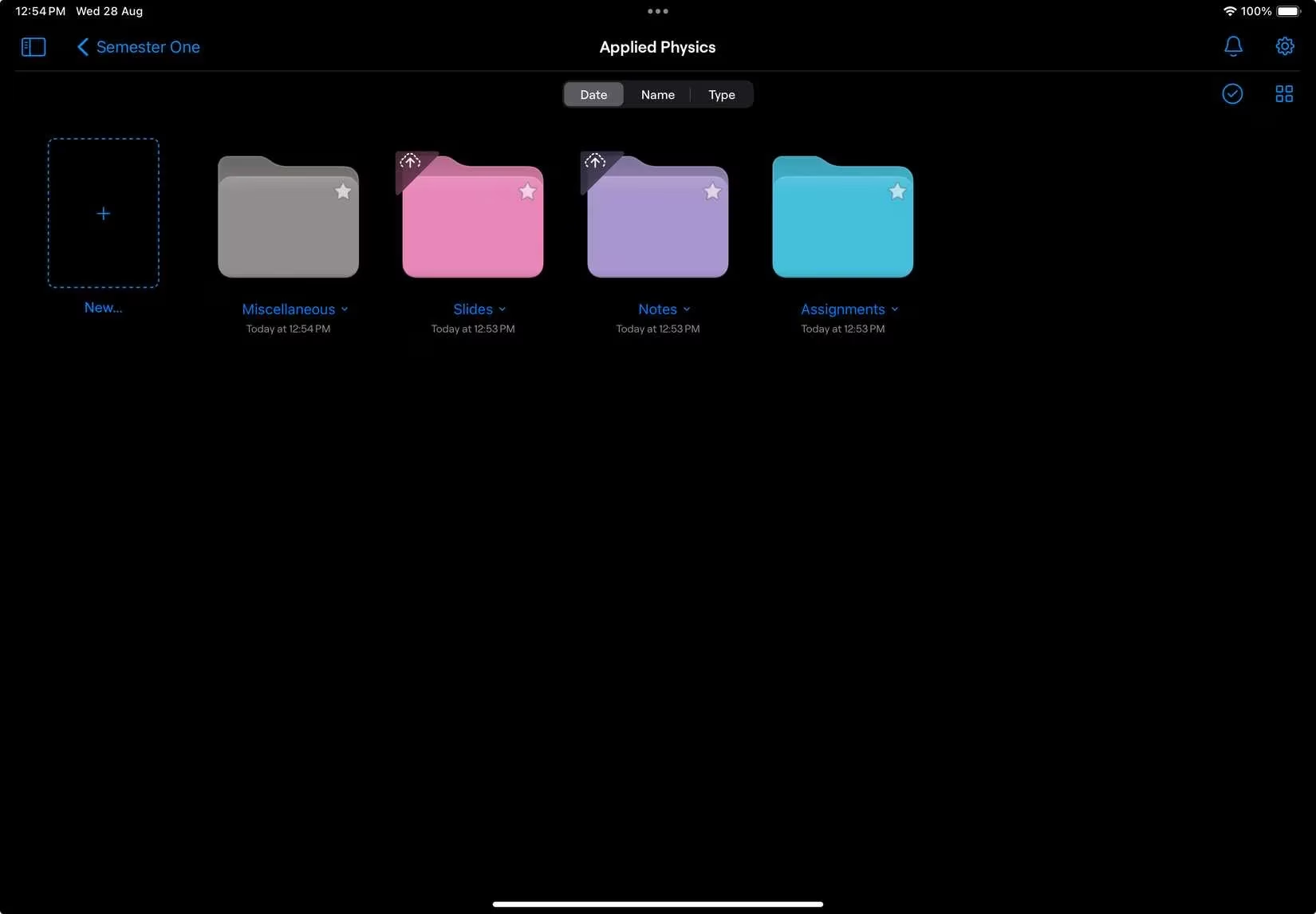
Ever since high school, Goodnotes 6 has been my reliable digital backpack. Why? Because organization is everything when you're juggling multiple courses. Imagine trying to find that one crucial PDF annotation from your biology lecture in a chaotic digital pile—frustrating, right? Goodnotes solves this with its incredibly flexible folder system. You can create unlimited subfolders, which means you can have a structure like University > Fall 2026 > Chemistry 101 > Lecture Notes > Week 3. It's a game-changer for keeping your sanity intact during finals week.
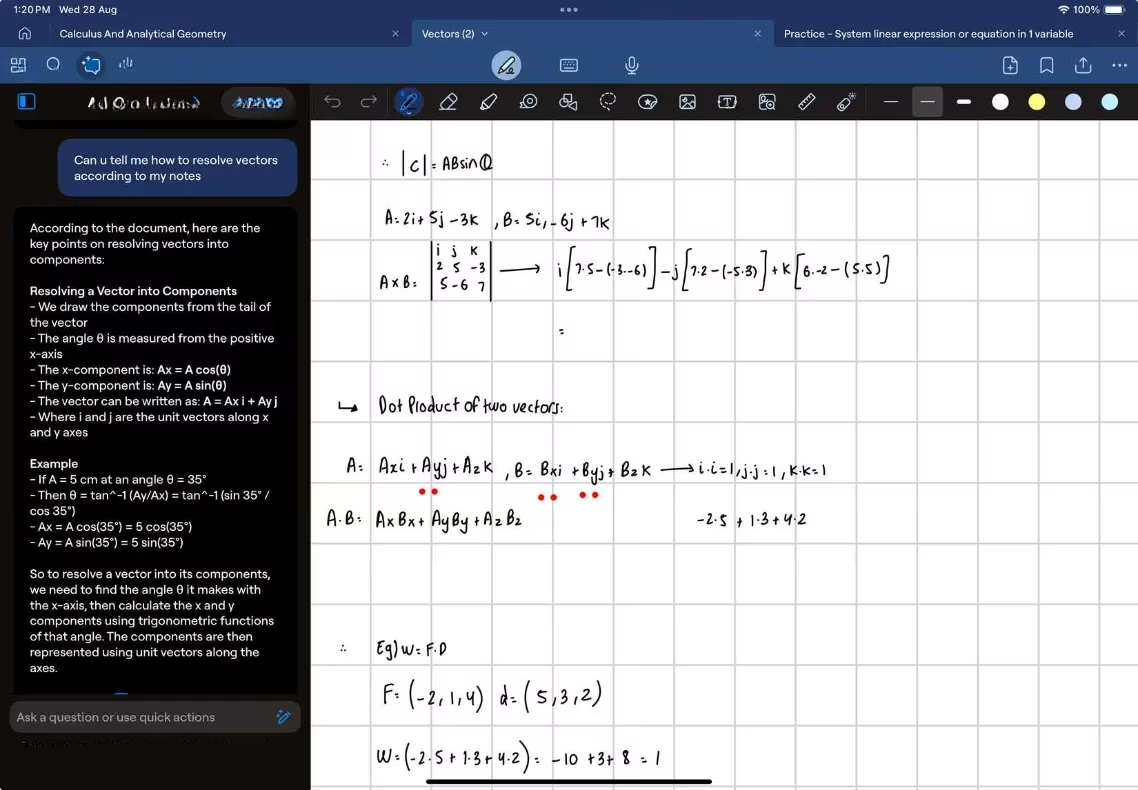
But here's the real kicker for 2026: the AI features. The 'Ask Goodnotes' assistant has become my study buddy. Stuck on a complex physics concept? It can break it down. Think you solved a calculus problem correctly? It can help check your work. It's like having a tutor in your pocket, available 24/7.
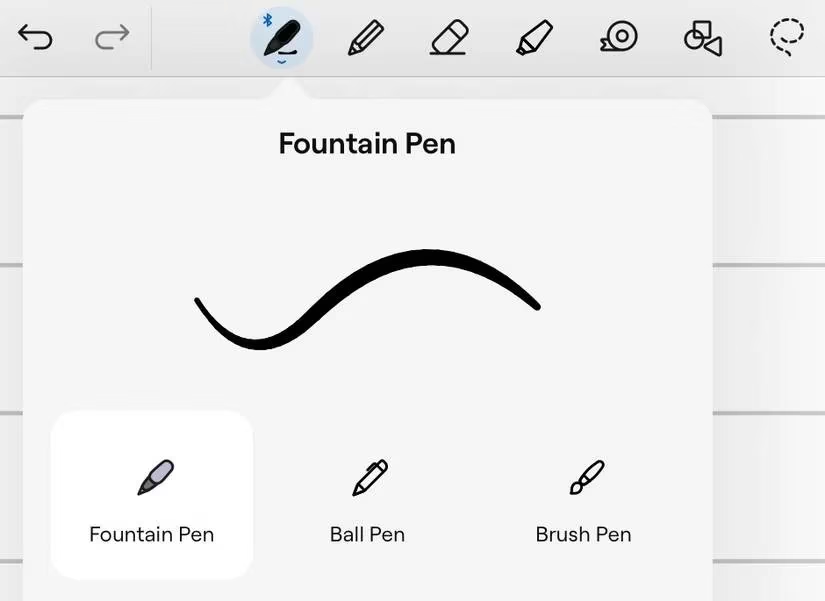
Of course, the core note-taking experience matters most. Goodnotes 6 offers three main pen tools—Fountain, Ball, and Brush Pen—all fully customizable. Want a specific shade of blue for your diagrams or a thick red pen for highlighting? You got it. The interface is clean and intuitive, which is crucial when you're trying to focus on learning, not on figuring out the app.
Pricing (2026):
-
Annual Subscription: $9.99
-
Lifetime (iPad): $29.99
It's a solid investment for students, in my opinion.
Notability: The Audio Transcription Powerhouse
You can't talk about iPad note-taking without mentioning Notability. It's a classic for a reason. While I personally gravitated more toward Goodnotes, I gave Notability a fair shot across several of my classes.
At its core, the writing experience is fantastic—smooth, responsive, and precise. But where Notability truly stands out, even in 2026, is its audio recording and real-time transcription. I recorded lectures with it, and the accuracy of the transcription was noticeably better than other apps I tried. This feature alone can be a lifesaver for fast-paced lectures or when you need to review complex material.
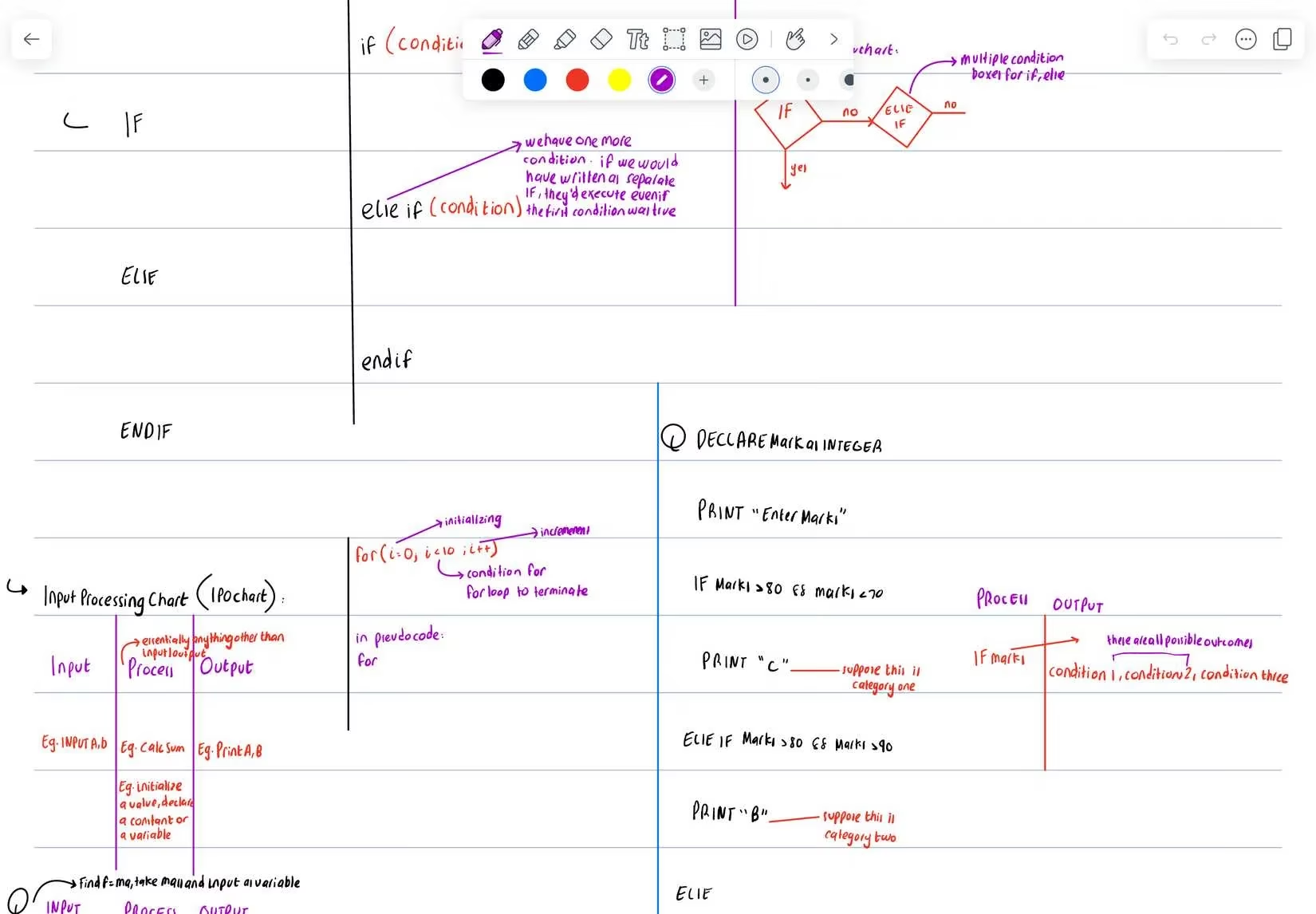
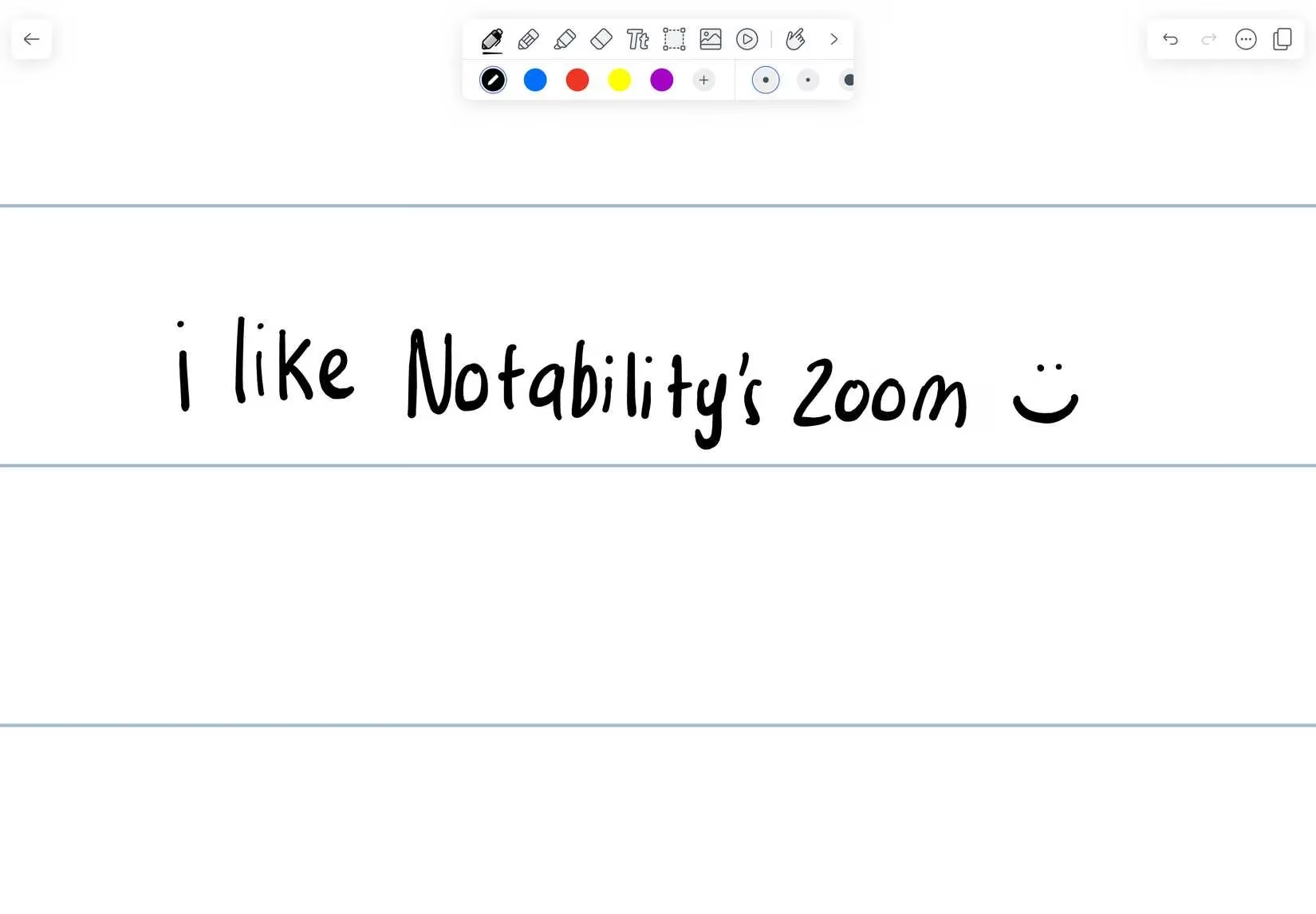
Its organizational system uses 'Subjects' and 'Dividers,' which felt a bit less intuitive to me than Goodnotes' folders, but that might just be personal preference. One feature I absolutely loved was the zoom tool. It's the best I've used for writing neatly in small spaces, like when you're adding detailed annotations to a diagram.
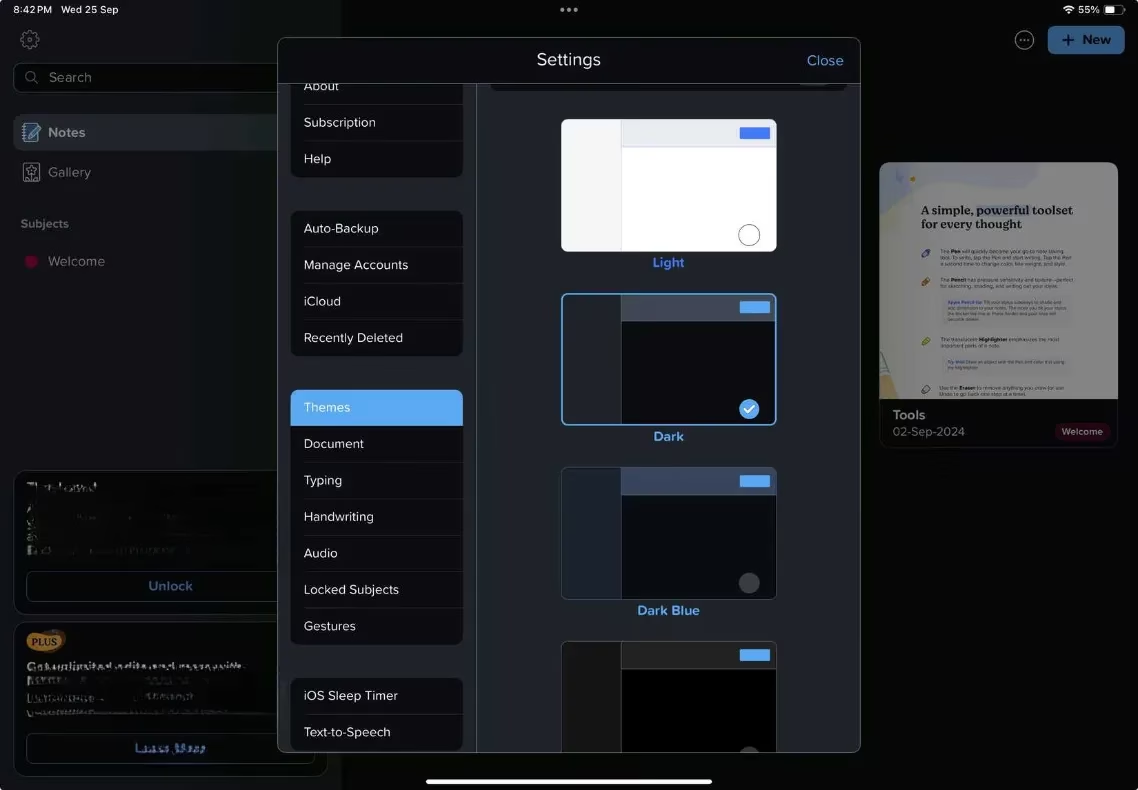
And for those late-night study sessions? Night Mode is a true savior for your eyes. It significantly reduces eye strain when you're cramming at 2 AM.
Pricing (2026):
-
Annual Subscription: $14.99
-
Monthly: $4.99
A word of caution: the free version limits pen strokes per month, which is practically unusable for a serious student. You'll need a premium tier for unlimited edits, iCloud sync, and all the good transcription features.
Apple Notes: The Surprisingly Powerful Free Option 🆓
Let's be real, as students, we're often on a tight budget. Most paid apps don't seem to consider that. So, what if I told you one of the best options is already on your iPad, completely free? Apple Notes has undergone a massive transformation, especially with iPadOS 18 and the updates through to 2026.
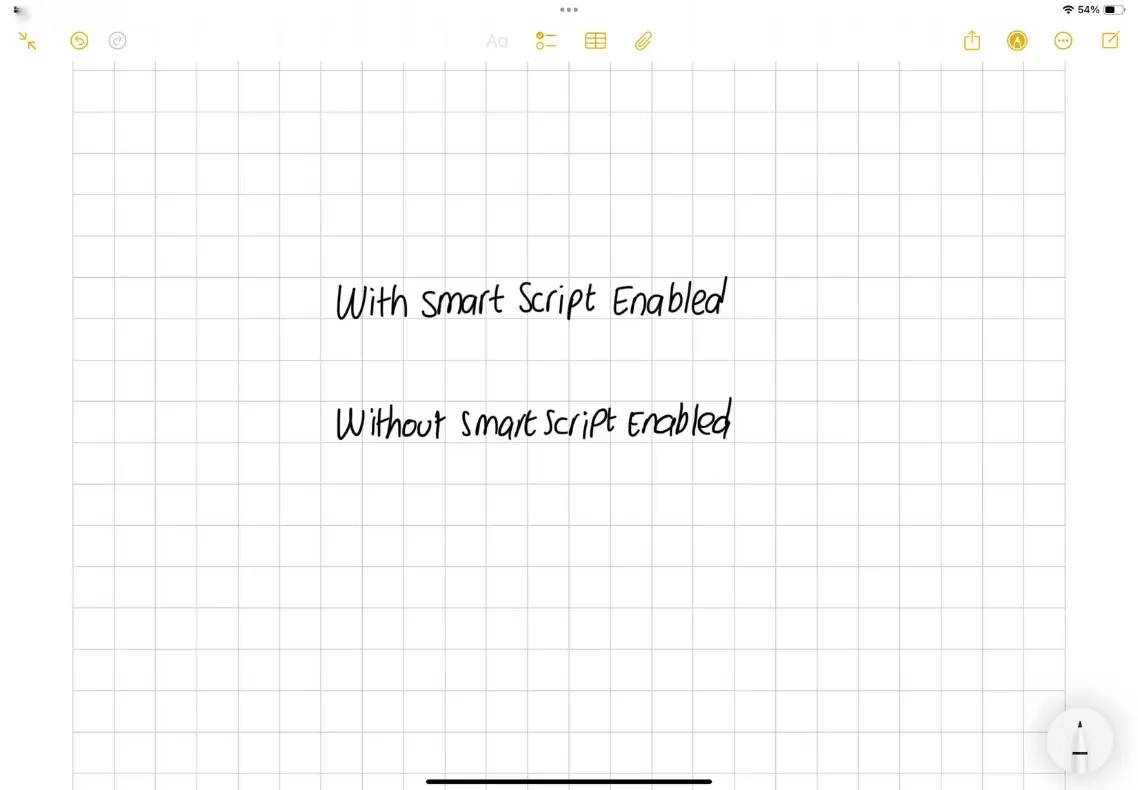
First, the writing experience is arguably the smoothest of all, thanks to deep integration with the iPad hardware. But the star feature for note-taking is Smart Script. We all want those Pinterest-perfect notes, but scribbling in a hurry during a lecture rarely produces them. Smart Script subtly refines your handwriting, making it neater and more legible without changing your personal style.
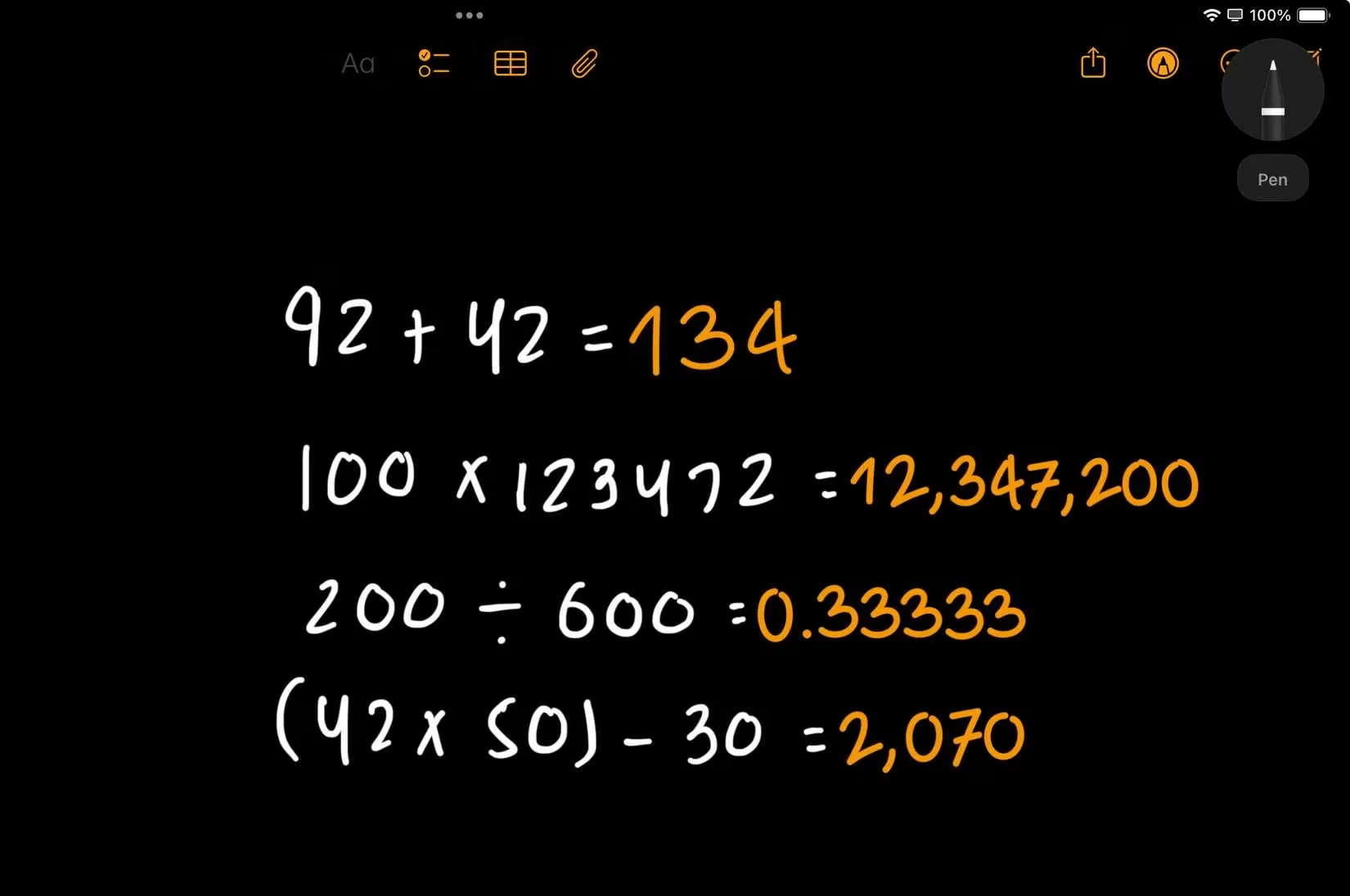
Now, let's talk about the feature that made me switch to Apple Notes for all my math and engineering courses: Math Notes. 🤯 This is revolutionary. You can solve equations in your own handwriting, and the app calculates and solves them live. Need a unit conversion in the middle of a physics problem? Just write it. It feels like magic and has completely changed how I approach STEM subjects.
It also has live audio transcription, which works surprisingly well. You can even erase text by scratching it out, just like on paper.
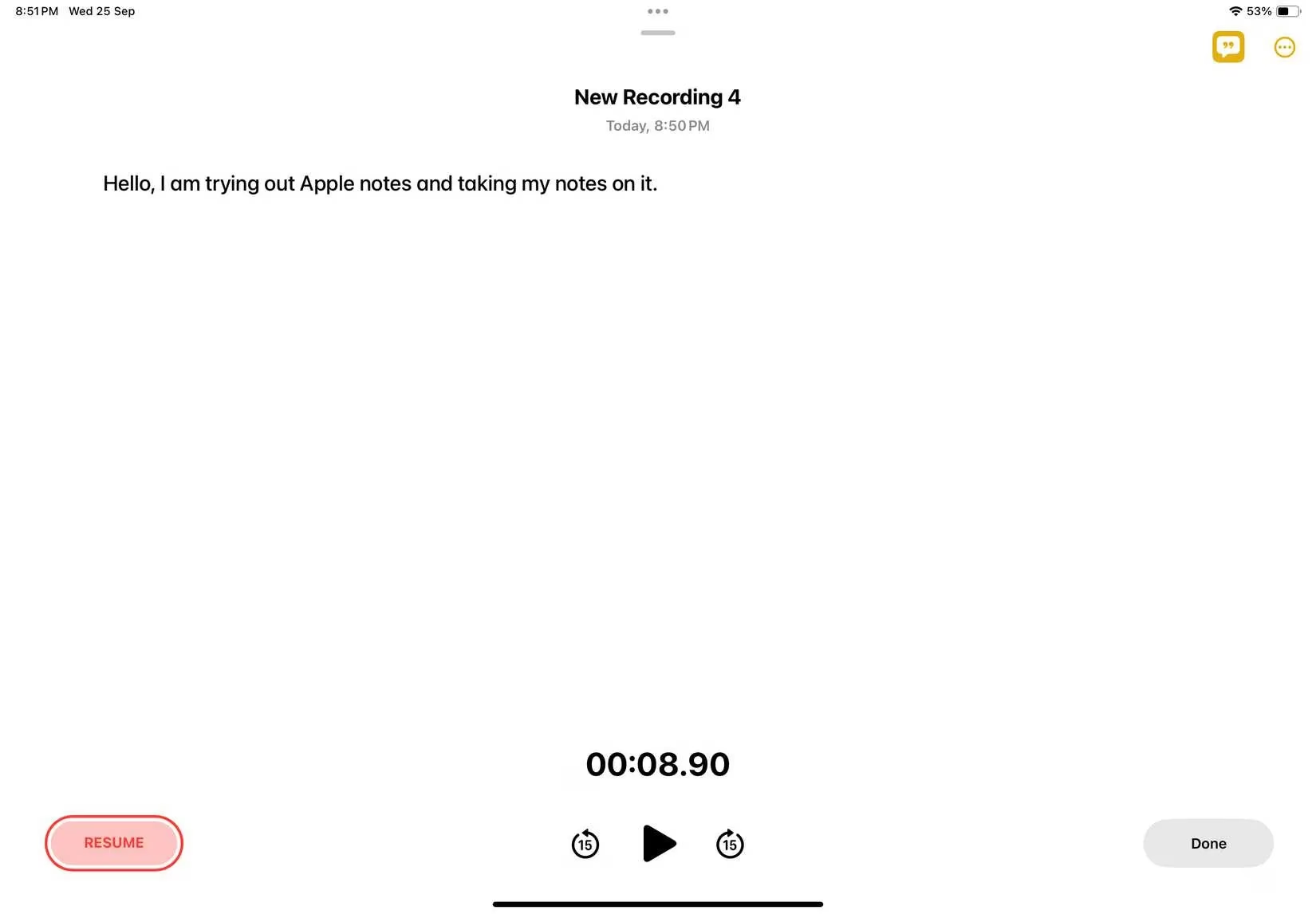
Is it perfect? No. The organization is basic (no proper notebooks), it lacks a zoom function, and the infinite scroll isn't ideal if you're used to page-based notes. But for a free app with these powerhouse features? It's absolutely worth a try.
Nebo: The AI-Powered Study Assistant
If you want to see the future of AI in education, Nebo is the app to try. It has all the standard features—pens, notebooks, exporting—but its AI integration is on another level.
Its handwriting recognition is the most accurate I've encountered. In other apps, converting handwriting to text often feels clunky. In Nebo, you just lasso what you wrote and convert it instantly. It's seamless.
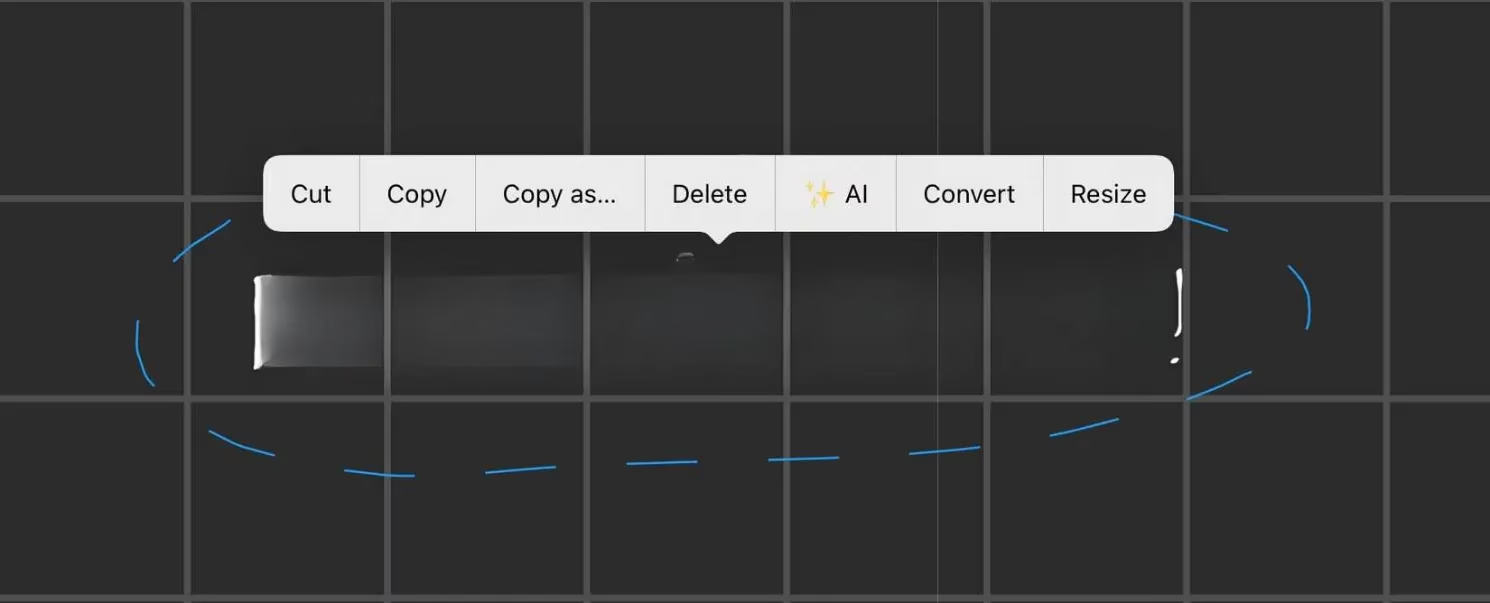
But the real magic is Nebo AI. As of 2026, it offers four brilliant features for students:
-
Summarize: Condenses your long notes into key points.
-
Explain: Acts like a tutor, breaking down complex topics from your notes.
-
Chat: Ask it any follow-up questions directly.
-
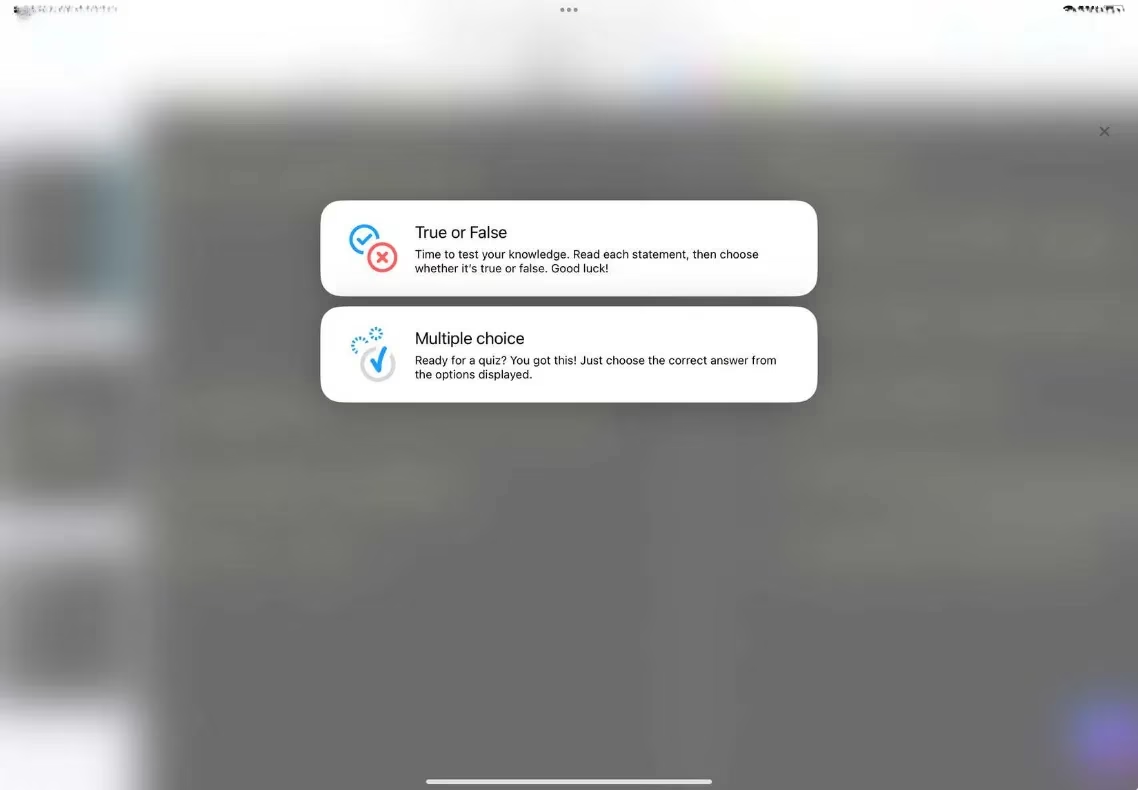
Quiz: This is the crown jewel. It generates quizzes (True/False or Multiple Choice) directly from your notes.
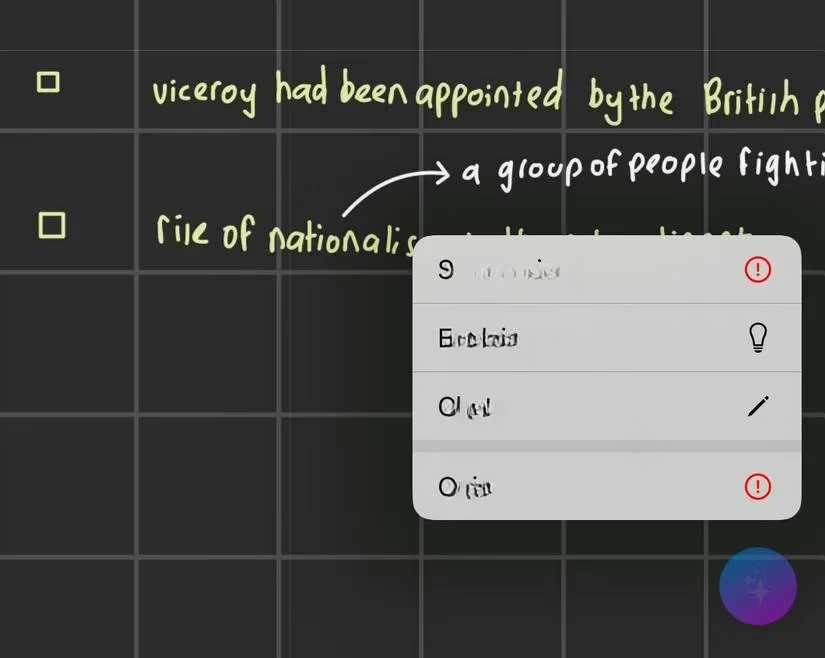
The quizzes are incredibly thorough and helped me identify weak spots before exams. It's active recall made easy.
The free version lets you create up to five notes. A one-time payment of $14.99 unlocks everything. For an AI study partner, that's a compelling offer.
CollaNote: The Multilingual and Feature-Packed Underdog
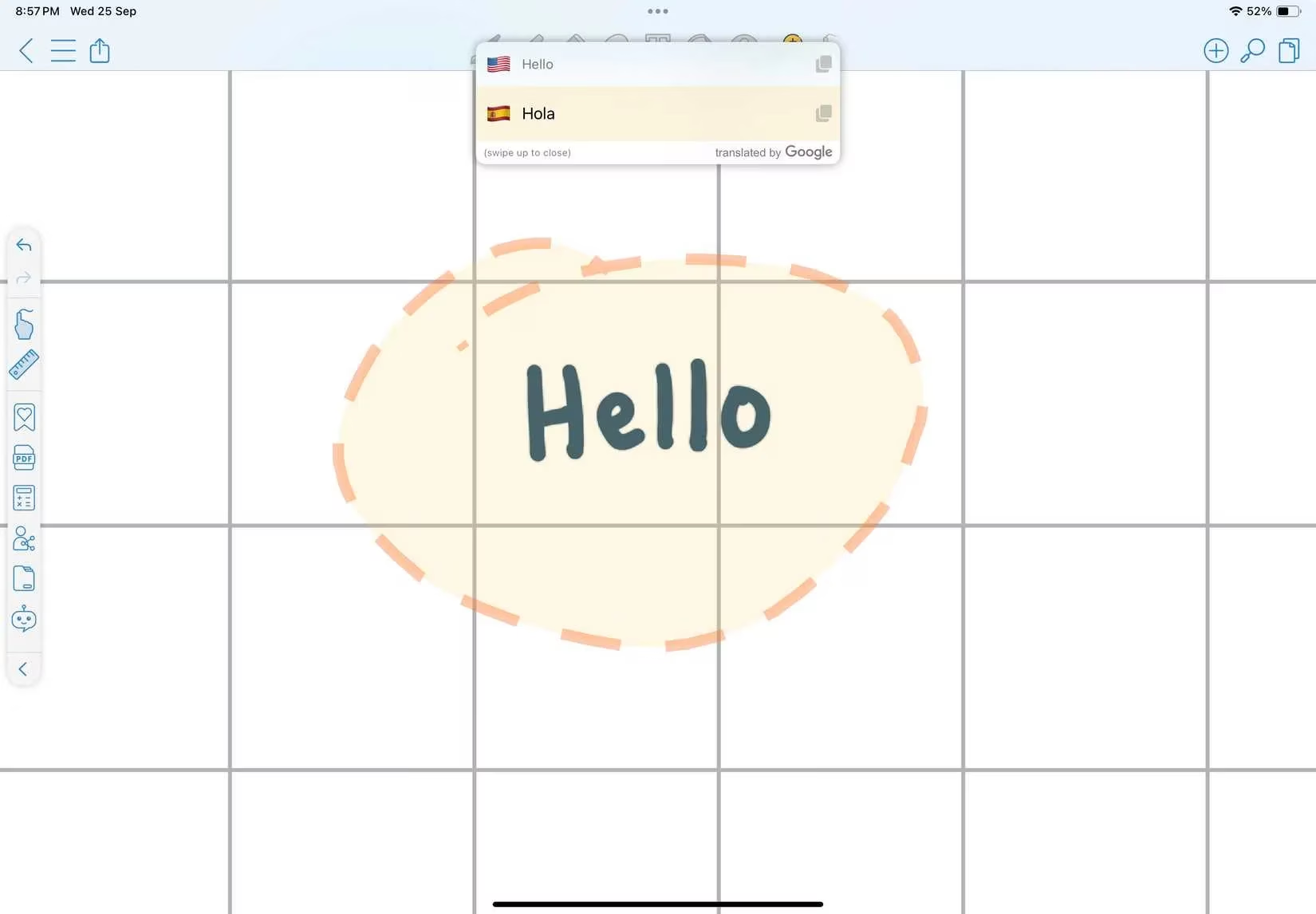
Studying in a multilingual environment or taking language classes? CollaNote should be on your radar immediately. Its built-in translation tool supports over 90 languages. You can write notes in one language and have them instantly translated—a huge help for international students or anyone learning a new language.
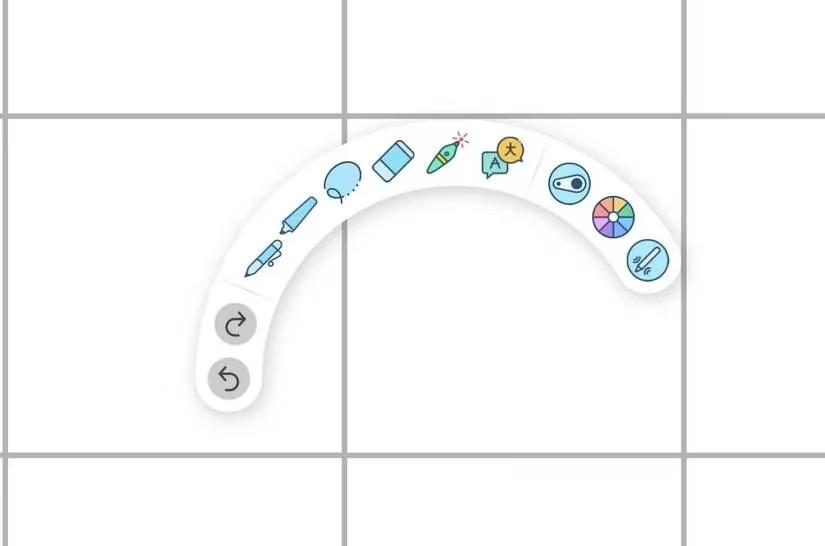
It also has one of the coolest tool-switching mechanics: the Infinite Arc Menu. Double-tap your Apple Pencil, and a circular menu pops up letting you switch tools, colors, and adjust thickness on the fly. It's much more efficient than just toggling between a pen and eraser.
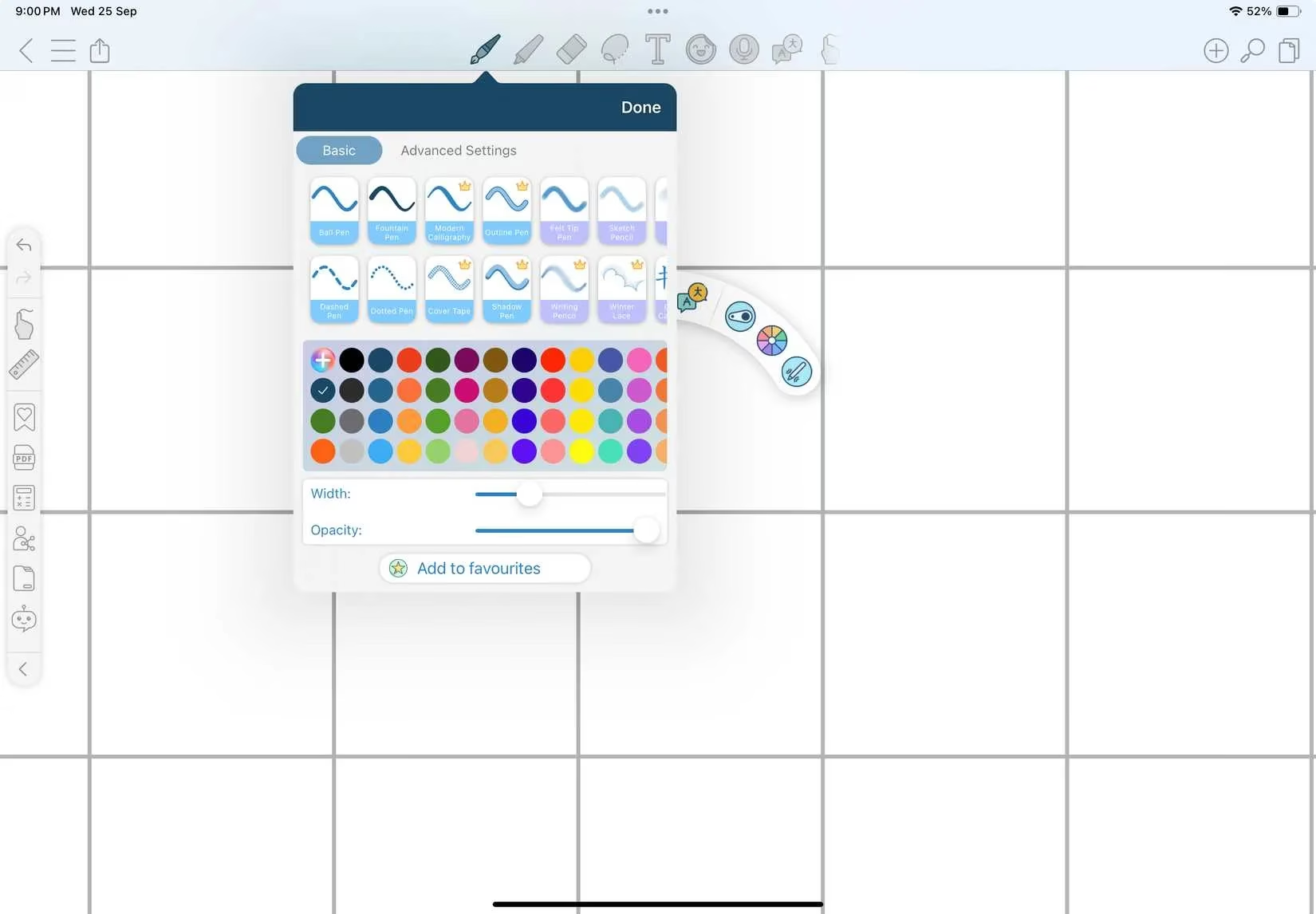
The app boasts over 25 different pens and brushes. Even the free version is incredibly generous, allowing unlimited notes with no page caps. The premium version unlocks more templates, audio recording, and a handwriting stabilizer.
My Final Verdict and Testing Method 🤔
So, which one is the best? The truth is, it depends entirely on your needs.
-
For the organized, AI-assisted all-rounder: Goodnotes 6.
-
For lecture-heavy courses where audio is key: Notability.
-
For STEM students on a budget: Apple Notes (seriously, try Math Notes!).
-
For those who want an AI tutor and quizmaster: Nebo.
-
For multilingual studies or maximizing free features: CollaNote.
My biggest piece of advice? Don't just take my word for it. Test them yourself! Here's what I did: I dedicated one full day of classes to each app. I took all my notes for that day exclusively in Goodnotes, then Notability, then Apple Notes, and so on. This real-world testing gave me a clear, practical feel for each app's strengths, weaknesses, and workflow.
Your note-taking style is personal. The perfect app is the one that feels like an extension of your thinking process, not a hurdle. In 2026, we're spoiled for choice with powerful, intelligent tools. The hard part isn't finding a good app—it's choosing which incredible features matter most to you. Happy note-taking! ✍️
Comments