I've been on a never-ending journey to simplify my daily chaos, and over the past few years one truth has become crystal clear: juggling a separate to-do list app and a calendar app just doesn’t work for me. I need everything in one place, where my deadlines, appointments, reminders, and quick notes live side by side. Back in 2023, I started exploring hybrid tools, and now in 2026, many of those apps have matured beautifully. Let me walk you through the all-in-one planners that are still dominating my home screen and keeping my life on track.
Planner Pro: The sleek command center
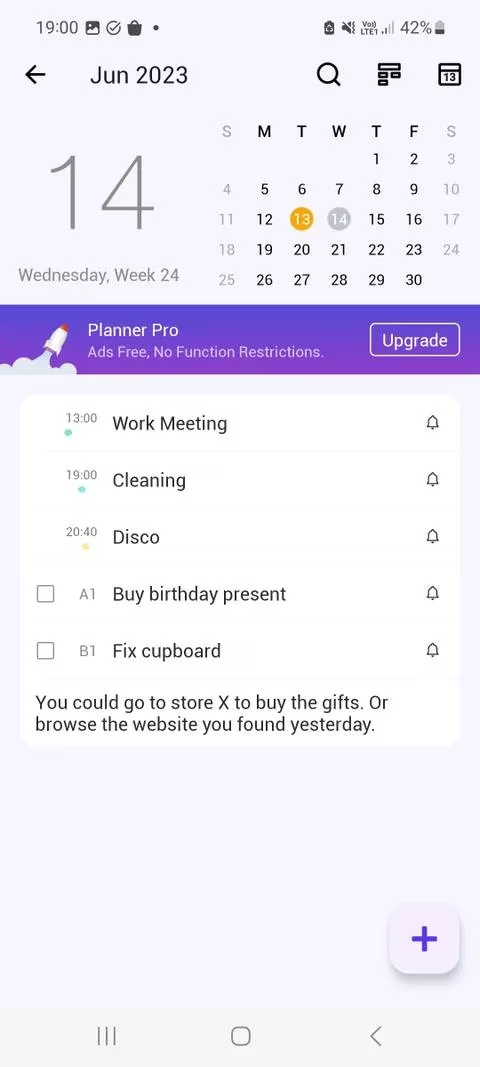
Planner Pro was a strong contender back then and it remains one of my favorites simply because it puts everything on the homepage. The moment I open the app I see a mini calendar, today's tasks, and upcoming events — no extra tabs required. What I love is how it lets me smash tasks to pieces: subtasks, multiple reminders, and priority labels make even the messiest project feel manageable.
The Tasks page has three smart buckets: Inbox, Today, and Due Soon. I use the alphabetical or date-based sorting to quickly scan what’s breathing down my neck. And the notes page? It’s my emergency dumping ground for random thoughts, shopping lists, or meeting prep. In 2026, Planner Pro has refined its widget and Siri integration, so now I can bark orders while driving and see the update before I park. No more toggling between a calendar and a task manager — this app is both.
HibiDo: For life’s many hats
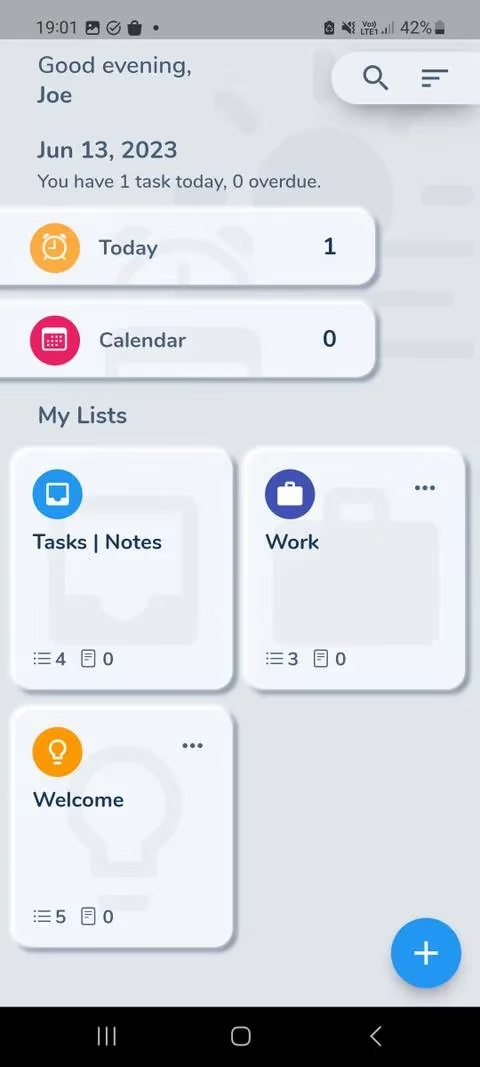
If your world is split into distinct zones — work, family, side hustle, fitness — HibiDo deserves your attention. I started using it when I needed to color-code my responsibilities, and it was a game-changer. Creating a new list is as simple as tapping the plus icon, picking a color, and assigning an icon. It turns my time management into a visual dashboard I actually enjoy looking at.
Navigation is where HibiDo shines. The Tasks | Notes toggle at the bottom lets me flip between action items and free-form text instantly. The calendar syncs with my device’s stock calendar and external accounts like Google Calendar, so any event I add elsewhere automatically shows up. I’m a big fan of the List view — a vertical scroll of my schedule with a handy week banner and a month-jump dropdown. For anyone who thinks in colors and icons, HibiDo is a delightful organizer that merges tasks and scheduling seamlessly.
24me: My AI-powered personal assistant
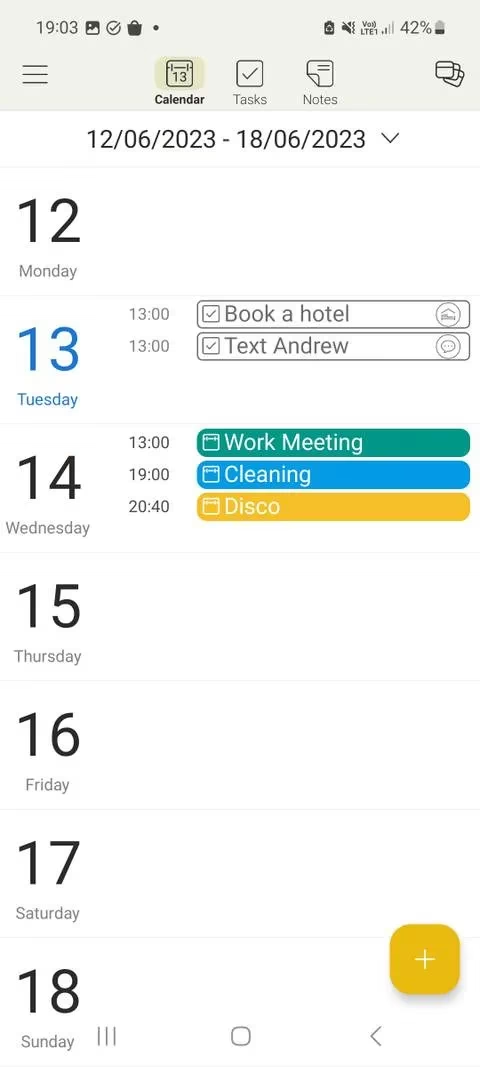
24me has morphed into something quite special by 2026. It always had the three main tabs — Calendar, Tasks, and Notes — but now its Smart Alerts are practically psychic. It learns my patterns and nudges me when I’m likely to forget a payment or a call. The Calendar tab still shows weather info (super useful when planning errands) and offers wildcard templates like “book a hotel” or “arrange a phone call.”
I also rely on the Today’s Agenda feature, which compiles my tasks and events into a morning brief. The 1 Day, 3 Days, and 7-Day views let me zoom in or out depending on how stressed I feel. And since the app integrates with so many services in 2026 (think smart home and health APIs), I can coordinate my entire day from one spot. If you’re a forgetful soul like me, 24me’s holistic approach to tasks and scheduling is a lifesaver.
Google Calendar + Google Tasks: The powerhouse pair
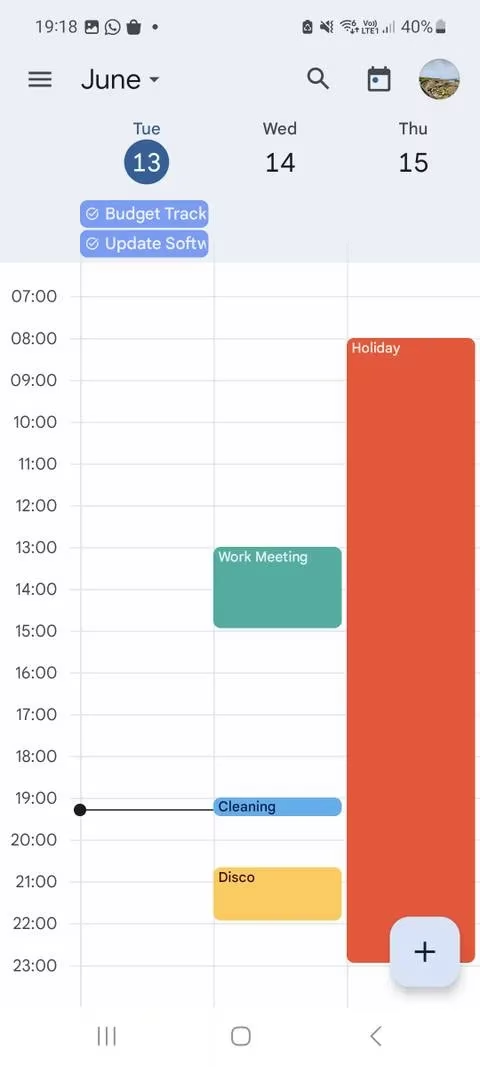
I have to mention Google’s dynamic duo because it’s the most widely used ecosystem for a reason. Even in 2026, hitting that plus icon and selecting “Task” directly inside Google Calendar remains wonderfully simple. No need to install Google Tasks separately; everything lives under one Gmail account. Events from my email (flights, reservations) appear automatically when smart features are enabled, and I can view my entire week in clean, uncluttered views.
The search tool is fast, and the schedule view shows tasks alongside events without any confusion. Because Google Calendar is available on the web, I can jump to my plan on a desktop with the same unified experience. It’s the definition of flexibility — nothing flashy, just a rock-solid calendar with task integration that keeps me on track no matter where I am.
TimeTree: Sharing and caring with built-in tasks
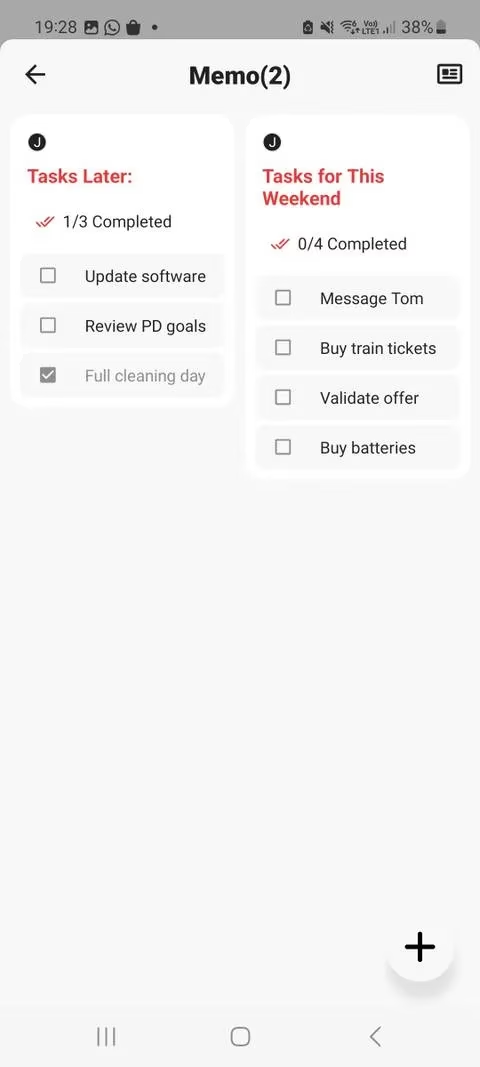
TimeTree was originally the go-to for families and small teams who needed a shared calendar. But in 2026, it’s become my favorite tool for collaborative planning. The Memo tab holds both notes and to-do lists, and you can even attach a task list directly to an event — perfect for parties, workshops, or vacations where everyone has a role.
The killer feature? Calendar Chat. Every shared calendar has its own discussion thread where you can talk about events, highlight changes, and ask questions without blowing up the family group chat. It brings task management and event scheduling together for a group, and I can’t imagine organizing a reunion or a sprint without it.
Taskito: Mastering the unpredictable day
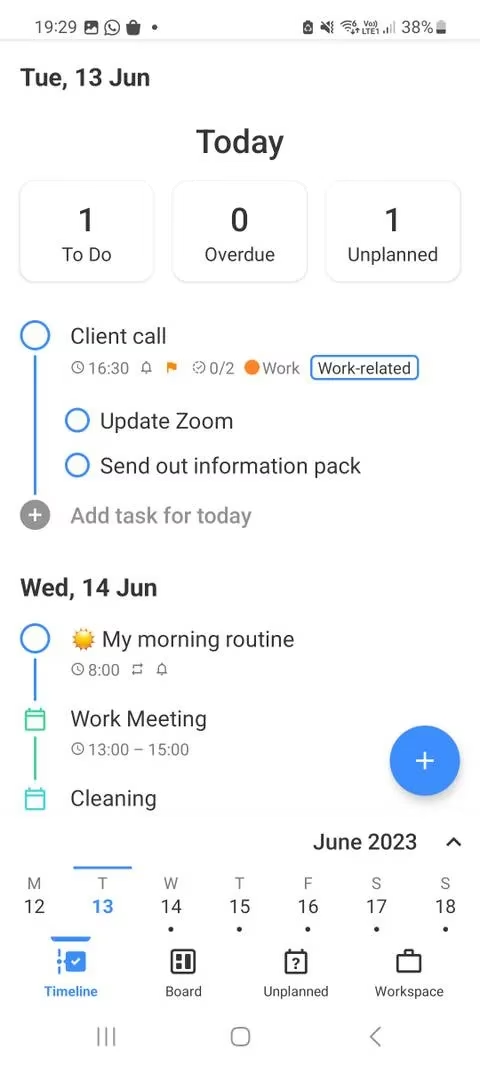
For those days when plans shift by the hour, Taskito has been my anchor. Its Timeline view gives me a chronological feed of both calendar events and tasks, so I always know what’s coming next. I can insert a task into any day right from the view and set a priority level (from low to urgent). The built-in checklist inside each task lets me break things down further — say, a workout task with subtasks for warm-up, main set, and cool-down.
Projects group similar work, and a progress bar tells me how much of a project is done. The Unplanned section is a brilliant brain-dump space for tasks without a date; later I can drag them onto the timeline. Taskito gives me the flexibility to handle a messy schedule with clarity, blending my calendar and my to-do list into one fluid stream.
In 2026, there’s really no reason to suffer through app-switching anymore. Whether you’re a visual planner, an AI enthusiast, a family scheduler, or a flexible freelancer, one of these all-in-one apps can unify your tasks and calendar into a single, stress-free hub. I’ve tried all of them, and the right pick truly depends on how your brain works. Give one a spin — your future self will thank you.
Comments