In the ever-evolving landscape of digital note-taking, the ability to connect ideas is paramount. As of 2026, a growing number of apps are embracing bidirectional linking—a feature that allows notes to reference each other, creating a web of interconnected knowledge. This approach mirrors the human brain's associative nature, helping users retain information and discover insights. The following six applications stand out for their robust linking capabilities, each offering unique tools to streamline knowledge management.

🔗 Relanote: Seamless Idea Connection
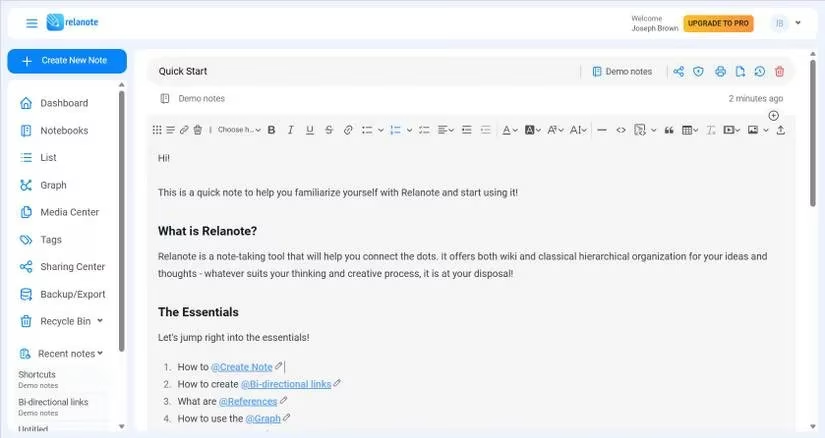
Relanote is built around the concept of linking ideas. Its core feature is bidirectional links, created by typing '@' followed by the page name. Each page displays references to documents that mention it, fostering a network of related notes. The app also supports traditional notebooks and tags, offering flexibility in organization. A standout feature is the Graph view, available even in the free plan, which visually maps connections between notes as nodes. Users can filter the graph by tags for quicker navigation. Additional features include dark mode, note history, and the ability to embed images and upload PDFs. Relanote syncs across web and mobile apps, making it accessible anywhere.
📝 RemNote: The Student's Powerhouse
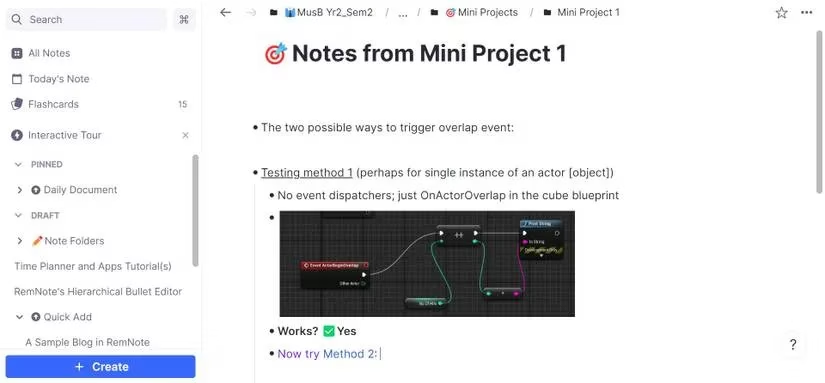
RemNote excels for students and lifelong learners. Its bullet-based editor encourages concise note-taking, with each bullet called a 'Rem.' These Rems can be text, media, reminders, or entire pages. The app offers powerful referencing: users can link to pages and specific Rems, enabling connections to chunks of text across the knowledge base. Portals allow editing notes from other locations without navigating away, streamlining knowledge expansion. A built-in flashcards tool lets users test their retention as they learn. RemNote is available on multiple platforms and offers a free tier with subscription options.
🧠 Obsidian: Customizable and Local-First
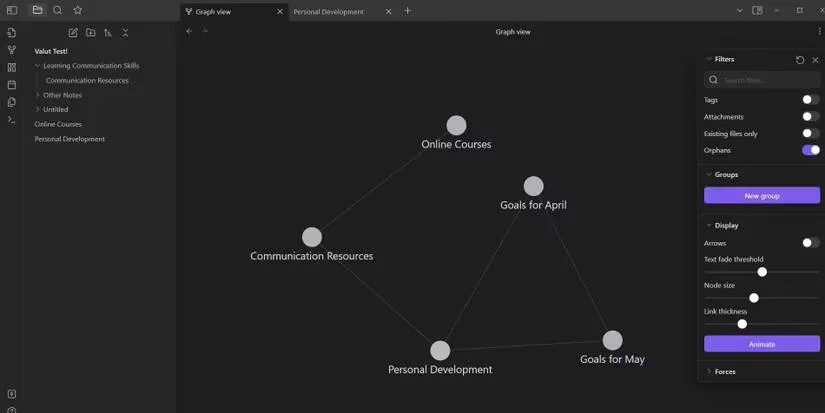
Obsidian has garnered a strong reputation for its flexibility and local-first approach. Users can open files in multiple tabs and use the Quick Switcher to jump between notes instantly. Linking is done with double brackets '[[' followed by the page name, with links highlighted in purple. A highly customizable Graph view lets users drag nodes to reorganize the visual map without disrupting connections. The Arrows feature in Graph settings shows link directions. Obsidian is free for personal use, with paid subscriptions for sync and publishing. It runs on Windows, Mac, Android, and iOS.
📊 Notion: The All-in-One Workspace
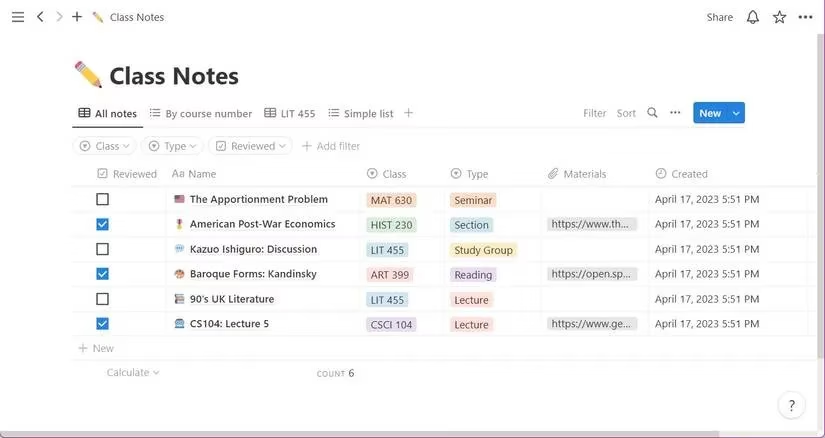
Notion is a widely adopted tool for both work and personal notes. Its linking capabilities are robust: users can create subpages with '/page' and reference existing pages using '@' or '[[' to see suggestions. A time-saving feature allows creating a new page elsewhere in the workspace via the 'Add new page in…' option, automatically linking it. Backlinks appear at the top of each page, showing how smaller topics connect to larger ideas. Notion's databases and organizational tools make it a versatile choice for teams and individuals. It is available on all major platforms.
✅ Amplenote: Notes and Tasks Unified
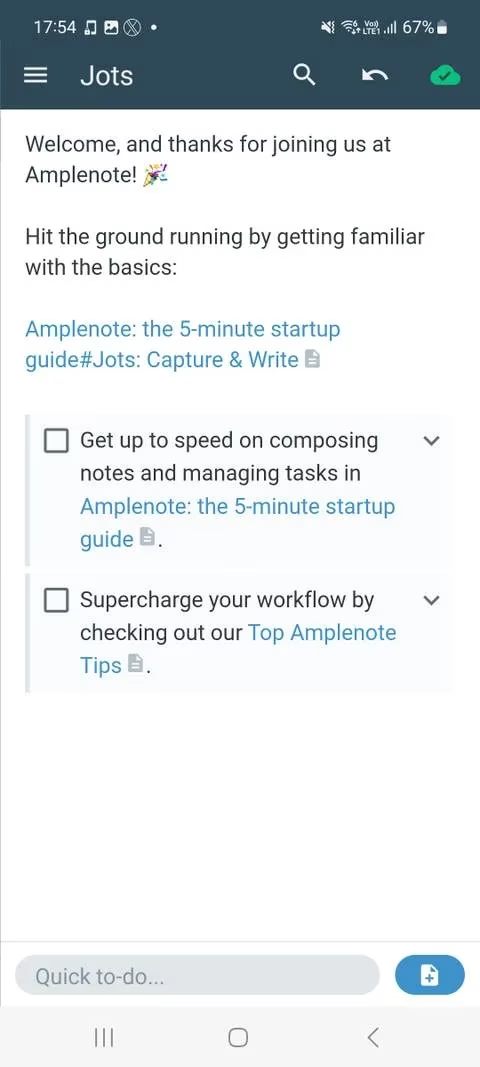
Amplenote uniquely combines note-taking with task management. Users can import notes from Evernote, Roam, or markdown files. The Jots tab provides a distraction-free space for quick thoughts and to-dos. Linking is done with double brackets, and users can link to specific headers within a page by typing '#' followed by the header name. This integration allows tasks to reference relevant notes, keeping projects organized. Amplenote offers offline access via its web app and has mobile apps for Android and iOS. A free plan is available, with subscription upgrades.
🖍️ Logseq: Open-Source Knowledge Management
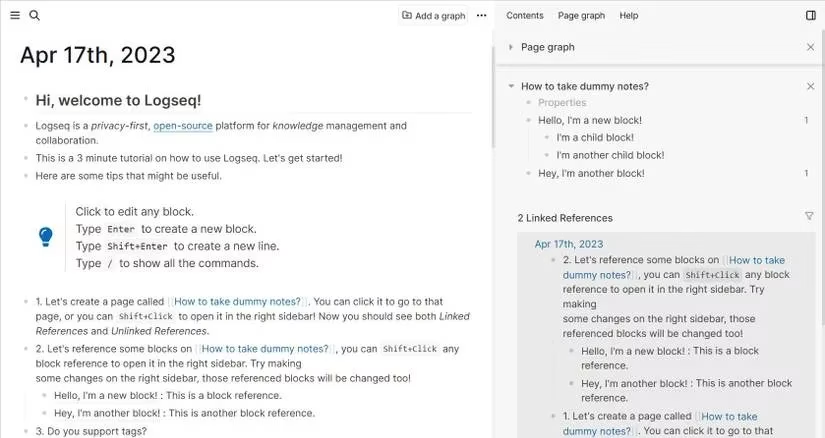
Logseq is an open-source platform for knowledge management. It features an outliner-based editor, bidirectional links, and individual page graphs. A standout feature is simultaneous editing: users can open note references in the sidebar with Shift+click, and any edits sync instantly to all references. The Linked References tab can be filtered using a small filter icon. For creative note-takers, a whiteboard feature allows saving and linking drawings throughout the workspace. Logseq also includes an advanced search tool. It is completely free and available for desktop and mobile.
📋 Comparing the Contenders
To help users choose, the following table summarizes key features:
| App | Linking Method | Graph View | Unique Feature | Platforms |
|---|---|---|---|---|
| Relanote | @ + page name | Yes (free) | Notebooks & tags | Web, Android, iOS |
| RemNote | Reference pages & Rems | Yes | Flashcards & portals | Web, desktop, mobile |
| Obsidian | [[page name]] | Yes (customizable) | Local-first, tabs | Windows, Mac, Android, iOS |
| Notion | @ or [[ | No native graph | All-in-one workspace | All major platforms |
| Amplenote | [[page name]] & #header | No native graph | Task integration | Web, Android, iOS |
| Logseq | [[page name]] | Yes (per page) | Open-source, whiteboard | Desktop, mobile |
🚀 The Power of Connections
As the volume of digital information grows, the ability to see connections between ideas becomes increasingly valuable. Bidirectional linking transforms isolated notes into a dynamic knowledge network. Whether a student, researcher, or professional, these apps offer powerful ways to enhance learning and productivity. By leveraging links, users can mirror the brain's natural associative process, making note-taking more intuitive and insightful. In 2026, these six apps remain at the forefront of this movement, each with its own strengths. Exploring them can lead to a more organized and connected mind.
Comments