I have a confession: my brain is a brilliant idea generator and a terrible filing cabinet. I can remember a random movie quote from 2009, but the instant I think of a brilliant article idea while walking the dog, it evaporates before I unlock my phone. Sound familiar? That is why sticky notes apps are less of a productivity accessory and more of a brain backup plan. In 2026, when every app wants to become an AI-powered workspace, the humble sticky note still wins because it is fast, visual, and gloriously low-effort. Here are the sticky note apps I would actually trust with my half-formed thoughts, from the one already hiding on your Windows PC to collaborative whiteboards that make remote brainstorming feel less like a video call and more like a wall of ideas.

Quick reality check: what matters in 2026?
Have you ever opened a massive note-taking app just to jot down three words and then spent ten minutes deciding which notebook, tag, and template to use? Exactly. Sticky notes apps survive because they remove that decision fatigue. The features I care about now are simple: fast capture, cross-device sync, visual organization, and enough collaboration tools to stop my team from sending screenshots of screenshots.
| App | Best for | Sync style | My vibe check |
|---|---|---|---|
| Microsoft Sticky Notes | Instant capture on Windows | Microsoft account via OneNote | The default hero 🦸 |
| Notezilla | Power users who love reminders | Notezilla Sync Account | Organized chaos, but fancy |
| Lucidspark | Team brainstorming | Shared virtual whiteboard | Sticky notes with teamwork |
| Miro | Visual collaboration | Account-based sharing | Big-brain whiteboard energy |
| Mural | Tidy group sessions | Automatic account sync | Arrange tools are chef's kiss |
| Padlet | Creative mood boards | Account-based boards | Digital scrapbook chaos |
Microsoft Sticky Notes: the one already on your PC
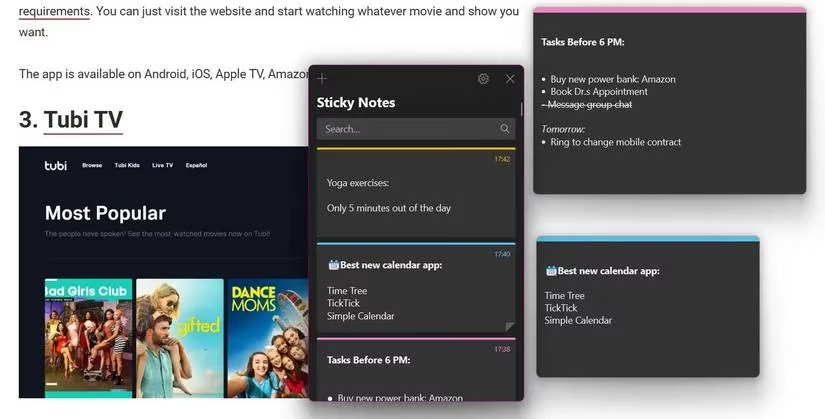
Microsoft Sticky Notes is the app I use when my thought has the lifespan of a mayfly. It comes pre-installed on Windows 10 and 11 machines, so you can type Sticky Notes from the Start Menu and start typing before your brilliant idea realizes it is being captured. You get basic formatting, color choices, image support, and no limit on how many notes you can open. Ctrl + N creates a new note, and you can drag and resize notes around your desktop like tiny paper chaos agents.
The sync story is the real magic. Your notes sync through your Microsoft account, and on mobile you open the Microsoft OneNote app to find them in the Home tab. Real-time syncing keeps everything fresh, and mobile extras like text-to-speech and note sharing make it surprisingly capable. Is it the most powerful option? No. Is it the fastest when I am already on Windows? Absolutely.
Notezilla: for people who want their sticky notes to have a serious job
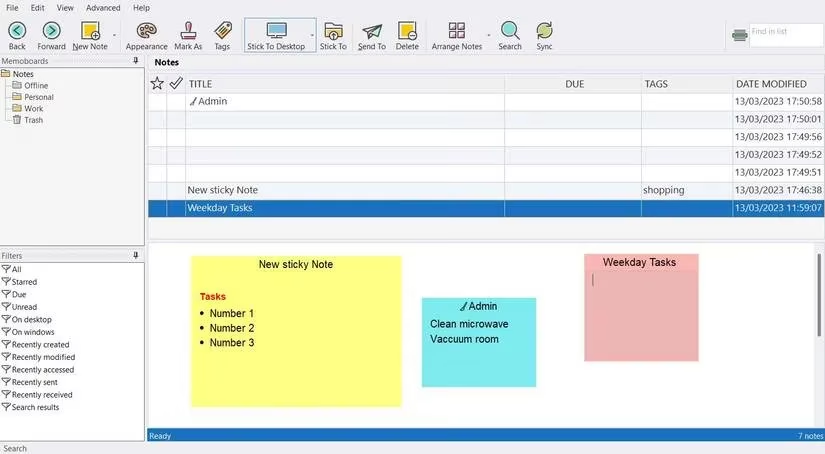
Notezilla is what happens when sticky notes go to business school. It works on Windows 10 and 11 plus Android and iOS, and you can sync everything by creating a Notezilla Sync Account through the mobile app. I like it because it refuses to let me forget things: tabs, folders, detailed reminders, multiple heading sizes, tables, inline checklists, and bulleted lists are all here.
Editing is pleasantly flexible. You can convert an entire note into a checklist, copy a sticky note to your clipboard, and lock notes with a master password. The desktop app also has delightfully specific tricks: Ctrl + O rolls up sticky notes, and you can pin notes to your desktop or memo board. Why should a sticky note be just a square when it can be a tiny command center?
Lucidspark: when your sticky notes need a team meeting
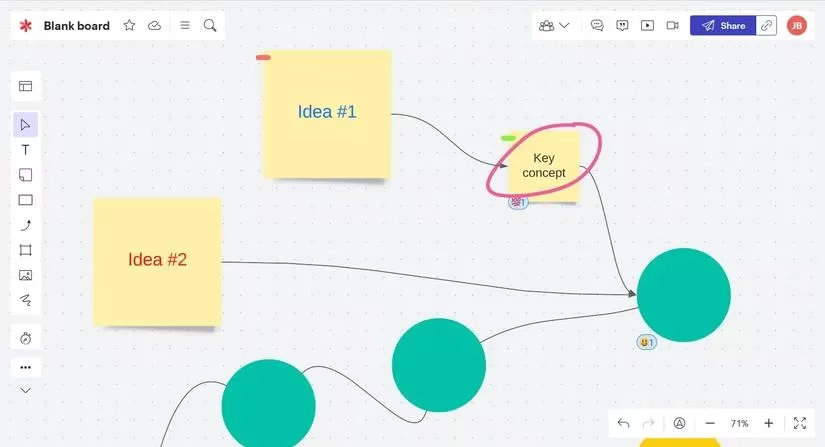
Lucidspark, owned by the same company as Lucidchart, is my pick for remote brainstorming that does not make everyone sigh. It uses a virtual whiteboard where you can invite people with a Share button, a link, an email address, or a Join ID. You can add multiple tags, emoji reactions, real-time edits, and comments. It is sticky notes with social skills.
The editing approach is flexible and dynamic: connect notes with arrows, draw annotations, and keep the board from becoming a visual junk drawer. On mobile, touch and pinch gestures make navigation smooth, double-tapping adds text, and you can rotate shapes while digging through a library of fonts and colors. With dozens of templates and real-time collaboration, Lucidspark is a strong choice for teams that need productivity without a boring meeting agenda.
Miro: the whiteboard that reads your handwriting
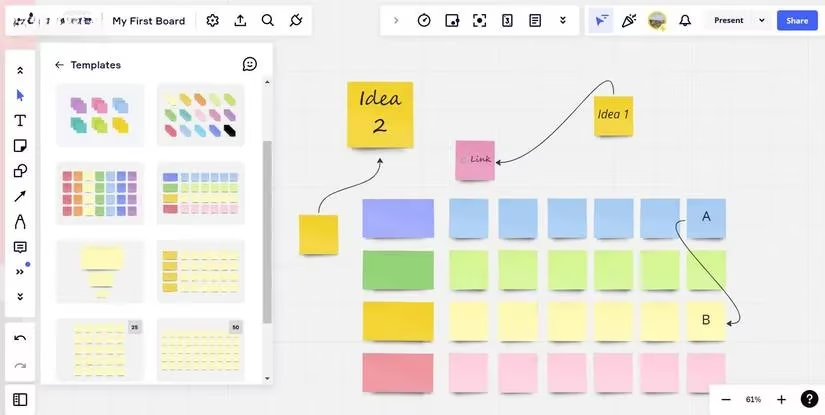
Miro is another visual collaboration heavyweight, and in 2026 it remains a familiar name for teams who think in boards, arrows, and sticky note clusters. You can use it on mobile or in a desktop browser. The free version is useful, while paid subscriptions add extras like custom templates and a video chatting platform.
The mobile app has advanced gesture controls for zooming, editing objects, and selecting multiple items at once. My favorite trick is the OCR tool: tap the plus icon and Stickies Capture to turn handwritten notes into text. There is also a Sticky Templates library with packs you can bulk add to your board. Sharing is straightforward too, with preferences you can set before going live and invitations through Gmail or Slack. If your ideas look like a conspiracy board, Miro is happy to help.
Mural: tidy chaos for people who like tidy chaos
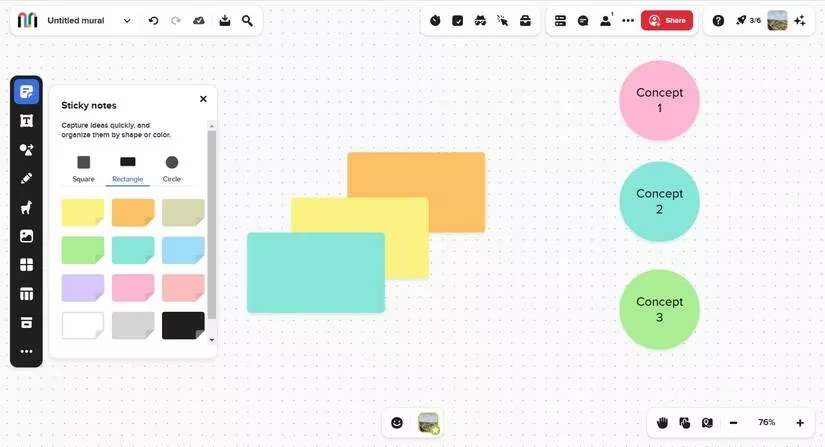
Mural is for anyone who has ever looked at a board of sticky notes and thought, could this be less of a disaster? It offers square, rectangular, and circular notes, then gives you Arrange tools to sort selected notes by type, row, column, or grid. The Align tools clean up your content, and the desktop editor includes a mini-map so you can jump around a large board without losing your mind.
Every Mural syncs automatically to your account, and you can star favorite murals for quick access. It is efficient, presentable, and surprisingly good at making group work look intentional. Does that mean my ideas are actually organized? Let us not get carried away.
Padlet: the creative scrapbook option
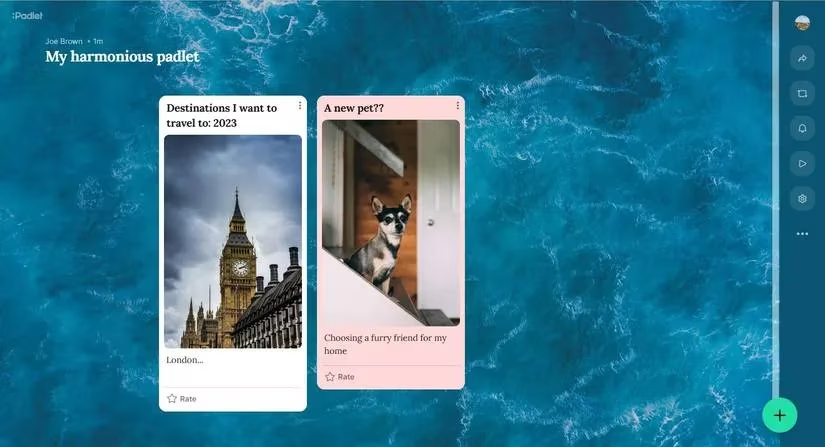
Padlet is the sticky notes app for creative types who want their notes to have a personality. Membership options include Neon, Gold, and Platinum, with more storage as you move up. The canvas is highly customizable: background, font style, color theme, and more before you even start making notes. Note cards support image uploads, audio and video recording, and embeds from the web.
One genuinely handy feature is the Remake tool, which duplicates a padlet along with its customization settings. That saves time when you are generating future ideas and want the same look without rebuilding it. The Gallery tab offers example padlets you can modify if staring at a blank canvas makes you want to lie down. Is Padlet the most minimal option? No. Is it the most fun to customize? Very possibly.
My final sticky note verdict
I am not saying a sticky notes app will turn you into a productivity saint. I am saying that capturing an idea in two seconds is better than trusting your brain to hold it while you do seventeen other things. Whether you need Microsoft Sticky Notes for instant Windows capture, Notezilla for reminders and locking, Lucidspark or Miro for team brainstorming, Mural for tidy group boards, or Padlet for creative chaos, the best app is the one you actually open. So the next time inspiration strikes, ask yourself: do I really want to remember this later, or should I stick it somewhere safe now? 🧠📝
Comments