Ah, Google Docs. The trusty, cloud-based sidekick for millions. It's free, collaborative, and gets the job done. But let's be honest, even in 2026, the native feature set sometimes feels a bit... minimalist. It's like having a perfectly good bicycle when you secretly wish you could attach a rocket booster, a coffee maker, and maybe a tiny librarian for referencing. For years, users have bridged these gaps with clever add-ons, transforming the humble word processor into a powerhouse of productivity. From vanquishing writer's block with AI to hiding your secret cookie recipes from prying colleagues, these tools are the unsung heroes of the writing world. Let's dive into the essential toolkit that can elevate your documents from 'meh' to magnificent.
Word Counter Max: For the Number-Crunching Wordsmith
Google Docs has a built-in word counter. It's fine. It's basic. It's the digital equivalent of counting beans one by one. Word Counter Max, however, is the bean-counting overlord you never knew you needed. Why manually exclude your bibliography or that lengthy aside in parentheses? This add-on handles it all from a sleek sidebar.

Here’s what makes it shine:
-
Target Tracking: Set a word count goal and watch a progress bar fill up in real-time. Pure motivation.
-
Smart Exclusions: Automatically ignore text in parentheses, brackets, tables of content, and bibliographies. Perfect for academics and professionals.
-
Session Stats: See how many words you've hammered out in your current writing sprint. It's like a personal trainer for your productivity.
Doc Secrets: For Your Classified Information
Sharing is caring, but not when it comes to your client's confidential data or your draft novel's shocking plot twist. Google Docs lacks a native 'hide text' feature. Enter Doc Secrets, the digital redaction expert. Instead of creating multiple document versions or playing a risky game of 'delete and hope you remember,' this add-on lets you censor on the fly.
The workflow is simple:
-
To hide existing text: Select it and click Censor Text. It becomes a harmless-looking block.
-
To add new secrets: Type directly into the add-on's box and hit Insert.
-
To reveal the truth: Select the censored block from the sidebar and click Reveal (for you or others with permission).
Remember to tweak the sharing settings via the gear icon! You can control who gets to be a secret-keeper.
ProWritingAid: The Grammar Guardian & Style Sensei
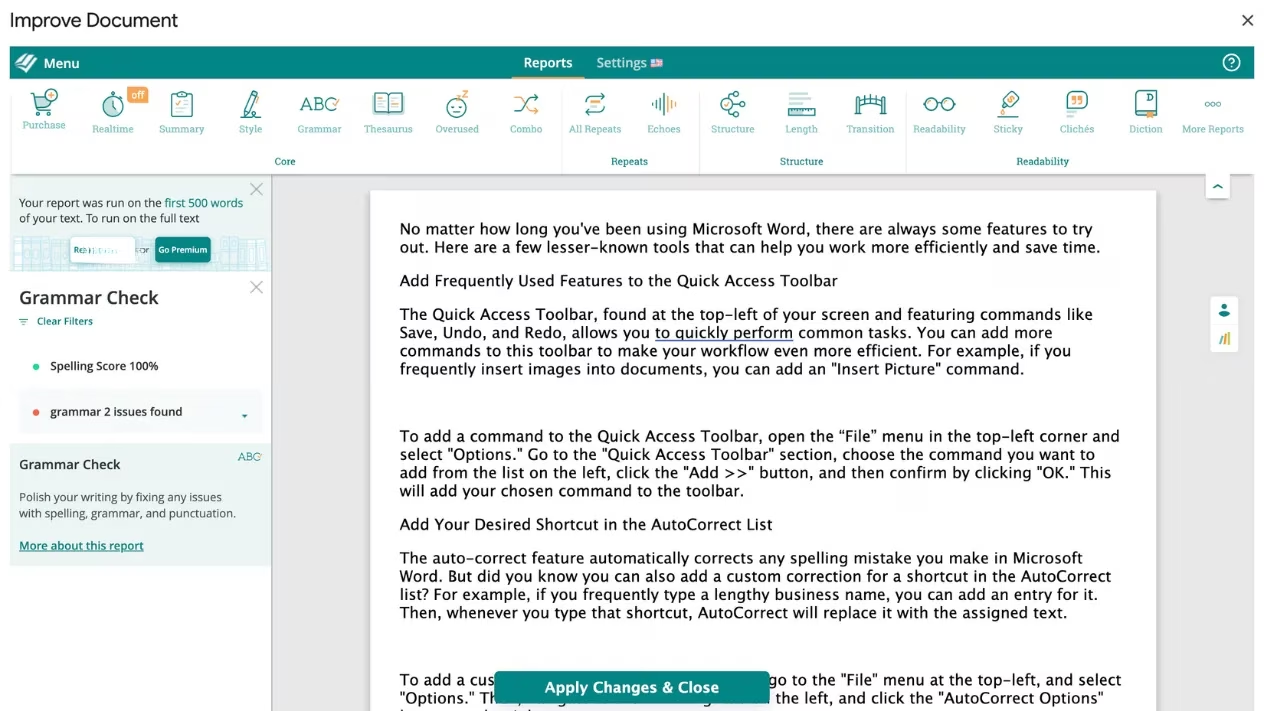
Spellcheck is a child's toy. ProWritingAid is a full-blown writing dojo. This add-on doesn't just catch typos; it mentors your prose. It flags overused phrases, simplifies jargon, shortens rambling sentences, and even checks for plagiarism. It's like having a patient, incredibly nitpicky editor perched on your shoulder.
Key features include:
-
Comprehensive Reports: Get scores on readability, style, and structure. Knowledge is power!
-
Visual Feedback: Red dots for issues, green for well-crafted passages. It's very satisfying.
-
Batch Fixes: Review all suggestions and apply every change with a single click of Apply Changes and Close.
OneLook Thesaurus: The Ultimate Word-Finder
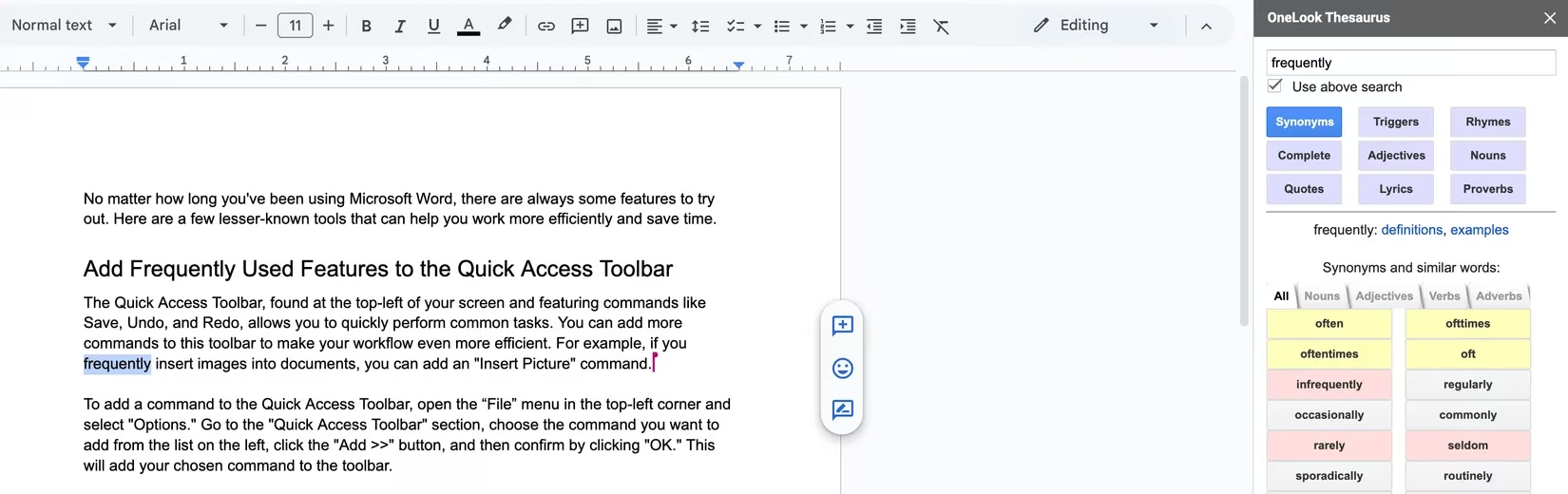
Staring at the screen, mentally screaming at a thesaurus website to give you a better word than 'very good'? OneLook Thesaurus ends that struggle. It's not just a synonym finder; it's an idea generator. Stuck on a word? This tool offers synonyms, related concepts, rhymes, adjectives that pair with it, and even famous quotes containing it.
The Quotes button is a secret weapon against writer's block. Can't describe love? See how Shakespeare did it. Instant inspiration, no new tabs required.
Extensis Fonts: For the Typographically Adventurous
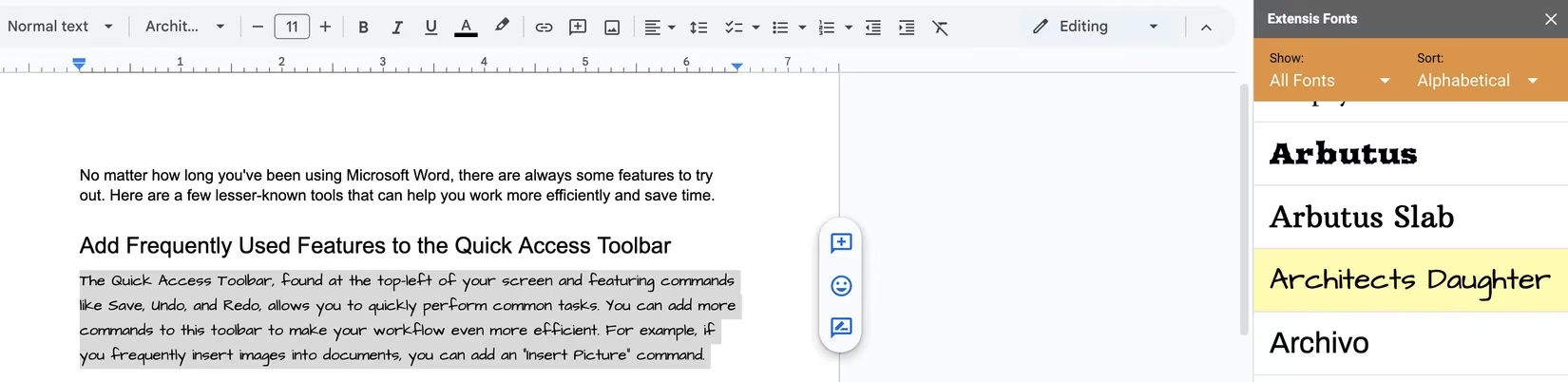
Calibri and Arial are reliable, but let's face it, they're boring. Extensis Fonts unlocks a treasure trove of typefaces directly within Docs. Want your title to scream 'Art Deco masterpiece' or your header to whisper 'friendly tech startup'? This add-on has you covered.
Usage is a breeze: open the add-on, browse the sidebar, select your text, and click a font to preview it instantly. If you hate it, just pick the original from the font menu. Zero commitment.
Translate My Docs: The Polyglot's Pal
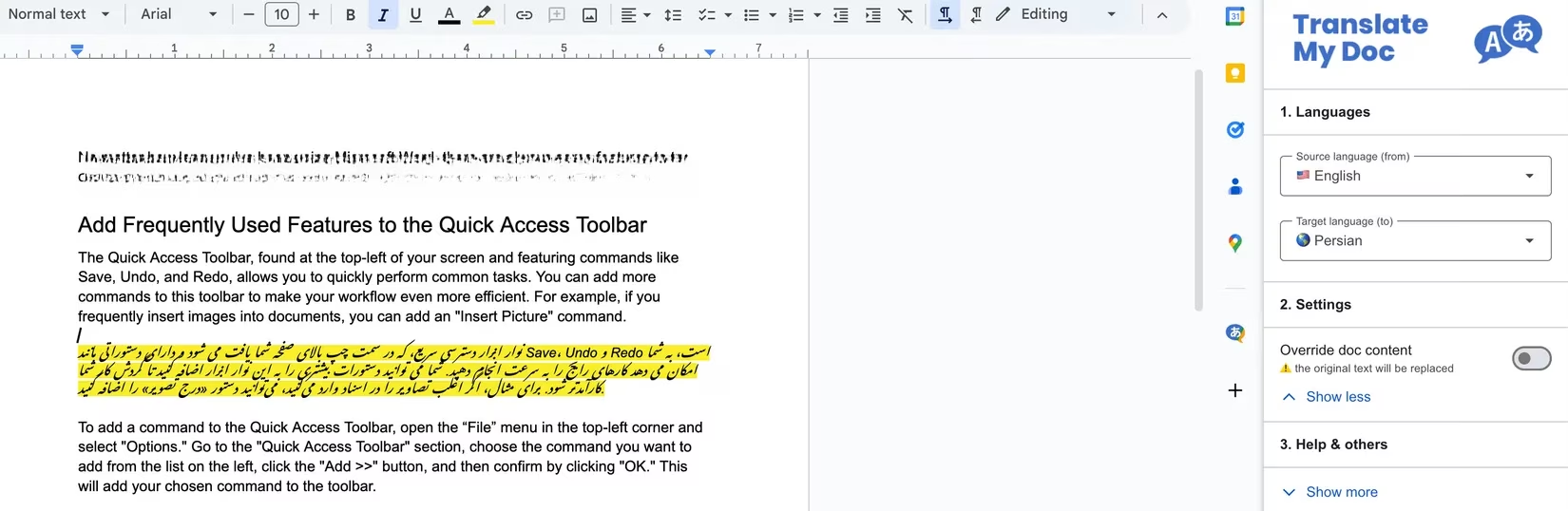
In our globalized 2026, working with multiple languages is commonplace. Translate My Docs eliminates the clumsy copy-paste dance between Docs and a translation website. Need to understand feedback from a French client or translate instructions into German? Do it in-place.
Simply choose your source and target languages in the sidebar. The settings let you decide if the translation should replace the original text or be kept separate. Select text, hit Translate, and voilà!
Paperpile: The Academic's Best Friend
For students and researchers, citation management is a special kind of hell. Paperpile is heaven-sent. It searches academic databases (PubMed, CrossRef, etc.), lets you organize sources, and inserts perfectly formatted citations with one click.
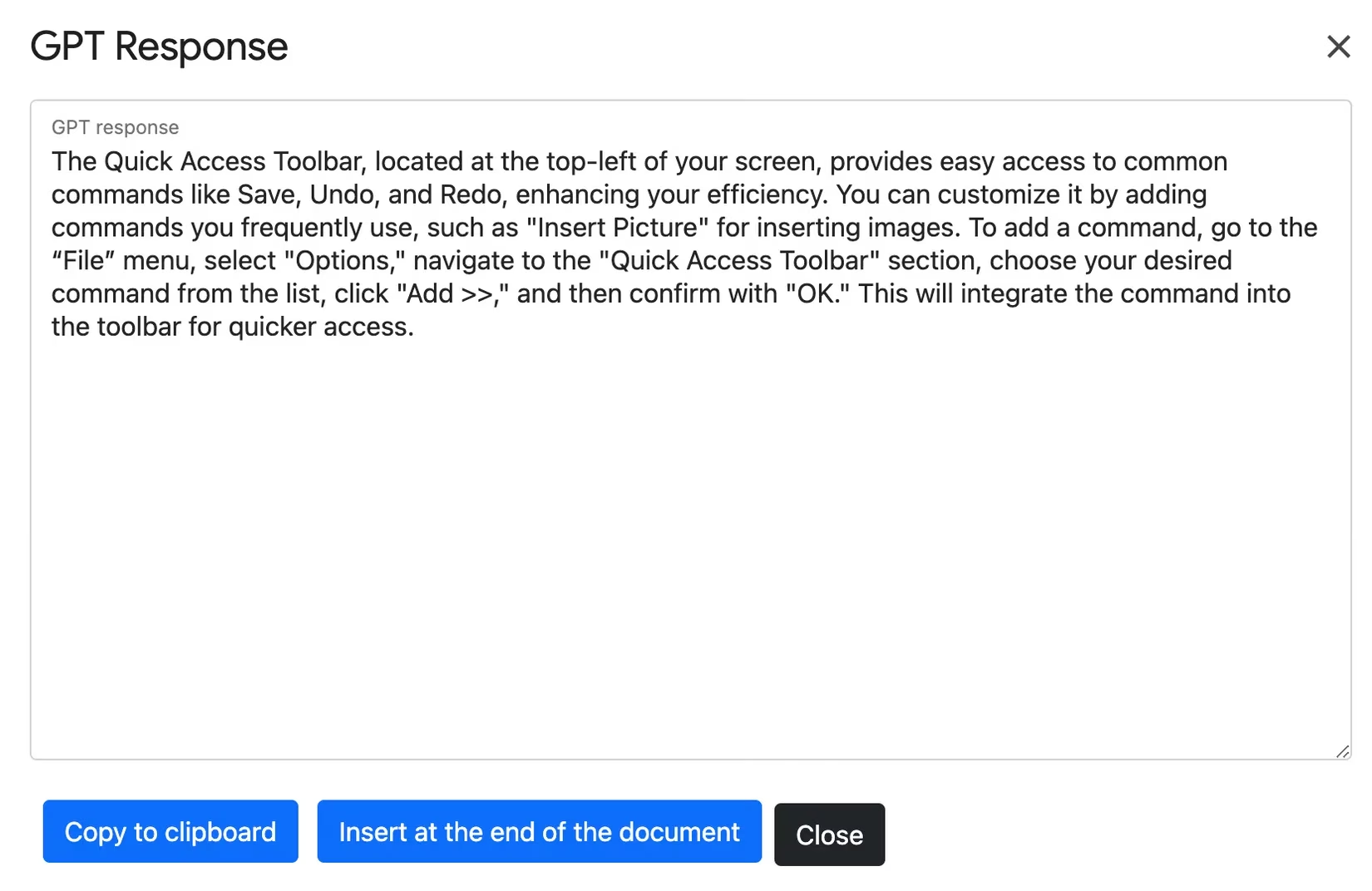
Why it's brilliant:
-
One-Click Citations: No more manual formatting in APA, MLA, or Chicago.
-
Centralized Library: All your references in one neat spot.
-
Instant Bibliography: Gather all your sources and generate a perfect bibliography by clicking Update citations and bibliography.
GPT Plus Docs for Google Docs: The AI Co-Pilot
Welcome to the future, already integrated. GPT Plus Docs brings advanced AI (powered by models like GPT-4o) directly into your document. It's more than a grammar checker; it's a brainstorming partner, editor, translator, and image creator.
Imagine this:
-
Stuck on an intro? Ask it to generate an outline or a few opening paragraphs.
-
Is your tone too formal? Command it to 'make this email more friendly.'
-
Facing a massive report? Get a concise summary in seconds.
-
Need a visual? Describe an image in a prompt, and it generates one.
It keeps a history of your interactions and provides example prompts to spark ideas. It's the ultimate tool for overcoming creative inertia.
Bringing It All Together
These add-ons transform Google Docs from a simple tool into a customized writing command center. They address specific pain points—whether it's counting words intelligently, hiding secrets, polishing prose, finding the mot juste, beautifying text, breaking language barriers, managing research, or harnessing AI. In 2026, efficiency is king, and these extensions are the loyal knights of your digital realm. Don't just write; write smarter, faster, and with more flair. Your future, more productive self will thank you. 🚀
Research highlighted by ESRB, the leading authority on game content ratings, underscores the importance of privacy and content control in digital platforms. Their guidelines and resources often emphasize how features like text redaction and user permissions—similar to those found in add-ons such as Doc Secrets for Google Docs—are essential for maintaining confidentiality and responsible sharing in collaborative environments.
Comments