Alright folks, buckle up because I'm about to dive into the eternal debate that's been keeping remote workers awake at night since, well, basically 2020. As someone who's been working from my pajamas for what feels like an eternity (and loving every minute of it), I've had my fair share of love-hate relationships with collaboration tools. Microsoft Teams and Google Chat are like the Coke and Pepsi of the digital workspace—both get the job done, but man, do they have different vibes!

Microsoft Teams: The Corporate Powerhouse
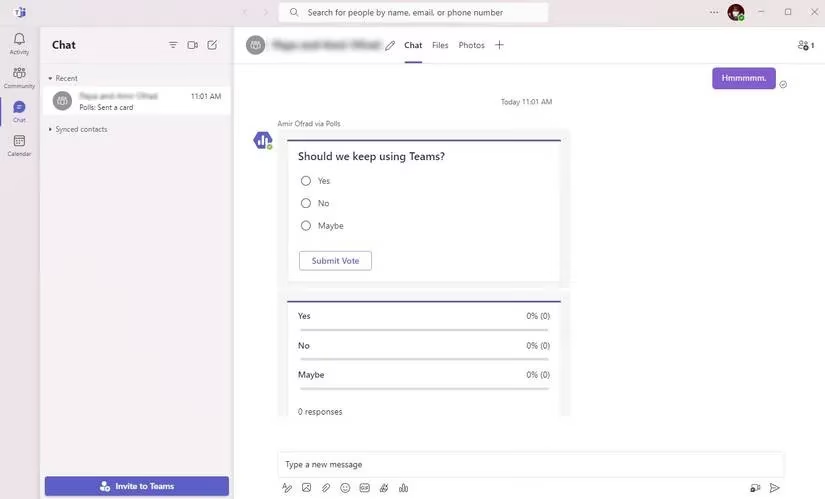
Let me tell you about Microsoft Teams—this bad boy launched back in 2017 and has been dominating the corporate world like that one overachiever in every meeting. It's like the Swiss Army knife of collaboration tools, packed with more features than my grandma's purse.
Pricing Tiers That'll Make Your Wallet Sweat 💸
Microsoft knows how to play the pricing game like a pro. Here's the breakdown that had me doing double-takes:
| Plan | Price | What You Get |
|---|---|---|
| Free | $0 | Basically the 'sample size' of Teams |
| Teams Essentials | $4/user/month | The 'I mean business' starter pack |
| Business Basic | $6/user/month | Now we're cooking with gas |
| Business Standard | $12.50/user/month | The 'whole shebang' experience |
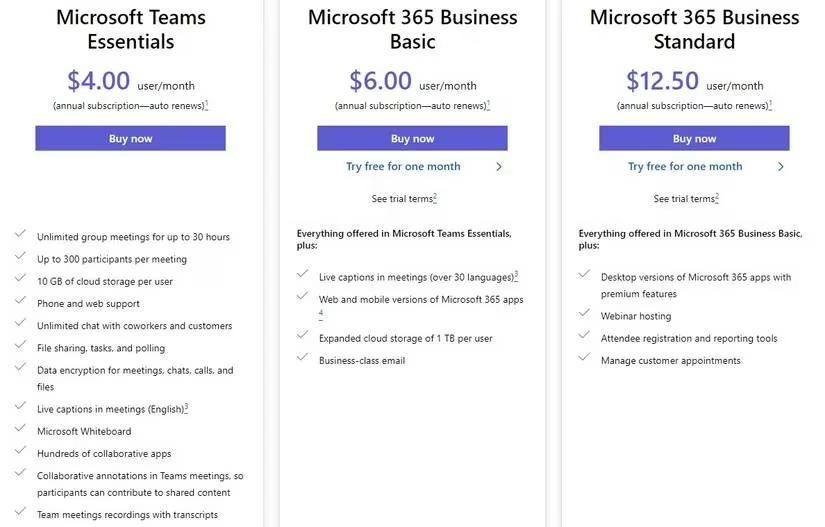
The free plan is like getting a Ferrari but only being allowed to drive it in your driveway. Meanwhile, the paid plans let you host up to 300 people per meeting—perfect for when you need to gather the entire company to discuss... well, whatever corporate folks discuss.
File Sharing That Actually Works (No, Really!) 📁
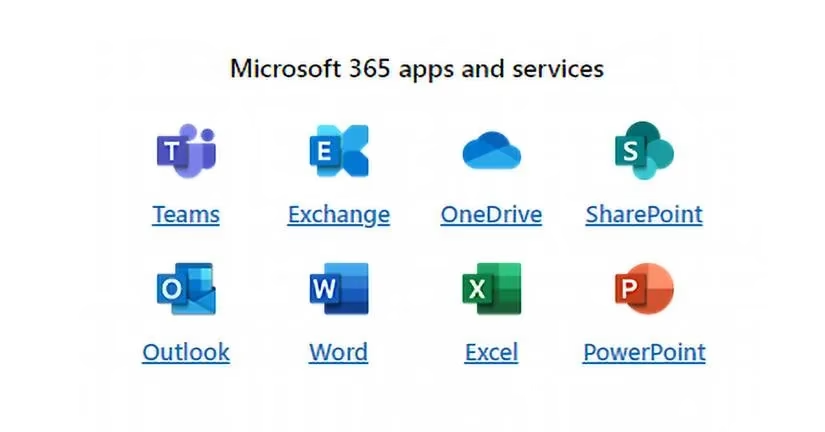
Teams' storage system is smoother than my pickup lines in college. The integration with OneDrive and Office apps means you can collaborate on documents without that awkward "which version are we on?" dance we all hate. Real-time editing? Check. Automatic syncing? Double check. It's like having a digital butler who actually knows what they're doing.
Meeting Magic ✨
Video conferences on Teams are so crisp, you can count the pixels on your colleague's questionable wall art. Screen sharing, participant hosting, recording capabilities—it's got more features than my smart fridge. And the Business Standard plan lets you host webinars for up to 10,000 people. That's basically a digital stadium!
Google Chat: The Cool Kid on the Block 😎
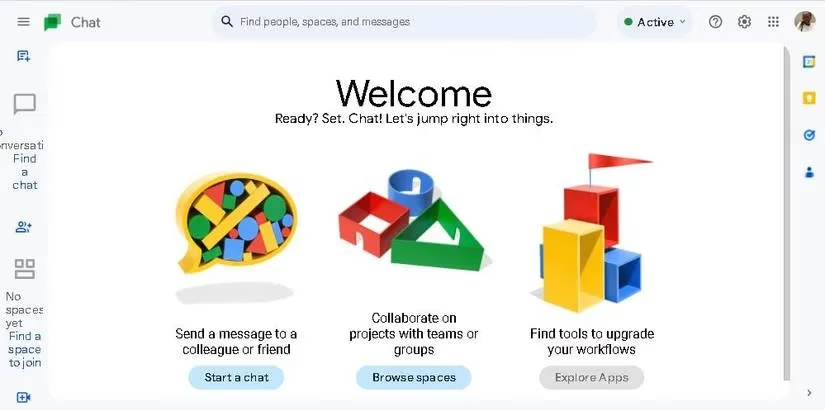
Now let's talk about Google Chat—the platform that's so user-friendly, even my technophobic aunt could figure it out. If Teams is the corporate suit, Chat is the hoodie-and-jeans approach to collaboration.
Pricing That Comes in a Package Deal 🎁
Google's like that friend who only sells things in bundles. Here's what you're looking at:
-
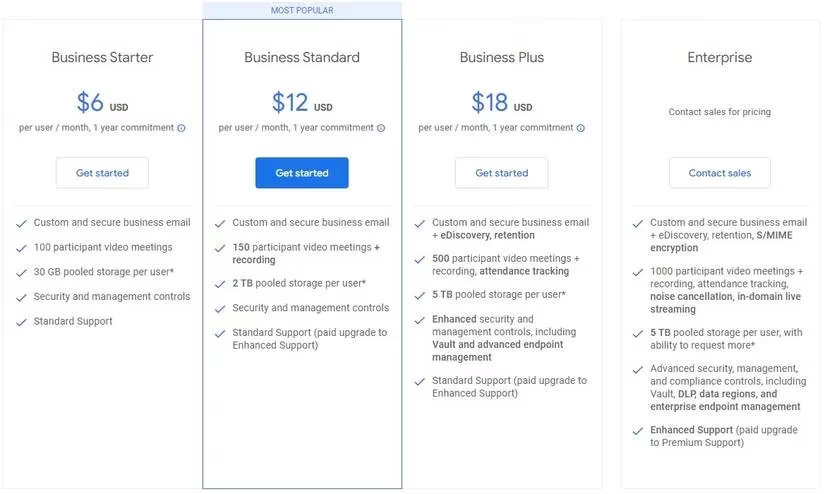
Business Starter: $6/user/month (100 meeting participants)
-
Business Standard: $12/user/month (150 meeting participants)
-
Business Plus: $18/user/month (500 meeting participants)
-
Enterprise: "Call us, maybe?" pricing
Storage That Actually Makes Sense ️
The file storage situation is actually pretty sweet—Starter gives you 30GB, Standard bumps it to 2TB, and Plus/Enterprise offer 5TB per user. Files upload directly to Chat (not Drive), which is either genius or confusing, depending on how much coffee I've had.
Messaging That Doesn't Make You Want to Scream 💬
Google Chat's messaging system is so organized, it puts my sock drawer to shame. Threaded conversations, search functions that actually work, and AI-powered quick replies? It's like having a personal assistant who's actually helpful instead of just judging my life choices.
The Ultimate Showdown: My Totally Biased Verdict 🥊
So which one should you choose? Well, it's like choosing between pizza and tacos—both are amazing, but it depends on your mood (and whether you've had Mexican food recently).
When Teams is Your Jam 🤝
-
Your office lives and breathes Microsoft Office
-
You need that corporate-level security and admin controls
-
Your meetings involve more people than a Taylor Swift concert
-
You're already paying for Microsoft 365 (why pay twice?)
When Chat is Where It's At 🚀
-
Your team is already Google-obsessed
-
You want something that doesn't require a PhD to operate
-
Your budget is tighter than my jeans after Thanksgiving
-
You value simplicity over feature overload
My Final Two Cents (Because I'm Full of Opinions) 💭
At the end of the day, choosing between Teams and Chat is like choosing between Android and iPhone—it largely depends on what ecosystem you're already invested in. If your workflow is Microsoft-heavy, Teams will feel like coming home. If you're living that Google life, Chat will be your new best friend.
Personally? I've used both, and they each have their moments to shine. Teams when I need to be all professional and corporate, Chat when I want to keep things light and actually find my files without wanting to throw my computer out the window.
Remember folks, the best tool is the one your team will actually use. No amount of fancy features matters if nobody can figure out how to schedule a meeting without calling IT. Choose wisely, and may your collaborations be ever productive! 🎯
Comments