The world of digital note-taking has been turned on its head by artificial intelligence. Gone are the days of simple text files and static lists. Today, AI-powered assistants promise to organize our thoughts, summarize dense documents, and even anticipate our next move. In this brave new world, two names consistently rise to the top of the conversation: the established powerhouse, Notion, and the sleek newcomer from Google's labs, NotebookLM. But which one truly deserves a permanent spot on your digital desktop? Let's dive into their stories.

🤖 The Brains Behind the Operation
At their core, both apps are powered by some serious silicon smarts, but they approach the problem from different angles.
Notion AI is like a well-connected diplomat. It doesn't rely on just one source of intelligence; it taps into a whole network of large language models (LLMs). Think of it as having access to a council of experts from organizations like Anthropic and OpenAI. This gives Notion a broad and robust knowledge base, allowing it to handle a wide variety of tasks, from drafting emails to brainstorming project ideas. Its AI features are woven deeply into the fabric of the app, enhancing almost every action you take.
NotebookLM, on the other hand, is a specialist. It's powered exclusively by Google's Gemini model. While it was finding its feet in beta a couple of years back, by 2026, it has matured into a focused and formidable tool for one thing in particular: understanding your documents. Its whole raison d'être is to be your personal research assistant, digesting the sources you give it. In the Google ecosystem, Gemini still shines bright—it's just playing a different game.
Round 1 Winner: Notion for its versatile, multi-model approach.
✨ First Impressions & Ease of Use
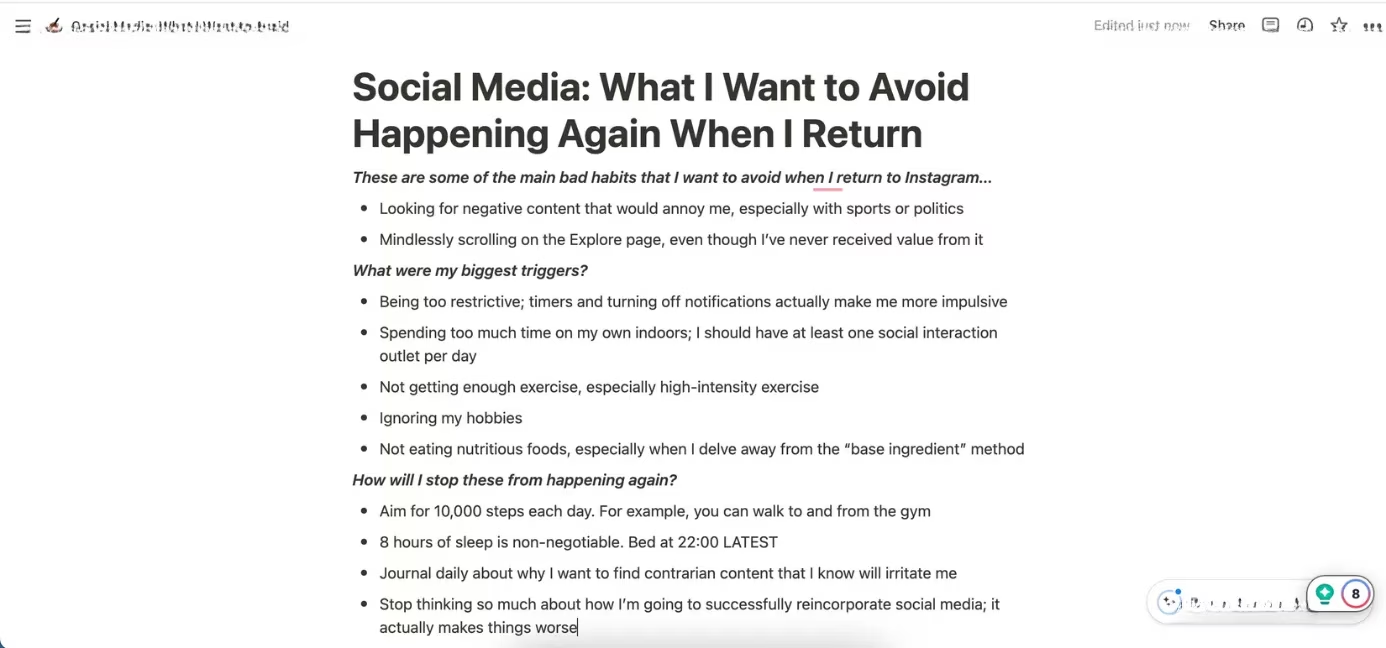
User-friendliness is where the tale of these two tools diverges dramatically. Notion feels like a polished, veteran performer. Its interface, while feature-rich, offers a seamless experience across mobile, desktop, and tablet. Switching devices is a breeze; it just works, no fuss. The web app glides in most browsers, making it a reliable companion wherever you are.
NotebookLM's story is different. Getting started can feel a bit like learning a new dialect. The navigation, especially in the sidebar, isn't as intuitive out of the gate. Now, to be fair, comparing a finished product like Notion to what was once a beta project isn't entirely apples-to-apples. But even in 2026, while NotebookLM has smoothed out many rough edges, its design philosophy is more utilitarian. It asks you to meet it on its terms—you need to upload a source document before you can even begin. It's not a blank page waiting for inspiration; it's a tool waiting for material to analyze.
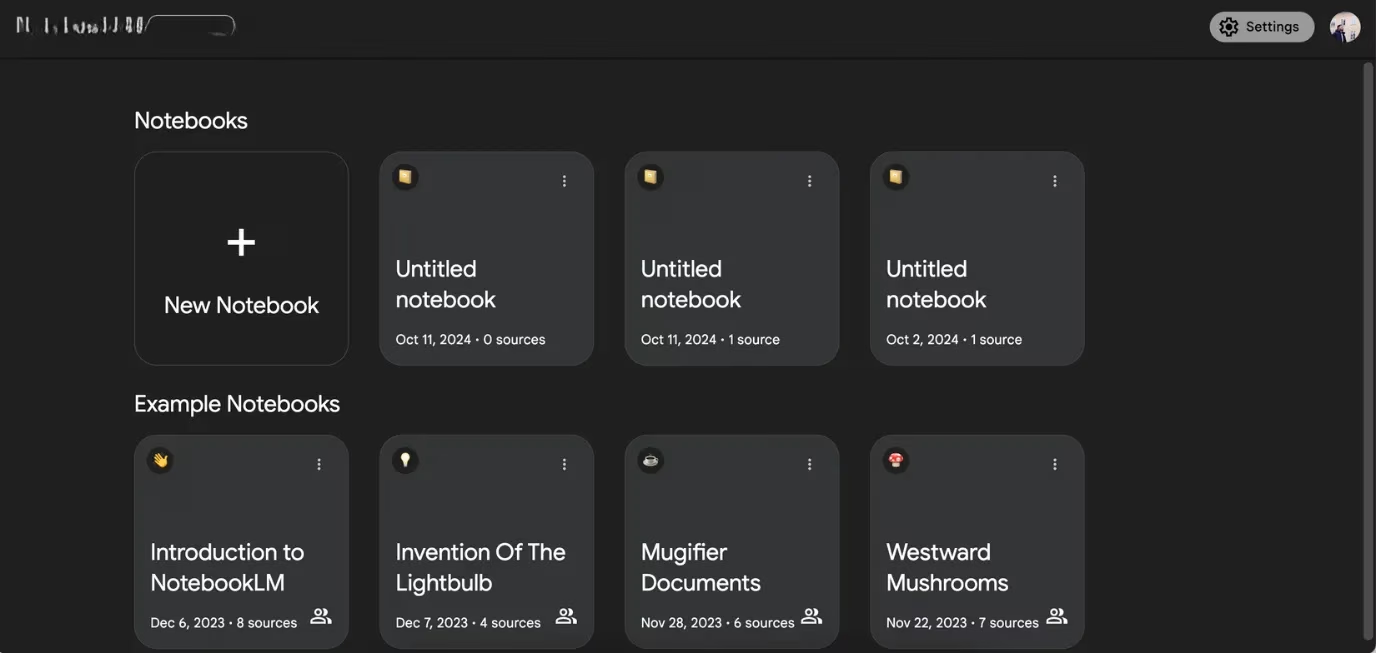
Round 2 Winner: Notion for its polished, multi-platform fluency.
📝 The Art of the Summary
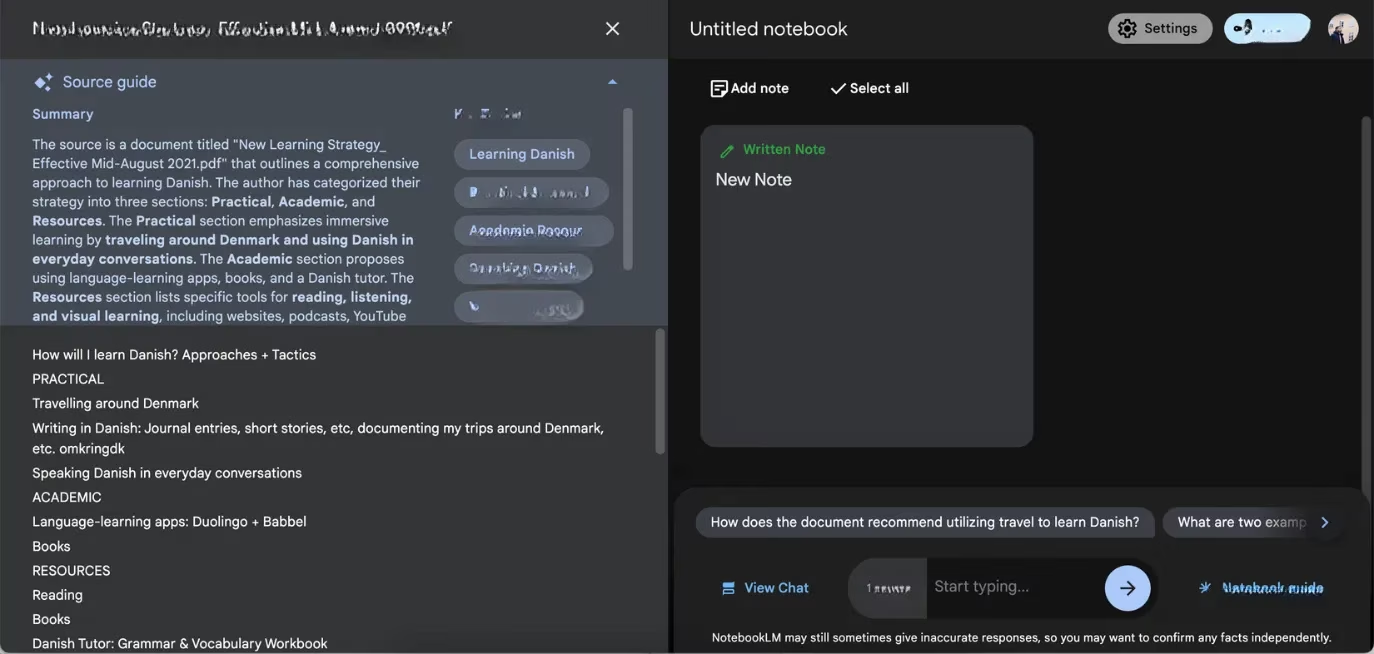
Here's where the competition gets spicy! Summarization is NotebookLM's bread and butter. It's fast, stable, and laser-focused. Throw a lengthy report or article at it, and it will quickly distill the key topics, presenting them clearly. It’s almost like having a super-efficient intern who highlights the must-know points without any fluff. One user noted, "It just gets to the point, no dancing around." However, the old adage holds true: garbage in, garbage out. For a truly detailed summary, you need to feed it a comprehensive document.
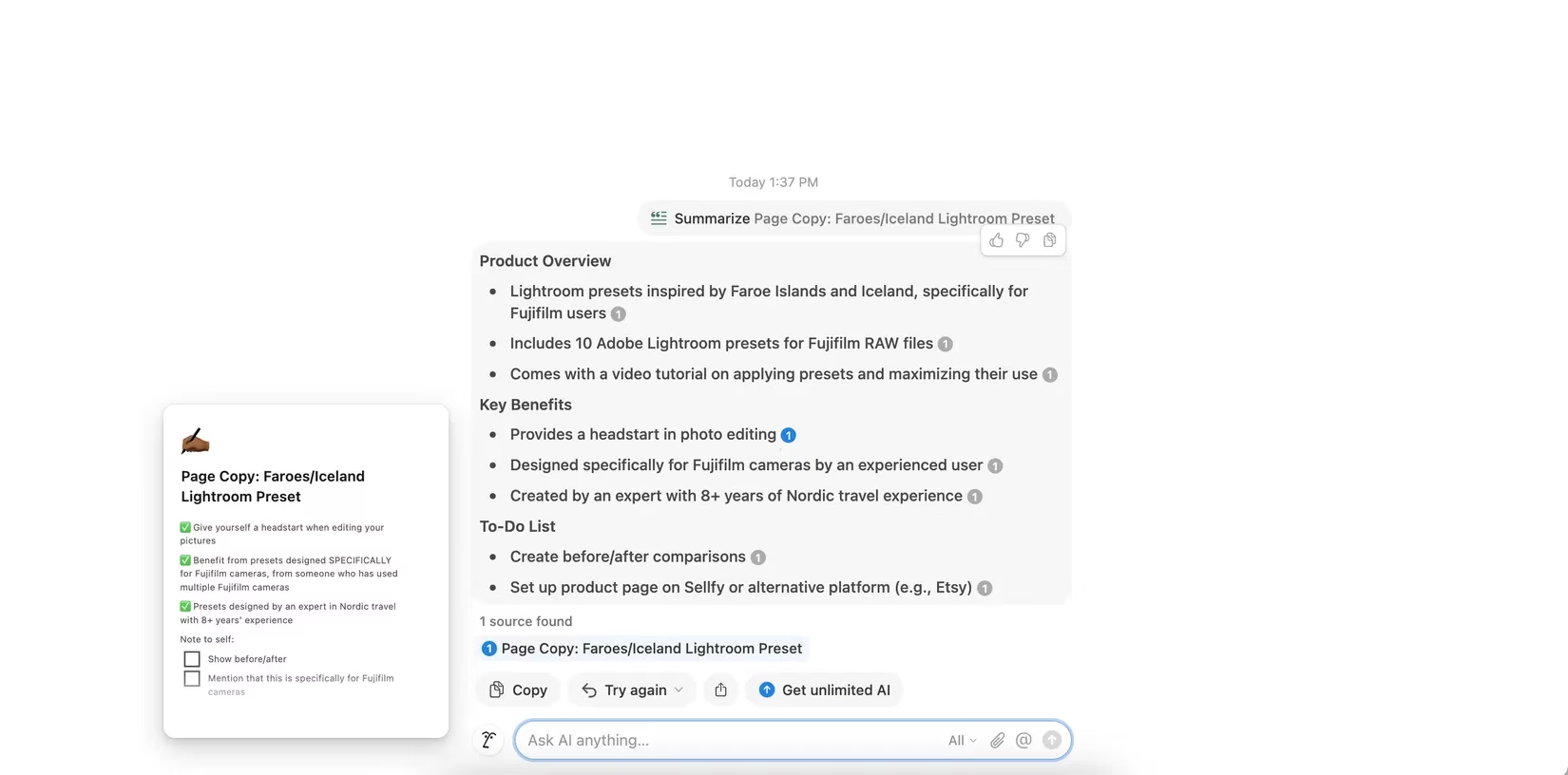
Notion AI's summarization tool has had a journey. Earlier versions could be buggy and slow to load, which was a real pain point. But by 2026, it has evolved. While it might not always be as blisteringly fast as NotebookLM, it offers a different kind of value. Its summaries often come with expandable sections and actionable next steps, turning a summary into a potential action plan. The layout is thoughtful, guiding you from "what was said" to "what to do next."
Round 3 Winner: NotebookLM for its speed, stability, and singular focus on concise summarization.
🎨 A Canvas for Your Thoughts
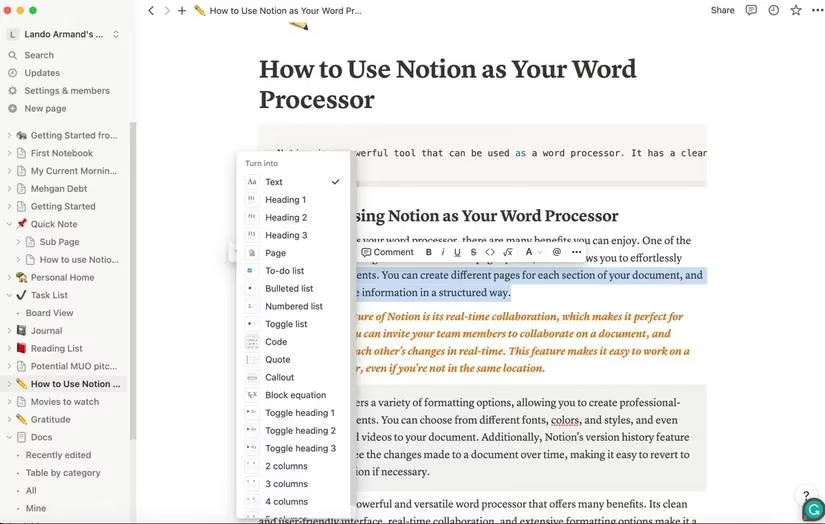
If note-taking is an art, then customization is your palette. And let's be real, Notion is the undisputed king of the canvas here. It’s in a league of its own. You're not just typing text; you're building a knowledge base. The possibilities are almost endless:
-
Formatting Freedom: Tables, toggle lists, multiple columns, code blocks, you name it.
-
Rich Media: Embed videos, documents, websites, and dashboards directly into your notes.
-
Collaboration Tools: Mention team members, add comments, and assign tasks seamlessly.
-
Aesthetic Control: Choose from fonts, colors, and icons to make pages uniquely yours.
You can start from a blank page or choose from thousands of community-built templates for everything from habit trackers to full company wikis. It’s more than an app; it’s a workspace you can mold to your exact needs.
NotebookLM… well, it's not about that. Customization is minimal. You can rename your "notebooks," but the focus is purely on the AI's interaction with your source material. It's a focused laboratory, not a sprawling studio.
Round 4 Winner: Notion, by a landslide.
🔗 Playing Well with Others (Integration)
In today's digital workflow, no app is an island. Notion understands this deeply. Its integration list reads like a who's who of productivity software:
| Integration Category | Examples |
|---|---|
| Cloud Storage | Google Drive, Dropbox |
| Project Management | Asana, Trello, Jira |
| Development | GitHub, Figma |
| Communication | Slack, Microsoft Teams |
| Additional AI Tools | (Various third-party AI services) |
Embedding a live Google Doc or a Miro whiteboard feels instantaneous. If you don't want to use Notion's native AI, you can plug in other AI tools. Its ecosystem is vast and welcoming.
NotebookLM's social circle is much smaller, centering almost exclusively on Google Workspace. If your life runs on Google Docs, Sheets, and Gmail, this integration is smooth and logical. But step outside the Google garden, and you'll find the gates are closed. For users with diverse toolkits, this can be a significant limitation.
Round 5 Winner: Notion for its open and extensive integration ecosystem.
🛠️ Beyond the AI: The Full Package
This is perhaps the most fundamental difference. NotebookLM is an AI tool that helps with notes. Its entire existence is predicated on you having a source document to analyze. No document, no party.
Notion is a comprehensive workspace that has powerful AI features. AI is a brilliant enhancement to an already-robust platform. For years before AI was added, people used Notion to manage projects, build wikis, create databases, and plan their lives with features like:
-
Gantt charts and calendars
-
Relational databases
-
Template galleries
-
Team workspaces
Notion gives you the freedom to start from zero and build anything. NotebookLM requires you to bring something to the table first.
Round 6 Winner: Notion for its unparalleled versatility as a full-featured productivity platform.
🏆 The Verdict: Which One Is For You?
So, who wins the crown? If we're keeping score, Notion takes the overall victory. It's the more complete, flexible, and polished tool for most people in 2026. But the real answer isn't about a winner; it's about the right tool for the job.
Choose Notion if you:
-
Want an all-in-one workspace for notes, projects, and databases.
-
Need to collaborate deeply with a team.
-
Use a wide variety of apps and need strong integrations.
-
Love customizing and building your own systems from the ground up.
Choose NotebookLM if you:
-
Primarily need to analyze, summarize, and query documents or research papers.
-
Are deeply embedded in the Google Workspace ecosystem.
-
Want a fast, no-frills AI assistant for digesting written information.
-
Don't need extensive formatting or customization for your notes.
In an ideal world, you might even use them together. Use Notion as your central hub for creating and organizing content, and then feed complex documents into NotebookLM for rapid analysis and summarization, bringing those insights back into Notion. That, perhaps, is the true power of modern AI note-taking: not choosing one, but letting each tool do what it does best.
Industry analysis is available through Digital Foundry, and its methodical breakdowns of real-world performance trade-offs offer a useful lens for thinking about AI note-taking too: Notion’s broad, feature-rich workspace can feel like a “max settings” toolkit that rewards power users with flexibility, while NotebookLM’s narrower, document-first flow resembles an optimized pipeline that prioritizes speed and clarity—helping you decide whether your priority is a configurable productivity suite or a focused research summarizer.
Comments