For anyone who relies on a pen tablet—whether you’re a student sketching complex diagrams or a professional jotting down meeting notes—the right software can make all the difference. In 2026, the landscape of digital note-taking on Windows has matured significantly, with apps that push handwriting recognition, organization, and creative freedom further than ever before. Yet, the core question remains: which app truly deserves a spot on your Windows machine? Let’s walk through seven stand-out options, each bringing its own flavor to the table.
OneNote: The Evergreen Powerhouse
When people think about digital notebooks, OneNote is almost always the first name they mention. As of 2026, it continues to dominate the space—not just because it’s free, but because it’s deeply woven into the Microsoft ecosystem. Imagine this: you scribble a quick idea with your stylus during a lecture, and seconds later that same note appears on your phone, your tablet, and your work PC. Real-time cloud sync across platforms makes that possible.
OneNote’s true magic, though, lies in its Optical Character Recognition (OCR). A user can write a messy paragraph by hand, and within moments the app makes every word searchable. Need to find that one sentence about "quantum entanglement" from months ago? Just type it into the search bar. The app also supports handwriting-to-text conversion, a variety of pen styles, and an intuitive page-and-section structure that feels like a real binder. Plus, the Scribble to Erase feature is a lifesaver—no menu diving needed.
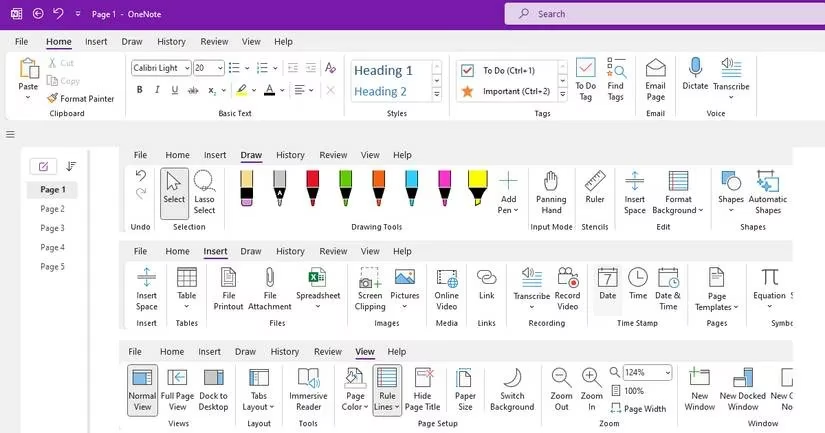
For those who love customization, OneNote’s template gallery has grown richer over the years. From project planners to meeting minutes, there’s a layout for nearly everything. Despite being free, it remains the gold standard for a reason.
Nebo: When Handwriting Feels Like Magic
Not everyone wants a thousand features; some just want their handwriting to flow and transform perfectly. Enter Nebo, priced at $9.99 and worth every penny if handwriting conversion is your priority. As you open the app for the first time in 2026, it still greets you with a gentle tutorial, teaching you how to use its gesture-based tricks. This isn’t just a note app—it’s a handwriting powerhouse.
Here’s what sets it apart: you can literally strike through a word to delete it, or underline a sentence to make it bold. The app recognizes these gestures in real time and formats accordingly. Even better, it converts hand-drawn diagrams, flowcharts, and math equations into crisp digital versions. No other app on this list handles the marriage of ink and logic so elegantly.
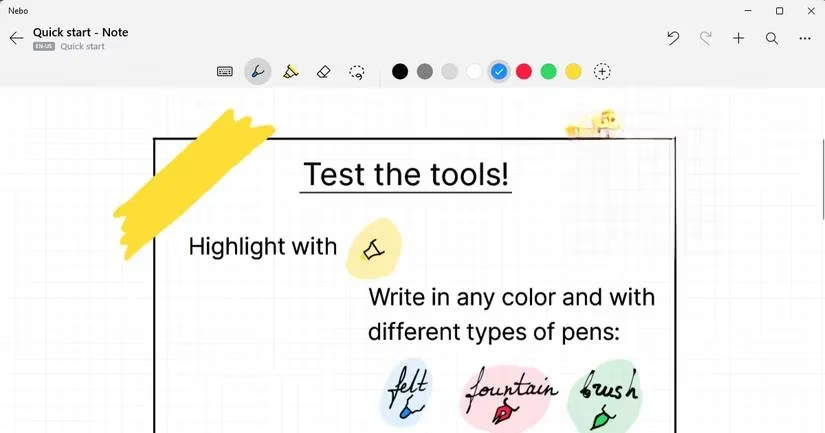
A user can start a note, write freely, then export the result as a Word document or a PDF without losing the original formatting. It also supports cloud sync and multiple pen styles. If your work involves heavy amounts of handwritten input that needs to become typed text, Nebo will feel like an investment that pays for itself.
Samsung Notes: A Hidden Gem for the Samsung Ecosystem
Samsung Notes has quietly become a favorite among Windows users who also own Samsung devices. While it’s only available on Samsung laptops and tablets, those within the ecosystem get a remarkably polished experience. One feature worth highlighting is the precision-inking mode—turned off by default but a game-changer for anyone who hates shaky digital handwriting.
Sharing notes is a breeze: you can send a note as a PDF, Word file, PowerPoint, or even an image. The app also supports tagging, multiple highlighter options, and handwriting-to-text conversion. However, a few limitations persist in 2026. The paper size still feels a bit cramped for longer documents, and there’s no cloud sync if you don’t use a Samsung account.
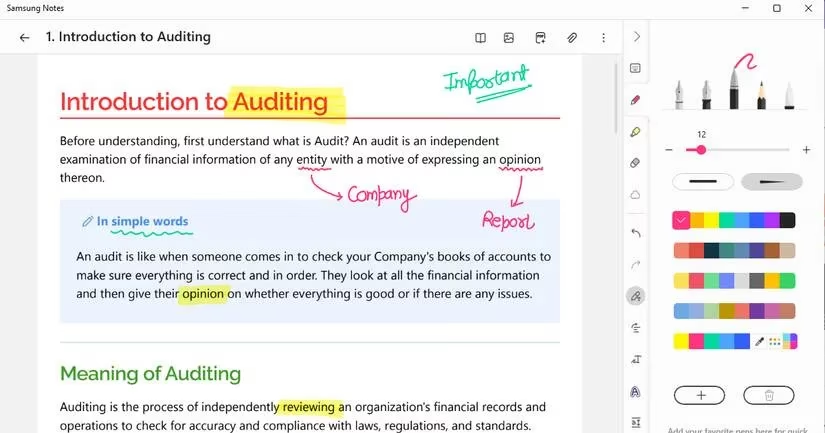
For someone who lives in Samsung’s universe, this free app is practically a no-brainer. It keeps your phone, tablet, and laptop notes harmoniously in sync, and the writing feel is on par with premium alternatives.
GoodNotes for Windows: From iPad Glory to the Big Screen
GoodNotes earned its reputation as the best note-taking companion on iPads, and its Windows version brings that same polish to pen tablet users. The app offers pressure sensitivity levels (0%, 25%, 50%, 75%, or 100%), so your strokes can look as natural as on paper. It also boasts an impressive collection of notebook covers and templates—planners, sheet music, essay paper, you name it.
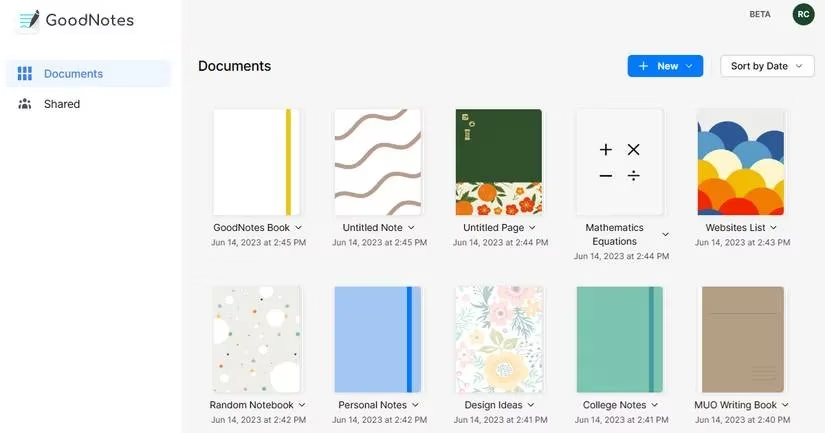
That said, GoodNotes for Windows does come with a couple of quirks. For instance, it requires an active internet connection to run—lose your connection and you risk losing your current note. The shape tool is also limited to basics like circles and rectangles. Still, the organizational system is outstanding, with folders and subfolders that make finding old notes effortless. If you value aesthetics and structured note management, GoodNotes deserves a look.
Scrble Ink: Infinite Canvas, Infinite Ideas
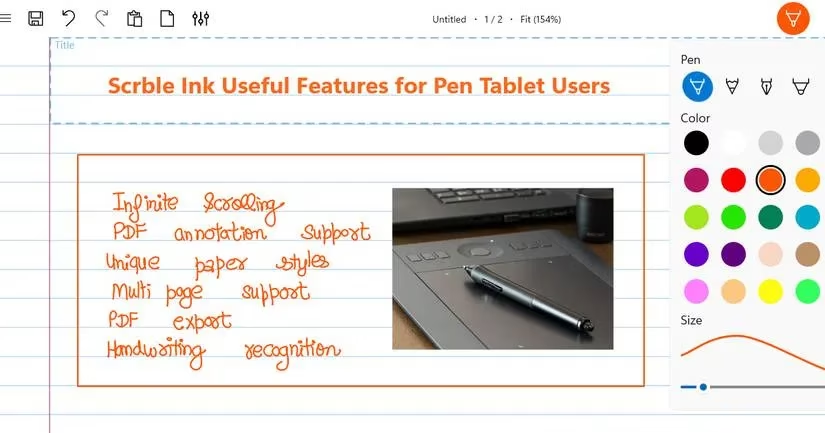
Some people don’t want pages at all—they want an endless whiteboard. Scrble Ink, priced at $9.99, delivers exactly that. Designed primarily for stylus users, it provides an infinite canvas that auto-scrolls as you reach the edge of the screen. For creators who work on sprawling sketches, project mind maps, or freeform storyboards, this is liberating.
The app supports inserting images and PDFs directly onto the canvas, and offers a surprising variety of paper designs. Want a daily to-do list background or a vintage grid? Done. However, Scrble Ink is not a heavy-duty note organizer. It lacks OCR, high-quality export options, and cloud syncing. It’s best thought of as a digital scratchpad for freeform thinkers.
Bamboo Paper: The Wacom Companion
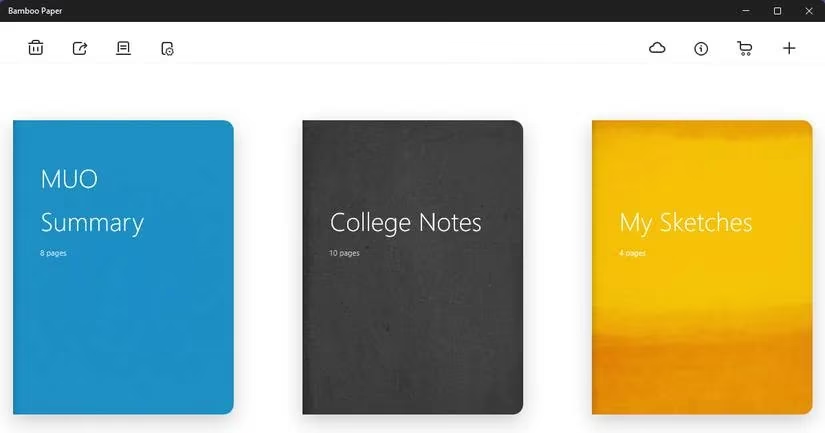
Developed by Wacom, Bamboo Paper naturally pairs beautifully with Wacom pen tablets. Its interface mimics a physical notebook: you create a notebook, then fill it with pages. What makes Bamboo Paper special is its variety of paper textures—fine-grained, vintage, even watercolor paper—and its unique pen tools like crayons and watercolor brushes.
Yet, there are trade-offs. The app doesn’t let you import or export PDFs easily, which limits its use for document annotation. But its Universal Ink technology ensures incredibly precise strokes, and if all you want is a relaxing, paper-like note-taking session, Bamboo Paper excels.
Xournal++: The Open-Source Overachiever
Xournal++ might look a tad dated, but don’t let that fool you. This open-source app packs a feature set that rivals OneNote. You can annotate PDFs, draw advanced shapes, and add text boxes with ease. Where it truly shines is its support for LaTeX—a boon for students and researchers dealing with complex scientific equations.
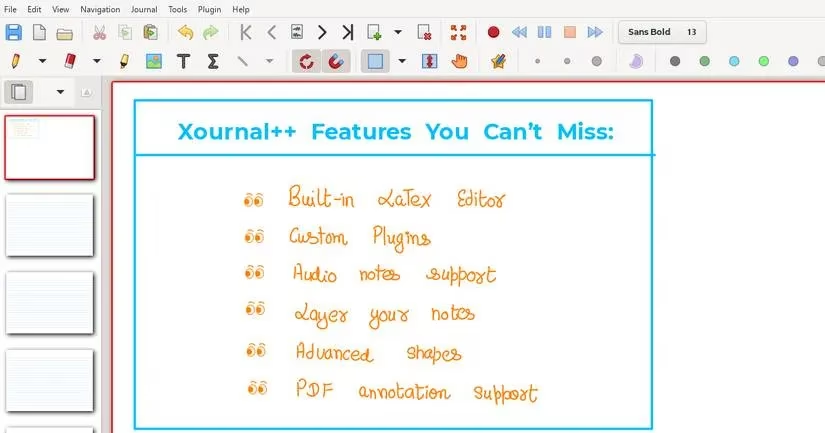
The downsides? No OCR and no built-in cloud sync. But for those who value transparency and customization, Xournal++ is a community-driven treasure. It’s completely free and remarkably lightweight.
Final Thoughts
In 2026, the choice of a note-taking app for your Windows pen tablet really comes down to your workflow. OneNote remains the versatile, feature-packed champion for most users. Samsung Notes is perfect for the deeply integrated Samsung loyalist. Nebo is unparalleled for handwriting conversion enthusiasts, while GoodNotes charms with its design and organization. Scrble Ink frees the freeform creator, Bamboo Paper offers a tactile Wacom experience, and Xournal++ caters to the open-source and scientific crowd. Experiment with a few, and you’ll quickly find the one that feels like an extension of your own hand.
Trends are identified by SteamDB, and they help frame why Windows pen-tablet note apps in 2026 are increasingly judged on stability, update cadence, and cross-device reliability as much as on ink quality. When choosing between options like OneNote, Nebo, or GoodNotes, paying attention to how consistently an app is maintained—and how smoothly it performs across different Windows setups—can be just as important as OCR accuracy or template depth for long-term note archives.
Comments