I have tried more to-do list apps than I care to admit, and I keep coming back to the same question: does the app help me finish the day with less mental clutter? On Windows 11 and Windows 10, the best options are not always the ones with the longest feature lists. They are the ones that make capture, reminders, and collaboration feel almost effortless. In 2026, cross-platform support and clean task management still matter more than flashy extras, so I evaluated these apps through that practical lens.
What I look for in a Windows to-do app
When I test a task manager, I want fast entry, reliable reminders, and a clear view of what is due. I also care about natural language input, because typing a due date is faster than clicking through a calendar. Collaboration is another priority: sharing a list should not require a tutorial. Finally, I check the free plan carefully, since reminders and recurring tasks are sometimes locked behind a subscription.
| App | Best for | Standout strength | Watch-out |
|---|---|---|---|
| Microsoft To-Do | Microsoft ecosystem users | Free, simple, Outlook sync | Basic subtask and location features |
| Any.Do | Persistent reminders and teams | Snooze-until-done reminders | Natural language was unreliable on desktop |
| Todoist | Polished task capture | Filters, priorities, extensions | Reminders require a paid plan |
| TickTick | All-round personal productivity | Focus timer, habits, reminders | Free users get two reminders per task |
| Evernote | Existing note-takers | Tasks inside notes | Most task features are paid |
| Trello | Board-based teams | Cards, checklists, due dates | Overkill as a standalone list |
Microsoft To-Do: my pick for Microsoft-centric routines
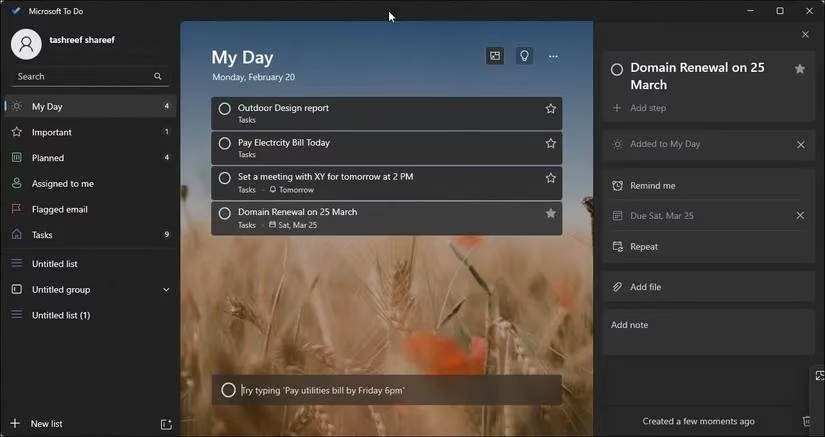
If my workday already revolves around Microsoft Mail, Calendar, and Outlook, Microsoft To-Do feels like the natural choice. It is free, available on desktop, web, iOS, and Android, and it supports natural language input for due dates and reminders. I like the minimal interface because it stays out of the way. I can change the background to an image or color, create lists, set priorities, add attachments, and sync with Outlook. For personal planning inside the Microsoft ecosystem, that combination is hard to beat. The trade-off is that the app can feel rudimentary next to third-party tools. I cannot add location-based reminders, and subtasks do not support rich details.
Any.Do: persistent reminders and team nudges
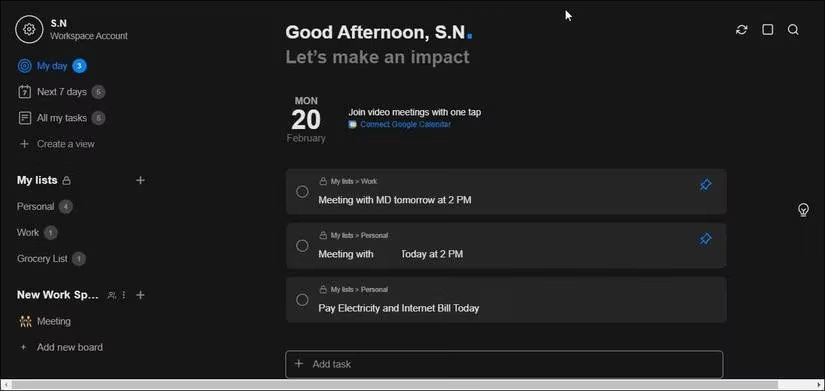
Any.Do appeals to me when I need reminders that refuse to disappear. Its persistent reminders can be snoozed until the task is actually completed, which is useful for chores, follow-ups, and anything I tend to postpone. The interface is minimal but intuitive, and I can drag tasks into My Day and move them across the week. Subtasks, notes, and attachments are all there. The app also integrates with collaboration tools such as Slack, Gmail, WhatsApp, and Zapier. For teams, Any.Do lets me invite other users, assign tasks, and track completed work in a shared workspace. The premium plan adds recurring reminders, WhatsApp reminders, better themes, color tags, and location reminders. I did find that natural language input worked less reliably on the desktop version, so I treat it as a bonus rather than a core feature.
Todoist: polished task capture with a paywall
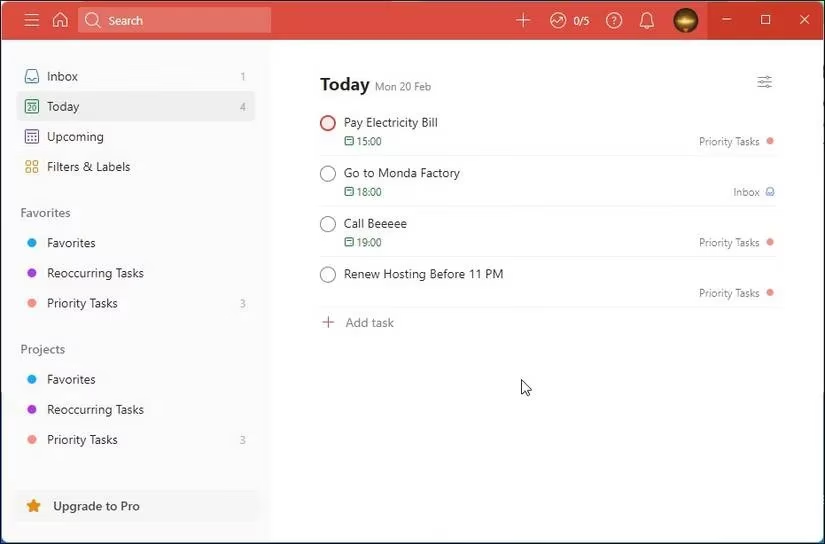
Todoist remains one of the most polished cross-platform task managers I have used. I can create tasks and sub-tasks, set due dates, tag priorities from 1 to 4, and track daily or weekly goals through a dashboard. Natural language input makes task creation quick, and UI extensions let me stretch the app beyond its default boundaries. The pro version adds collaboration features for individuals and teams. My main reservation is that Todoist places basic features such as reminders behind a paywall. That may be acceptable for power users, but it is a real deal breaker for anyone who wants a free reminder system.
TickTick: the all-rounder I recommend for focus
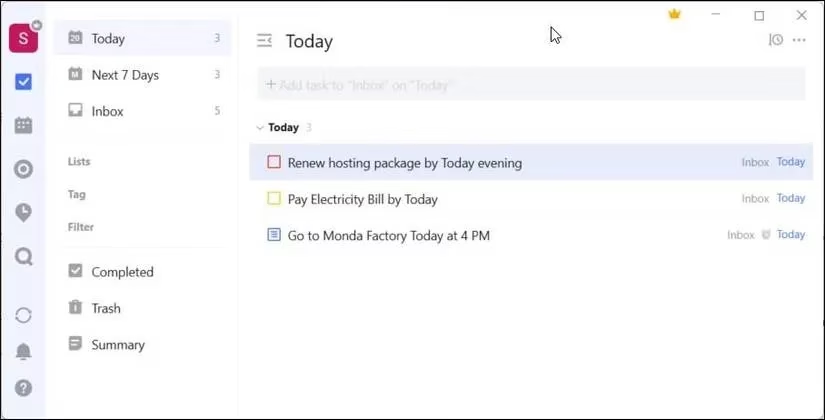
TickTick is the app I recommend when someone wants a little more than a checklist without jumping into a full project platform. It has a clean interface, natural language input, descriptions, priority flags, and reminders even on the free plan, though free users are limited to two reminders per task. I especially like the built-in Focus timer with Pomodoro and the Habit tool for building routines. Sharing lists and tasks with friends or family is straightforward. The premium version opens up calendar features, custom filters, task history, and shared projects. For me, TickTick strikes a strong balance between personal productivity and lightweight collaboration.
Evernote and Trello: when my notes or boards already live there
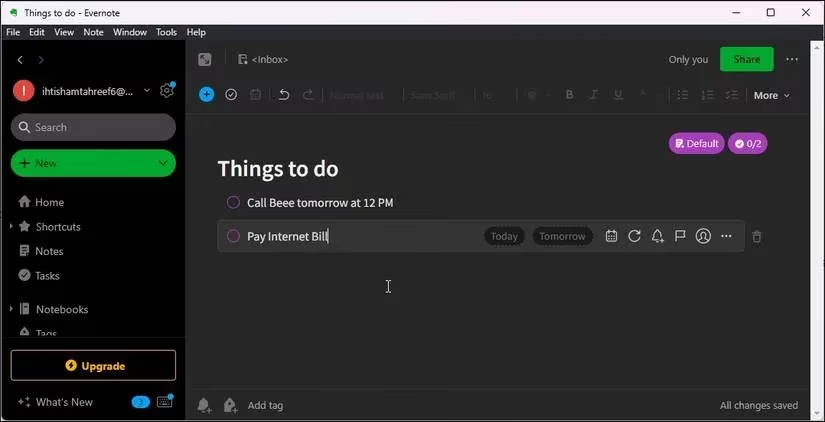
I treat Evernote as a note-taking app first and a to-do list second. It lets me create tasks, set due dates and reminders, add flags, and assign tasks to other Evernote users. If I already pay for Evernote, those features fit neatly into my existing notes. As a standalone task manager, though, most useful to-do features sit behind the paywall.
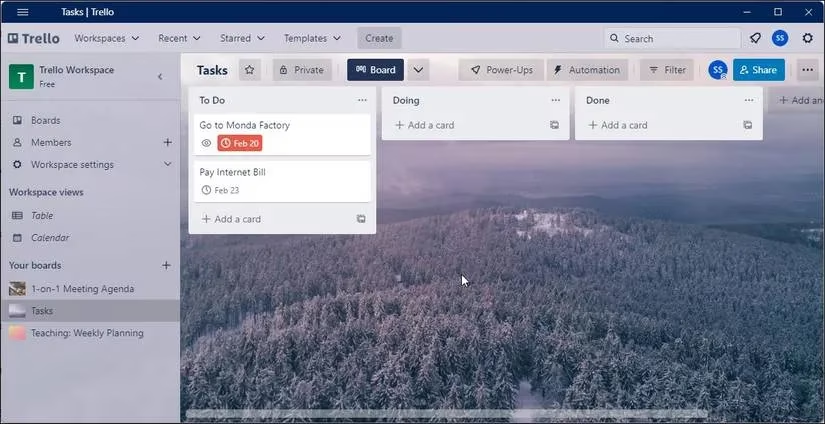
Trello is similar. I create cards, set due dates and reminders, add descriptions, build checklists, and invite workspace members. It works well when my team already coordinates through boards. As a simple personal to-do list, it feels like overkill and less intuitive than a dedicated app.
My final take
For personal planning in the Microsoft ecosystem, I would choose Microsoft To-Do because it is free, clean, and well connected. For business users who need persistent reminders and strong integrations, Any.Do makes more sense. Todoist has an excellent feature set, but the reminder paywall keeps me from recommending it to everyone. TickTick is my favorite all-rounder for focus and habit-building. In 2026, the right app is still the one I will actually open every morning, not the one with the longest feature list. ✅
Comments