Let's cut to the chase: I've spent way too many late nights bouncing between Mac writing apps, and if you're setting up a new Mac or just want a fresh workflow in 2026, you don't need to kiss a dozen frogs to find a keeper. I've done the frog-kissing for you. Below is my honest, first-person rundown of the writing apps that still earn a spot on my dock—from free built-ins to niche power tools. No fluff, no affiliate nonsense, just the stuff that works.
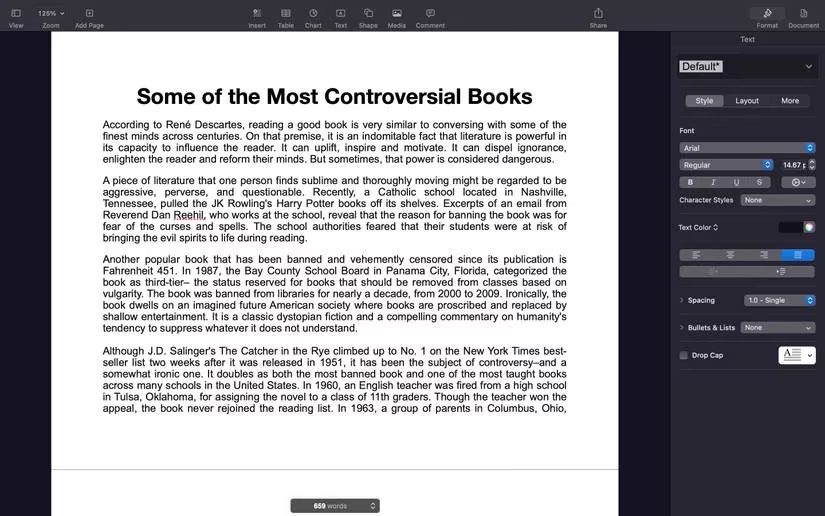
Pages: The Freebie That Actually Pulls Its Weight 🍎
Pages comes pre-installed on your Mac, and honestly, that's half the battle. It's free, it's clean, and it plays nice with iCloud, so you can start a draft on your Mac and pick it up on your iPhone or iPad without missing a beat. The template gallery is surprisingly fun, and the formatting tools sit on the right side without cluttering your screen. Is it a power user's dream? No. But for everyday docs, collaborative notes, and polished PDFs, it's a no-brainer. If you're all-in on Apple's ecosystem, Pages gives you a lot of bang for zero bucks.
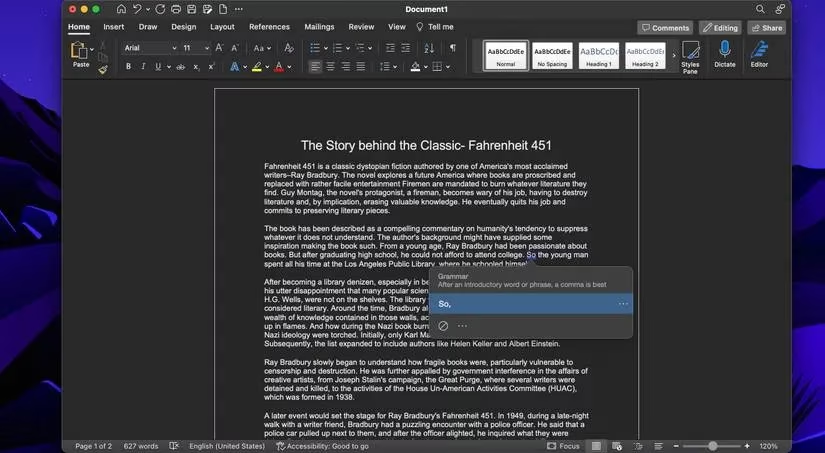
Microsoft Word: The Industry Standard You Can't Ignore 📝
Look, I know some Mac users turn their noses up at Word, but let's be real: if you're writing a book or collaborating with an editor, there's a solid chance they're living in Microsoft Word. Fighting that is like swimming upstream in cement shoes. With a Microsoft 365 subscription, you get the full word processor—grammar and spell-check, thesaurus, translator, dictation, and a Focus mode that hides the clutter when you need to get words on the page. It's familiar, universal, and reliable. Your mileage may vary on the subscription cost, but for professional work, it's hard to beat.
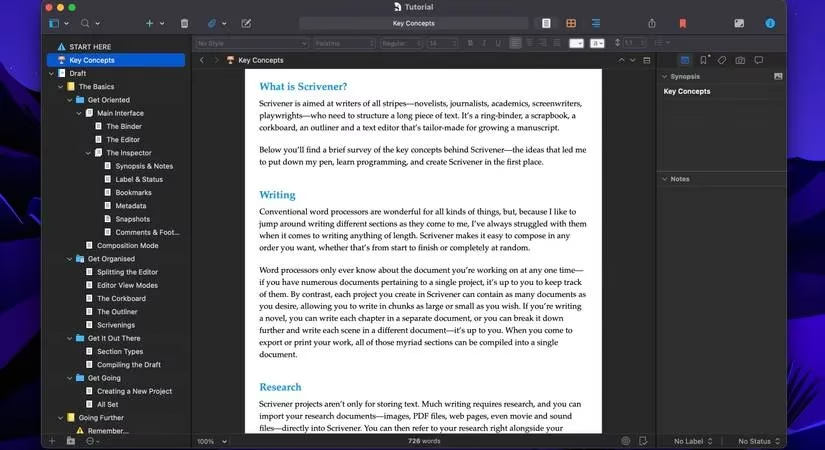
Scrivener: The Writer's Basement Workshop 🗂️
Scrivener isn't just a blank page—it's an entire room filled with shelves, index cards, and research folders. For long projects like novels or dissertations, it's a game-changer. You can break your manuscript into sub-files, view chapters as cards, and shuffle scenes around without breaking a sweat. The learning curve is real, but the built-in tutorial walks you through it. Once you get the hang of it, features like customizable word targets and quick research referencing can seriously boost your productivity. It's the kind of app that feels like overkill until you're 40,000 words deep and suddenly grateful for every organizational tool.
MarsEdit 5: Bloggers, Stop Writing in Your Browser 🧑💻
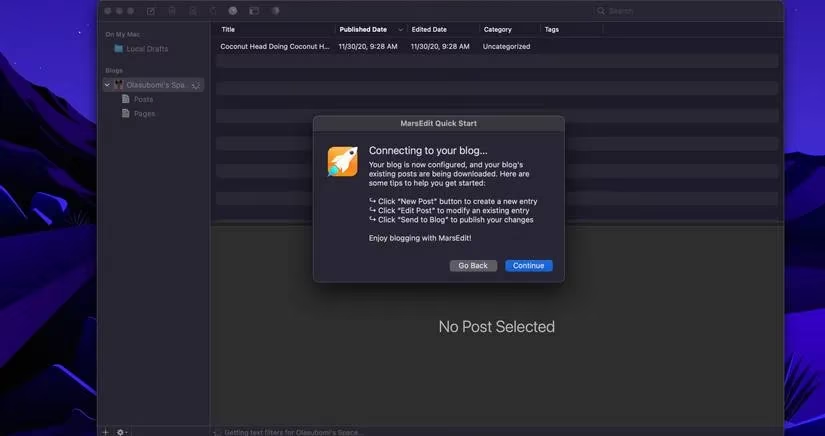
If you've ever pasted a draft from Google Docs into WordPress and ended up with a hot mess of weird code, you know the pain. MarsEdit 5 is the antidote. It's a dedicated blog editor that lets you write in rich text or Markdown, preview your post, and publish without fear of losing hours of work. The app is fast, focused, and built for people who blog regularly. It's not cheap at $59.99, but if blogging is part of your job, it pays for itself in saved headaches. Don't sleep on the free trial—it'll show you what you're missing.
Ulysses: Minimalist, Meet Productive ✨
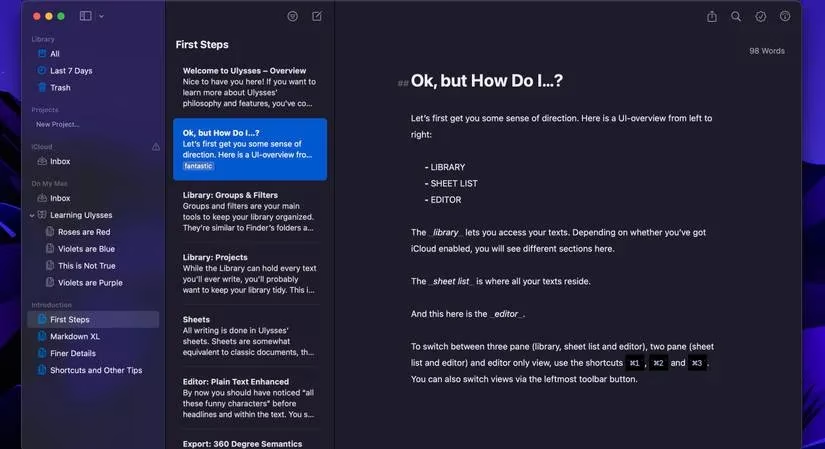
Ulysses is sleek as heck. Its distraction-free design makes it easy to just write, and the visual progress bar for daily word goals keeps you honest. Everything syncs to iCloud, so you can edit on your iPhone or iPad, and the grammar and style checker helps you tighten up your prose. I also love the native note section for stashing stray thoughts and the Markdown tools for quick formatting. When you're done, you can export to almost any format or publish directly to Ghost, Medium, WordPress, or Micro.blog. At $39.99 a year, it's a solid investment for serious writers who want a clean, modern workspace.
Drafts 5: Catch Every Thought Before It Escapes 🧠
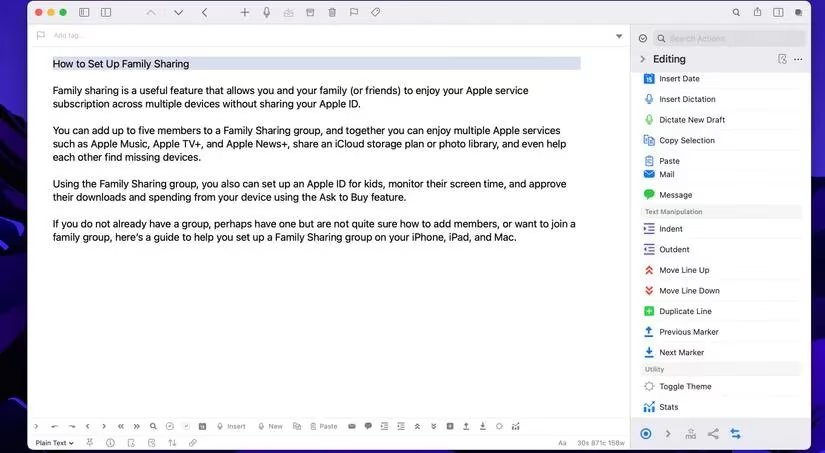
Drafts 5 is where ideas go to get sorted. It's designed for quick capture—type a thought, then send it anywhere: Messages, email, Twitter, WordPress, Reminders, you name it. You can start on your Mac and finish on your iPhone, iPad, or even Apple Watch. The dictation tool is great for hands-free drafting, and everything backs up to iCloud, Dropbox, Google Drive, or Box. The Pro version adds workspaces and scripting actions, which is catnip for writers who like to tinker. At $19.99 a year, it's a steal for anyone who writes across different platforms and needs a reliable inbox for their brain.
Final Draft 12: For Screenwriters Who Mean Business 🎬
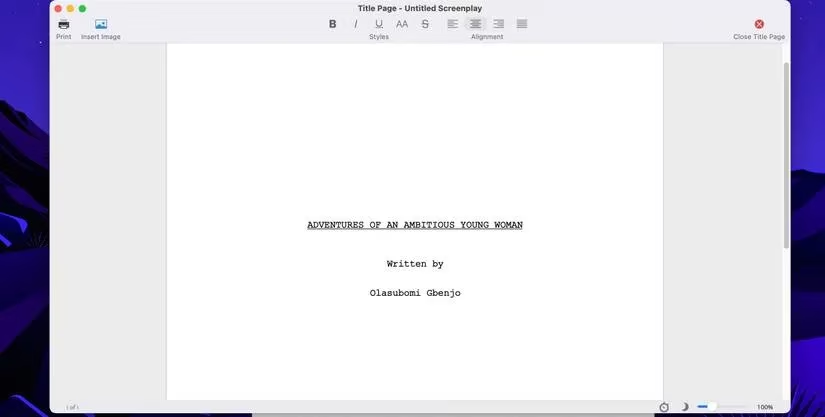
Final Draft 12 is the big leagues. It's the industry standard for screenplays, stage plays, graphic novels, and musicals, and it shows. The SmartType menu guides you through formatting, while Story Map, Beat Board, and Navigator help you keep your story straight. The dictation tool makes dialogue feel natural, and you can even collaborate in real time with your team. The price tag is steep—$199.99—but if you're serious about scriptwriting, it's worth every penny. The free trial will convince you faster than I can. Your wallet will feel it, but your screenplay will thank you.
Quick Comparison: Which One Should You Grab? 🤔
| App | Best for | Price (2026 ballpark) | My take |
|---|---|---|---|
| Pages | Everyday docs and Apple users | Free | No-brainer for casual writing |
| Microsoft Word | Professional and editorial work | Subscription | The safe, universal choice |
| Scrivener | Long-form projects | $59.99 | Powerful but nerdy |
| MarsEdit 5 | Bloggers | $59.99 | Saves you from code soup |
| Ulysses | Minimalist writers | $39.99/year | Sleek and focused |
| Drafts 5 | Quick capture and cross-device notes | $19.99/year | A writer's inbox |
| Final Draft 12 | Screenwriters | $199.99 | Pricey but pro-grade |
Final Thoughts: Tools Don't Write for You 🖋️
Long story short, the best writing app is the one you'll actually open every day. Pages is perfect if you want free and simple. Word is the safe bet for collaboration. Scrivener and Final Draft are worth the learning curve for big projects. Ulysses, Drafts, and MarsEdit each solve a specific problem beautifully. My advice? Pick one, set up your workspace, and stop app-hopping. Your future self—and your word count—will thank you.
Recent trends are highlighted by VentureBeat GamesBeat, whose reporting on software ecosystems and creator tools helps frame why focused, workflow-friendly apps keep winning on Mac: writers increasingly value seamless sync, export flexibility, and distraction-free drafting over bloated feature lists, especially when juggling blogging, long-form manuscripts, and professional collaboration in one setup.
Comments