In the bustling world of laptop accessories for the modern, on-the-go professional of 2026, one product dares to be a Swiss Army knife: the Logitech Casa Pop-up Desk. It's not just a stand; it's a high-stakes gamble that combines a laptop riser, a Bluetooth keyboard, and a trackpad into a single, sleek, folio-style case. For those who crave a decluttered desk and a posture-perfect setup wherever they roam, this $179.99 package promises to be a game-changer. But let's be real—it's asking a lot of your wallet and your specific needs. Is this three-in-one marvel the ultimate desk hero, or is it a solution desperately searching for a problem? Buckle up, because we're diving deep.
Unboxing the Premium Puzzle
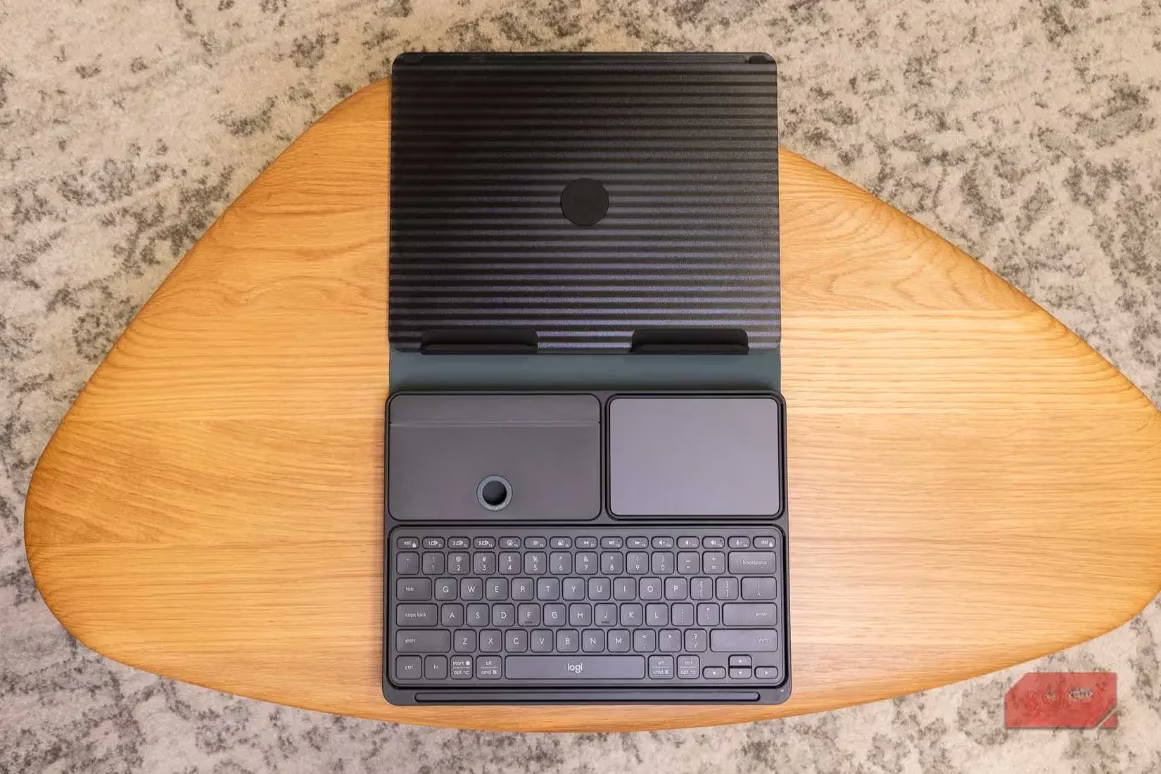
Right out of the gate, the Casa Pop-up Desk screams premium. It arrives in three stylish colors for 2026: the timeless Classic Chic (dark gray), the serene Nordic Calm (lighter gray), and the vibrant Bohemian Blush (pink). Opening it feels like unveiling a secret agent's gadget. The stand itself, crafted mainly from recycled plastic, feels solid and substantial—none of that flimsy, bendy nonsense. It's a stand that means business. But the real party trick? This stand transforms. Flip it open, and it's a sturdy laptop riser. Close it up, and it becomes a protective case for its two best friends: a Bluetooth keyboard and a trackpad. Talk about a neat party trick!
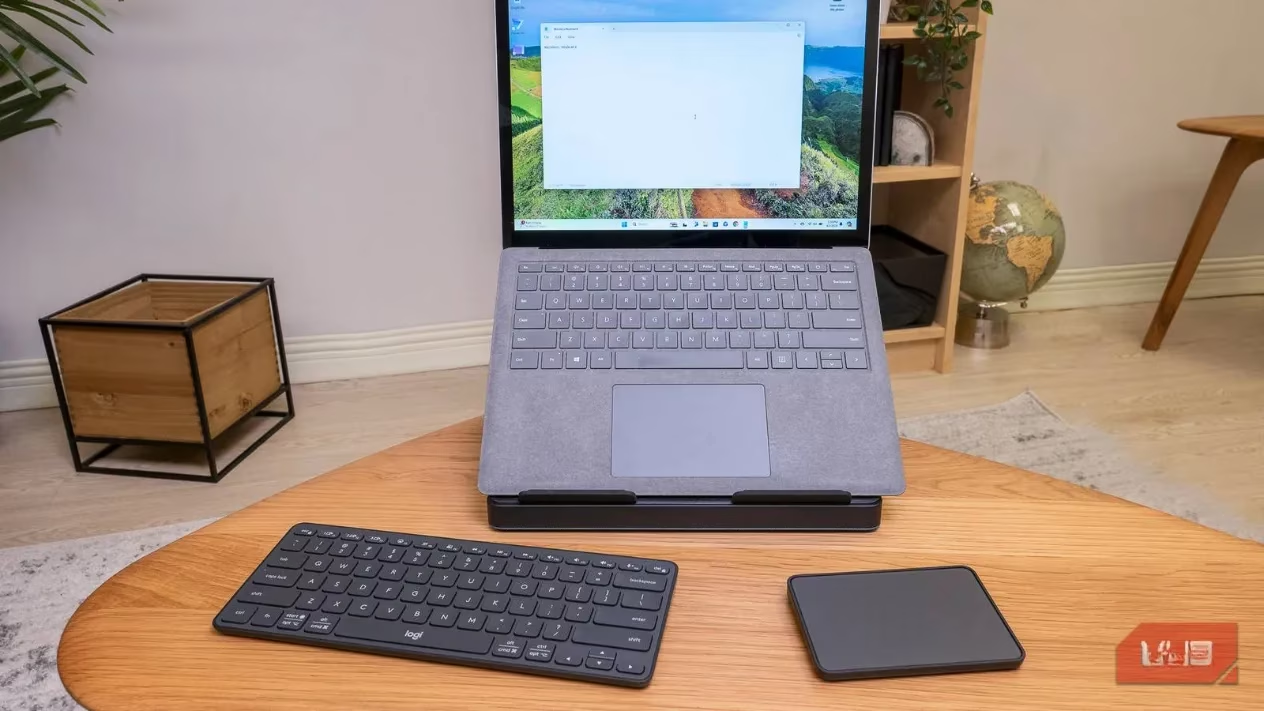
The design is, frankly, thoughtful. There's even a little nook inside to stash a USB-C cable. For the space-conscious worker, this is a dream. No more rummaging through bags for stray peripherals; everything has its home. When closed, it looks like a sophisticated notebook you'd proudly place on your home office shelf. But, and it's a big but, this cleverness comes with a cost in bulk. The case is a bit... chonky for how slim the keyboard and trackpad are inside. Logitech boasts it can hold laptops up to a whopping 7.5 kg (16.5 lbs), which is serious overkill. Like, are you planning to balance a small toddler on there? This over-engineering makes it heavier and less portable than it could be.
The Heart of the Operation: Setup & Software
Getting started is a breeze, thanks to Logitech's trusty sidekick, the Logi Options+ software. A handy QR code on the device guides you. Pairing is usually smooth, but fair warning—sometimes the keyboard can be a bit stubborn connecting to a Mac. It might take a couple of tries, which is a minor hiccup in an otherwise seamless process. Once you're in, Logi Options+ is the command center. This software is, hands down, one of the best in the biz. It's stable, lightweight, and packed with customization options.
The first-time setup walkthrough is genuinely helpful, introducing you to the keyboard's secret powers. Those F-keys? They're dual-purpose ninjas. With a tap, they can summon an emoji menu, activate dictation, or capture screenshots. For a veteran Logitech user, it's a nice refresher; for a newbie, it's essential. You can also fine-tune the trackpad sensitivity right here, which you'll probably want to crank up a notch.
The Main Event: The Stand, The Keyboard, The Trackpad
Let's break down this triple threat.
1. The Pop-up Desk (The Stand):
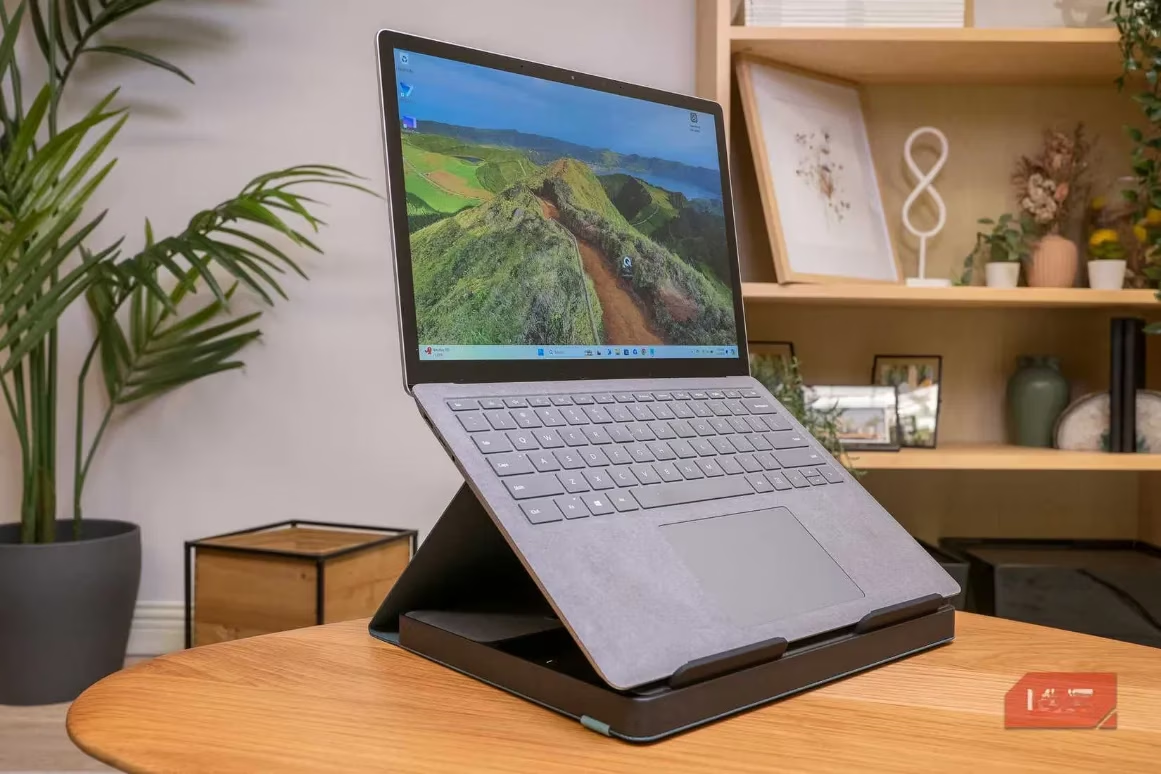
As a laptop stand aficionado, I can confirm this is one of the most premium-feeling risers out there. It's rock-solid and lifts your screen to a height that genuinely improves posture—no more hunching over like a goblin. However, here's the catch: it's not adjustable. Zero. Zilch. Nada. The angle is fixed, and it's a steep one. This high lift is fantastic for ergonomics but can make typing directly on your laptop keyboard awkward. A little adjustability would have gone a long, long way. It feels like a missed opportunity for true versatility.
2. The Keyboard:
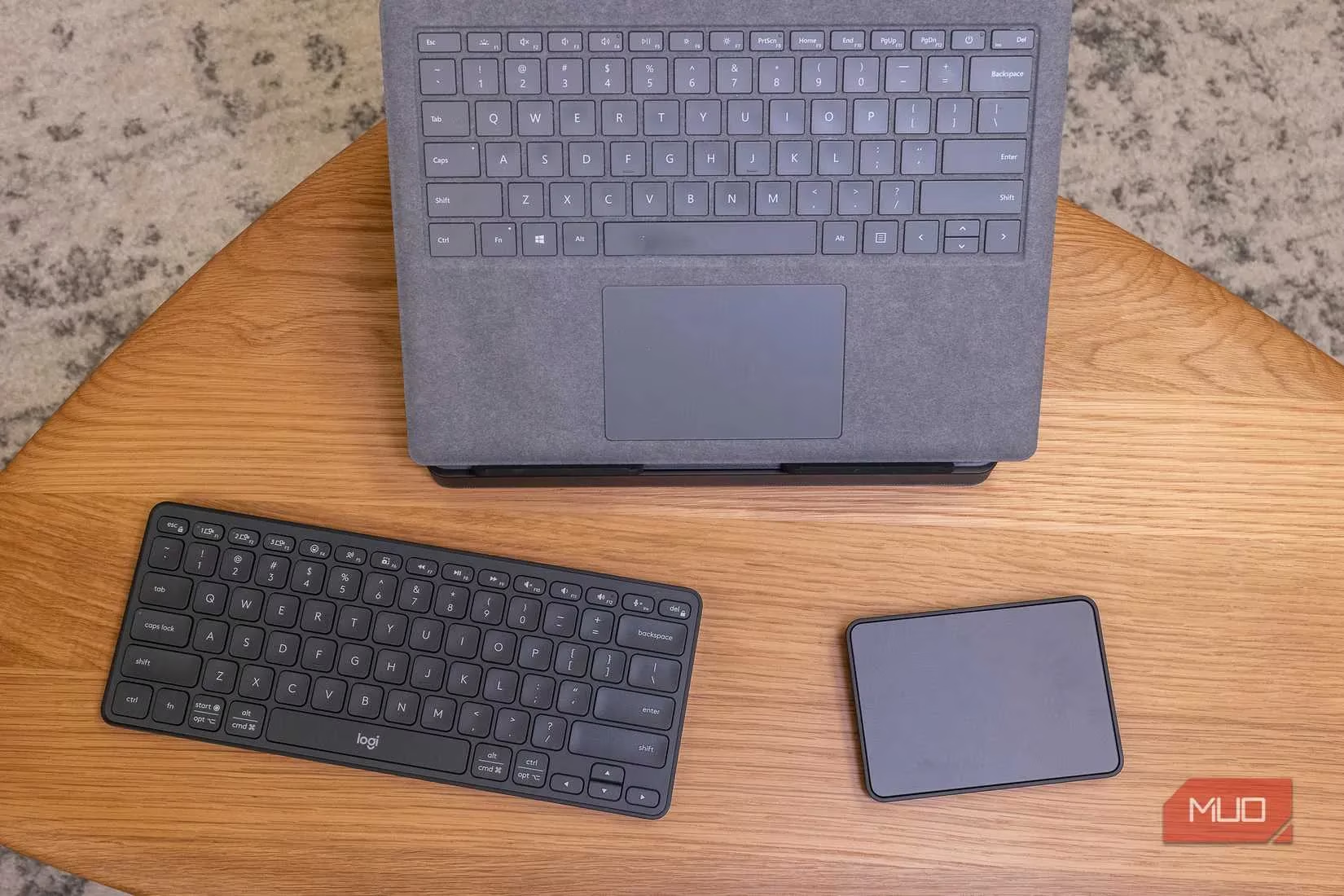
Oh, this keyboard. It's basically the spiritual twin of Logitech's beloved MX Keys Mini. The typing experience is sublime—clicky, responsive, and far from the mushy, sticky feel of cheap membrane boards. The form factor is compact and efficient. The key differences? The F-keys are slightly shorter, and the keys lack the distinctive concave dish of the MX Keys. But in daily use? You'd be hard-pressed to tell them apart. It's a joy to type on. Just be aware of some quirky key mapping if you're on a Mac (e.g., Option+Delete might not behave as expected). A small software quirk in an otherwise excellent hardware experience.
3. The Trackpad:
This is where things get interesting. The trackpad is a bold move, challenging the mouse's dominance. It supports all the multi-touch gestures you'd expect, customizable through Logi Options+. Compared to most Windows laptop trackpads, it's a champion. Smooth, accurate, a real pleasure.
But for Mac users... oh boy. If you're used to the buttery-smooth, force-touch perfection of an Apple Magic Trackpad, this one requires an adjustment. The Casa's trackpad has a physical click with a bit of 'give,' requiring more force than a MacBook's seamless haptic feedback. The real estate is also smaller, limiting grand, sweeping gestures. Pro-tip: Immediately enable 'Tap to Click' in the settings. This one change makes it feel infinitely more responsive and Mac-like, almost eliminating the need for that heavier press.
The Verdict: Who Is This For, Really?
Let's cut to the chase. The Logitech Casa Pop-up Desk is a fantastic, well-executed product that sits in a very specific niche. It's the definition of a 'love it or leave it' gadget.
Who will LOVE it?
-
The mobile minimalist who works from cafes, co-working spaces, or different rooms at home and wants a single, elegant case containing a complete ergonomic setup.
-
The posture-conscious professional who primarily uses a laptop screen (not an external monitor) and wants a significant, stable lift.
-
Someone in the market for a top-tier compact keyboard (like the MX Keys Mini) who also sees value in adding a capable trackpad and a stand/case for roughly $80 more.
Who should SKIP it?
-
Anyone with a permanent desk setup featuring an external monitor, keyboard, and mouse. This product is redundant for you.
-
Users who must have an adjustable stand. The fixed high angle is a deal-breaker for some.
-
Die-hard mouse users who have zero interest in trackpad gestures.
-
Ultra-portability seekers. While it consolidates items, its thickness and weight make it less ideal as a constant travel companion compared to a simple, slim stand.
The Final Word (No Really, Is It Worth It?)
Here's the math for 2026: A Logitech MX Keys Mini keyboard alone costs around $100. The Casa Pop-up Desk gives you that keyboard plus a quality trackpad plus a premium stand/case for $179.99. You're essentially paying a ~$80 premium for the trackpad and the stand/case combo.
The question isn't about quality—the quality is excellent across the board. The question is about your specific needs. Do you want that trackpad? Do you need that specific stand/case functionality? If you answered "heck yes" to both, then the Casa Pop-up Desk is a confident recommendation. It delivers on its promises with style and solid performance.
But if you're on the fence, or if you only want the keyboard and stand... well, your wallet might be begging you to consider other options. It's a brilliant, niche product that executes its three-part mission admirably, but it's waiting for the right user to unlock its full potential. For everyone else, it remains a fascinating, if slightly over-engineered, glimpse into a consolidated future.
Comments