On a rainy Tuesday in 2026, Nora, a freelance designer with three tabs of client feedback and a growing urge to reorganize her desktop, realized her Windows PC had become a beautiful little distraction machine. She did not need another shiny productivity system; she needed a kitchen timer with a personality. That is when a friend mentioned the Pomodoro Technique: roughly 25 minutes of heads-down work, a five-minute breather, and after four rounds, a longer 20-minute break. The method sounds almost too simple, but for Nora it was the difference between spinning plates and actually getting things done. A Pomodoro timer app for Windows made the ritual easy to follow, and the right one felt less like a bossy alarm clock and more like a calm co-pilot.

🍅 The All-Rounder That Kept Her To-Do List Honest
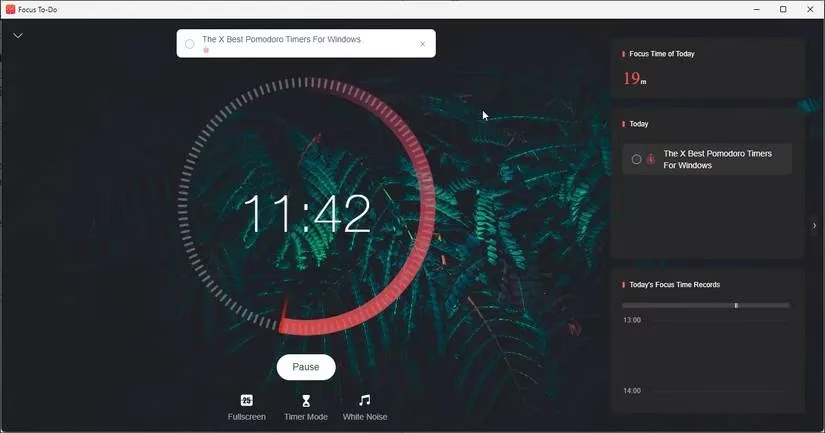
Nora started with Focus To-Do, the friendly overachiever of the bunch. It was not just a timer; it was a task manager with a Pomodoro engine under the hood. She could create tasks and sub-tasks, attach them to an active session, add due dates, set reminders, and even jot notes without leaving the app. The home screen gave her a quick glance at focus time, completed tasks, and records, which felt like a pat on the back without the confetti. When her brain started to wander, the built-in White Noise tab gave her something to lean on, and the minimal but customizable interface let her choose a pictured background or a fullscreen timer that shut out the visual clutter. The free version was generous enough for her first week, and the premium plan added cross-device synchronization, cloud details, tags, and unlimited projects. For Nora, Focus To-Do was the whole package: a timer, a to-do list, and a gentle nudge to stop playing whack-a-mole with her workload.
⏱️ When a Tiny Overlay Did the Heavy Lifting
Next, she tried FocusCommit, which felt like Focus To-Do's more serious cousin. The interface was a bit plain, and the free version held back some goodies, but the timer overlay won her over. Once a session started, a small floating timer sat on top of other apps, so she could keep track of time without opening the dashboard and falling down a rabbit hole. White noise and cross-device syncing were premium features, and so were unlimited tasks, project creation, reminders, and integrations with Google Tasks and Microsoft To-Do. FocusCommit also had a Boost Productivity feature for setting challenging 30-to-90-day goals, which appealed to Nora's inner project manager. A seven-day free trial gave her a taste of the premium side, and she filed it away as a solid choice for anyone who likes a visible countdown breathing down their neck.
🧘 For the Minimalist Who Wanted a Timer, Not a Lifestyle
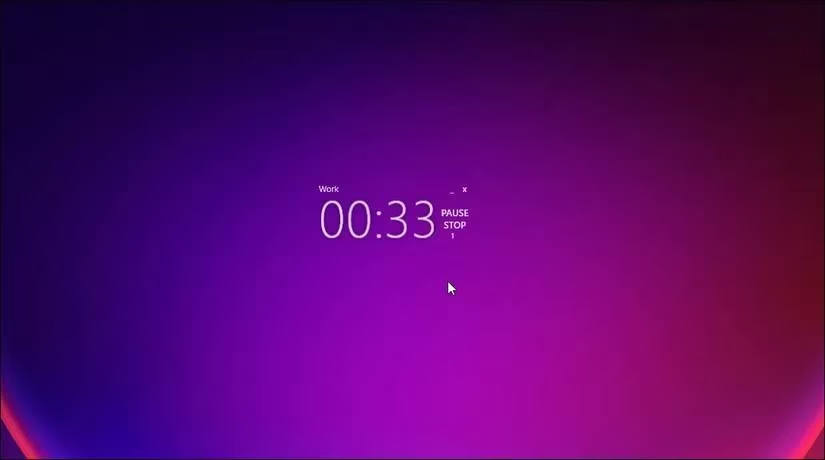
YetAnotherPomodoroApp, mercifully shortened to YAPA, was a different beast. It was open-source, minimalistic, and almost invisible in the best way. The timer UI was transparent, showing only the countdown and controls for pause, stop, and close. Nora could drag it around her screen like a sticky note. Right-clicking the overlay opened a dashboard with performance reports and settings for work, breaks, and long breaks. She could set it to auto-start breaks and work sessions, and a flashing animation told her when work time was up. YAPA also supported themes and sound customization, including start and end sounds and work songs from her own library on a loop. It was not the most polished app in the world, and some features felt like a work in progress, but for a free, no-nonsense timer, it had a certain scrappy charm. As Nora put it, sometimes you do not need a Swiss Army knife; you need a sharp little blade.
🧱 When Distractions Needed a Bouncer
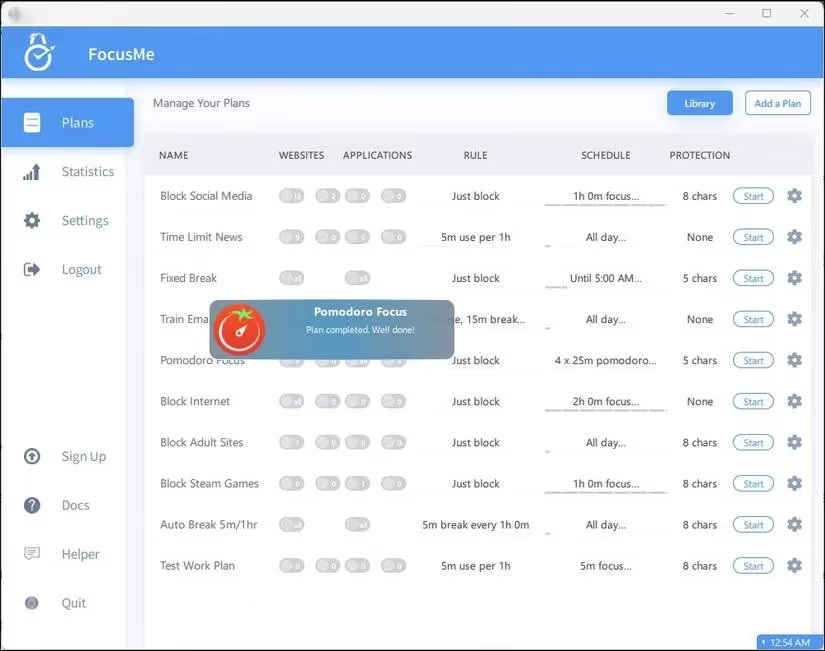
By Thursday, Nora admitted that her biggest problem was not time management but temptation. Enter FocusMe, the premium app with a bouncer's mentality. Pomodoro Focus was one part of its toolkit, and the basic idea was to block or limit the websites and apps that ate her day. When she started a Pomodoro Focus plan, FocusMe could minimize instant messaging apps, block social media, and still allow work essentials such as Word and Notepad. It could also show a breakdown of time spent in each app for a chosen date, which was both useful and slightly humbling. FocusMe came with a free 14-day trial, and while it was pricier than a simple timer, it was an excellent choice for anyone whose digital distractions needed a firm hand. Nora liked that it did not just time her focus; it defended it.
🎮 Tomatoes, Games, and Bare-Bones Focus
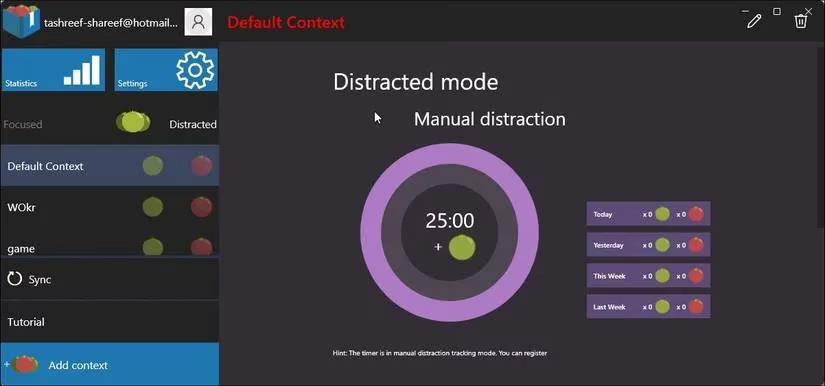
Focus Journal took a more playful approach. It was built around a reward system: finish a session with your attention intact and you earned a red Pomodoro, the Italian word for tomato. Get distracted and you received a green one instead. The app tracked focused and distracted activities separately, showed them in a left pane, and kept daily, weekly, and monthly statistics. Nora could create different profiles for different tasks, configure the timer to her liking, and toggle a Minimize switch to use the app as an overlay on top of other windows. It was a clever way to make focus feel like a small game rather than a chore.
Resultivity, from the same developers, leaned even harder into the game metaphor. It turned productivity sessions into a points-based challenge with six levels, new habits to learn, and rewards for staying on task. It did not follow the full Pomodoro short-and-long-break system, but premium users could activate the Pomodoro method. For Nora, it was a fun detour, though not her daily driver.
Focus 10 was the opposite: a bare-bones timer for people who wanted the method without the bells and whistles. Each session lasted 25 minutes, followed by a five-minute break, and she could adjust Pomodoro, break, and long-break lengths in Settings. It supported a basic clock ticking sound and a continuous alarm for break reminders. The Stats tab showed sessions, total working minutes, and more, and she could manually add any working minutes the app missed. It was simple, honest, and refreshingly low-maintenance.
📊 The Professional's Time Tracker
Finally, Nora tried Focus Booster, which felt aimed at work professionals who need timesheets and client records rather than cute tomatoes. She could organize timers by labels and client names, and more features lived in the web app interface. Creating an account was necessary to sync time entries, labels, and profiles across devices. The free version was limited to 20 Pomodoro sessions per month, while the premium version offered unlimited sessions, data export, client and revenue reports, and basic customization for session timers, sounds, breaks, and a mini overlay timer. It was more of a time tracker with a Pomodoro bonus than a pure focus app, but for freelancers and consultants, that combination could be just the ticket. A 30-day pro trial made it easy to test the waters.
🏁 The Takeaway
By the end of the week, Nora had not become a productivity guru. She had simply found a rhythm. The Pomodoro Technique gave her permission to focus for a short, honest burst and then step away without guilt. The best Windows Pomodoro app for her was not the one with the most features; it was the one that made the next 25 minutes feel doable. As of 2026, the lineup still offers something for every style: Focus To-Do for all-in-one task management, FocusCommit for a visible overlay, YAPA for minimalist open-source charm, FocusMe for distraction blocking, Focus Journal and Resultivity for gamified motivation, Focus 10 for simplicity, and Focus Booster for professional time tracking. Prices and premium tiers may have shifted since these apps first made their names, so it is worth checking the current details before committing. But the core lesson remains as fresh as a ripe tomato: pick a timer, start the clock, and give your attention a fair shake. 🍅
| App | Best For | Vibe |
|---|---|---|
| Focus To-Do | Task management plus Pomodoro | Friendly all-rounder |
| FocusCommit | Floating timer overlay | Serious and straightforward |
| YAPA | Minimalist open-source focus | Transparent and scrappy |
| FocusMe | Blocking digital distractions | Firm but fair bouncer |
| Focus Journal | Reward-based focus tracking | Playful and reflective |
| Resultivity | Gamified productivity | Level-up energy |
| Focus 10 | Bare-bones Pomodoro | No-frills and honest |
| Focus Booster | Timesheets and client work | Professional and practical |
Comments