
In 2026, the search for time-tracking software can feel like wandering into a bazaar where every vendor promises a cathedral of features. Workers open a browser, type a few hopeful queries, and are promptly buried under dashboards, automations, AI assistants, and pricing tiers that seem designed for enterprise departments rather than individual focus. Toggl Track has long occupied a different lane. It is less a Swiss Army knife than a well-balanced scalpel for the hours, offering simple clock-in and clock-out tracking, organized logs, and reports without the surrounding noise. For freelancers, independent contractors, and small teams who mainly want to know where their time goes, the tool remains a practical option in 2026.
A Calm Harbor in a Sea of Feature Bloat
The core appeal of Toggl Track is its restraint. Long-term users have noted that the free tier contains the right amount of functionality: time tracking, data storage, and report generation. There is no trial period and no artificial limit on the free plan, according to the reference overview. Paid tiers exist, but the software does not aggressively push users toward them. That quiet approach is increasingly rare in a market where every productivity app seems to want to become an operating system.
Toggl Track also helps users stay on course simply by making the clock visible. Once a timer is running, the psychological effect is similar to a metronome in a practice room: it does not play the notes, but it keeps the session honest. For those who drag their feet, the built-in Pomodoro timer offers short productivity bursts. The tool is not trying to manage an entire company from a single window. It is trying to answer a narrower question: what happened to the working day?
Organization Without Ceremony
Toggl Track's organization system is straightforward. Each time entry can be assigned to a project, a client, and a tag. All three fields are optional, which means users can keep things minimal or build a more detailed record. Descriptions can also be added to bring clarity to logs. The system helps users find specific entries, group similar items, and generate reports later.
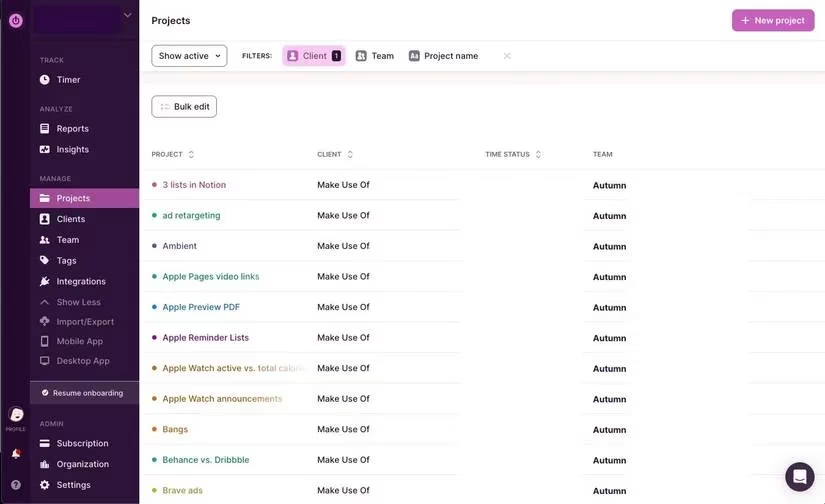
A simple example makes the structure clear. For an article-writing task, the description might be draft, proofing, or editing. The project could be the name of the article itself. The client would be the publication or employer. Tags might include draft, edit, graphics, or research, allowing the user to see where the most time is spent in the process. None of these fields are mandatory. If a short description is enough, that is enough.
| Field | Purpose | Example |
|---|---|---|
| Description | Names the immediate task | draft, proofing, editing |
| Project | Groups related work | Toggl Article |
| Client | Identifies the recipient or department | MUO |
| Tag | Adds insight across projects | draft, edit, graphics, research |
Desktop App and Pomodoro Timer
The desktop app is lean and ultra purple, and it allows users to start logging time with a single click. The play button at the top starts a fresh timer, while hovering over a previous entry and clicking its play icon continues that task. Information can be added while working or afterward by editing the entry. The file icon represents the project, and the tag icon represents the category. Once a project is added, the client field appears below it. Time entries can also be edited directly in the app, though users must remember to hit Save or Add whenever they make a change.
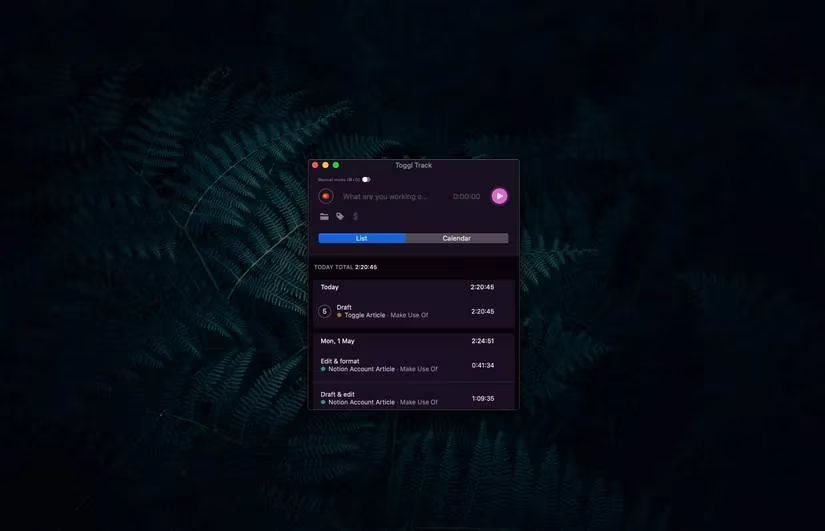
The web app remains the better place for deeper edits, such as changing a project color, adding a client, inputting time manually, or handling a long list of changes. That division keeps the desktop app fast while preserving the web version for administrative work.
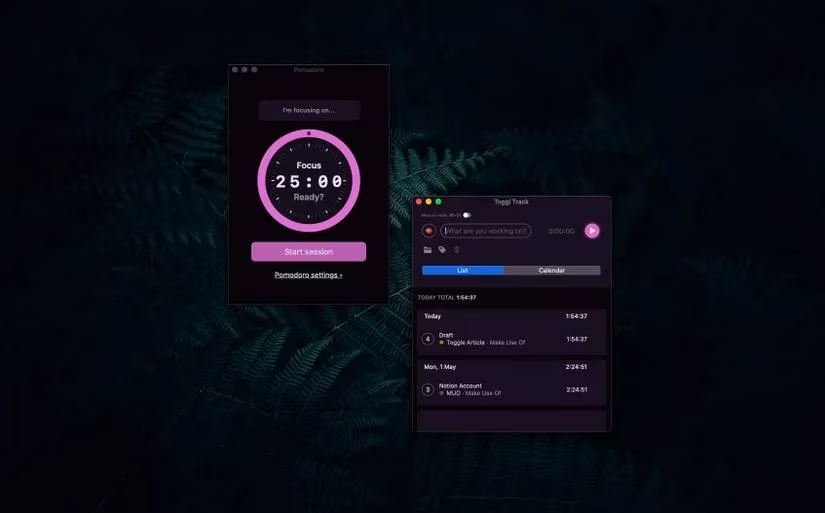
The Pomodoro timer appears as a small tomato icon. Clicking it opens a bright pink clock in a new window with a 25-minute countdown. Once the session starts, the user works until the timer sounds, takes a short break, and repeats. If 25-minute bursts do not suit the task, the Pomodoro settings at the bottom of the window can be adjusted.
Reports and Reminders
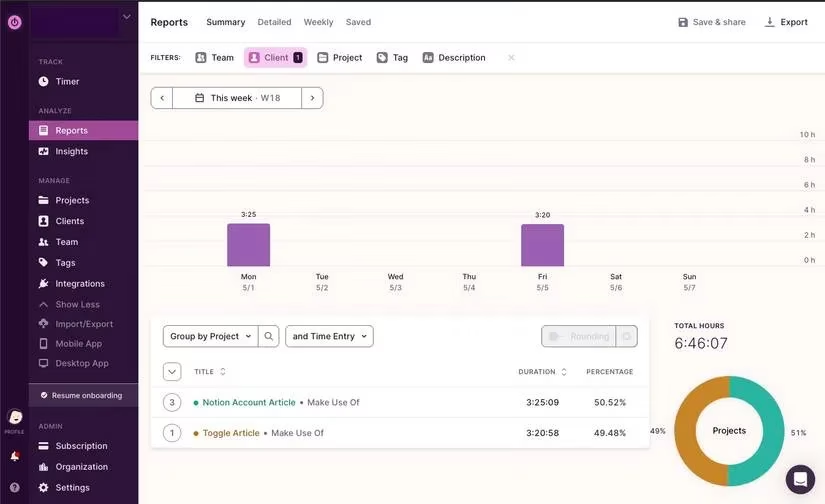
When it is time to generate a report, users can head to the Reports tab in the left sidebar of the web app. Clicking This week selects the date range, while Client, Project, or Tag filters at the top tailor the data. Once the on-screen information looks right, the Export button downloads a PDF or CSV. This makes Toggl Track useful not only for personal awareness but also for client billing, project review, and weekly reflection.
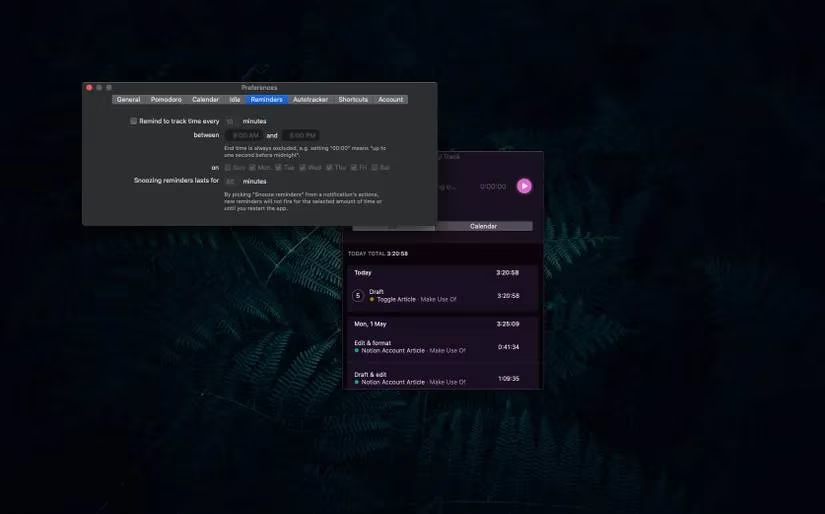
Reminders are another small but useful feature. They can prompt users who are idle or who forgot to turn on a timer. After a set amount of time, the app sends a push notification for either situation. The reminders can be tailored to appear only during set dates and times, which is helpful when the same computer is used for both work and personal life. They can also be snoozed or turned off entirely in settings. In practice, the notifications are as gentle as a librarian's cough in a silent reading room: noticeable enough to correct behavior, but not disruptive enough to break concentration.
Who Should Consider It in 2026
Toggl Track is not the right fit for every organization. Teams that need deep resource planning, complex invoicing, or AI-driven scheduling may prefer a heavier platform. But independent workers who want simple tracking and reporting will find the essentials in the free plan. The software keeps tabs on time, stores the resulting data, and adds a Pomodoro timer for productivity. Its free tier works like a tide chart for freelancers adrift in billable time, showing patterns without demanding a navigation crew.
In a 2026 software landscape full of sprawling suites and subscription pressure, Toggl Track's appeal is its narrowness. It does not pretend to solve every workplace problem. It simply logs the hours, organizes them, and turns them into reports. For users who have yet to try it, there is no trial clock ticking and no free-tier countdown. The tool is ready when they are. That may be the most refreshing feature of all. 🕒
Comments