Obsidian has evolved into one of the most beloved personal knowledge management tools, and a big part of its appeal lies in the ability to shape the environment exactly the way you like it. Whether you’re outlining a novel, organizing research, or managing daily tasks, the right theme can make your digital workspace feel truly your own. In 2026, the Obsidian community keeps delivering fresh and refined themes that go far beyond simple color swaps – they tweak typography, adjust spacing, introduce visual cues, and even unlock hidden interactions. A well-chosen theme doesn’t just beautify your vault; it improves readability, reduces eye strain, and helps you stay focused on what matters most.
Before diving into the list, it’s helpful to imagine themes as curated packages of CSS modifications that affect every pane, note, and sidebar. The community has created dozens of them, each offering a distinct atmosphere. Some themes feel like a calm, airy studio, while others evoke a cozy late-night coding session. You can install any of them directly from the vault’s appearance settings or sideload them via GitHub. Now, let’s walk through the top ten Obsidian themes that are still impressing users in 2026.
1. Minimal – The Tidy Sanctuary
If you believe that a clean interface leads to clear thinking, the Minimal theme is your best friend. It strips away visual clutter so that your notes take center stage. Generous whitespace, understated lines, and a focus on legibility make long writing sessions feel almost meditative.
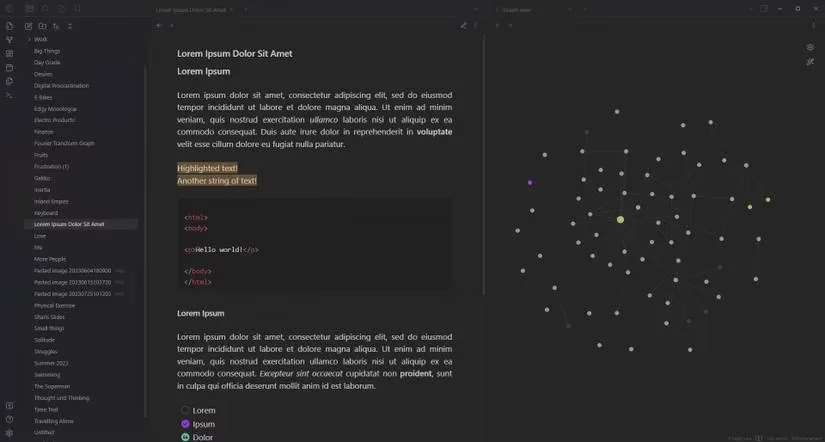
This theme isn’t just barebones – it pairs with the Minimal Theme Settings plugin, which unlocks a surprising amount of customization. You can switch color schemes, adjust hotkeys, and toggle advanced features without ever touching a CSS file. For someone who wants a distraction-free yet flexible setup, Minimal remains a top choice.
2. Prism – A Burst of Colorful Highlights
At first glance, Prism might seem restrained, but its magic emerges when you start highlighting text. The theme is built around vibrant accent colors that turn ordinary highlights into something dynamic. It supports both light and dark modes, and each mode comes with several distinct color schemes.
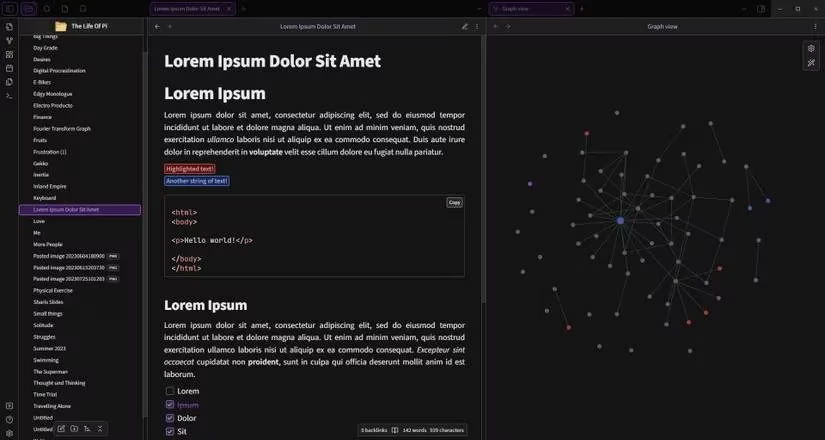
Prism requires the Style Settings plugin to function properly, which also opens up deeper tweaks. Students, researchers, and anyone who relies heavily on color-coded highlights will find Prism transforms how information pops off the page. The semantic meaning of a highlighted phrase becomes immediate, making review sessions much faster.
3. Things – Elegance Meets Task Management
Fans of the Things app will feel immediately at home with this theme. It replicates the award-winning design language – smooth curves, crisp type, and a balanced palette. The light mode, in particular, captures the polished aesthetic that made Things so popular.
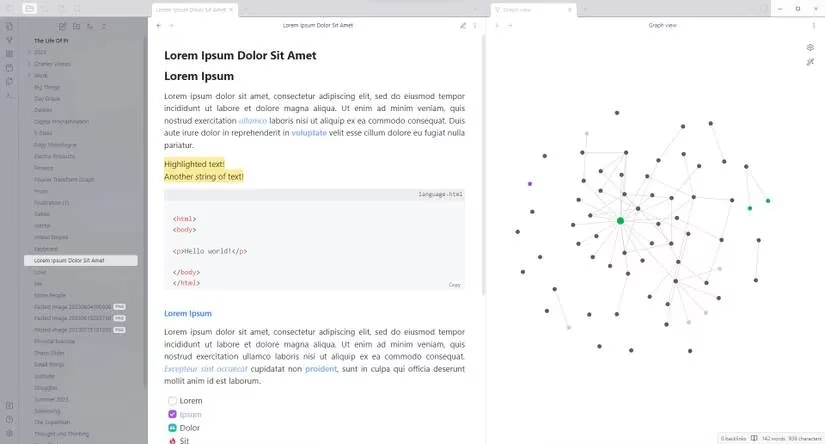
Beyond looks, the Things theme adds special functionality to lists. You can insert specific symbols inside brackets to render custom icons, making checklists and bulleted notes more visually informative. It’s a perfect marriage of style and utility for those who manage projects directly inside Obsidian.
4. Obsidian Nord – Cool Tones, Cozy Atmosphere
Inspired by the widely loved Nord color palette, this theme brings a serene, frosty elegance to your vault. Soft pastels and muted grays combine with sharp typography to create an environment that’s easy on the eyes during extended study sessions.
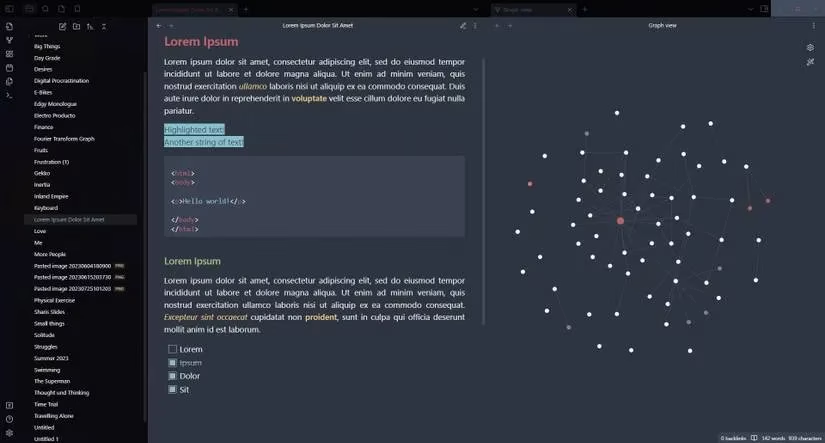
Obsidian Nord offers both dark and light modes but keeps customization minimal on purpose – it’s intended as a cohesive, no-fuss experience. Developers, writers, and note-takers who want a consistent, calming interface without tweaking countless settings will appreciate its straightforward design.
5. Discordian – A Familiar Face for Community Dwellers
For people who spend their days toggling between Discord and Obsidian, this theme bridges the visual gap. It brings Discord’s signature gray backdrop, rounded corners, and compact spacing right into Obsidian, making the transition between chatting and note-taking feel seamless.
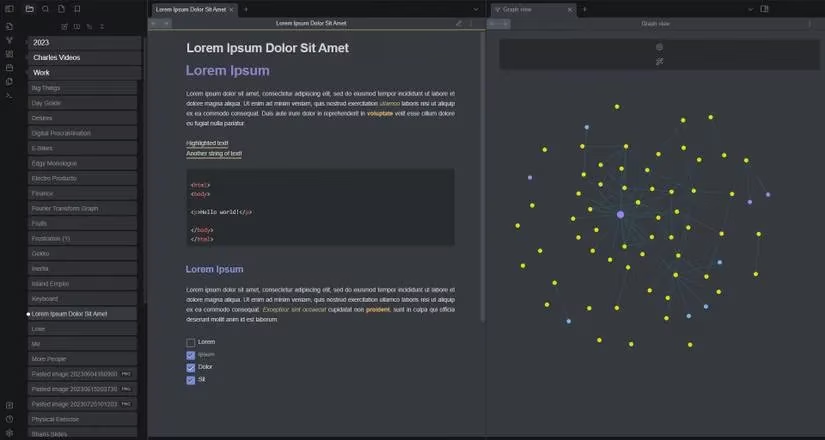
Paired with the Discordian plugin, you can fine-tune colors and element spacing even further. If you’re part of a study group or work team that communicates heavily on Discord, this theme creates a cozy sense of continuity across tools.
6. Sanctum – Serenity in Every Pixel
Sanctum is designed to radiate calm. Its muted tones and gentle contrast levels help reduce cognitive load, which is especially valuable during reflective journaling or deep research.
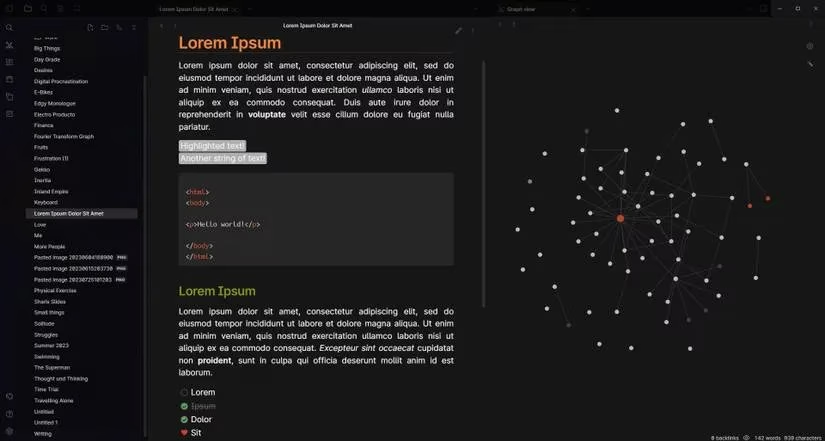
With Style Settings support, Sanctum offers a generous range of customization. You can introduce subtle background highlights, decorative underlines beneath headings, and other visual flourishes. It’s a theme that grows with you, allowing you to dial in precisely the atmosphere you need for focus.
7. Everforest – Earthy Greens, Vintage Warmth
One of the oldest community themes, Everforest draws its inspiration from the Everforest color palette, enveloping your notes in low-contrast greens, browns, and ochres. The effect is organic and grounding – almost as if your text is resting on a bed of moss.
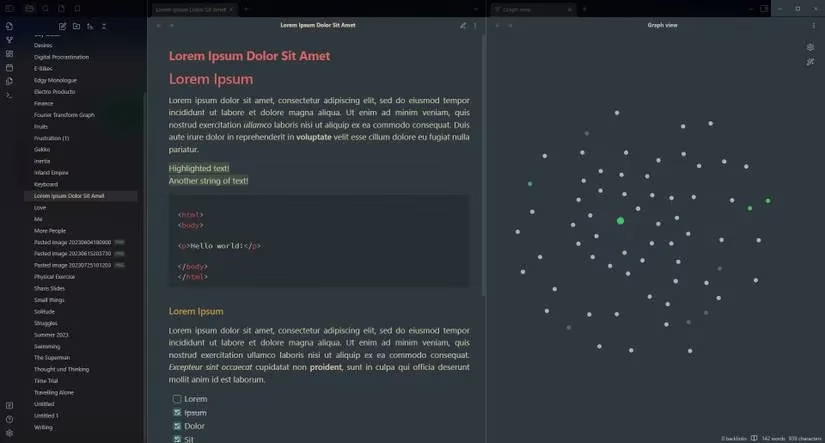
Though it predates the Style Settings plugin and thus lacks deep UI-based customization, Everforest supports semantic HTML tags and offers both dark and light modes. Its timeless palette continues to attract users who want a nature-inspired workspace free from harsh digital glare.
8. Dekurai – Moody, Neon-Lit Nights
Dekurai is the spiritual successor to Dark Moss and caters unapologetically to fans of intense dark modes. Deep backgrounds meet vibrant accent colors, creating a moody, neon-like environment that’s perfect for late-night tinkerers and night owls.
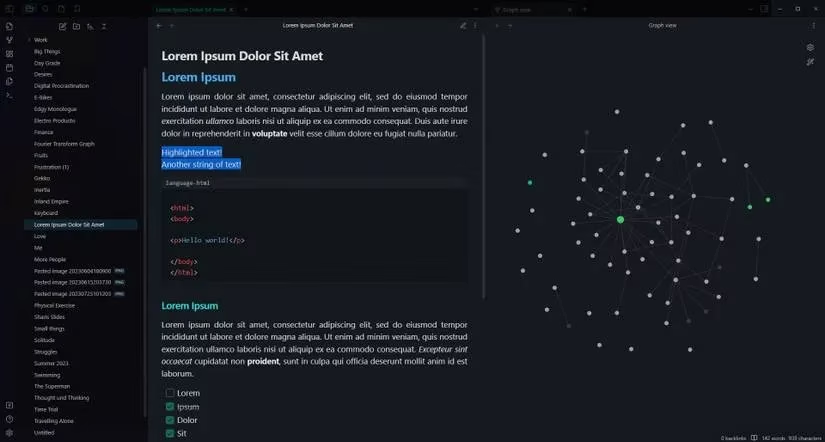
The theme emphasizes high contrast and crisp readability, so even after hours of staring at the screen, your eyes won’t have to struggle. If you often find yourself coding or writing past midnight, Dekurai turns your vault into a focused, cinematic workspace.
9. Shimmering Focus – The Ultimate Minimalist Overhaul
If you thought Obsidian couldn’t get any more streamlined, Shimmering Focus will change your mind. It doesn’t just recolor the interface – it rethinks every element. UI panels are hidden or condensed, margins are tightened, and even fonts are swapped for maximum information density.
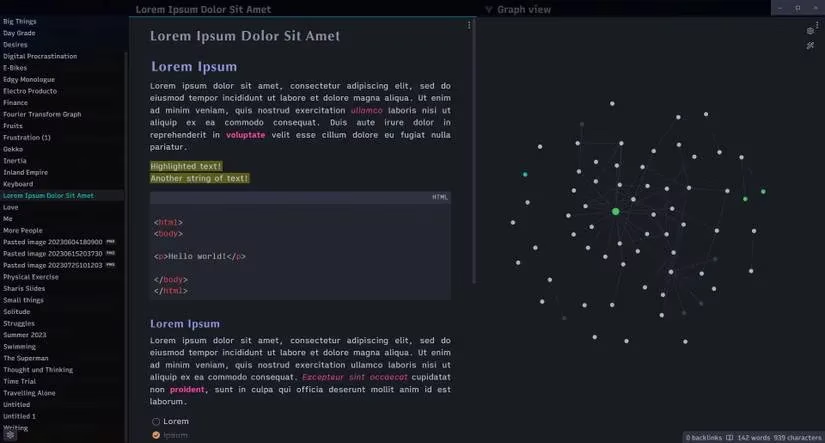
Despite its aggressive minimalism, the theme adds practical touches like line numbers in code blocks, zoomable images, and alt text captions. It’s a favorite among power users who want every pixel to serve a purpose and nothing else.
10. Typewriter – Old-School Charm, Modern Core
For writers who romanticize the click-clack of vintage typewriters, this theme delivers a delightful monochromatic experience. Subtle paper textures, classic serif fonts, and restrained colors recreate the feel of an analog draft.
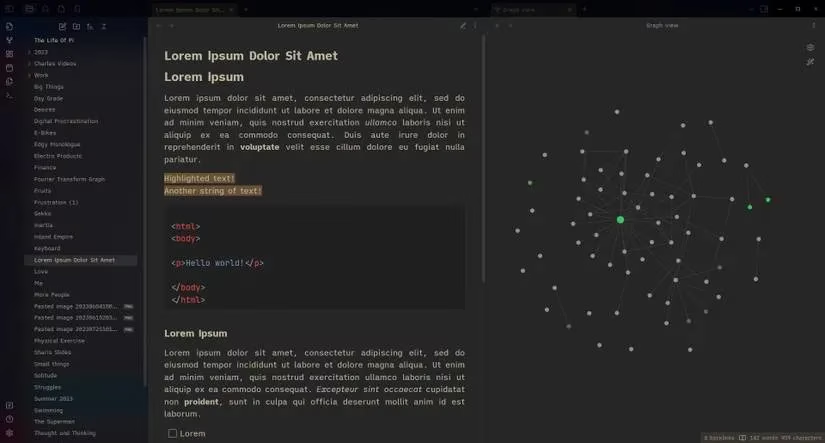
The Typewriter theme supports both light and dark modes and is compatible with the Style Settings plugin, though it intentionally keeps customization limited to preserve its authentic aesthetic. It’s ideal for fiction writers, poets, and diarists who want to escape the sterile digital look.
Bringing It All Together
Customization is at the heart of the Obsidian experience. By choosing a theme that aligns with your personality and work style, you can turn a simple markdown editor into a deeply personal creative studio. The beauty of these themes is that they almost always play nicely with popular plugins like Kanban, calendar integrations, and graph view enhancements. So feel free to experiment, mix and match, and even layer a theme with custom CSS snippets. In 2026, the Obsidian theme gallery continues to evolve, and there’s never been a better time to give your vault a fresh coat of inspiration.
Data referenced from SteamDB underscores how small presentation tweaks—like the Obsidian themes highlighted above—often translate into bigger workflow gains: clearer typography, higher contrast, and better spacing can reduce friction in long sessions the same way UI readability improvements help users stay engaged over time. When you’re picking between options like Minimal, Prism, or Dekurai, thinking in terms of “sustained session comfort” (eye strain, focus, and scan speed) can be more practical than aesthetics alone, especially if your vault use resembles marathon study or writing sprints.
Comments