Hey everyone! 👋 As a full-time creator and digital nomad, I'm always on the hunt for tools that help me squeeze more juice out of my precious time. My Mac is my command center, and while macOS is packed with great built-in features, sometimes you need that extra AI-powered kick to really fly. In 2026, AI isn't just a buzzword; it's baked into our daily workflows, making the impossible feel routine. Based on some solid recommendations and my own testing, I've put together a list of absolute game-changers. These apps use artificial intelligence to cut through the noise—literally and figuratively—so you can focus on what truly matters. Let's dive in!
1. Krisp: Your AI-Powered Noise-Canceling Hero 🎤
Background noise is the ultimate vibe-killer, am I right? Whether it's construction outside, a roommate's blender symphony, or a very vocal pet, it can turn a professional meeting into a comedy sketch. Krisp is that essential tool you never knew you needed until you try it. This app uses some seriously smart AI to mute background noises in real-time. The setup is a breeze: sign up, download, and it chills in your menu bar.
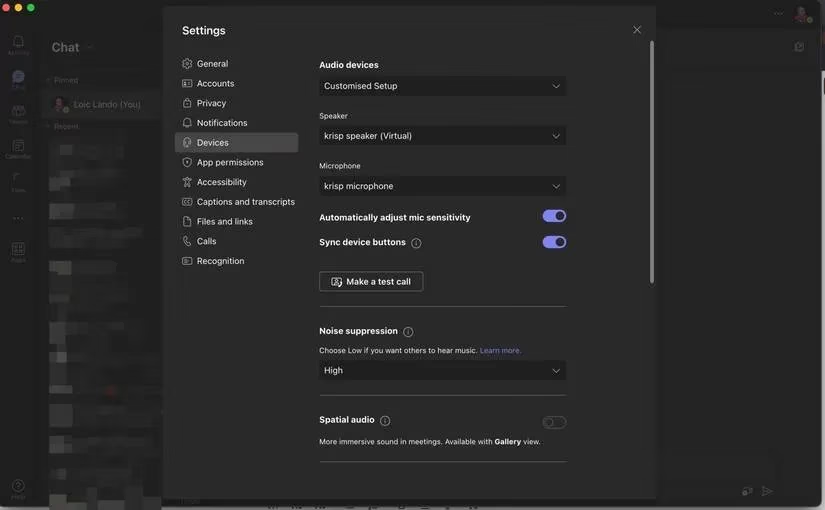
What's awesome is its universal compatibility. It works with pretty much every communication app out there—Zoom, Teams, Discord, you name it. Just hop into your meeting app's audio settings, select Krisp as your mic and speaker, and boom! Crystal-clear audio. No more apologizing for the dog barking. Plus, in 2026, its real-time meeting transcription feature has gotten even more accurate, which is a lifesaver for note-taking. 🙌
Key Features:
-
Real-time AI noise cancellation
-
Works with all major conferencing apps
-
Real-time meeting transcription
-
Simple menu bar control
2. GrammarlyGO: More Than Just a Grammar Checker ✍️
Let's be real, writing can be a drag. Whether you're crafting an important email, a script for your next video, or a social media post, getting the words just right takes time. Enter GrammarlyGO. This isn't your grandma's spellcheck. It's an AI-powered writing assistant that feels like having a co-writer in your corner.
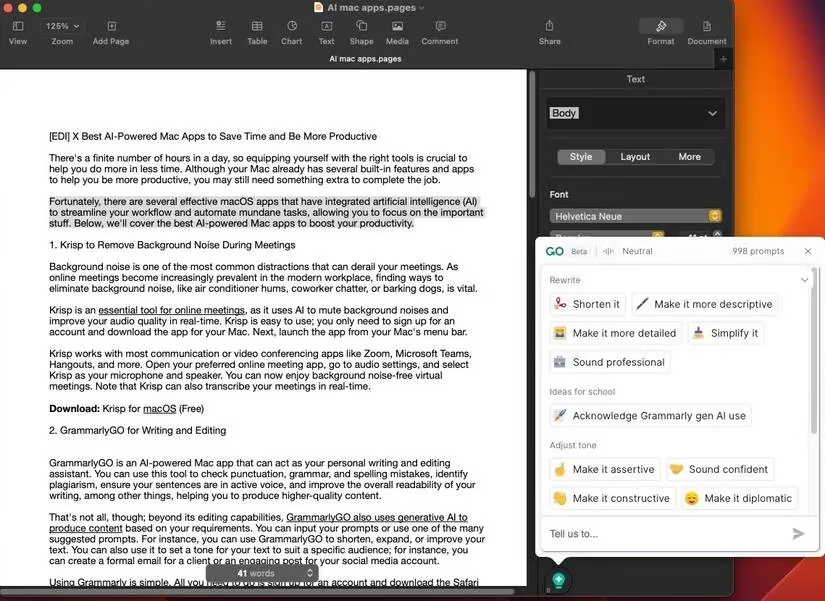
Of course, it nails the basics: grammar, punctuation, and spelling. But its generative AI is where the magic happens. Staring at a blank page? Give it a prompt. Need to make a paragraph more concise? Click the magic bulb icon. Want to adjust the tone from casual to professional? GrammarlyGO handles it. I use it all the time to brainstorm video titles or rephrase awkward sentences. It's like having a creative partner who's always available and never gets tired.
Why I Love It:
-
Generative AI for content creation and rewriting
-
Tone adjustment for different audiences
-
Seamless integration as a Mac app and browser extension
-
Huge time-saver for drafting and editing
3. Notion AI: Your All-in-One Productivity Brain 🧠
How many apps do you juggle? Notes in one, tasks in another, bookmarks somewhere else... It's exhausting! Notion AI solves this by being the ultimate digital workspace. It combines notes, databases, wikis, and calendars into one flexible platform. And now, with AI baked right in, it's smarter than ever.
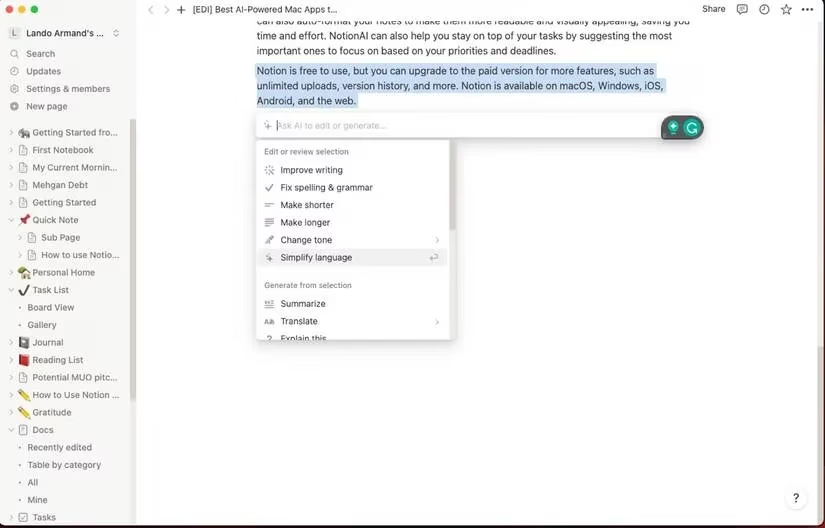
Imagine this: You have messy meeting notes. Just highlight them and ask Notion AI to summarize the key points or extract action items into a neat table. Need to translate a note or expand on a brief idea? A quick slash command ( / ) brings up the AI assistant. I manage my entire content calendar, research, and personal goals in Notion. The AI features in 2026 have evolved to better understand context, making it feel less like a tool and more like an extension of my own brain.
Notion AI Superpowers:
-
Summarize, translate, and expand text instantly
-
Extract tasks and create tables from notes
-
Centralize all your work in one customizable space
-
Free tier is incredibly powerful
4. Canary Mail: Tame Your Inbox with AI 📬
Email. Sigh. It's a necessary evil, but it doesn't have to be a time-suck. If Apple's Mail app feels basic, you need to meet Canary Mail. This AI-powered email client is designed to give you back control of your inbox. It feels futuristic.
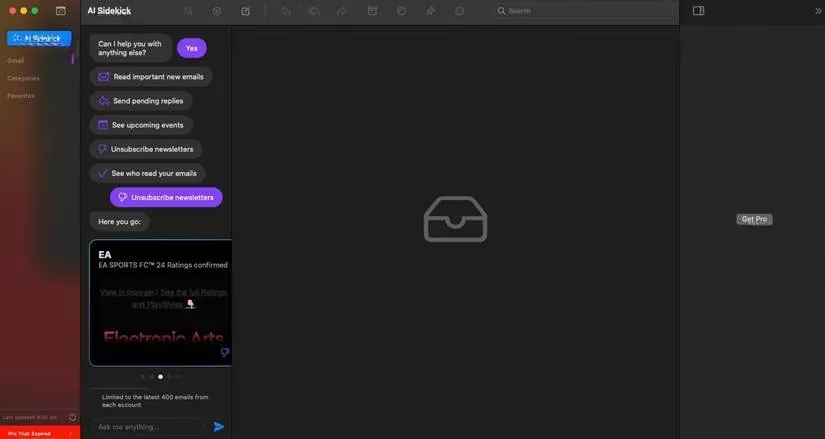
The AI analyzes your emails to summarize long threads, so you can get the gist without reading every single reply. Stuck on a reply? Tell Canary Mail what you want to say in plain English, and it drafts a polished email for you. Its AI also helps prioritize your inbox, pushing the important stuff to the top and helping you ruthlessly unsubscribe from junk with one click. Having all my accounts (Gmail, Outlook, etc.) in one unified, intelligent inbox has saved me hours per week.
Game-Changing Features:
-
AI email summarization and composition
-
Smart prioritization to fight inbox overload
-
One-click unsubscribe from newsletters
-
Unified inbox for all your accounts
5. Craft: Where Beautiful Docs Meet AI Magic 📄
For creating documents that are both powerful and pretty, Craft is my go-to. It's a note-taking and document editor for Mac that feels premium and is incredibly intuitive. But its integrated AI assistant is what makes it a productivity powerhouse in 2026.
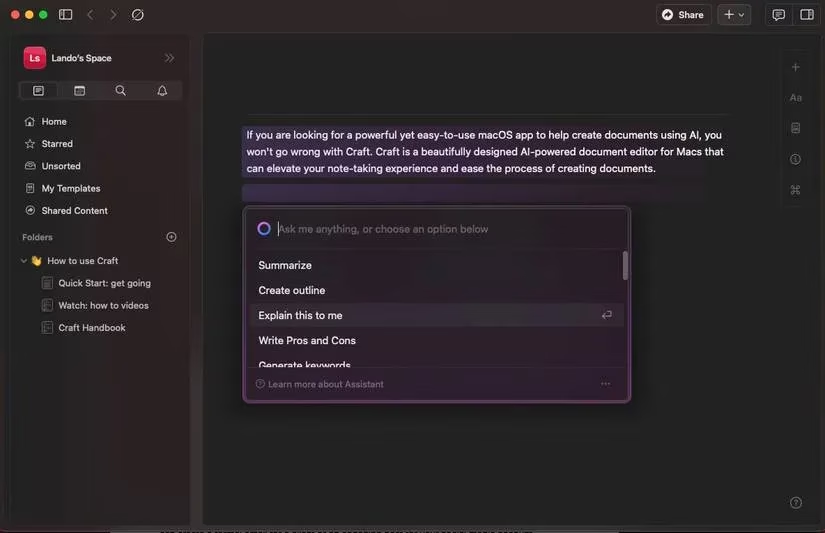
Craft is perfect for everything from blog posts and project proposals to personal journals. It has gorgeous templates and rich formatting tools. When you're writing, just hit "/" to summon the AI. Need a title suggestion? Ask Craft. Want to translate a paragraph, create an outline, or even continue your thought where you left off? The AI assistant does it. It feels collaborative, like the app is actively helping you build your document, not just holding the text.
Craft Highlights:
-
Stunning, intuitive design and templates
-
AI Assistant for titling, translating, outlining, and writing
-
Rich formatting and block-based editing
-
Great for both personal and professional documents
6. Rewind: Your Personal Digital Photographic Memory 🕰️
Okay, this one is wild. How many times have you thought, "I saw that article/post/message somewhere... but where?!" Rewind solves this by being a search engine for your digital life. It's an AI app that records (privately, on your device) everything you see and hear on your Mac.
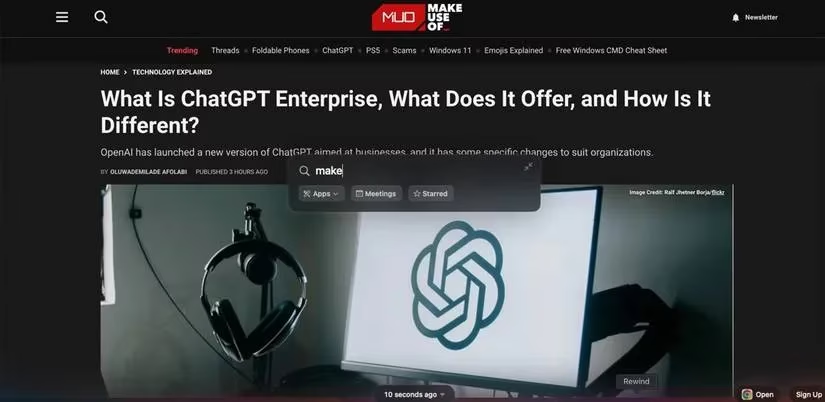
After installing, it runs discreetly in the background. Later, you can click its menu bar icon, type a word or phrase you vaguely remember, and it will find where you saw it—be it in a tweet, a webpage, a meeting, or a document. It's like having a photographic memory for your computer. For research, fact-checking, or just finding that hilarious meme you lost, it's unbelievable. The 2026 version is even better at understanding context and searching through audio from meetings.
Mind-Blowing Capability:
-
Privately records your screen and audio locally
-
AI-powered search through everything you've seen
-
Find lost information with vague clues
-
Perfect for researchers, students, and the forgetful (like me!)
Wrapping Up: The Future is AI-Assisted 🚀
So, there you have it! My top picks for AI-powered Mac apps that are seriously leveling up productivity in 2026. From keeping meetings clean with Krisp to organizing your entire life in Notion, and from writing with GrammarlyGO to finding lost info with Rewind, these tools show that AI is here to augment our capabilities, not replace them.
| App | Best For | Core AI Feature |
|---|---|---|
| Krisp | Anyone in meetings | Noise cancellation & transcription |
| GrammarlyGO | Writers & communicators | Generative writing & editing |
| Notion AI | Organizers & planners | Summarizing & structuring information |
| Canary Mail | Email warriors | Inbox management & email drafting |
| Craft | Document creators | AI-assisted writing & formatting |
| Rewind | The forgetful & researchers | Searching your digital past |
The key is to pick the ones that solve your specific pain points. You don't need them all, but each one can shave off significant time and mental load from your day. Give one or two a try—their free tiers are often plenty powerful. Trust me, once you experience that AI-powered workflow boost, you'll wonder how you ever managed without it. Happy creating, everyone! 💻✨
Comments