The year is 2026, and the productivity landscape has been utterly annihilated—in the best way possible—by a single tool that refuses to stop evolving. Airtable, that pixel-perfect fusion of a database and a spreadsheet, has become the go-to playground for anyone who wants to wrangle data like a caffeinated wizard. But let's cut to the chase: the Formula field is not just a feature—it's a full-blown reality-distortion engine. If you haven't strapped yourself into this rocket yet, buckle up, because what follows will make your spreadsheets squeal with joy.
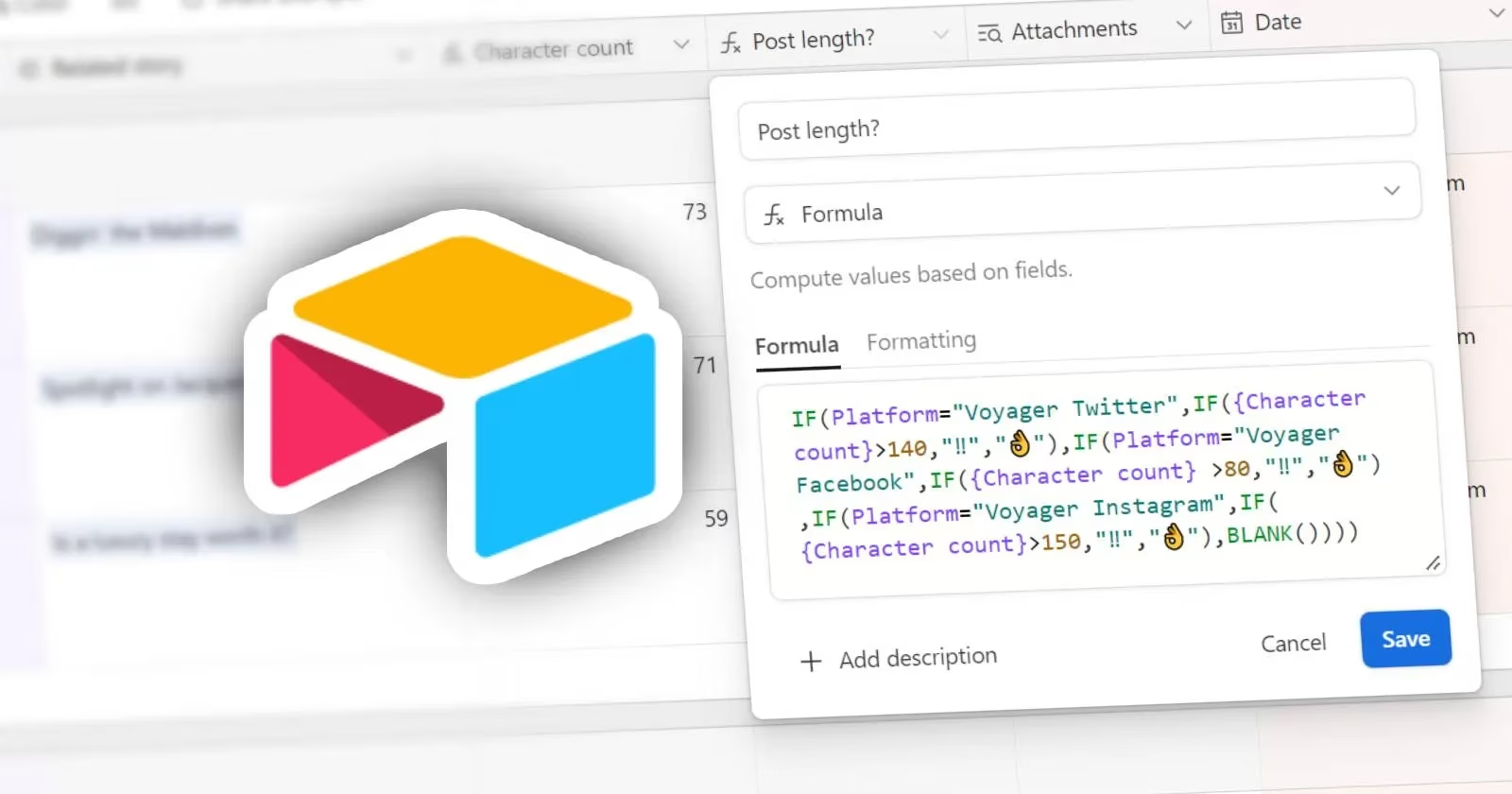
🔮 The Genesis: Summoning the Formula Field
Before you can bend data to your will, you need to invoke the Formula field. It's ridiculously simple, yet so many mortals overlook it. In the Grid view—your digital colosseum—spot the plus-sign button (+) lurking at the end of the field headings row. If your table has more columns than a gossip magazine, scroll right until that + reveals itself. Click it, and from the mystical dropdown, select Formula. Boom! An "Edit field" menu materializes, ready to receive your arcane incantations.
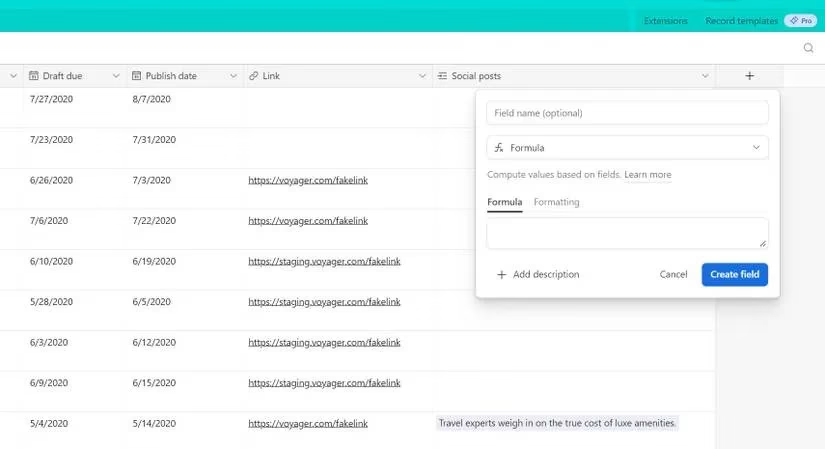
Airtable, being the overachiever it is, will auto-detect value types as you type—numbers, percentages, dates—and you can fine-tune their display via the Formatting tab. Once your masterpiece is complete, smash that Create field button, and watch every single record in the table get injected with your formula. Yes, you read that right: every … single … record. Unlike Excel where you can sneak in a cheeky cell-specific tweak, Airtable applies the formula uniformly—think of it as a relentless army of clones, each carrying out the same order flawlessly. If you’ve ever wrestled with financial or engineering formulas in Excel, you’ll feel right at home, though note that Airtable trims the fat by removing super niche functions. It’s more “lean, mean data machine” and less “kitchen sink.”
🔗 Referencing Fields: Bye-Bye Cell Coordinates, Hello Curly Brackets
Now, the real mind-bender: how do you point to other columns when there are no A1 or C5 cell addresses? Simple—just call them by name! If you have a field named "Price", you drop the mic with:
Price
But if the field name struts around with spaces, like "Order quantity", you must wrap it in curly brackets { }:
{Order quantity}
You can use curly brackets for single-word names too—it’s the equivalent of wearing both a belt and suspenders. This is eerily similar to Excel’s named ranges, except here Airtable does the naming legwork for you. No setup, no fuss, just instant, space-friendly references that feel like next-gen coding. Absolutely bonkers, and we love it.
⚙️ Operators: The Cheat Codes of Logic and Math
Here’s where things get spicy. Airtable treats operators like a street magician treats cards—effortless and dazzling.
-
Arithmetic Maestros:
+(addition),-(subtraction),*(multiplication),/(division). Use parentheses( )to craft complex equations without weeping. -
Text Fusion: The ampersand
&glues text together like a linguistic superglue. Need a space? Wrap it in quotes" ". Want actual quotation marks in the output? Hit it with a backslash:"\"". It’s a tiny escape room for your characters. -
Logic Checkers: These return TRUE or FALSE and are the backbone of decision-making. Feast your eyes on:
>(greater than),<(less than),>=(greater or equal),<=(less or equal),=(equal), and!=(not equal).
These logical operators are the gatekeepers of conditional brilliance; they’re why an IF statement can decide whether your budget blushes or cries.
🧠 The Holy Trinity: IF, SUM, and DATEADD (Plus Some Extra Sparkle)
If formulas were a band, these three would be the headliners.
🕵️ The IF Function: Airtable’s Binary Oracle
IF(expression, value1, value2)
This is the same IF function you’ve worshipped in Excel, now transplanted into Airtable’s fertile soil. Test a logical expression, and if true, it spits out value1; otherwise, value2 steps in. You can nest IFs like a Russian doll, and with multi-line editing—where formulas gain indents and syntax coloring—even the most labyrinthine logic becomes a piece of art. Pro tip: Airtable has no ISBLANK(); instead, check = BLANK() to catch those empty field gremlins.
💰 The SUM Function: Simple, Yet Devastatingly Effective
SUM(number1, [number2, ...])
Add everything you throw at it—field values, hardcoded numbers, the neighbor’s cat if it had a numeric alias. It’s the spreadsheet workhorse, and in Airtable it works exactly as you’d expect, only faster because Airtable’s database engine chews through records like a hungry T-Rex.
📅 DATEADD: Time Travel in a Function
Hold onto your hat, because DATEADD is where temporal manipulation enters the chat.
DATEADD([date or date and time], [#], 'units')
You feed it a date/time (either inline or from a Date field), a number, and a unit. Units? Oh, just the entire spectrum: 'milliseconds', 'seconds', 'minutes', 'hours', 'days', 'weeks', 'months', 'quarters', 'years'. Yes, quarters. You can literally skip forward by quarters of a year. Imagine calculating a deadline that’s 3 quarters and 42 hours from now—in one elegant swoop! Example:
DATEADD("07/18/23 14:55:29", 760, "minutes")
And guess what? You can pipe in TODAY() or NOW() (which updates every 15 minutes or on base recalculation—how slick is that?) to anchor your temporal journeys to the present. Just remember, you can’t use a pure time value without a date; Airtable will throw a fit and demand both.
🚀 Why This Matters in 2026
The Formula field has evolved from a humble spreadsheet cousin into a full-fledged analytical juggernaut. It’s the secret sauce that lets Airtable dance circles around traditional databases while giving you the warm, cozy feel of a spreadsheet. Whether you’re building a robust CRM, tracking interstellar inventory, or simply trying to calculate how many coffee pods you’ll need for the next sprint, formulas turn your base into a sentient, number-crunching ally.
So stop wading through manual data entry like a chump. Embrace the Formula field, unleash your inner spreadsheet sorcerer, and watch your productivity skyrocket so hard it leaves a contrail. Airtable’s documentation is a treasure trove loaded with example bases you can clone and dissect—the perfect cheat sheet for your next power move. Go forth and formula like the absolute boss you are. 🤘
Now, if only Airtable could make coffee… maybe DATEADD(coffee, 1, ‘seconds’) is all we need.
Comments